Connections from HCL Technologies (formerly from IBM, acquired by HCL in 2018) is a collaboration tool and employee digital workspace with key features like social analytics, blogs, document management, and a social network.
N/A
Lightning Tools Lightning Conductor
Score9 out of 10
Mid-Size Companies (51-1,000 employees)
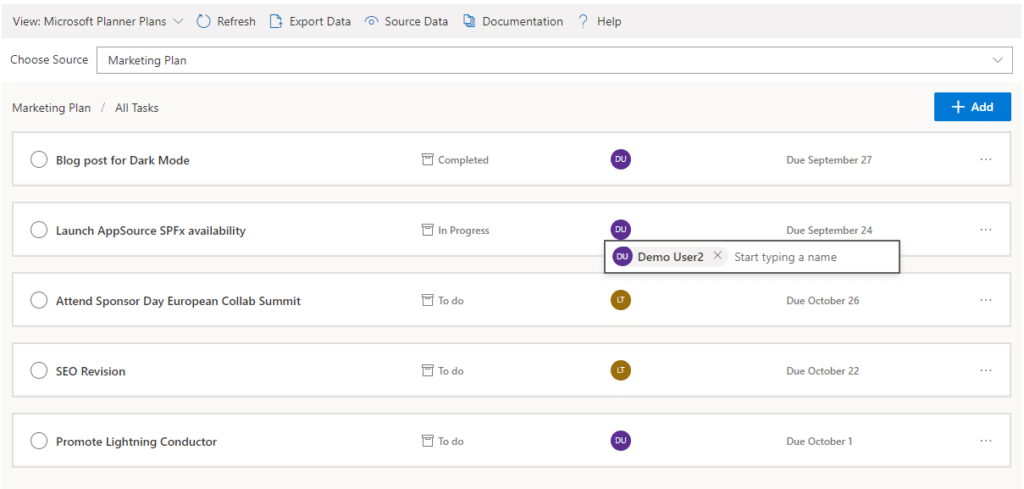
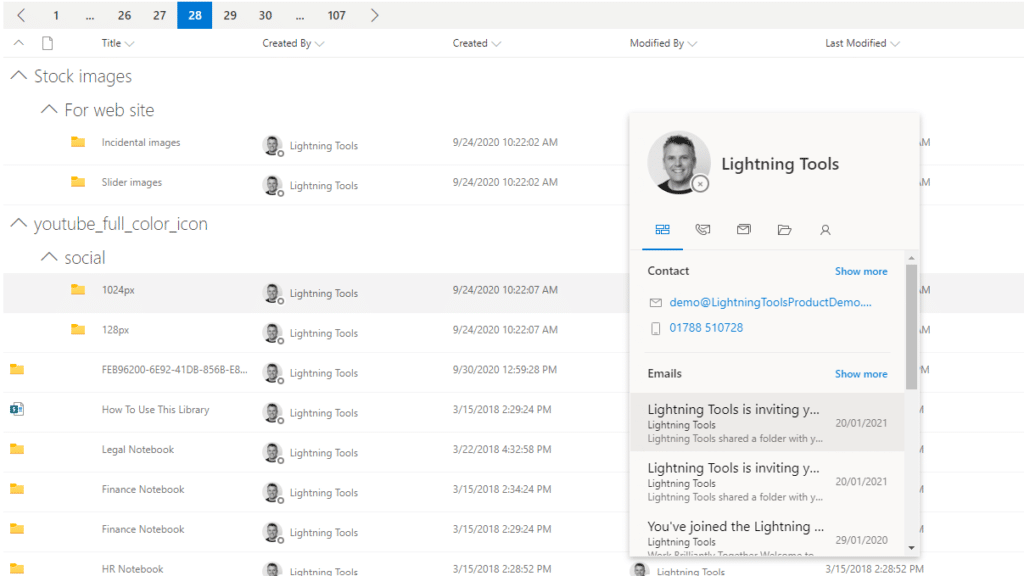
The Lightning Conductor is a content aggregation tool for Microsoft SharePoint Online and Microsoft Teams. Users can build rich, modern content reports based upon SharePoint lists, SharePoint Search, Microsoft Graph or Microsoft 365 Groups. Content can be aggregated from lists and libraries, and other applications such as Planner, To Do, OneDrive, and Teams.
Prices stated are minimum per installation for "stock" products.
$2.20 per user/year on top of base price.
Enterprise editions can be amended to suit business needs if deemed necessary, additional costs incurred and TBD.
All packages include free technical support.
Free upgrades available to latest versions of tool as they are released. (online version)
More Pricing Information
Features
HCL Connections
Lightning Tools Lightning Conductor
Project Management
Comparison of Project Management features of HCL Connections and Lightning Tools Lightning Conductor
IBM Connections is well suited for larger organizations that need an internal social networking tool and are willing to deal with IBM and the complexity of the software. It is less appropriate for smaller organizations and those who don't want to deal with the complexity, or IBM's awful customer service and prices.
A de minimis incentive was given to thank the reviewer for their time. The incentive was not used to bias or drive a particular response, nor was the incentive contingent on a positive endorsement. More Info
Having experience of SharePoint On Premise and also SharePoint Online, there isn't an out of the box app/webpart that enables you to 'roll up content' from a variety of source's (in my case SP Lists, but there are many other data sources it works with) across site collections with an easy to use and intuitive interface which is what Lightning tools excels at.
The plugin for MS Office/Explorer has made saving and sharing working documents extremely convenient for me and my close colleagues
The newsfeed feature conveniently aggregates updates from the communities/people you follow. It's nice not to have to jump from community to community to see what's going on in the organization
The various apps can be used for several purposes. A little creativity goes a long way when establishing what type of information the apps can be useful for communicating
A de minimis incentive was given to thank the reviewer for their time. The incentive was not used to bias or drive a particular response, nor was the incentive contingent on a positive endorsement. More Info
The lack of a note-taking tool became a bigger and bigger issue as time went on. Our pilot users felt Connections was a natural place to take and share meeting notes – including photos, drawings, recorded audio, etc. – and were always frustrated that there was no easy, organized way to do that. We tried using a Blog, Wiki, etc. but nothing really resonated as a good solution for this.
The Wiki tool is weak, providing rigid structure but with few options. A Community can only have a single Wiki, for instance. Wikis are weak in the mobile app as well; they’re not even easy to navigate. Users ended up ignoring Wikis completely despite our efforts to get them to convert documents like guidelines, policies, procedures, handbooks, etc. into Wiki form.
The Windows Explorer plug-in was useful but required a lot of manual intervention to setup. For instance, once a user joins a Community in Connections, the Community also has to be manually added to the Explorer plug-in so the user can find, open and edit files with it. We felt this process should be much more automated.
Tagging is only relevant in the web UI and, to a lesser extent, in the mobile app. However, in the Windows Explorer plug-in, Tags are not usable at all making it difficult to find things that were easy to find in the web UI.
IBM Docs was not included in the on-premises deployment; it was an additional license so we did not test it. Documents, mainly Microsoft Office files, are still the single most common way our user community creates, shares, edits and presents information. That proved to be a major gap for our users, and slowed user adoption considerably. We considered testing it, but IBM Docs would only work for about half of our users so we found ourselves wondering if we really wanted to support two document editing platforms. IBM Docs also offers no way to work offline as far as we could tell. This also meant we would need to keep licensing Microsoft Office which is not cheap.
Consulting costs are high because the back-end environment is complex. Installing, administrating and even patching Connections is a fairly complex process. We needed to hire consultants to install our test environment and any major upgrades would’ve required additional consulting fees. Any 3rd party add-ons we looked at were highly technical in nature meaning…you guessed it, more consulting costs.
Administrating IBM Connections requires editing XML files in a specific, secure way that is typically done in a console. I love consoles as much as the next admin, but when you only use a console once every 2 months it means looking up all the documentation and re-educating yourself. A single change could take me 2 hours to implement. 3rd party admin dashboards do exist, at an additional cost, but IBM really should provide a much easier way to manage the environment.
The lack of in-person or online training courses, materials, videos, etc. really discouraged a lot of users. The only decent training we could find (marketing videos aside) was a single video series on Lynda.com which, of course, was an additional cost. In the end that video didn’t really help our users much beyond introductory concepts.
IBM includes reporting, but it’s a massive Cognos system requiring some serious hardware and Cognos expertise. We had neither, and would have ultimately opted for a 3rd party add-on for reporting and statistics.
An often overlooked concern is eDiscovery. Our contracted eDiscovery service extensively works with various ECMs, but had no idea how they would handle Connections data. The cloud version of Connections offers an add-on for eDiscovery, but as far as we could tell IBM offered nothing for on-premises deployments.
A de minimis incentive was given to thank the reviewer for their time. The incentive was not used to bias or drive a particular response, nor was the incentive contingent on a positive endorsement. More Info
Connections has continued to more than meet our needs from a collaboration point of view and we are currently working on integration with our IBM Websphere portal platform to provide an integrated collaboration solution. This scenario will provide our users the best both products have to offer in a single interface.
A de minimis incentive was given to thank the reviewer for their time. The incentive was not used to bias or drive a particular response, nor was the incentive contingent on a positive endorsement. More Info
Connections combines all the most useful abilities from various social networks. This makes it useful of course, but it also reduces user adoption time initially by allowing users to get comfortable with basic features. Once they are comfortable, it's easy for users to start exploring. They find new people in the organization to contact, new sources of information, etc. Before you know it, about half of the users are contributing back in some form -- and all with little or no training needed by IT.
A de minimis incentive was given to thank the reviewer for their time. The incentive was not used to bias or drive a particular response, nor was the incentive contingent on a positive endorsement. More Info
Once Connections was installed, patched, etc. it was ALWAYS up. We only had to bring it down for OS updates to the servers. That seems to be typical of anything that runs on WebSphere; it's bulletproof and could probably run for months and years if the underlying OS didn't require constant patching.
A de minimis incentive was given to thank the reviewer for their time. The incentive was not used to bias or drive a particular response, nor was the incentive contingent on a positive endorsement. More Info
IBM Connections web UI, mobile app (data sync to / from the device), and file transfer speeds were almost always very fast. It was rare for a slow-down of any kind, even when doing searches.
A de minimis incentive was given to thank the reviewer for their time. The incentive was not used to bias or drive a particular response, nor was the incentive contingent on a positive endorsement. More Info
IBM Support has ALWAYS been quick to respond, regardless of the product. Even first level techs seldom provide "canned" responses and they really try to help. If they can't help, they don't wallow around but engage the right person immediately. It's very rare that the first level tech needs to escalate, and even more rare when they do escalate and the next person engaged cannot solve it. We have been more than satisfied with IBM support's quick and professional responses to our issues.
A de minimis incentive was given to thank the reviewer for their time. The incentive was not used to bias or drive a particular response, nor was the incentive contingent on a positive endorsement. More Info
Try to understand you will never find a product which suites all your end user for 100%. IBM Connections is the best of all breeds but if you go look on each functionality on its own there are better example out there. But as IBM COnnections delivers it all in just one platform makes it the best example about integration of different functionality into one platform.
From the few times that I have used MS SharePoint, I can say that it doesn't seem to hold a candle to the robust features of IBM Connections. The out-of-the-box capabilities of IBM Connections are amazing and are more easy to access and use than what I've seen with MS SharePoint.
A de minimis incentive was given to thank the reviewer for their time. The incentive was not used to bias or drive a particular response, nor was the incentive contingent on a positive endorsement. More Info
I haven't found another product to compare this one to. Only in SharePoint Online which has a similar App 'Highlight Webpart' ... it's far too complicated to set up and requires learning yet another language and exporting and importing via PowerShell to get any real results that would be useful.
Scaling UP is never an issue with IBM's core technologies like WebSphere, DB2, etc. as long as you have or can find the technical resources to implement it. Where IBM seems to fail is scaling DOWN for smaller organizations. Connections 5.0 on-premises would have required us to create 7 servers -- yes, they would be virtualized, but still that's 7 OS licenses, 40 virtual CPU cores, 80GB RAM, and a few TB of hard disk space. All to replace Quick which runs on 1 server with 1 OS license, 4 cores, 8GB RAM and 600GB of disk. Granted, there are major differences in capabilities between the two, but how do you get a CFO understand why features like a mobile app, file sync, and social sharing require 10x the back-end resources?
A de minimis incentive was given to thank the reviewer for their time. The incentive was not used to bias or drive a particular response, nor was the incentive contingent on a positive endorsement. More Info
A de minimis incentive was given to thank the reviewer for their time. The incentive was not used to bias or drive a particular response, nor was the incentive contingent on a positive endorsement. More Info