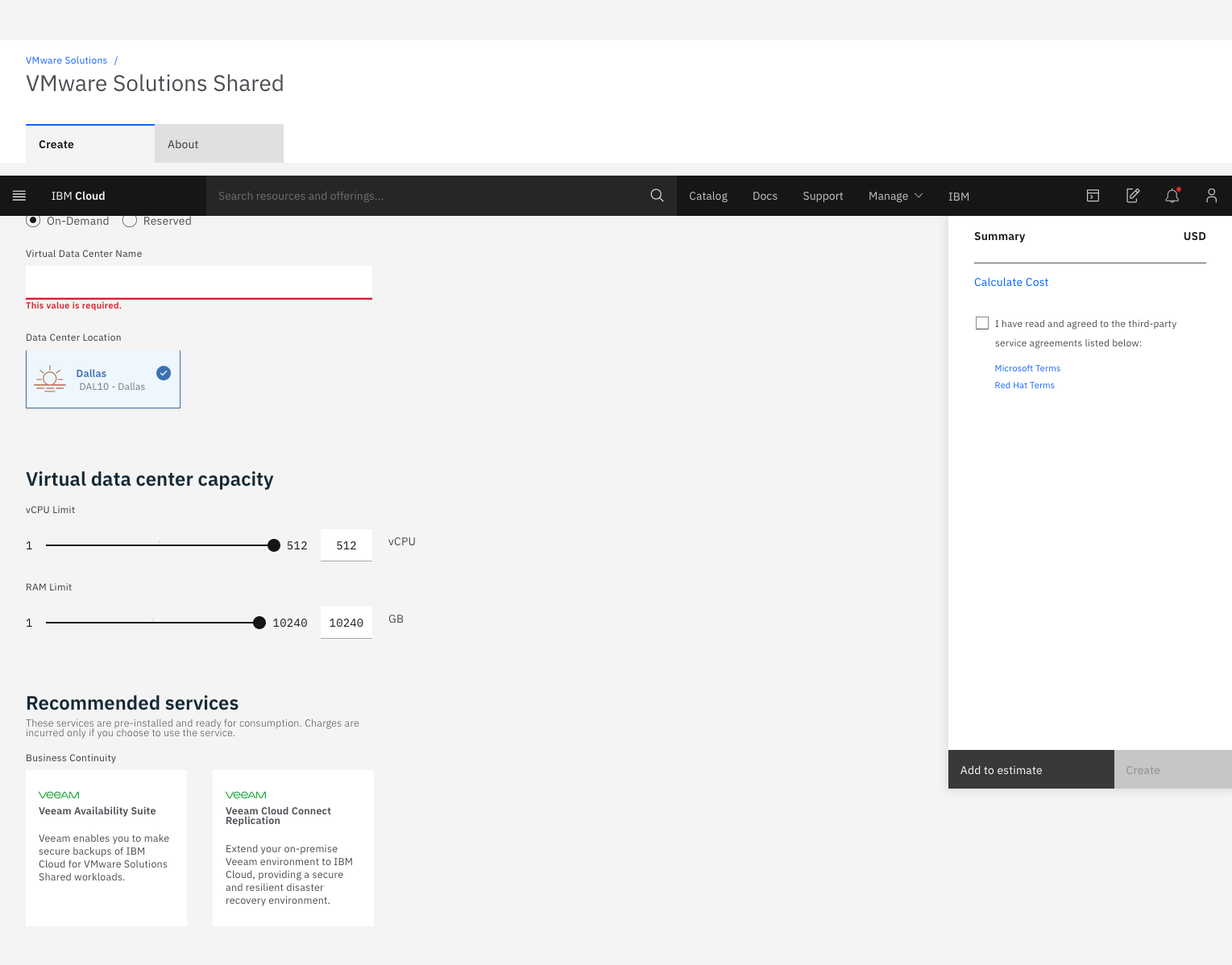
IBM Cloud for VMware
Solutions is designed to make cloud adoption easier, allowing the user to optimize the
value of existing on-premises infrastructure, while leveraging the
same tools, technologies and skills in the cloud. The solution provides rapid scalability,
deployment in 35+ global data centers and access to disaster
recovery, backup, security and compliance solutions from an array of ecosystem
partners. To address varying workload needs, IBM Cloud…
$0
IBM Cloud Object Storage Cross-Regional Smart Tier 1 GB (hourly)
VMware Cloud Foundation
Score 9.0 out of 10
N/A
VMware Cloud Foundation is a hybrid cloud platform for managing VMs and orchestrating containers, built on full-stack hyperconverged infrastructure (HCI) technology. With a single architecture that is desribed by the vendor as easy to deploy, VMware Cloud Foundation aims to enable consistent, secure infrastructure and operations across private and public cloud.
N/A
XenServer
Score 8.2 out of 10
N/A
XenServer (formerly Citrix Hypervisor) is a virtualization management platform optimized for application, desktop and server virtualization infrastructures.
N/A
Pricing
IBM Cloud for VMware Solutions
VMware Cloud Foundation
XenServer
Editions & Modules
Add-on
$0
IBM Cloud Object Storage Cross-Regional Smart Tier 1 GB (hourly)
On-demand
$0
0.25 IOPs 1 GB
Reserved (monthly or 730 hours)
$0
0.25 IOPs 1 GB (Per gigabyte of storage (hourly))
Add-on
$0
IBM Cloud Block Storage 1 GB (hourly)
On-demand
$0.01
Per vCPU (hourly)
On-demand
$0.09
Per gigabyte of network and bandwidth egress (monthly)
Reserved (monthly or 730 hours)
$0.09
Per gigabyte of network and bandwidth egress (monthly)
Reserved (monthly or 730 hours)
$12.80
Microsoft license (monthly) per 1 vCPU²
Add-on
$13
Veeam backup license
No answers on this topic
No answers on this topic
Offerings
Pricing Offerings
IBM Cloud for VMware Solutions
VMware Cloud Foundation
XenServer
Free Trial
No
No
No
Free/Freemium Version
Yes
No
No
Premium Consulting/Integration Services
Yes
No
No
Entry-level Setup Fee
Optional
No setup fee
No setup fee
Additional Details
—
—
—
More Pricing Information
Community Pulse
IBM Cloud for VMware Solutions
VMware Cloud Foundation
XenServer
Features
IBM Cloud for VMware Solutions
VMware Cloud Foundation
XenServer
Server Virtualization
Comparison of Server Virtualization features of Product A and Product B
VMware Cloud Foundation for Disaster Recovery environment, when the client needs to deploy a pay-as-you-go service or if they need to migrate SAP workloads, you can use VMware Cloud Foundation for Classic and VPC. We are the unique SAP-Certified VMware cloud service provider.
It is best suited for an on-premise cloud solution where customer can shift their entire production environment. Also, the customer has a preference for a Homogenous Infrastructure Environment where budget is not a challenge. It is not at all suited for a Heterogenous Environment, e.g., a Public cloud where integration becomes a huge issue, also in SMB sections where budget is challenging.
It can be really helpful & useful if we are using Citrix Hypervisor with other provisioning tools. Here are some specific scenarios where Citrix Hypervisor (formerly Citrix XenServer) is well-suited: Server Consolidation, Virtual Desktops, Disaster Recovery, Development & Testing Environments. On the other hand, there are some scenarios where Citrix Hypervisor may be less appropriate: Small-scale Deployments, Highly Heterogeneous Environments, and Limited Virtualization Requirements.
The presentation is first rate. Our on-prem climate was continually experiencing slack and general languor. With IBM running everything, it's much smoother.
Start another group as little as one ESXi worker or scale a current bunch.
Adding or presenting additional storage to the host can often be a task that is far more involved than competitive products.
The product can require reboots more frequently than competitors due to the DOM kernel getting "hung up".
Sometimes when a virtual machine is deleted it still leaves behind orphaned vdisks.
Recovering from the loss of a host can sometimes cause virtual machines to require lengthy command prompt scripting to fix so they can be powered back on from another host.
With the knowledge and usage of solutions from VMware and Microsoft offering more compelling cloud integrated options it makes it more compelling in many environments which I consult. XenServer is a good product and fits the bill in many smaller environments but as clients look to the cloud or a hybrid cloud it can in some cases make it a bit more difficult.
It is easy to use and setting it up is simple. The only con is that the pricing is a little bit high as well as documentation is a little low; so we had to do some personal learning to be able to fully utilize the product, or hop on the phone with someone.
XenServer is a good product in its use and probably free if you have the right Citrix licenses already. However, it does require specific knowledge to manage, which makes it harder to manage if you don't have that knowledge in house.
It's been a little problematic in the past at larger VDI deployments requiring a bit more care and feeding than other vendors. But the latest releases (6.5.x) have brought about huge improvements in the stability and availability.
Overall, just a great experience here. No one in my opinion gets a perfect 10/10 rating (no one is ever perfect), so 9/10 is probably as good as it gets! From initial planning to post implementation support, the IBM Cloud and professional services has been there for my group as much as we have needed them. Great job!
The staff I've worked with are very knowledgeable or able to get a very well articulated and capable support team member on the phone or helping them if necessary and they always want to ensure the best experience possible for you on the platform. The ability for the support team to reach out to hardware vendors for assistance is a nice plus too.
Part of a training for certification to become a trainer for Citrix included an in-person training with a Master CCI. The XenServer training at this time was pretty simplified due to the product primarily being installed however you did have to work with it and mildly configure the system.
Haven't given it a real go with any online training however there are some options out there. I have taught a course following Citrix material for XenDesktop which leverages XenServer and it is pre-built so not the best for XenServer specifically for installation but configuration is mildly touched on
IBM professional services helped us plan and implement the project with great success. They guided the project from planning, scoping, pre-implementation, testing, roll-out, then production and post-production support. We were very impressed with their knowledge of VMware and really appreciated their desire to make our project a success. I would highly recommend them!
Ensure you review the HCL (hardware compatibility list) and reach out to the hardware vendors to ensure they support the platform and in case they have documentation that can be followed for the implementation. Also ensure the prerequisites are completed prior to implementation so that as few unexpected delays occur as you can control.
IBM Cloud for VMware Solutions stacks up against them, we fully agree there are so many features in IBM cloud for VMware Solutions that make it unique and different. The system provides us hypervisor security level and the system even has live backup and storage capacity of data. This system provides us with accuracy that helps us to reduce errors and vulnerability.
Although the public Cloud Model follows Opex Costing Model, it actually leads to very high costs also, the infra model in my organization is not suited for a Public Cloud Model. Hence We decided on an On-Premise Model, and the best suited was VMware Cloud Foundation, which is a complete Software-Defined Scale-Out Architecture. I also prefer a Homogenous environment; i.e, support and services from a Single OEM, so that I Can get faster resolutions to my tickets raised.
Feature for feature they are neck and neck. I have used Hyper-V 2012 and 2016, VMware ESXi and XenServer evenly. XenServer is a fast install, good documentation, with enterprise features out the box that compare or exceed what VMWare offered with a higher cost of entry.
The servers latest versions have made massive improvements to scalability. But from past experience there have been issues when running workloads for extended periods of time without reboot on the hosts. I would need to run similar workloads on the 6.5 release which has changed much of the bottlenecks or issues so I'd imagine its far more capable now, Perhaps able to stand near the best in the market.
It has a positive impact on the cost required to maintain our vSphere environment by allowing us to get rid of our vsphere hardware and not worry about maintenance either.
There have been very few negatives, but one would definitely be the open-ended cost associated with cloud products in general.
My organization has a size of 1300+ employees, using multiple applications and an exchange mail server that is hosted on On-Premise Cloud, hence scalability has not been a challenge.
Having hosted my Production environment and Mail exchange Server on VCF, there has been optimum resource utilization with very little scope downtime. Hence have been able to save a lot of funds on Hardware resources.
Due to the size of my organization and due the data load, I have been able to save on Resource Utilization and Organization Funds
Xenserver is easy to learn. We paid for support only for installation and deployment in the first three years, and now our team has the knowledge to solve most problems.
Low CAPEX if you have a team that uses open source software day by day.
But paid support is necessary to solve critical problems. The open source community is not enough. Actually, we have difficulty solving some bugs without paying for support.
Medium OPEX if you have a team that uses open source software day by day.