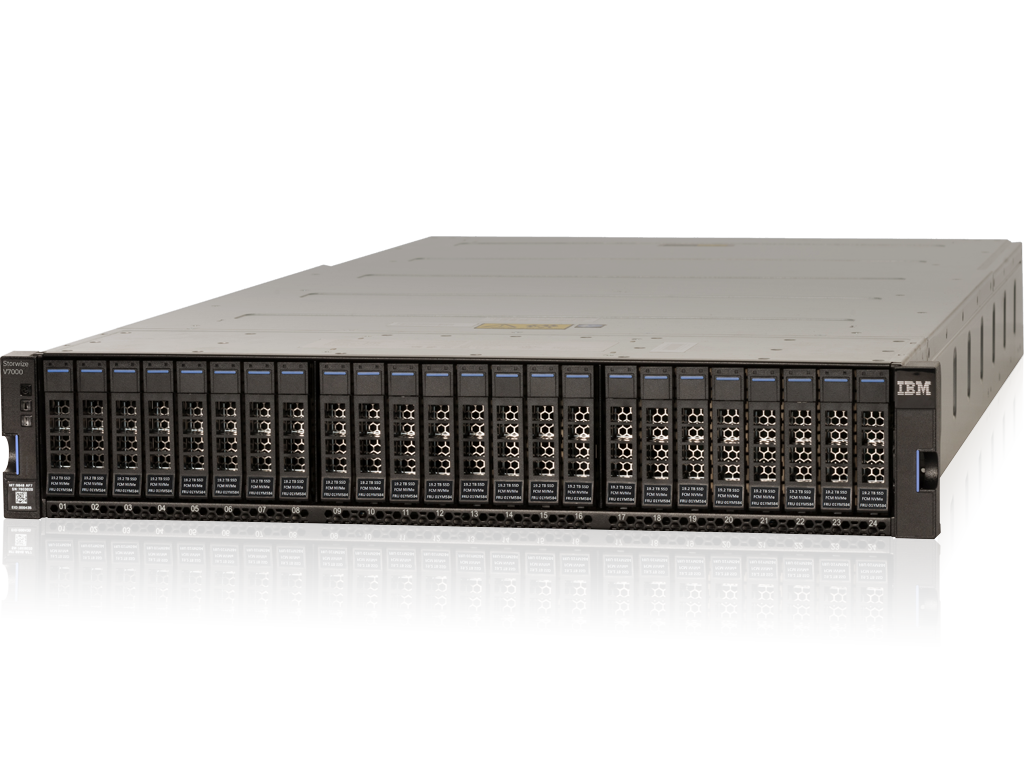
IBM Storwize is a family of recognized all-flash and hybrid storage solutions designed to support the virtualization needs and application workloads of mid-sized enterprises.
N/A
QNAP NAS
Score 8.8 out of 10
N/A
QNAP offers a wide array of network-attached storage units for SMBs, home, and enterprise.
N/A
TrueNAS
Score 9.3 out of 10
N/A
TrueNAS is a network-attached storage featuring all-flash and hybrid storage editions, from iXsystems headquartered in San Jose.
QNAP NAS offers several advantages over TrueNAS and Synology. Compared to TrueNAS, QNAP provides a more user-friendly experience, with a simple setup process and intuitive interface, making it ideal for those who don’t want to deal with complex configurations. QNAP also has a …
the features installed on the other providers solutions, TrueNAS allow just install only the featured do you need and not others you don't like or you don't need. The isolate runtime space give for plugins jail make TrueNAS a really modular NAS solution over the other …
Flexibility in Storage, configuration, and ability to scale the solution as needed. The GUI is straight forward. Finding help in the forums is also on point. Great community and support that you don't find with other products.
Synology and QNAP both felt to basic after trying TrueNAS, while NetApp and Fujitsu where both expensive and I wasn't convinced we would A utilize or need all the features and furthermore all the things we where going to use seemed to be something that TrueNAS simply did better.
Having a better, trusted filesystem to build upon makes a huge difference. I want to know that if something I've written is read, it was the thing I wrote. And if it can't be read, I want to know that soon and know how to repair it.
I like all three for different reasons. But TrueNAS fits the FOSS criteria perfectly, obviously. QNAP and Synology operate differently and fit different clients and/or different builds, and have a corporate entity supporting them. We have all 3, and TrueNAS likes friends. I …
Verified User
Partner
Chose TrueNAS
TrueNAS lacks some of the polish of these systems, but the cost to build a system much more powerful (CPU, RAM, network interfaces) than a Synology or QNAP appliance is remarkably lower.
This stuff runs! Hot, cold not wet, but you know where your data is. Reliably in the cabinet turning your data for the next customer request. You need dedupe, get the flash drive models. Long archives with spinning disks can help with all the data modeling the analysts do. Keep up with the dba’s constant need for speed with all-flash! You will get what you pay for.
I've been using QNAP NAS for a while now, and it's been great for my home setup. The interface is pretty user-friendly, even for someone who's not super techy, but there are plenty of advanced features to dig into if you need them. Setup was straightforward, and I love how easy it is to access my files remotely. The apps work well, and I've had no major issues with performance. It's been reliable, and I feel like my data is secure. Overall, it's just a solid piece of gear that does exactly what I need. Highly recommend! 10/10 from me!
We have many TrueNAS units deployed and they've served us well everywhere. Our most common use case is using it as storage backing for virtual machines. We have Proxmox talking to it, as well as having it acting as the hypervisor. We've never lost data with it, even when faced with multiple disk failures. We've also always found the performance to be robust and able to handle the needs of our clients. Our clients range from libraries, to medium sized enterprises and we've always been able to make it work, and work reliably.
Data processing and IO. The Storwize devices are very resilient in how they process data and do not have a drop in IO when errors occur (common errors such as disk failures and lost paths).
Storage efficiency management. We are able to use multiple efficiency techniques such as thin provisioning and data reduction to reduce our budget footprint.
Easy to use interfaces. Creating a volume and mapping to a host has proven to be a very easy process and makes onboarding less stressful for our team.
As a business partner looking to provide services to keep the uptime of the Storwize, I would like to have the capability to pull reports from IBM Storage Insights to assist my clients in managing their system through it's lifecycle.
More knowledge out there for partners to best integrate IBM Storwize with IBM Power i. This seems to be lacking in communication from IBM.
The software has been amazing. It has saved me a lot of headache in the past few years. Also, it's nice to knowing that if any of our current Synology devices were to die I can have an iSCSI system up and running very shortly. I didn't give a 10 score because I find their support to be rather slow and pedantic. They test many things when the answer is right in front of them. The compute sytem (not storage) we purchased from them came with pcie gen4 nvme's. They didn't work, but rather than believe me about the spec's in the motherboard manual saying the onboard was pcie3 ONLY they shipped me 2 replacements until I showed them an old pcie3 device worked just fine. The part that rather frustrated me was the machine was claimed to have been tested / burnt in. How can this be true if the server won't even boot up into the BIOS?
QNAP NAS's usability is excellent, making it accessible to both beginners and more experienced users. The setup process is straightforward, with clear instructions that guide you through everything. The user interface is intuitive, allowing you to navigate easily between settings, apps, and features. Even with its powerful functionality, such as remote access and advanced file management, it doesn’t feel overwhelming. The mobile apps make it convenient to access files on the go, and everything integrates smoothly. Whether you need basic storage or more advanced features, QNAP balances ease of use with powerful capabilities, making it a highly user-friendly NAS option.
The software is fairly straight forward and if you mess up the network interfaces you can login locally at the console and fix any issues that you may have had with VLANS etc denying you network access. There was a little bit of annoying issues when setting up multiple network interface cards. Rather than keeping one interface setup with DHCP, when you add a second one with a new network it disables the first. Which makes it impossible to login again. However if you wait it will revert. I learned after works that you need to set up the network cards and then go back and setup the first one again and THEN test / apply. After that it was pretty good. The summary of the devices is very nice to. You get an accurate snapshot of how well your system is doing as soon as you login
Customer support is effective once communication is established. A technical support person is required on both sides. The support is extremely knowledgeable and provides detailed support and explanation to any issues, as well as some will provide recommendations to the business needs as there are many different technologies or methods depending on what the business is trying to achieve.
The support was responsive for opening cases. However I found solutions to simple problems took far too long. When we had a bad power supply and we had another with the exact same firmware version they should have sent replacement for both. We had to file another case for the other PSU that started dyeing the same week. They also had to do a lot of troubleshooting to replace the fans that were not behaving as they should. I'm not a home user. I know when certain things are failing and the silly hoops the jump through made it frustrating. However, once we finally got the problem identified we had parts shipped out via advance replacement which was nice.
The implementation went well after we got the boot drive working properly. The device was setup exactly as i asked with the hardware except for the boot drive. The reason I chose 9 instead of 10 was the boot drive put us back about a week for the part to arrive. I ended up using a personal drive to show them that they were wrong sending use the gen4 drives.
IBM Storwize is a part of a family that is complemented by the products listed. In many negotiations, involving storage is our workhorse to ensure several businesses thanks to its balanced cost and all the benefits that we offer.
I chose TrueNAS (upgrading from FreeNAS) because of the small footprint, ease of use, and reliability of the ZFS file system. The file sharing protocols supported as well as the intuitive interface all make TrueNAS a great choice for business and hobbyists alike.
I would like to highlight the most positive aspect I have seen in the products of the IBM Storwize family, and it is the ROI that we can choose when we offer real-time compression with the IBM V7000 family. In truth, this feature is excellent, and we have seen how customers save storage resources, rack space, power and management.
Using a TruNAS integrated solution has reduced support overhead compared to using custom hardware.
Being cheaper than full flash storage arrays, this unit allows for a good balance of speed with its use of SSD-based caching drives.
The reliability of the hardware/software integration means I spend less time troubleshooting and more time doing business. Coming from a custom-built solution it is apparent that IX Systems has done some extensive testing.