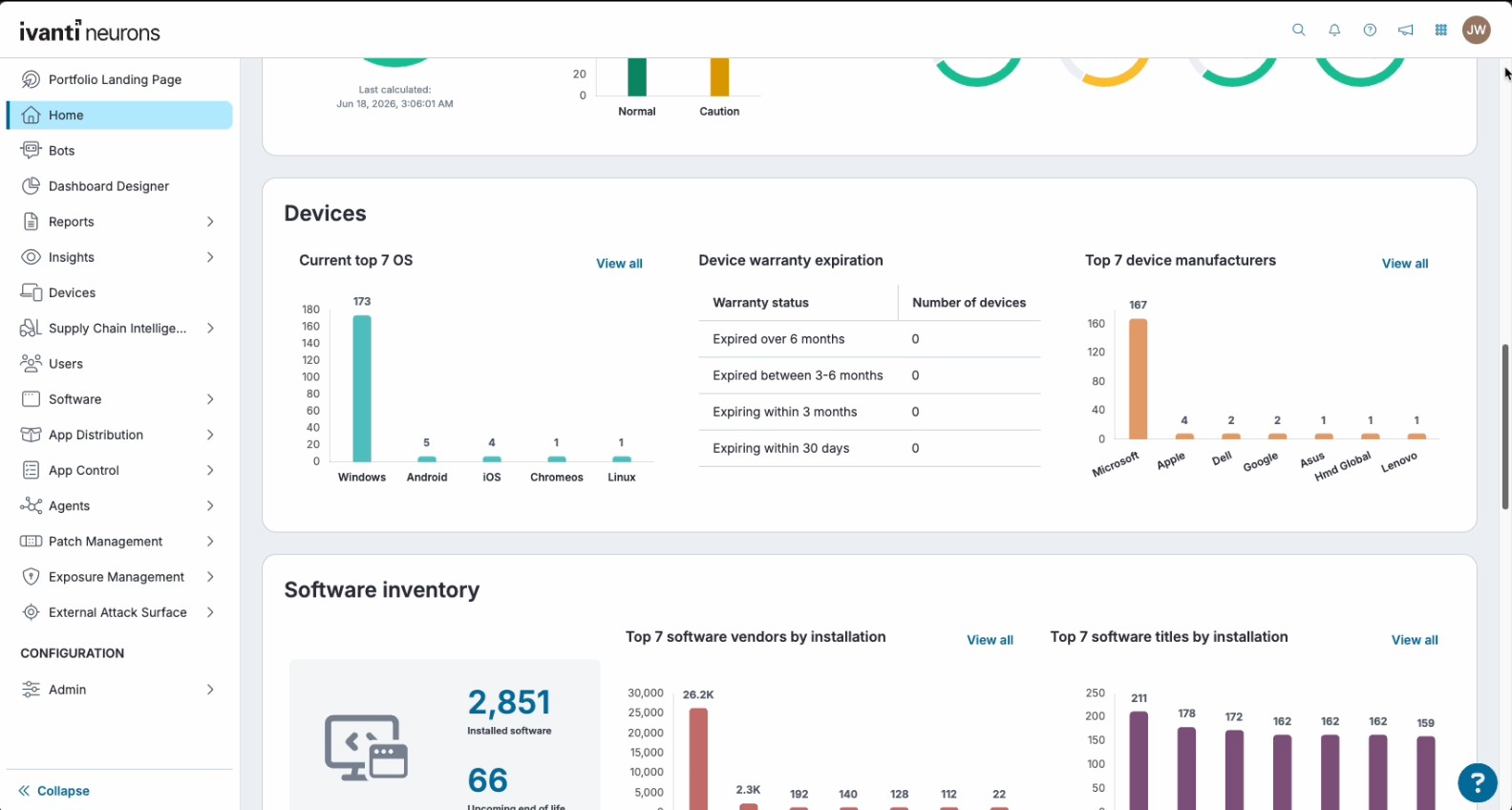
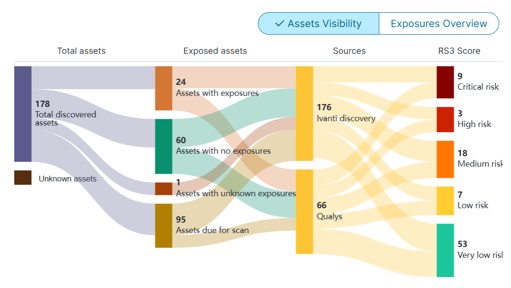
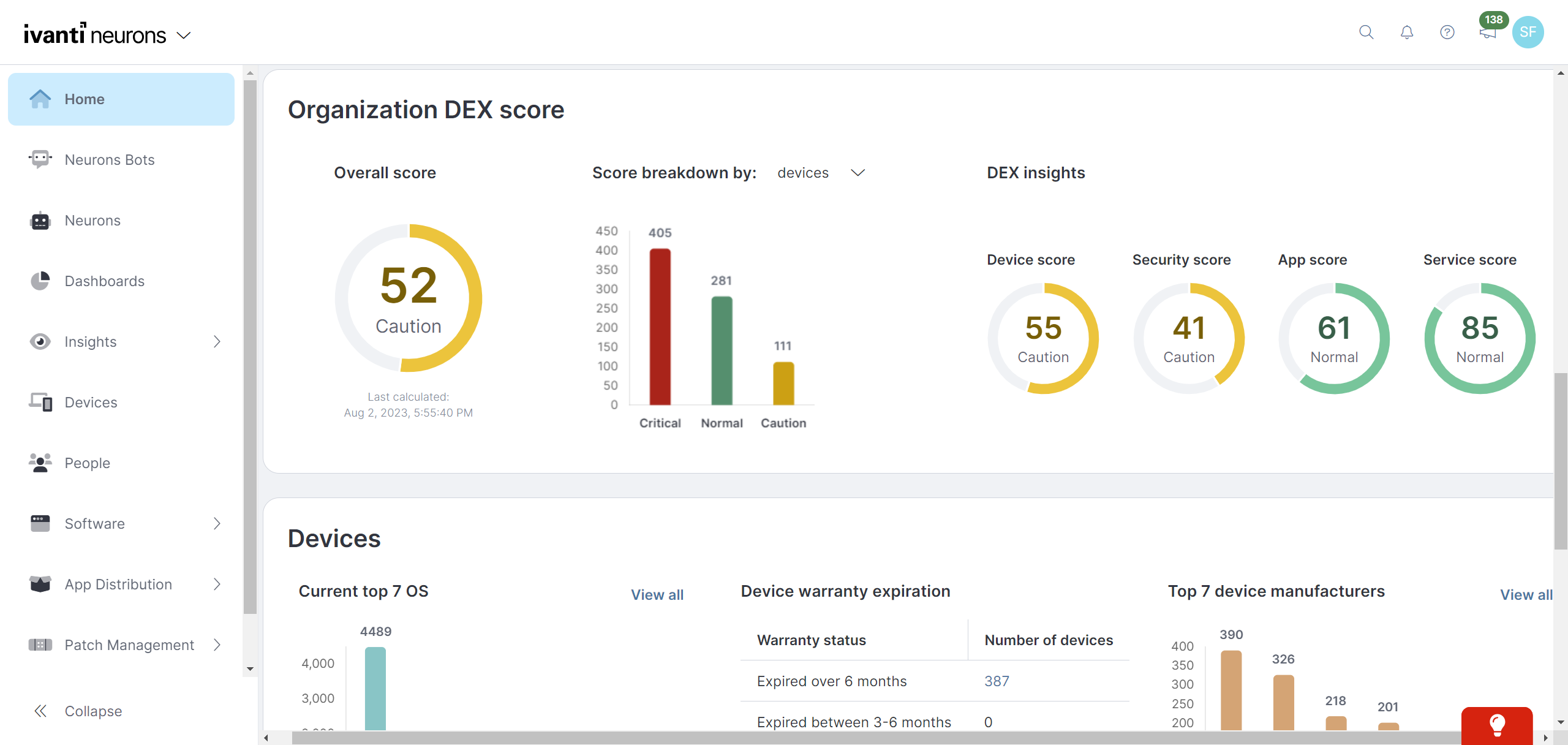
Ivanti Autonomous Endpoint Management (AEM) is an enterprise endpoint-operations solution built on the Ivanti Neurons platform. It combines unified endpoint management (UEM)—centralized management of desktops, mobile devices, and other endpoints—with digital employee experience monitoring, asset discovery, security controls, and automated remediation. Ivanti positions AEM as a broader solution layer that brings UEM, digital employee experience, and security capabilities together rather than as a…
N/A
Kandji
Score9 out of 10
Mid-Size Companies (51-1,000 employees)
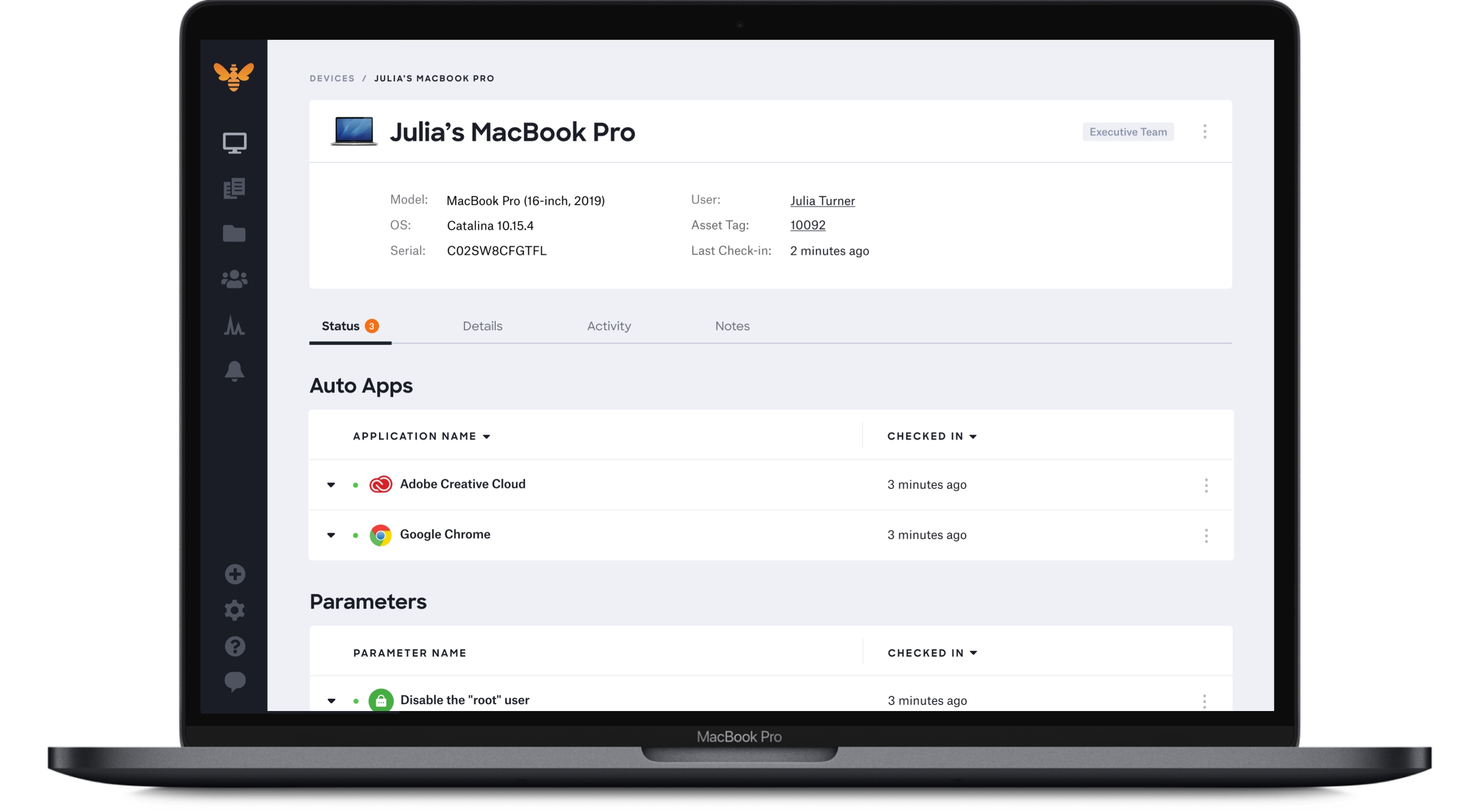
Kandji is an Apple device management software solution for macOS, iOS, iPadOS, and tvOS, from the company of the same name in San Diego.
I think that Ivanti Autonomous Endpoint Management can be well suited to most scenarios for patch management. The different options with Ring Deployments allow for rolling out patches in any number of circumstances. Typical monthly, weekly, daily, zero day response, etc. There is some lack of control over how to wrap up a deployment. What I mean is that in a scenario where we need extremely controlled rollouts, some of the features do not align well. For our organization, we would ideally evaluate patches that come out each Patch Tuesday. Select those patches for deployment, deploy those to our test servers over 3 days, wait 2 days, then deploy to production for 3 days. While we have plenty of control over the initial deployment, we have no clean way to say "after these 3 days, no longer deploy the patch". In our specific scenario, we sacrifice process to align with the tool's capabilities.
A de minimis incentive was given to thank the reviewer for their time. The incentive was not used to bias or drive a particular response, nor was the incentive contingent on a positive endorsement. TR verified that a representative sample of customers was invited. More Info
Kandji is well-suited for the following: - Onboarding remote employees (we are a remote company). Kandji offers zero-touch deployment via Apple Business Manager, making it incredibly easy to configure our Macs. -Maintaining security and compliance for Apple devices -Managing a fleet of iOS devices in the field. Where it's less appropriate: -When there is a mixed OS environment -If you have a highly custom or script-heavy environment.
A de minimis incentive was given to thank the reviewer for their time. The incentive was not used to bias or drive a particular response, nor was the incentive contingent on a positive endorsement. More Info
Ivanti Autonomous Endpoint Management is light weight and easy to install
Ivanti Autonomous Endpoint Management allows the user to defer a required restart. Allowing them to restart their machine at a time that's more convenient for them.
Comparatively, Ivanti Autonomous Endpoint Management is a budget friendly solution.
A de minimis incentive was given to thank the reviewer for their time. The incentive was not used to bias or drive a particular response, nor was the incentive contingent on a positive endorsement. More Info
A de minimis incentive was given to thank the reviewer for their time. The incentive was not used to bias or drive a particular response, nor was the incentive contingent on a positive endorsement. More Info
MDM has fallen a bit flat, however, with the recent acquisition of MobileIron I believe this will change but as of now there is some of this still built into the product
The antivirus portion of the product hasn't had much love and could use a bump. It is not bad at all but I would like to see it hit that next level.
Data Analytics is the most powerful tool inside this platform but it is so hard for people to figure it out that it often goes unused. It needs a good redesign.
Problem after problem after problem with employees getting locked out of their laptops, (which was the whole reason we switched to Kandji - to prevent that from happening), employees ultimately having to factory reset their laptops to get back in, pop-ups that never go away, and continuous password sync issues.
A de minimis incentive was given to thank the reviewer for their time. The incentive was not used to bias or drive a particular response, nor was the incentive contingent on a positive endorsement. More Info
MobileIron is a constantly evolving platform that stays current with industry trends. iOS updates? No problem, they're supported almost immediately after a new iOS version comes out. If you are a Core (on-prem) customer there is ample support and assistance to migrate to the Cloud version of MobileIron (although I've yet to convince my department head to approve the request). The platform is very robust and extremely configurable. Management roles can be delegated effectively to other staff without compromising security. These in alone are important, but even more important is the company itself - they are great to work with, from support to sales. We have never had a situation where MobileIron left us on our own, and many times support has gone way beyond what is simply required in order to educate us or extend the usefulness of the product
A de minimis incentive was given to thank the reviewer for their time. The incentive was not used to bias or drive a particular response, nor was the incentive contingent on a positive endorsement. TR verified that a representative sample of customers was invited. More Info
Importing devices and setting up patch deployment was very simple. The real star here is the automation built into Neurons though. Neurons is able to set up custom Bots commands which can automate troublesome servers which have custom start up and shut down commands that must be followed. User and SAML setup was also incredibly easy
A de minimis incentive was given to thank the reviewer for their time. The incentive was not used to bias or drive a particular response, nor was the incentive contingent on a positive endorsement. More Info
I gave it an 8/10 because overall, it offers a spotless and intuitive interface that makes routine device management easy. Features such as onboarding, app deployment, and compliance enforcement are handy, thanks to the various blueprints we can set up. The only reason I didn't give it a 10 is that it lacks some advanced configurations, and the reporting aspect is not as customizable.
A de minimis incentive was given to thank the reviewer for their time. The incentive was not used to bias or drive a particular response, nor was the incentive contingent on a positive endorsement. More Info
A de minimis incentive was given to thank the reviewer for their time. The incentive was not used to bias or drive a particular response, nor was the incentive contingent on a positive endorsement. More Info
A de minimis incentive was given to thank the reviewer for their time. The incentive was not used to bias or drive a particular response, nor was the incentive contingent on a positive endorsement. More Info
TRM\TAM support has been generally very good. Getting reported bug fixes, design changes, UX problems resolved has been a pain. It is often difficult to get problems escalated beyond the TRM\TAM level. Support is fantastic when you can get it, getting it can often require more work than it should, and that is probably our biggest issue.
it was clear and understandable for me which is why i have a good hang of it the training material is also great which was provided by them. The help community and documentation is also great. all the questions were clearly answered and the person for clear and patient with it.
A de minimis incentive was given to thank the reviewer for their time. The incentive was not used to bias or drive a particular response, nor was the incentive contingent on a positive endorsement. More Info
It is online based, after learning content you can take a test and if you don't pass you get two other chances to pass. Once you pass the test you can print out your certification or save it
A de minimis incentive was given to thank the reviewer for their time. The incentive was not used to bias or drive a particular response, nor was the incentive contingent on a positive endorsement. More Info
A de minimis incentive was given to thank the reviewer for their time. The incentive was not used to bias or drive a particular response, nor was the incentive contingent on a positive endorsement. More Info
Better in most all categories. On-prem was not an issue for my organization. MS SCCM was lacking features. Airwatch required increasing tiers of service in order to match [Ivanti Unified Endpoint Manager (formerly LANDESK Management Suite)] features, and lacked the robust inventory data we needed. Meraki was very simple to use, but did not meet our needs. I would say that most Airwatch customers aren't using all the features they are paying for, and could save lots of money by using Meraki instead.
With Intune, they aren’t friendly with Macs. We had to add each app individually and constantly update the packages for updates. Even when we do everything right, it still doesn’t work all the time
A de minimis incentive was given to thank the reviewer for their time. The incentive was not used to bias or drive a particular response, nor was the incentive contingent on a positive endorsement. More Info
A de minimis incentive was given to thank the reviewer for their time. The incentive was not used to bias or drive a particular response, nor was the incentive contingent on a positive endorsement. More Info
The installation of MobileIron was for security compliance so we could containerize email on BYOD devices and also control who got email on company phones (to prevent hourly workers from working on emails after hours). MobileIron met this need nicely.
MobileIron allowed us to utilize device certificates to prevent unauthorized devices from joining wireless networks in our company.
MobileIron allows our sales staff to get emails on the road and many users rely on the functionality and ease of the phone for general mail communication.
A de minimis incentive was given to thank the reviewer for their time. The incentive was not used to bias or drive a particular response, nor was the incentive contingent on a positive endorsement. More Info
They promised us we could add devices as needed. I even had that written in an email. However, they rescinded that promise and required us to add devices in buckets of 50. That means, since we had 55 users, we had to pay for 100 licenses.
Password issues were made much worse by using Kandji instead of our old MDM (Hexnode).
Overall, Kandji created major headaches with laptop instead of improving.
A de minimis incentive was given to thank the reviewer for their time. The incentive was not used to bias or drive a particular response, nor was the incentive contingent on a positive endorsement. More Info