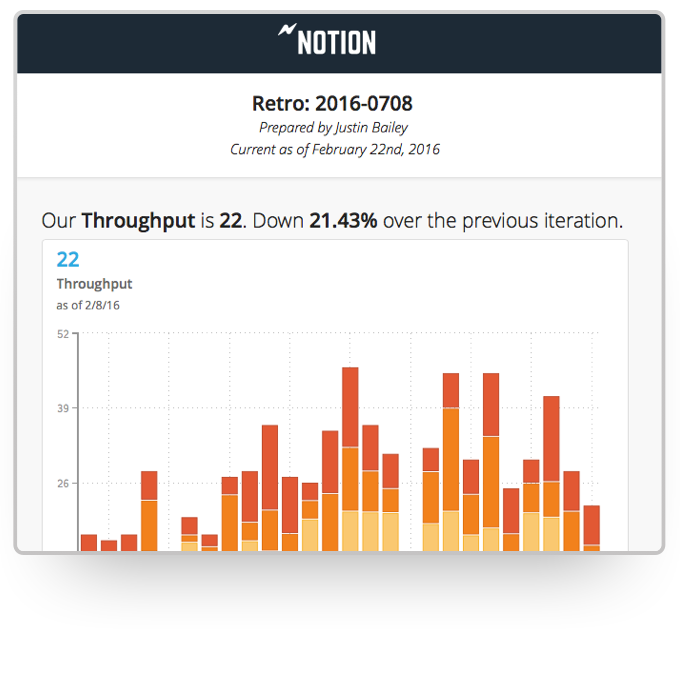
Jama Analyze (formerly called Notion) was a solution for quickly creating shareable, custom dashboards. However, the product is no longer available. Jama Software sunset the Analyze product in 2019. Some of the benefits of Jama Analyze included the ability to: Create custom metrics across all teams with data from any source with the intuitive metric builder. Experience self-serve BI with no coding and no IT to get started making custom dashboards.…
$23
per month
SAS Visual Analytics
Score 7.7 out of 10
Enterprise companies (1,001+ employees)
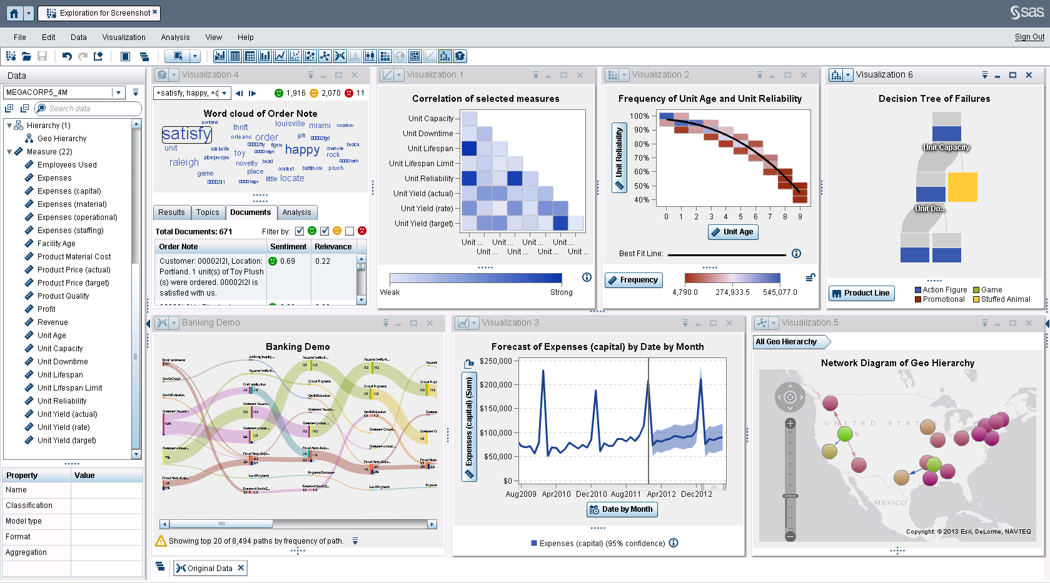
SAS Visual Analytics provides a complete platform for analytics visualization, enabling users to identify patterns and relationships in data that weren't initially evident. Interactive, self-service BI and reporting capabilities are combined with out-of-the-box advanced analytics so everyone can discover insights from any size and type of data, including text.
N/A
Pricing
Jama Analyze (Discontinued)
SAS Visual Analytics
Editions & Modules
Starter Teams - 2 users
$23
per month
Small Teams - 5 users
$89
per month
Growing Teams - 10 users
$179
per month
Growing Teams - 15 users
$259
per month
Growing Teams - 20 users
$339
per month
SAS Visual Analytics for SAS Cloud
$0
Annual By Users: 5, 10, 20
Offerings
Pricing Offerings
Jama Analyze (Discontinued)
SAS Visual Analytics
Free Trial
Yes
Yes
Free/Freemium Version
No
No
Premium Consulting/Integration Services
No
No
Entry-level Setup Fee
No setup fee
No setup fee
Additional Details
—
SAS Visual Statistics and SAS Office Analytics are also available as add-ons.
More Pricing Information
Community Pulse
Jama Analyze (Discontinued)
SAS Visual Analytics
Considered Both Products
Jama Analyze (Discontinued)
Verified User
Anonymous
Chose Jama Analyze (Discontinued)
Jama Analyze, as well as Asana, connect with JIRA to visualize milestone tracking and team progress. While Asana is cheaper, Jama Analyze provides better reports and visual data. Google Data Studio, through a bit of tinkering from your software development team, can achieve …
I have chosen SAS Visual Analytics because one of my colleagues suggests using the software for the same for our work. As earlier, we use to take a lot of time in analyzing the data but after using the SAS Visual Analytics software our work has improved and time has decreased. …
I have used Crystal Reports, Jaspersoft and SQL Server Reporting Services (SSRS). I would recommended Business Intelligence over SSRS and Crystal Reports. SSRS is very SQL-centric and Crystal Reports is more of an end-user tool. I would recommend Jaspersoft over Business …
We already have lot of SAS products in our organisation like Base SAS, SAS Grid, SAS EG, SAS Studio and Office Add-in. SAS VA works best for our situation.
I have used SAP Lumira as well. The reason for me to use both software is to see the user experience. With Lumira, it was easy for me to visualize data and data storytelling and with SAS it was easy for me to create an algorithm as I wanted them to be. SAS software allows me to …
Price and features we looked at seemed consistent. We chose this product because our staff already knew the product, plus users at the state had recommended it as it is what they use.
I have used Tableau desktop for which free access is provided for a limited time with limited features. Tableau is visually more appealing than SAS VA but SAS VA can handle data better. My use of Tableau with limited features may have effected my viewpoint.
We use both. But SAS is always the starting point to all analytics projects. It is a wider array of products and features. Gives robust results and reporting is easier. There is always this one or two things for which you turn to some other products to fill the holes.
Consultant SAS Business Intelligence Architect and Analyst
Chose SAS Visual Analytics
There is no contest. SAS is easier maintain and has much more in the way of analytics than MicroStrategy has. It can pull from more than one data source and when the underlying architecture changes, it is much easier to maintain. More savvy analysts can perform more with SAS …
The integration with JIRA is quite a handy tool to have. It allows for team progress to be easily tracked and visualized using the software while key metrics are brought to the forefront through the software's business intelligence. It makes presenting data and milestones achieved to non-technical management quite simple and can be extremely useful.
SAS Business Intelligence is more suited to organizations which are already using SAS as the primary software for their analytics needs. Learning curve is relatively shorter for teams already skilled in BASE SAS. For organizations already working with open source software like Julia and Python, it doesn't make much sense to use SAS BI.
This allows us to keep track of our team's work by integrating with our product boards on JIRA.
It allows us to create visualized reports for our team's progress.
It allows us to gain insights about things that are going well in our product pipeline as well as potential areas of concern based on the data that is collected.
SAS BI makes it very easy to create interactive dashboards even for someone who is not from an IT background. For some specific requirements, basic knowledge of SQL is good enough.
A lot of functions have been predefined which makes it very convenient to create dashboards and reports. One doesn't need to be from an IT or a programming background to understand and create dashboards.
It supports other programming languages like R and also has a seamless API integration with various data management platforms.
There is no other product that can match SAS. There are some products that can compare to ETL but lack the analytics that SAS has. Others can perform a limited set of analytical procedures but lack the data processing that comes with SAS. Using thin client allows users to access data whenever they have an internet connection.
SAS BI is good for creating reports and dashboards and then sharing it with the users. It also has ability to manage access to the reports and dashboards but somehow with most of the world moving to open source languages R, Python and Julia, SAS BI feels to be archaic in terms of feature set and integrations it allow[s]. Also, comparing it with other Business Intelligence tools like Tableau and Microsoft BI, the functionality of SAS BI is very limited and doesn't justify the pricing.
When you call tech support, you are immediately routed to a person who can answer your question. Often they can answer on the spot. However, if they cannot, you are given a track number and then followed up with. There have been times when I have had multiple track numbers open and they will actually TRACK YOU DOWN to ensure that your problem has been resolved. Issues do not fall into black holes with SAS. They are also willing to do a WebEx with you to diagnose the problem by seeing your environment, which is always helpful.
Jama Analyze, as well as Asana, connect with JIRA to visualize milestone tracking and team progress. While Asana is cheaper, Jama Analyze provides better reports and visual data. Google Data Studio, through a bit of tinkering from your software development team, can achieve similar results, however, the charts and graphs leave a bit to be desired in terms of design. In all, Jama Analyze is great if you have few users and don't need to go for the licensing option. Otherwise, there are definitely cheaper options available but you may have to sacrifice on performance and look-and-feel.
I have chosen SAS Visual Analytics because one of my colleagues suggests using the software for the same for our work. As earlier, we use to take a lot of time in analyzing the data but after using the SAS Visual Analytics software our work has improved and time has decreased. It's very helpful for us.