Chose PCLaw
PCLaw is still the only product that provides both front office (practice management/calendaring) and back office (accounting) solutions for a law firm in one product.

| Product | Rating | Most Used By | Product Summary | Starting Price |
|---|---|---|---|---|
 Jusnote | N/A | Jusnote is a cloud-based legal practice management (LPM) platform designed to centralize and automate the workflows of modern law firms and solo practitioners. The solution provides a unified ecosystem that integrates essential legal tools into a single interface, reducing the need for multiple disconnected applications. By focusing on data-driven management and user-centric design, Jusnote helps legal professionals streamline the entire matter lifecycle from initial client intake to… | $29 per month per user | |
 PCLaw | N/A | PCLaw is offered as an all-in-one billing, legal accounting, and matter management solution, from PCLaw | Time Matters, a joint venture spun out of LexisNexis in collaboration with LEAP in 2019. | N/A |
| Jusnote | PCLaw | |||||||||||||||
|---|---|---|---|---|---|---|---|---|---|---|---|---|---|---|---|---|
| Editions & Modules |
| No answers on this topic | ||||||||||||||
| Offerings |
| |||||||||||||||
| Entry-level Setup Fee | No setup fee | No setup fee | ||||||||||||||
| Additional Details | Jusnote offers a user-based pricing model with all-inclusive pricing, meaning there are no fees for technical support, maintenance, or core software updates. Key considerations for the pricing: - Annual Discount: Firms can achieve savings by choosing an annual billing cycle. - Scalability: Seats can be added as a team grows, ensuring firms pay only for what they use. - No Implementation Fees: Onboarding is included without additional upfront setup costs. - Free Trial: A fully functional 14-day free trial is available, allowing firms to explore the complete feature set - including advanced analytics and billing - before making a commitment. | — | ||||||||||||||
| More Pricing Information | ||||||||||||||||
| Jusnote | PCLaw | |
|---|---|---|
| Considered Both Products |  Jusnote No answer on this topic | PCLaw  Derek Schroeder Service Manager Chose PCLaw All legal accounting and billing software applications have their own flaws. PCLaw, as has been stated, has not had significant investment in features and functionality in quite a few years. That being said, it still gets the job done. There may be issues with the link system …  Jaime L. Regan Associate Attorney Chose PCLaw I have not used any particular products that are similar to LexisNexis PCLaw. It is somewhat of an odd hybrid in that it is designed to assist with law practice management and therefore cuts across multiple specialties from billing/accounts receivable to lawyers and staff who …  Sean Conroy Prosecution Paralegal and Office Manager Chose PCLaw Juris seems to be a larger version of PCLaw. It's very similar as far as inputting time/expenses into the system. The software is more modern than PCLaw, but I've had peers mention that it is a lot more buggy for that reason. They have had issues with Juris, mentioning that … |
| Jusnote | PCLaw | |
|---|---|---|
| Likelihood to Recommend | - (0 ratings) | 7.8 (0 ratings) |
| Usability | - (0 ratings) | 8.0 (0 ratings) |
| Support Rating | - (0 ratings) | 7.0 (0 ratings) |
| Jusnote | PCLaw | |
|---|---|---|
| Likelihood to Recommend | No answers on this topic |
 Alexis Dudek Paralegal |
| Pros | No answers on this topic |
Derek Schroeder Service Manager |
| Cons | No answers on this topic |
Jaime L. Regan Associate Attorney |
| Usability | No answers on this topic |
Derek Schroeder Service Manager |
| Support Rating | No answers on this topic |
Sean Conroy Prosecution Paralegal and Office Manager |
| Alternatives Considered | No answers on this topic |
|
| Return on Investment | No answers on this topic |
Sean Conroy Prosecution Paralegal and Office Manager |
| ScreenShots | Jusnote Screenshots 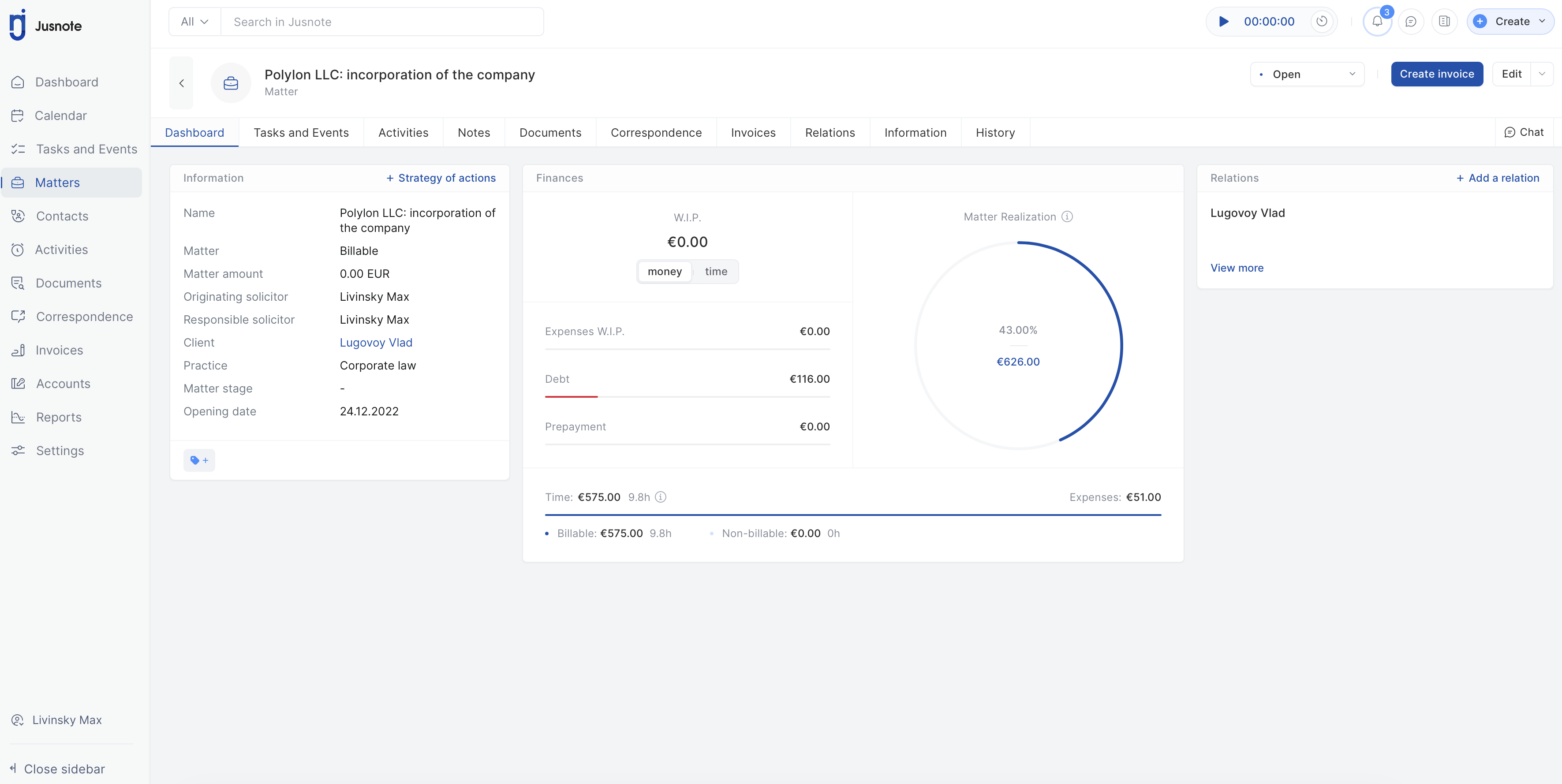   |