Kipwise vs. Todoist

Overview
ProductRatingMost Used ByProduct SummaryStarting Price
Kipwise
Score 6.0 out of 10
Small Businesses (1-50 employees)
Kipwise is a smart company knowledge management tool that integrates seamlessly with Slack, Google Drive and more. It aims to allow users to save and retrieve important team knowledge easily, wherever it is needed.
$30
per team/per month
Todoist
Score 9.2 out of 10
N/A
Doist, a company boasting an entirely globally distributed workforce, offers Todoist, a project management platform emphasizing the needs of a distributed workforce. The application emphasizes tracking events over time with advanced closed task and progress reporting, with custom graphics for sharing or ease of review.
$8
per month per user
Pricing
KipwiseTodoist
Editions & Modules
Basic
$30.00
per team/per month
Professional
$50.00
per team/per month
Enterprise
Contact sales team
Business
$8
per month per user
Offerings
Pricing Offerings
KipwiseTodoist
Free Trial
YesYes
Free/Freemium Version
NoYes
Premium Consulting/Integration Services
YesNo
Entry-level Setup FeeNo setup feeNo setup fee
Additional DetailsThe starting price listed is for 10 users. Kipwise's pricing increases as the amount of team members increases. Kipwise offers 15% savings with annual billing.
More Pricing Information
Community Pulse
KipwiseTodoist
Best Alternatives
KipwiseTodoist
Small Businesses
Stackby
Stackby
Score 8.9 out of 10
7shifts
7shifts
Score 9.9 out of 10
Medium-sized Companies
Troop Messenger
Troop Messenger
Score 9.8 out of 10
Teamwork.com
Teamwork.com
Score 8.5 out of 10
Enterprises
HCL Connections
HCL Connections
Score 9.0 out of 10
Airtable
Airtable
Score 8.6 out of 10
All AlternativesView all alternativesView all alternatives
User Ratings
KipwiseTodoist
Likelihood to Recommend
-
(0 ratings)
8.4
(80 ratings)
Usability
-
(0 ratings)
9.0
(9 ratings)
Support Rating
-
(0 ratings)
8.6
(31 ratings)
User Testimonials
KipwiseTodoist
Likelihood to Recommend
Kipwise
No answers on this topic
Doist
There have been lots of times when we need to add a new habit into our daily work routines, and having the option to do so in the To-Doist app on the very first screen is incredibly helpful. It's a good reminder, and I believe that professionals who truly appreciate and properly value the implementation of good habits would be very grateful for this feature. It's also a time saver because you don't have to manually type it in every day/week / etc.
Read full review
Pros
Kipwise
No answers on this topic
Doist
  • Free plan offers two viewing options and 4 color themes; paid plans offer more
  • Can integrate with Google Calendar, IFTTT, and Zapier apps
  • Viewing format is pretty uncomplicated, including sidebar, easy on the eyes
  • Importable and exportable data, emails
  • Optional beta testing opportunities (can opt in/opt out at any time)
Read full review
Cons
Kipwise
No answers on this topic
Doist
  • The Todoist application now works almost identically across all platforms. There is a minor improvement that I would like to see on iOS and that is the ability to show task count by custom filter.
  • In Board view, I want to be able to easily add sub-tasks to a parent task.
  • Besides those two minor improvements, I am extremely happy with the application.
Read full review
Usability
Kipwise
No answers on this topic
Doist
Excellent features and concept, simple implementation, but the software is not very clear in training new users and communicating features. The occasional unexplained crash or freeze is not handled gracefully by the desktop software, requiring either the user or tech support to manually restart.
Read full review
Support Rating
Kipwise
No answers on this topic
Doist
I've used Todoist for about three years now and I haven't needed to contact support, which I'm considering a 10 out of 10. Honestly, their platform is so easy to use that I never had to look up a knowledge base or forum to be able to do what I wanted in Todoist. So I'm not sure what their support system looks like or how it works, but I do know that if I haven't needed support, that's also a good sign!
Read full review
Alternatives Considered
Kipwise
No answers on this topic
Doist
[Todoist: To-Do List & Task Manager] is significantly simpler and cheaper than most of the alternatives and doesn't complicate the management of tasks with a plethora of unnecessary features. While all the alternatives have strong feature sets, what Todoist does better than any of them is manage tasks, in theory the central point of them all.
Read full review
Return on Investment
Kipwise
No answers on this topic
Doist
  • Location-based reminders ensured that my staff didn't miss things when they went onsite with a customer. This has led to renewals on a regular basis.
  • Sharing of task visibility for managers with their direct reports has enhanced 1-on-1 meetings and ensured that field coaches kept focused
  • The cost of Todoist vs. the value it creates is a huge selling point for the software. For the price per user, I've found nothing that even comes close!
Read full review
ScreenShots

Kipwise Screenshots

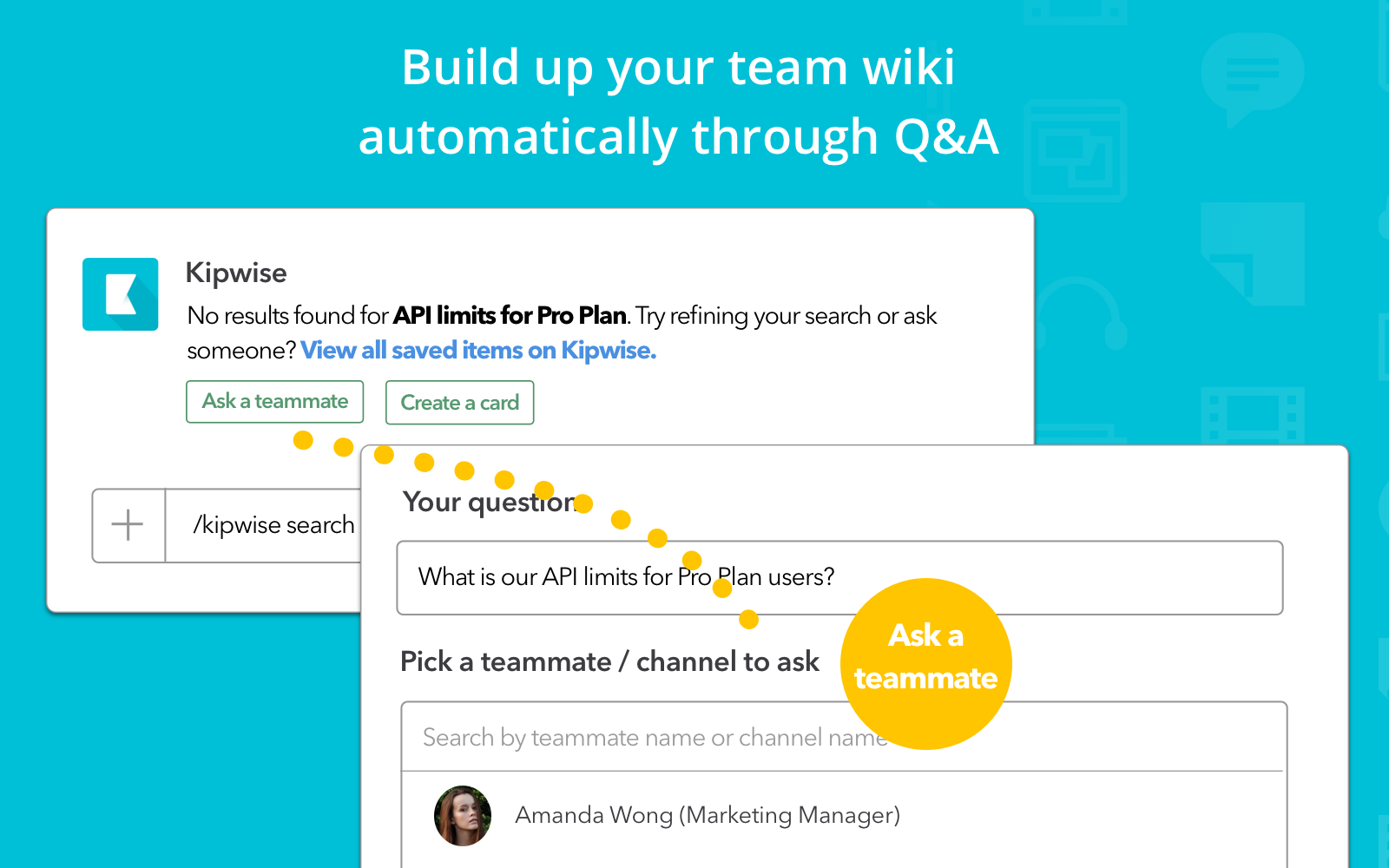
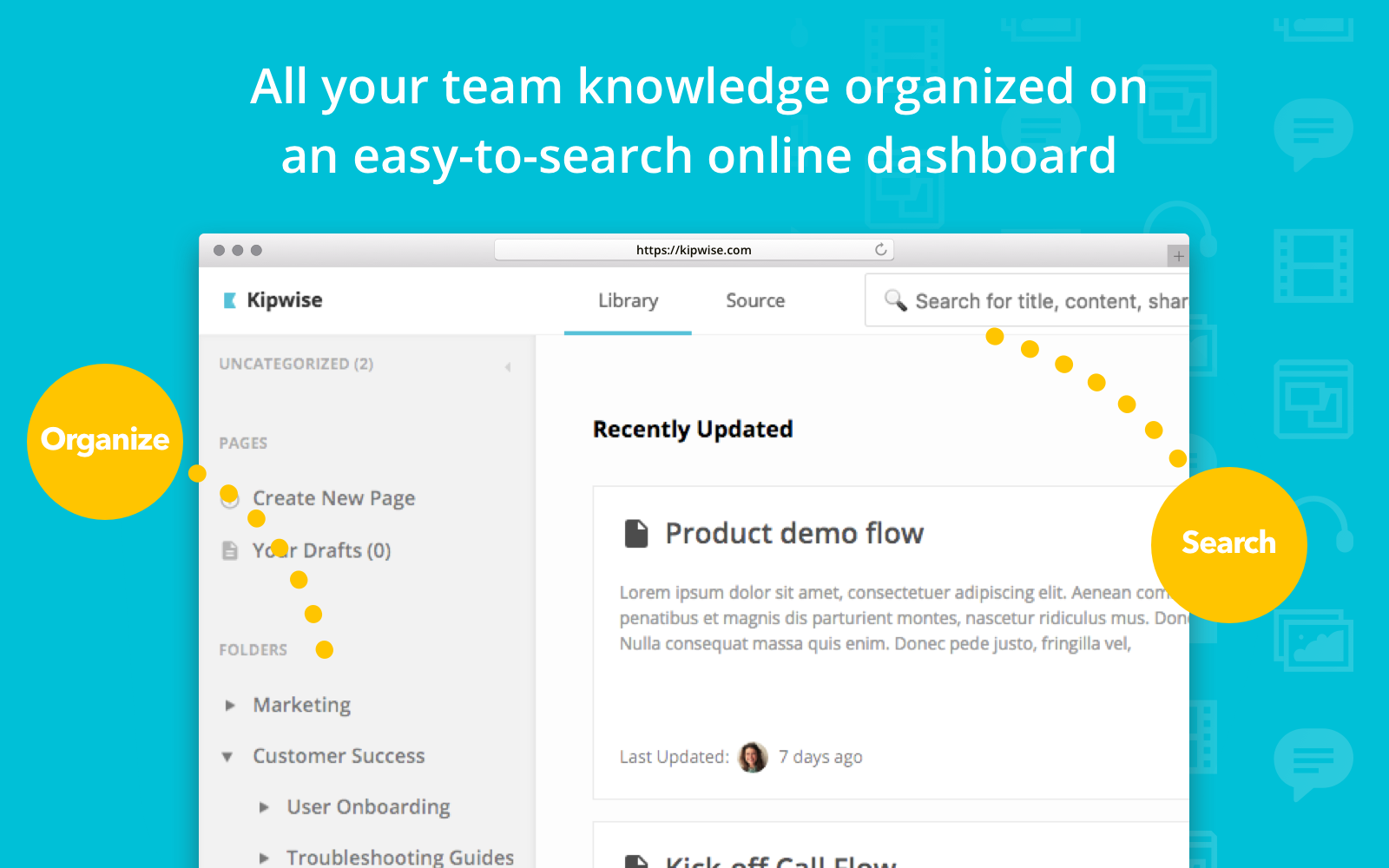
Screenshot of Turn important Slack messages into wiki docs easily using Slack Action. Handy search command to search for Kipwise Pages, and information from other integrated sources directly in Slack. Got questions with existing answers already? Provide a quick answer to your teammates with just a few clicks.Screenshot of Instantly connect existing knowledge and tools so you can access important info in one place, both on Slack via our Kipwise search command or on the Kipwise web portal.Screenshot of Couldn’t find something via Kipwise? Assign the question to a teammate, the Q&A will be saved to Kipwise automatically when your teammate answered. Your knowledge base grows automatically when your team is doing their daily job.Screenshot of So your team can edit the same page at the same time and see the changes immediately. Embed images, videos or content from integrated sources to create media-rich and visually appealing content.Screenshot of So your team can edit the same page at the same time and see the changes immediately. Embed images, videos or content from integrated sources to create media-rich and visually appealing content.Screenshot of Pages can be organized into folders with permission control so only selected teammates can access certain folders.

Todoist Screenshots

Screenshot of Todoist's tasks, projects, and deadlines tracking.Screenshot of the task assignment interface.Screenshot of Todoist's project layouts, which allow users to switch between board, calendar or list to track progress and deliver projects on time.Screenshot of the task grouping and filtering feature. This can be done by personal and/or team projects to separate work and life, or to get an overview of both.Screenshot of Screenshot of the project folder organizing feature, used to organize projects by client, department, initiative, or goals.