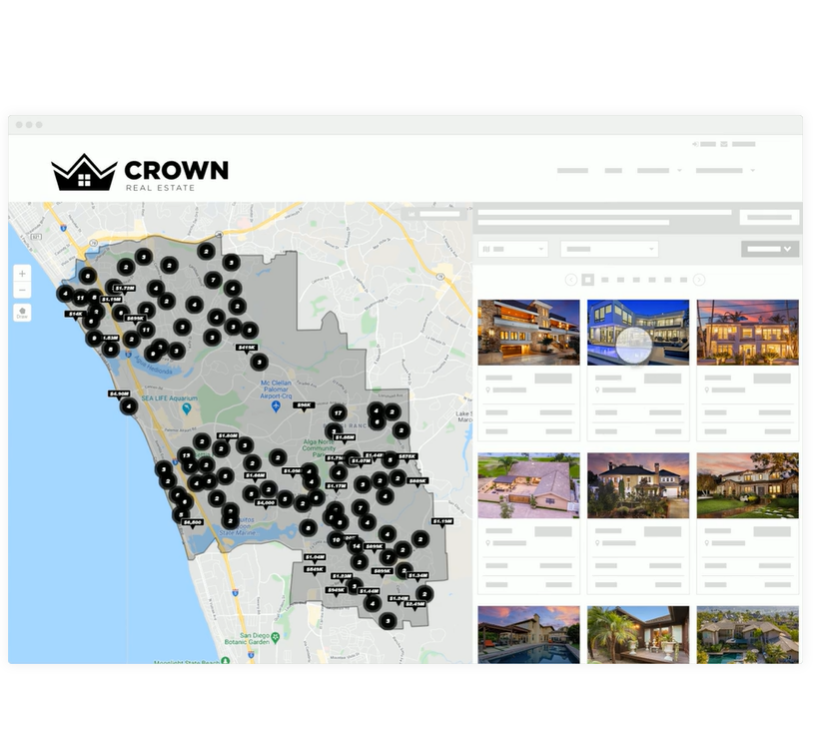
The kvCORE platform is described by the vendor, Inside Real Estate in Draper, as a next-gen solution for modern brokerages and enterprises to run their entire business on one platform.
N/A
WebEngage
Score 4.2 out of 10
N/A
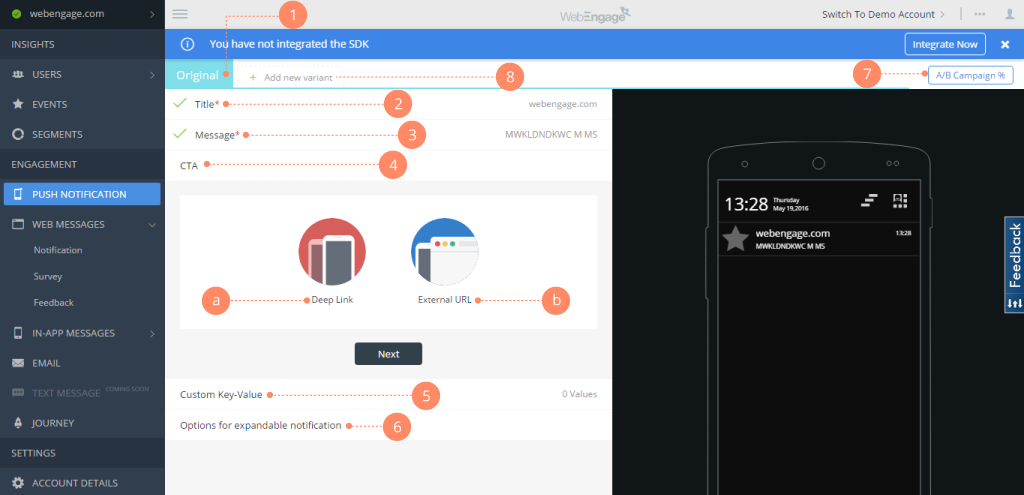
WebEngage calls itself a multi-channel user engagement platform. It automates communication across a user's lifecycle and helps companies send messages via these channels:
Web Messages
In-app Messages
Push Notifications Web Push Notification
Email Marketing
SMS Marketing Facebook Remarketing According to the vendor, cross-device tracking helps keep communication coherent and contextual, making the…
N/A
Pricing
kvCORE
WebEngage
Editions & Modules
No answers on this topic
No answers on this topic
Offerings
Pricing Offerings
kvCORE
WebEngage
Free Trial
No
Yes
Free/Freemium Version
No
Yes
Premium Consulting/Integration Services
Yes
Yes
Entry-level Setup Fee
Optional
No setup fee
Additional Details
—
Pricing is customised according to the customer usage and requirement. Contact support@webengage.com to know more about pricing plans.
More Pricing Information
Community Pulse
kvCORE
WebEngage
Features
kvCORE
WebEngage
Email & Online Marketing
Comparison of Email & Online Marketing features of Product A and Product B
kvCORE
-
Ratings
WebEngage
7.4
6 Ratings
4% below category average
Dynamic content
00 Ratings
7.36 Ratings
Ability to test dynamic content
00 Ratings
7.76 Ratings
Mobile optimization
00 Ratings
6.35 Ratings
Email deliverability reporting
00 Ratings
7.16 Ratings
List management
00 Ratings
7.86 Ratings
Triggered drip sequences
00 Ratings
8.26 Ratings
Lead Management
Comparison of Lead Management features of Product A and Product B
kvCORE
-
Ratings
WebEngage
6.1
5 Ratings
25% below category average
Lead nurturing automation
00 Ratings
6.65 Ratings
Automated sales alerts and tasks
00 Ratings
5.65 Ratings
Campaign Management
Comparison of Campaign Management features of Product A and Product B
kvCORE
-
Ratings
WebEngage
6.9
6 Ratings
7% below category average
Calendaring
00 Ratings
8.05 Ratings
Event/webinar marketing
00 Ratings
5.74 Ratings
Reporting & Analytics
Comparison of Reporting & Analytics features of Product A and Product B
kvCORE
-
Ratings
WebEngage
7.2
6 Ratings
2% below category average
Dashboards
00 Ratings
7.56 Ratings
Standard reports
00 Ratings
7.56 Ratings
Custom reports
00 Ratings
6.76 Ratings
Platform & Infrastructure
Comparison of Platform & Infrastructure features of Product A and Product B
I think if you have a very large brokerage and can afford to pay for a fully customized set up then it may be worthwhile. I would make sure you have a dedicated support team, not an account manager. In my opinion, the account managers are worthless and will not respond most of the time. We are on our second account manager in 9 months of using the system and cannot get in touch with him. In my experience, the account managers have no knowledge of how the system works or how anyone in real estate would want it to work. Obviously, I can only say this for the two managers we have had so far. I would steer clear of this system unless you want to spend a few thousand a month for a system that, I feel, will impede your business rather than improve it.
WebEngage can easily reduce turnaround time for product and marketing teams to execute marketing campaigns for specific user segments as well as remove any dependency on internal tech teams for the development and maintenance of automation journeys. Further, A/B tests can be executed to measure the performance of message variants in real-time directly from the panel. But WebEngage lacks a robust Analytics platform. While basic metrics such as open rate and click-through rate for messages being sent can be considered for reporting, attribution is still not the strongest suit in case the marketing team relies on multiple Ad networks for acquisition. Thus, as per experience, it's better to use the automation suite offered by WebEngage with a different data analytics platform.
It sends unwanted canned responses to potential clients that you haven't approved. You must figure out how to use it to make them stop. This was day 1.
If you like to learn using many many different videos to learn a product, then this maybe for you.
Their support is good, but wait times can be long. They want you to use their chat, but then when you ask your question, it can be a several hour wait time between responses. The people are nice and resolve your issue. But I think chat is for quick back and forth communication, not something with a long delay. Also, you can only really do it effectively on your computer, not on your phone.
It's proving very tough to track leads from campaigns we are running ourselves. If your website converts a lead, it really just gives you the website source, and even that only some of the time. It would be great to create custom sources and have kvCORE track that traffic and lead via some sort of UTM tag or URL parameter.
Some of the load times aren't great. When I load up my database, it takes a while to actually display. Also, when a lead is claimed in a pond, you have to refresh to be able to contact them. Then once you add a campaign, you have to refresh again to see the tasks that fire. This is a bit clunky.
The app is great, but there is still some limited functionality. It would be great to access and claim leads from a pond on the mobile app. Also if you could get push notifications when new leads are added. Our time to lead sucks, and that's because kvCORE doesn't alert you super quickly.
It doesn't deserve a zero because you can access contacts and get reminders to contact them. In my experience, you can not use the system for proper communication with both prospects and their spouses.
I love kvCORE's support. Having the little chat feature in the bottom right of my screen the whole time I'm working takes away any stress or worry about using it. When I first started using it, I learned its features by clicking and trying things, and more than once I had to go into the chat support and ask how to undo or fix what I had done. I don't think I've ever waited more than 5 minutes to get a reply back and it being almost instant and right there on my screen allowed me to continue working and know immediately when my question had been answered.
Konversion and BoomTown are the only two I have used. Both have their things to recommend. Since I used Konversion, using kvCORE was simpler and I was able to upload my contacts seamlessly. This made adopting a new system easier and less likely to have a gap in contacting customers.
WebEngage's dashboard is relatively more intuitive and easy to understand. Further in terms of cost as well it is value to money as it delivers excellent ROI. The after-sales support is also better in terms of responsiveness and helps in case of issues with the execution of campaigns. The account managers also ideate and help in the optimization and creation of new user journeys.