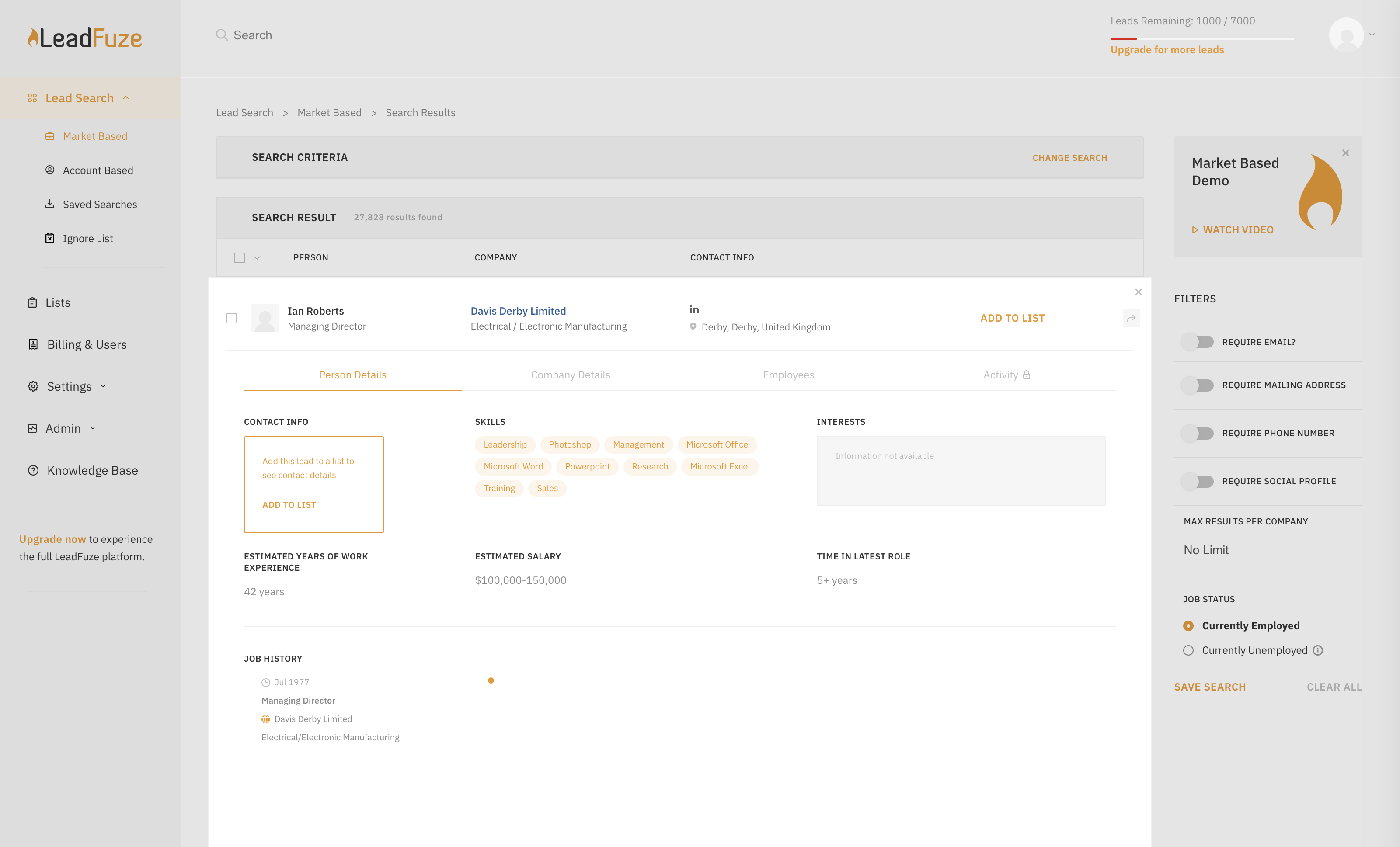
Find any business professional's contact information. Search entire market segments, or for specific individuals or accounts.
Used by salespeople, recruiters, and marketers to help them build their ideal list of leads and candidates. LeadFuze aggregates the world’s professional data to continue to deliver fresh leads.
It's prospecting, automated!
N/A
Mailshake
Score7.2 out of 10
N/A
Mailshake is a suite of tools for teams sending sales emails, including pre-written emails, follow-up scheduling and send controls, merge fields and customization / personalization, in-built monitoring, and both an API and Zapier integrations, notably with Gmail and Google Suite.
$50
per month
Pricing
LeadFuze
Mailshake
Editions & Modules
No answers on this topic
Email Outreach
$50.00
per month
Sales Engagement
$99.00
per month
Offerings
Pricing Offerings
LeadFuze
Mailshake
Free Trial
Yes
Yes
Free/Freemium Version
No
No
Premium Consulting/Integration Services
No
No
Entry-level Setup Fee
No setup fee
No setup fee
Additional Details
The LeadFuze team offers to write your cold email copy for you on our Professional and Rainmaker subscriptions for no additional cost. We have sent over 2 million cold emails and know what works and you can take advantage of this expertise with this offer.
A de minimis incentive was given to thank the reviewer for their time. The incentive was not used to bias or drive a particular response, nor was the incentive contingent on a positive endorsement. More Info
Business Owner in Marketing at Moonleap co (Marketing and Advertising, 1-10 employees)
Chose LeadFuze
Leadfuze makes it easy to automate the processing of prospects in volume, and is much less expensive than Navigator, which won't allow for email follow-ups, as well as building more sophisticated outreach campaigns using automation.
A de minimis incentive was given to thank the reviewer for their time. The incentive was not used to bias or drive a particular response, nor was the incentive contingent on a positive endorsement. More Info
Founder in Marketing at Noradane (Marketing and Advertising, 11-50 employees)
Chose Mailshake
These tools are undoubtedly reputable products that are used by millions of users. However, for the goal of lead generation by cold emailing, Mailshake shines by its genius approach of highest possible personalization of the messages. We see incredible results with every …
A de minimis incentive was given to thank the reviewer for their time. The incentive was not used to bias or drive a particular response, nor was the incentive contingent on a positive endorsement. More Info
I give Lead Fuze an excellent rating because the double-checking feature for email addresses makes it so you don't have to purchase additional software and you don't have to worry about emails bouncing back from old, wrong emails like some other lead scrapers do. You can scrape 1000 quality leads in about 1 day and feed them directly into your cold emailing software like High Level, Woodpecker, Active Campaign, etc.
A de minimis incentive was given to thank the reviewer for their time. The incentive was not used to bias or drive a particular response, nor was the incentive contingent on a positive endorsement. More Info
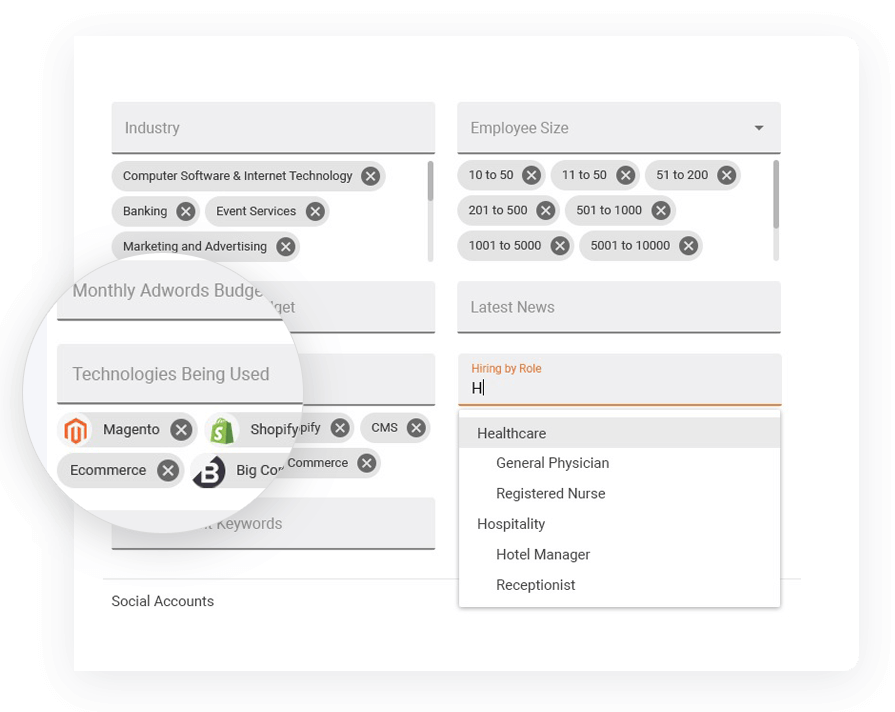
I really like the 'no nonsense' interface and simplicity of LeadFuse. As a digital marketing agency, I also really like the AdWords budget filter... This is great! I can target prospects who are already spending at least 'X' amount of money on paid ads, so I have a basic idea of their budget before I even approach them. This avoids the 'what's your budget' question evasiveness that prospects often give. I can tell them I already know how much they are spending on PPC and cut through the BS.
I also like the 'technology used' filter. Since we work primarily with Wordpress, I can target prospects NOT using WordPress and pitch web design in a more meaningful way. Or, conversely, I can target ONLY companies using WordPress.
Finally, I like the semi-automation feature. I can have FuseBot pull down 100 new leads based on my criteria every Monday and, before I dump them into my automated email outreach/nurture campaign, I can glance over them and make sure the all look ok (admittedly, sometimes there are some weird strays in the results that are not in the geography or industry I'm looking for, so I can skip those).
A de minimis incentive was given to thank the reviewer for their time. The incentive was not used to bias or drive a particular response, nor was the incentive contingent on a positive endorsement. More Info
A de minimis incentive was given to thank the reviewer for their time. The incentive was not used to bias or drive a particular response, nor was the incentive contingent on a positive endorsement. More Info
A de minimis incentive was given to thank the reviewer for their time. The incentive was not used to bias or drive a particular response, nor was the incentive contingent on a positive endorsement. More Info
A de minimis incentive was given to thank the reviewer for their time. The incentive was not used to bias or drive a particular response, nor was the incentive contingent on a positive endorsement. More Info
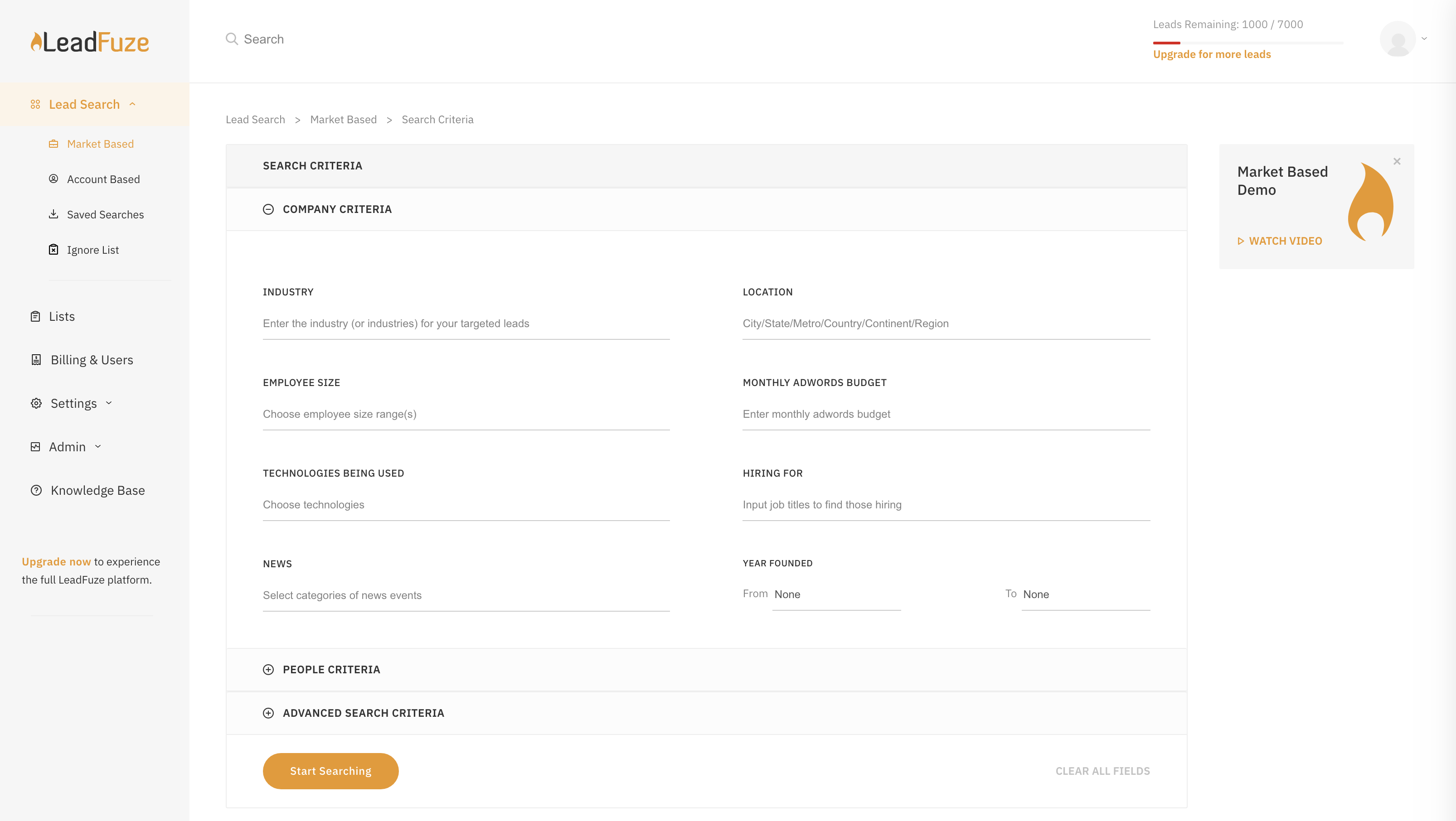
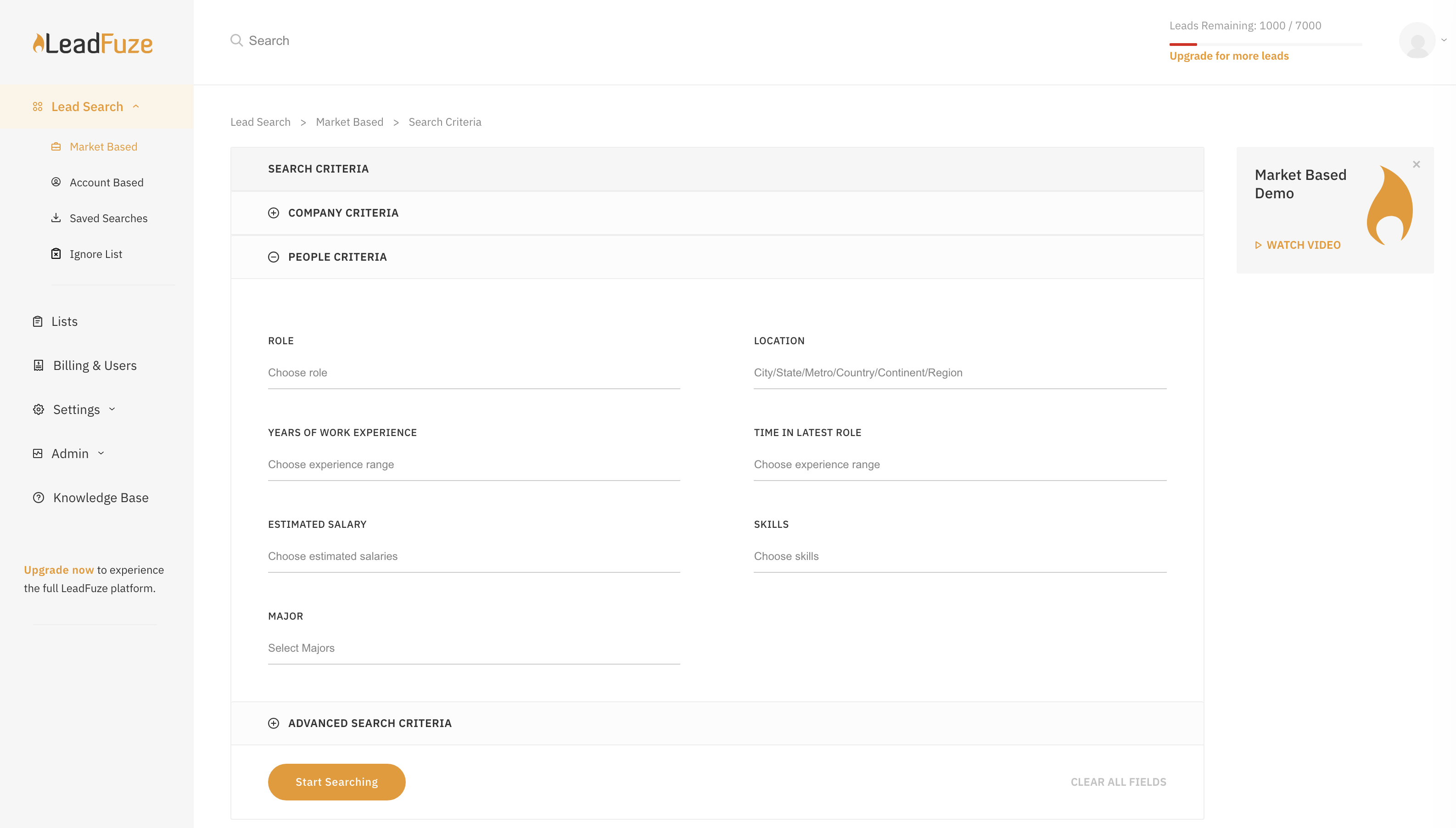
LeadFuze is super easy to get going and start to work with. There are videos to walk you through it but all you have to do is fill out the form that tells the system what kind of leads you're looking for and you're good to go - it does the rest of the work for you!
A de minimis incentive was given to thank the reviewer for their time. The incentive was not used to bias or drive a particular response, nor was the incentive contingent on a positive endorsement. More Info
I found it pretty good - we were able to put email templates and campaigns together almost immediately. The reason I gave it an 8 is because if you want to edit those templates, the saving and making sure they were part of the campaigns was a little tricky and not intuitive.
A de minimis incentive was given to thank the reviewer for their time. The incentive was not used to bias or drive a particular response, nor was the incentive contingent on a positive endorsement. More Info
Very poor again. I booked 3 demonstrations with them, the first failed to support due to tech issues, the second one failed to arrive for the meeting, as did the third meeting arranged. I had difficulty trying to find anywhere to engage online with them, so the customer experience is very low down in my opinion.
A de minimis incentive was given to thank the reviewer for their time. The incentive was not used to bias or drive a particular response, nor was the incentive contingent on a positive endorsement. More Info
LeadFuze has more filters than other software I've been using such as FindThatLead and Snovio and that gives me the chance to drill down even further into specific niches. Also, the system is really more user friendly and simple to use even more than other software I used in the past.
For more advanced email campaigns, I use ActiveCampaign and the email sending provider because it gives more control and options related to the drip rules. Besides that, for simple campaigns that need to be followed up in a great, quick, and simple way, Mailshake is perfect from my point of view.
A de minimis incentive was given to thank the reviewer for their time. The incentive was not used to bias or drive a particular response, nor was the incentive contingent on a positive endorsement. More Info
We have been able to reduce PPC spend and spend a fraction of that with LeadFuze. We are producing leads and a reasonable percentage is converting into orders and long term clients. Can't beat that.
We now spend less time chasing and generating leads. LeadFuze does all the heavy lifting and we have more time to build the business.
We have obtained several larger, long term clients from being able to get in front of them due to LeadFuze. LeadFuze helps us make that initial contact....the rest is up to us. That is the way it should be and the way I like it.
A de minimis incentive was given to thank the reviewer for their time. The incentive was not used to bias or drive a particular response, nor was the incentive contingent on a positive endorsement. More Info