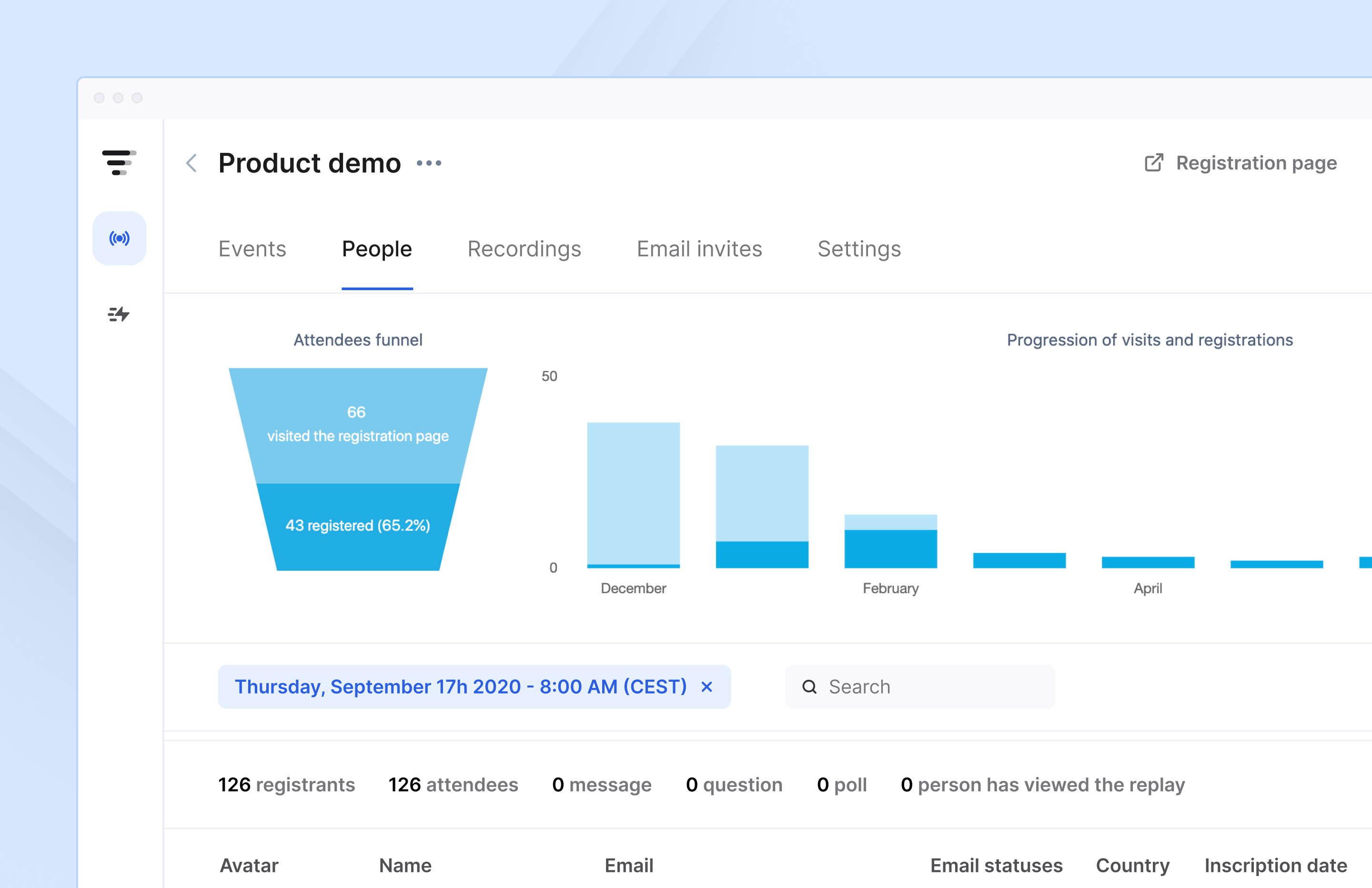
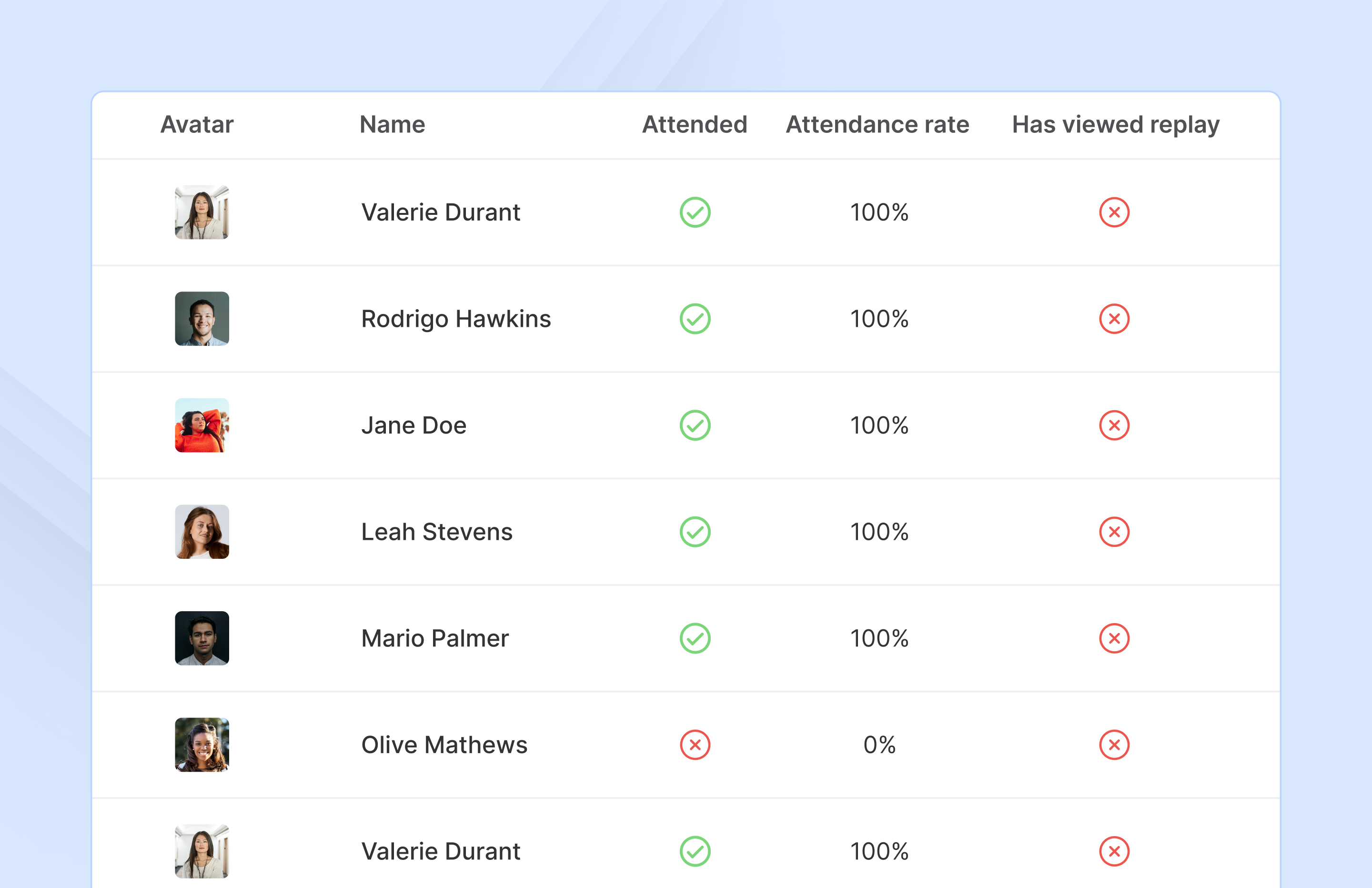
French company Livestorm offers their webinar platform which integrates with many other enterprise applications via Zapier and features polling, session recording and sharing, and webinar data collection and tracking.
$0
A free plan to discover Livestorm. All features included, such as unlimited webinars and instant meetings. Up to 20 minutes per webinar and up to 10 registrants per webinar.
Zeplin
Score 7.6 out of 10
N/A
Zeplin, from the company of the same name, is a platform supporting collaboration in application development by engineers and designers by providing an API with popular collaboration, development and prototyping tools and creating a space where productions can be shared and reviewed.
$15
per month
Pricing
Livestorm
Zeplin
Editions & Modules
Webinar Basic
$0.00
A free plan to discover Livestorm. All features included, such as unlimited webinars and instant meetings. Up to 20 minutes per webinar and up to 10 registrants per webinar.
Meet Basic
$0.00
Limited Instant and Scheduled Meetings for up to four participants
Meet Premium
$31.00
Full features for Instant and Scheduled Meetings.
Webinar Premium
$99.00
A premium experience with removed limitations to get the full benefits of Livestorm for up to 100 seats. + $99 to add 250 seats, + $209 to add 1,000 seats.
Enterprise
Contact sales
An enterprise-grade experience with premium service.
Free
$0
up to 1 project
Advanced
$15
per month per seat (up to 50 projects)
Basic
$15
per month per project
Enterprise
Contact sales team
Offerings
Pricing Offerings
Livestorm
Zeplin
Free Trial
Yes
Yes
Free/Freemium Version
Yes
Yes
Premium Consulting/Integration Services
No
No
Entry-level Setup Fee
No setup fee
No setup fee
Additional Details
—
—
More Pricing Information
Community Pulse
Livestorm
Zeplin
Features
Livestorm
Zeplin
Reporting & Analytics
Comparison of Reporting & Analytics features of Product A and Product B
Livestorm
10.0
3 Ratings
26% above category average
Zeplin
-
Ratings
Dashboards
10.02 Ratings
00 Ratings
Data exportability
10.03 Ratings
00 Ratings
Performance & Compatibility of Online Events Software
Comparison of Performance & Compatibility of Online Events Software features of Product A and Product B
Livestorm
9.5
3 Ratings
15% above category average
Zeplin
-
Ratings
High quality audio
9.03 Ratings
00 Ratings
Mobile support
10.02 Ratings
00 Ratings
Online Meetings / Events
Comparison of Online Meetings / Events features of Product A and Product B
Livestorm
9.4
3 Ratings
14% above category average
Zeplin
-
Ratings
Calendar integration
10.02 Ratings
00 Ratings
Record meetings / events
7.53 Ratings
00 Ratings
Slideshows
10.02 Ratings
00 Ratings
Event registration
10.03 Ratings
00 Ratings
Online Events Collaboration
Comparison of Online Events Collaboration features of Product A and Product B
Livestorm
10.0
3 Ratings
17% above category average
Zeplin
-
Ratings
Audience polling
10.03 Ratings
00 Ratings
Q&A
10.03 Ratings
00 Ratings
Online Events Security
Comparison of Online Events Security features of Product A and Product B
Livestorm
10.0
3 Ratings
18% above category average
Zeplin
-
Ratings
Participant roles & permissions
10.03 Ratings
00 Ratings
Confidential attendee list
10.03 Ratings
00 Ratings
Online Events Marketing
Comparison of Online Events Marketing features of Product A and Product B
Livestorm
10.0
3 Ratings
23% above category average
Zeplin
-
Ratings
Branding options
10.03 Ratings
00 Ratings
Integration to Marketing Automation
10.03 Ratings
00 Ratings
Project Management
Comparison of Project Management features of Product A and Product B
Livestorm
-
Ratings
Zeplin
4.6
4 Ratings
51% below category average
Task Management
00 Ratings
4.92 Ratings
Workflow Automation
00 Ratings
3.01 Ratings
Mobile Access
00 Ratings
4.42 Ratings
Search
00 Ratings
6.24 Ratings
Communication
Comparison of Communication features of Product A and Product B
Livestorm
-
Ratings
Zeplin
7.1
4 Ratings
12% below category average
Notifications
00 Ratings
7.14 Ratings
File Sharing & Management
Comparison of File Sharing & Management features of Product A and Product B
Livestorm is well suited to use when you need to reach a group of more than ten people. It wouldn't be a good solution if you wanted interaction from the audience in more than the form of chat.
I still have some issues, especially with color integration between the style guide and also project. When we update the colors, it's not automatically sync to every project. Aside from that, zeplin solves my problem for hand-off design from design to developer. I set zeplin is source of truth design file
Ease in automatically building design style guides, saving time that might be spent on building style guides in another tool (such as InDesign).
Users can use Mac, PC, or web versions of this app to collaborate on a single project, enabling us to work with a wider pool of contractors.
Accelerates the design-to-development workflow, as it’s very easy to import Sketch or Photoshop files through plug-ins, and HTML/CSS codes are automatically created based on designs.
Provides cross-platform specifications for web, iOS, and Android, which can save developers time in figuring out specifications beyond the “main platform" on their own.
Making sure the permission settings for your camera, microphone or browser can sometimes be tricky. If we have a guest, we always have to double-check these. It's also not super intuitive that you need to "Get on Stage" from the webinar page.
Zeplin's component management and style guide help us to be consistent across whole product and it so easy to use for non-technical person. It is now easy to collaboration for designes between different teams like stackholders, product owner, UI/UX, developers and testers. Now there is only one point of reference is Zeplin so it is so easy to get details without asking designer or developer again and again.
The customer service representatives are extremely attentive. They do an excellent job of trying to understand the scope of the issue and follow it through until it has been resolved. When I have provided them with recommendations for improvement they have taken them to heart and many times implemented them. I trust that if I ever have a problem they will be there to help
Zeplin has classic support with a chat from the website. It's working fine, and we're also getting the support needed when needed. However, Zeplin is very good at closing the incidents and moving on. It was a while ago we had a case with their support so that it might have improved since then.
Zeplin is great to inspect and share user interfaces, specifications and assets, perfect for developers. Tools like InVision and Marvel are much better to create prototypes for both developers, coworkers and even stakeholders, but they don't have this kind of feature (inspection) as Zeplin does. So each of them can be used for different purposes, offering different approaches to share and interact with layouts for apps and websites.
Development time has reduced as the design updates are communicated in real time to developers and they don't have to write the boilerplate code as it's already generated.
Employee engagement has improved as every stakeholder is aware about the design changes from the beginning and can give their inputs.
Designers save a lot of time as they don't to explicitly communicate when the update or publish their designs and also it just takes a couple of clicks to publish their designs. Also, lot of rework is saved as every stakeholder is involved right from the beginning.