TrustRadius: an HG Insights company

Save this comparison

Save this comparison

Add Product

Recommended Comparisons

    Overview
    ProductRatingMost Used ByProduct SummaryStarting Price

    Lua

    Score1 out of 10
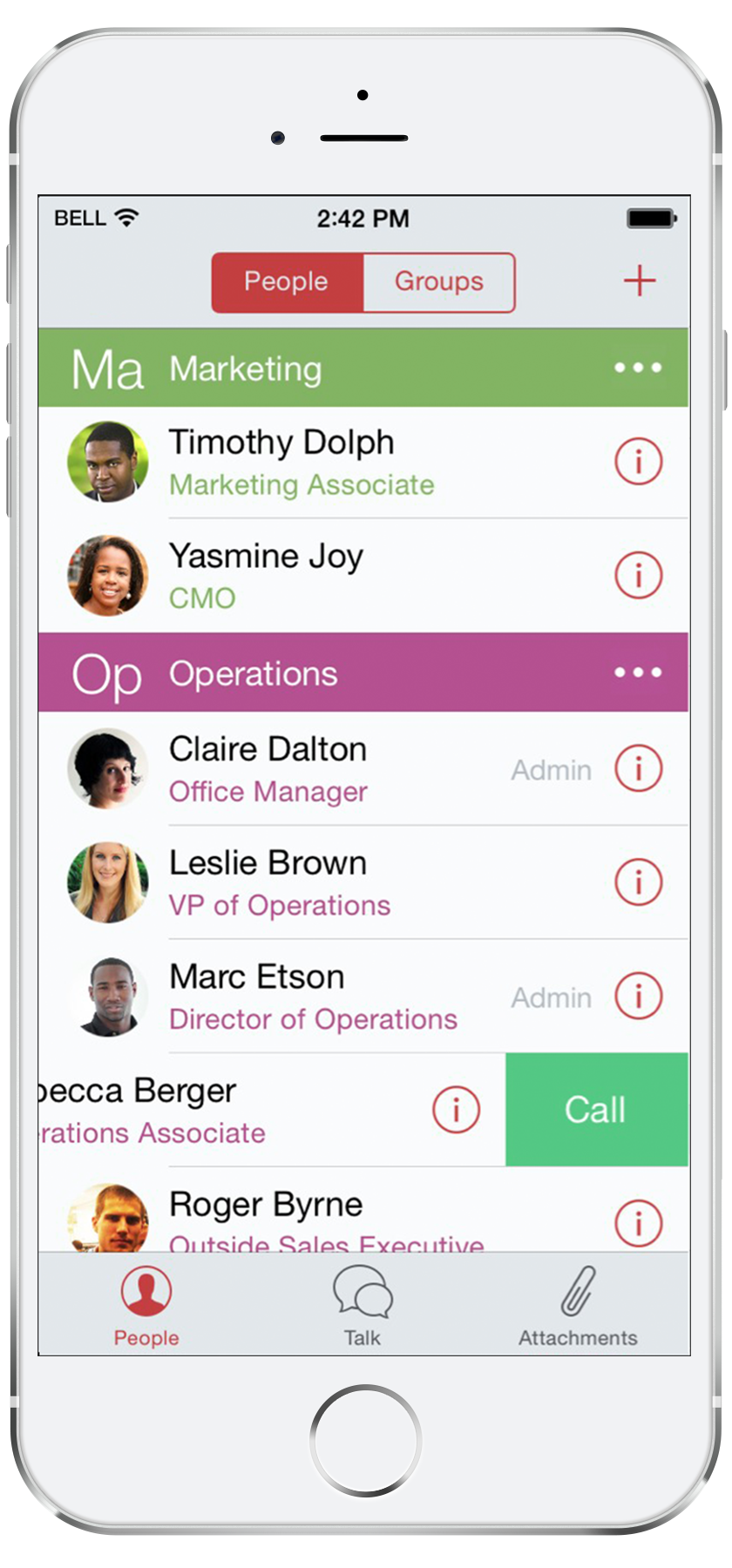
    N/ALua is a mobile-first enterprise communication solution. It powers messaging that is built for business: instant, secure, and keeps everyone accountable. Some key features include: Real-time Secure Messaging, Two-touch Conference Calling, and an Analytics Dashboard.N/A

    Teams Manager

    Score8 out of 10
    Mid-Size Companies (51-1,000 employees)
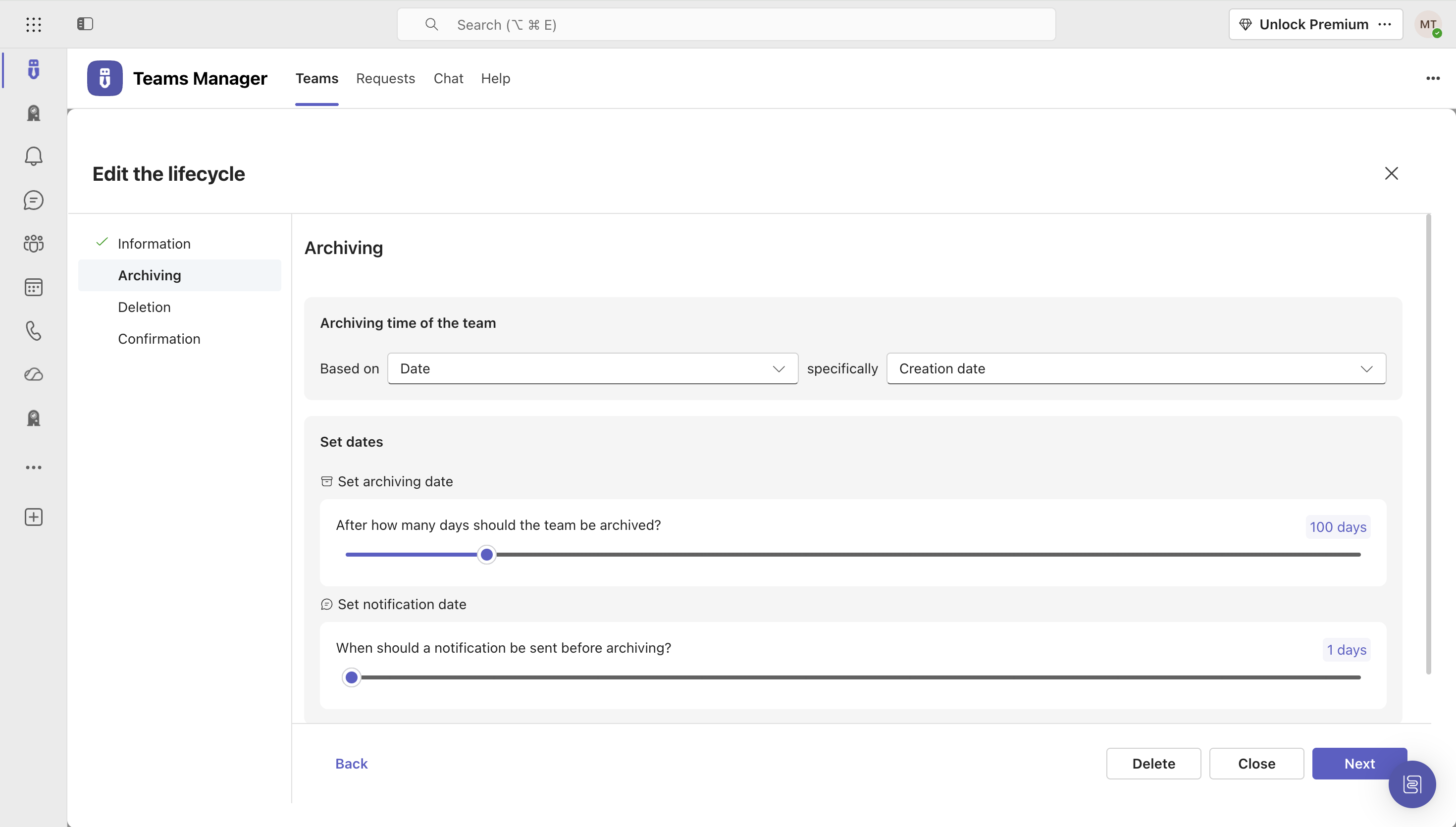
    IT administrators can keep control of their Microsoft 365 environment with Teams Manager. Teams Manager is used to prevent the uncontrolled creation of Teams and Groups and automate governance processes. Key Features: • Governance Dashboard and Reports – provides an overview of the M365 environment (inactive or ownerless teams, teams with guests etc.) • Provisioning of new teams & SharePoint sites – with channels,…

    $1.60

    per year

    Pricing
    LuaTeams Manager
    Editions & Modules
    Lua
    $0
    Per User per Month
    Extra Large (4,000+ users)
    $1.60
    per year per user
    Small (up to 249 users)
    1,599
    per year per installation
    Medium (up to 999 users)
    4,049
    per year per installation
    Large (up to 4000 users)
    6,499
    per year per installation
    Offerings
    Pricing Offerings
    LuaTeams Manager
    Free Trial
    YesYes
    Free/Freemium Version
    NoNo
    Premium Consulting/Integration Services
    YesYes
    Entry-level Setup Fee$2,500Optional
    Additional Details—Prices are starting prices. Not listed here are the different support and service packages.
    More Pricing Information
    Community Pulse
    LuaTeams Manager
    Considered Both Products
    Lua
    No answer on this topic
    Solutions2Share
    No answer on this topic
    Key User Insights
    Would buy again
    No answers on this topic
    90%
    Would buy again
    9 Answers
    Delivers good value for the price
    No answers on this topic
    100%
    Delivers good value for the price
    8 Answers
    Happy with the feature set
    No answers on this topic
    100%
    Happy with the feature set
    10 Answers
    Lived up to sales and marketing promises
    No answers on this topic
    No answers on this topic
    Implementation went as expected
    No answers on this topic
    100%
    Implementation went as expected
    5 Answers
    Features
    LuaTeams Manager
    Communication
    Comparison of Communication features of Lua and Solutions2Share Teams Manager
    Feature
    Lua
    7.0
    1 Ratings
    13% below category average
    Solutions2Share Teams Manager
    -
    Ratings
    Chat7.01 Ratings00 Ratings
    Notifications7.01 Ratings00 Ratings
    Best Alternatives
    LuaTeams Manager
    Small Businesses
    Flock
    Score9.5 out of 10
    No answers on this topic
    Medium-sized Companies
    Troop Messenger
    Score9.8 out of 10
    No answers on this topic
    Enterprises
    Cisco Business Edition 7000 (discontinued)
    Score9 out of 10
    No answers on this topic
    All AlternativesView all alternativesView all alternatives
    User Ratings
    LuaTeams Manager
    Likelihood to Recommend
    1.0
    (1 ratings)
    8.0
    (10 ratings)
    Usability
    -
    (0 ratings)
    8.0
    (1 ratings)
    Support Rating
    5.0
    (1 ratings)
    -
    (0 ratings)
    User Testimonials
    LuaTeams Manager
    Likelihood to Recommend
    Lua
    I wouldn't recommend Lua because they were recently acquired by another company and will be shutting down. It was unfortunate that we were only given 2 months notice right after signing up for another 1-year term.
    Incentivized
    Read full review
    Solutions2Share
    It's well suited if you or your organization performs tasks incorporating other Microsoft programs such as OneNote or Planner. Teams Manager allows for easy management of that software usage; if you do not use any of those, I'm not sure if there is much advantage in using it to manage workflow.
    Incentivized
    Read full review
    Pros
    Lua
    • It is easy to communicate in real-time.
    • Easy to set up different groups.
    Incentivized
    Read full review
    Solutions2Share
    • Handles different teams and teams members
    • Giving them permissions as per their job profile and necessity
    • Seeing the projects' progress through one platform
    Incentivized
    Read full review
    Cons
    Lua
    • The application for iPad is not optimized.
    Incentivized
    Read full review
    Solutions2Share
    • user interface can be enhanced to seperate the color coding for different channels
    • It would be great to receive notifications in Outlook for Shifts and be able to approve/deny requests and schedule changes there while it's synced with the Outlook calendar.
    Incentivized
    Read full review
    Usability
    Lua
    No answers on this topic
    Solutions2Share
    It is a well-designed and polished application on Teams. Most of its issues stem from Teams UI and UX, which could be improved further. However, if you can fit the team manager to your needs, it can become a very powerful tool to manage data flow.
    Incentivized
    Read full review
    Support Rating
    Lua
    They are closing operations, so there's no support to rate
    Incentivized
    Read full review
    Solutions2Share
    No answers on this topic
    Alternatives Considered
    Lua
    We chose Lua because of their price point and feature set compared to other tools.
    Incentivized
    Read full review
    Solutions2Share
    We still use it for our one-off situations, but mostly stick to Teams as it is much more user-friendly and allows better sharing capabilities through virtual meetings. Skype is not as easily customized, so it's a no-brainer to use Microsoft Teams and Team Manager for all of our instant messaging and virtual meeting needs.
    Incentivized
    Read full review
    Return on Investment
    Lua
    • It has been great for communication and broadcasts, its a shame that they are closing down.
    Incentivized
    Read full review
    Solutions2Share
    • Positive in regards to easy access to quick answers through instant messaging
    • Positive in that the Managers have a secure place to go to retrieve sensitive information.
    • Negative in that we do not fully utilize the tool.
    Incentivized
    Read full review
    ScreenShots

    Lua Screenshots

    Screenshot of A Group Conversation With Files and Photos (iPhone)Screenshot of A Dedicated Tab for All Your Ongoing Conversations Broadcasts (Android)Screenshot of An Interactive Directory Organized by Departments, Roles, and Custom Groups (iPhone)Screenshot of Two-touch Conference Calling, No Dial-ins, No Passcodes (iPhone)Screenshot of A Dedicated Repository for All Attachments (Android)Screenshot of Communication Analytics Dashboard (Web)

    Teams Manager Screenshots

    Screenshot of Governance Dashboard and Reports – for an overview of Microsoft 365 environmentsScreenshot of Automated request and approval process for new teams, M365 groups and SharePoint sitesScreenshot of Templates and provisioning for teams and SharePoint sites (with channels, tabs, apps, folders, Planner with tasks, OneNote with content and more)Screenshot of Lifecycles for teams: inactive or obsolete teams can automatically be archived or even deleted after a specified period of timeScreenshot of Naming conventions for teams, OneNotes, Planners and SharePoint URLs: rules for uniform, relevant names with predefined prefixes and suffixesScreenshot of Policy packages for teams: automatically enforce governance policies for team requests, approvals, access reviews and more