TrustRadius: an HG Insights company

Save this comparison

Save this comparison

Add Product

Recommended Comparisons

    Overview
    ProductRatingMost Used ByProduct SummaryStarting Price

    MailMaestro

    Score9.1 out of 10
    N/AMailMaestro is an AI email assistant that utilizes OpenAI's ChatGPT technology to help users write higher quality, personalized emails in their preferred language and tone, while keeping them securely encrypted. The product is presented as ideal for professionals who want to cut down on time spent on email while improving quality. Designed with CTOs of corporations in mind, MailMaestro helps companies reduce data security breaches, enabling the use of AI at the workplace in a…

    $0

    Mailtrack

    Score9.7 out of 10
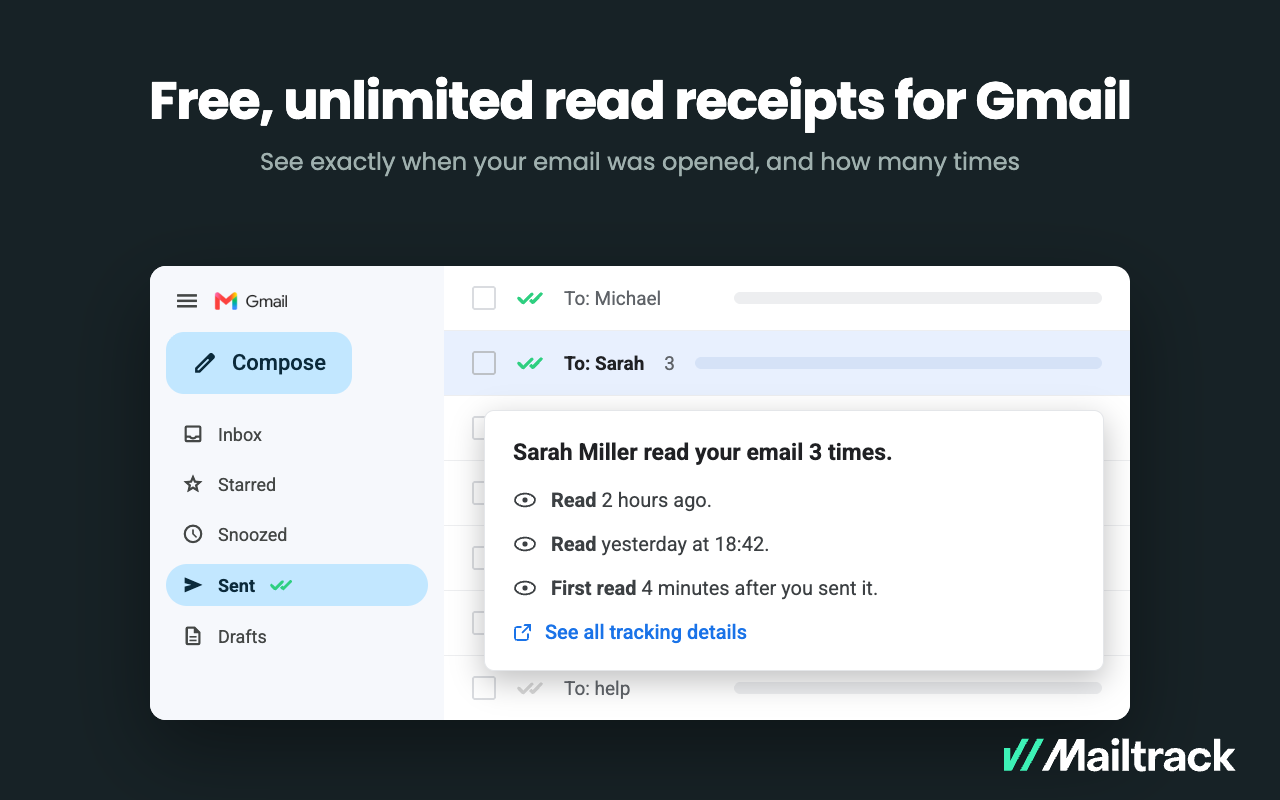
    N/AMailtrack is an email-tracking extension for Gmail and part of Mailsuite. It adds delivery and read-status indicators to sent messages, showing when recipients open an email or click a tracked link without requiring users to leave Gmail. Key Capabilities Gmail read receipts: Mailtrack adds one or two checkmarks to sent messages. Grey checkmarks indicate delivery; green checkmarks indicate that the message was opened. Open and…

    $2.99

    per month per user

    Pricing
    MailMaestroMailtrack
    Editions & Modules
    No answers on this topic
    Free
    $0
    per month per user
    Mailtrack
    2,99
    per month per user
    Mailsuite
    9,99
    per month per user
    Offerings
    Pricing Offerings
    MailMaestroMailtrack
    Free Trial
    YesNo
    Free/Freemium Version
    NoYes
    Premium Consulting/Integration Services
    NoNo
    Entry-level Setup FeeNo setup feeNo setup fee
    Additional Details——
    More Pricing Information
    Community Pulse
    MailMaestroMailtrack
    Considered Both Products
    Maestro Labs
    No answer on this topic
    Mailtrack
    No answer on this topic
    Key User Insights
    Would buy again
    No answers on this topic
    100%
    Would buy again
    48 Answers
    Delivers good value for the price
    No answers on this topic
    100%
    Delivers good value for the price
    37 Answers
    Happy with the feature set
    No answers on this topic
    100%
    Happy with the feature set
    48 Answers
    Lived up to sales and marketing promises
    No answers on this topic
    97%
    Lived up to sales and marketing promises
    38 Answers
    Implementation went as expected
    No answers on this topic
    100%
    Implementation went as expected
    40 Answers
    Best Alternatives
    MailMaestroMailtrack
    Small Businesses
    No answers on this topic
    Yesware
    Score8.3 out of 10
    Medium-sized Companies
    Ginger Business
    Score7.9 out of 10
    Yesware
    Score8.3 out of 10
    Enterprises
    Ginger Business
    Score7.9 out of 10
    No answers on this topic
    All AlternativesView all alternativesView all alternatives
    User Ratings
    MailMaestroMailtrack
    Likelihood to Recommend
    9.1
    (1 ratings)
    9.4
    (50 ratings)
    Usability
    -
    (0 ratings)
    8.7
    (40 ratings)
    Support Rating
    -
    (0 ratings)
    7.1
    (42 ratings)
    User Testimonials
    MailMaestroMailtrack
    Likelihood to Recommend
    Maestro Labs
    Because of its professional tone, we used MailMaestro whenever we do email outreach to apartment owners and brokers. It's saved us a lot of head ache of drafting so many emails per day, when it could do it in a snap. Aside from email outreach, we're also using Mailmaestro to draft replies to tennants who are looking to rent apartments or just people inquiring. Its casual tone helps break down the stiff wall between a company and a lead
    Read full review
    Mailtrack
    Mailtrack is great for tracking emails if you do not want to pay for larger more complicated tools that do the same thing. If you already love your system but just want to add some convenient read tracking, that's exactly what this is for. If you have a system that doesn't work well, I would take the time to evaluate alternatives that also include read tracking (Salesforce for example). This also applies if you're trying to use this for large outbound sales emails - there are a lot of applications that have email tracking built in (Outreach.io is a great example) so it may just be worth switching your whole system.
    Incentivized
    Read full review
    Pros
    Maestro Labs
    • Easy to navigate
    • Language selector helps overpass language barriers
    • The AI is fun to work with, and the "try-again" feature is very convenient.
    Read full review
    Mailtrack
    • Immediately you will be notified once any user accesses the email. There is no delay. We have crossed checked and it works awesome.
    • The Mailtrack extension is easy to use. Setting up an account and getting started is smooth and fast.
    • Free version includes unlimited email tracking, this is fab.
    Incentivized
    Read full review
    Cons
    Maestro Labs
    • Perhaps more tones and languages
    • Opportunity to enable this on other email clients such as Gmail?
    • Being able to have more options for outputs instead of having one each try
    Read full review
    Mailtrack
    • Some of the settings can be confusing at first.
    • Some alerts are on by default and can be annoying at times.
    • Good to know if the email was deleted.
    • It would be great to know how much time recipients spent on each email.
    Read full review
    Usability
    Maestro Labs
    No answers on this topic
    Mailtrack
    I would rate Mailtrack's overall usability as a ten out of ten. The reasons for this are actually quite simple. For now, only I have been using Mailtrack. However, looking at the rather easy to use characteristics Mailtrack has to offer, I would not hesitate to recommend it to the rest of my colleagues.
    Incentivized
    Read full review
    Support Rating
    Maestro Labs
    No answers on this topic
    Mailtrack
    I didn't really need to use the customer support but the fact that they proactively make the installation process so easy by providing step by step instructions with videos and everything is kind of pro-active customer support that is needed. Good for them because at the end of the day, it's everyone's dream to use a product that they don't need support for.
    Read full review
    Alternatives Considered
    Maestro Labs
    It all works seamlessly together
    Read full review
    Mailtrack
    There's a free tier. Obviously, there are other things to love, like notifications about your email being read, the fact that if an email hasn't been responded to in some time it gets bumped up. The fact that if other people have Mailtrack you will actually get notified who read your email. But the fact that there is a free tier is HUGE.
    Read full review
    Return on Investment
    Maestro Labs
    • Freed more work capacity for us executive assistants
    • Professional emails allowed better conversion rates w/ apartment owners
    • We're able to communicate w/ Spanish much more faster and fluent
    Read full review
    Mailtrack
    • I'm currently using the free version so my investment was time spent downloading the browser extension. I would say it's worth the investment because I can make more value through each email by finding the right time to send replies or know when is the exact time I should follow up.
    • Knowing when an email is read multiple times helps me know the importance of the content in my email.
    • The paid version allows Mailtrack to tell you which recipient read the email if there was more than 1.
    Read full review
    ScreenShots

    MailMaestro Screenshots

    Screenshot of Demo of using MailMaestroProduct screenshotProduct screenshotProduct screenshotProduct screenshotProduct screenshot

    Mailtrack Screenshots

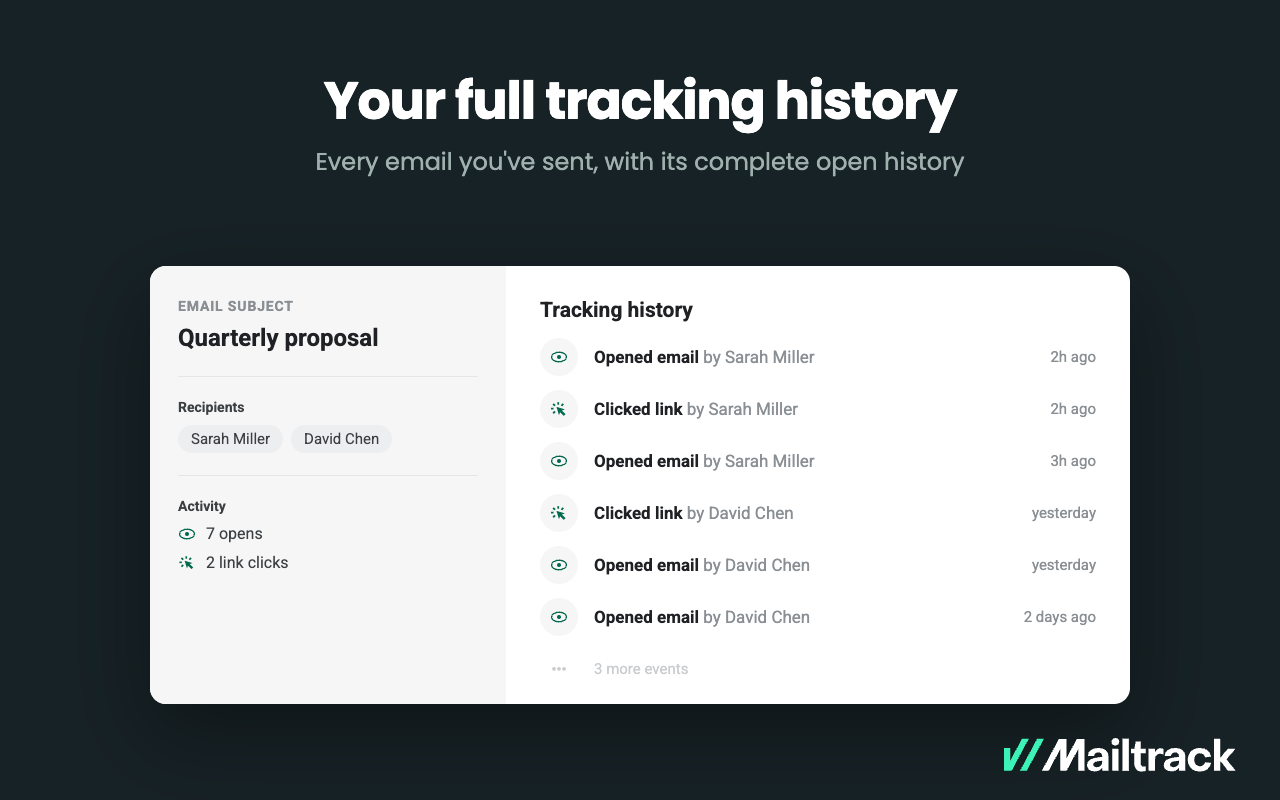
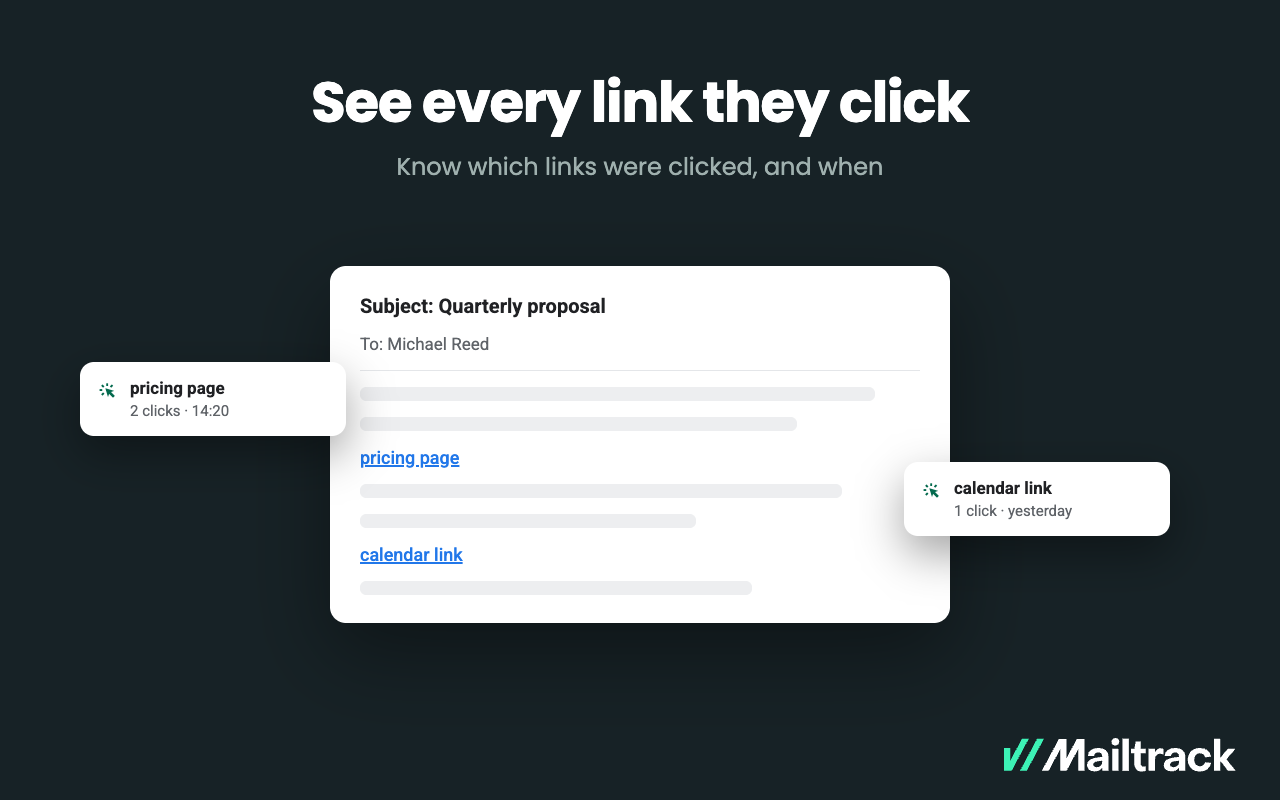
    Screenshot of Double check marks appear right in the  Gmail Sent folder — one for delivered, two for read. Nothing new to learn, no separate dashboard to open.Screenshot of Alerts, sent the moment a recipient opens your message, so you can follow up or pick up the phone while the email is still on their screen.Screenshot of where to set a reminder rules once and Mailtrack watches sent mail, flagging the messages that went unopened or unanswered so none of them go cold.Screenshot of A complete activity log per email — who opened it, how many times and when, including each recipient separately when sent to a group.Screenshot of a display of exactly which links a recipient clicked and when — a pricing page, a proposal, a calendar link.