ManageEngine Endpoint Central vs. SmartPanels

Overview
ProductRatingMost Used ByProduct SummaryStarting Price
ManageEngine Endpoint Central
Score 9.0 out of 10
N/A
Desktop Central from ManageEngine is a client desktop management with patching, remote control, and configuration.N/A
SmartPanels
Score 9.0 out of 10
N/A
SmartPanels is a desktop optimization and Desktop Management utility designed for Windows 10 and Windows 11 environments. The platform automates the arrangement, positioning, and restoration of desktop applications, browser windows, and multiple monitor configurations to eliminate manual window-management overhead.N/A
Pricing
ManageEngine Endpoint CentralSmartPanels
Editions & Modules
No answers on this topic
Offerings
Pricing Offerings
ManageEngine Endpoint CentralSmartPanels
Free Trial
YesYes
Free/Freemium Version
NoNo
Premium Consulting/Integration Services
NoNo
Entry-level Setup FeeNo setup feeOptional
Additional Details
More Pricing Information
Community Pulse
ManageEngine Endpoint CentralSmartPanels
Considered Both Products
ManageEngine Endpoint Central
Chose ManageEngine Endpoint Central
The price is more affordable and in range. Also came with all the features that company wanted. User friendly interface than the others make more easier to navigate all the features inside. Provide support as well as the others. Also, well-known products when it comes to …
Chose ManageEngine Endpoint Central
We have selected Endpoint Central especially for the presence of OS deployment module and for the maturity of other components; moreover, NinjaOne doesn't offer an onprem installation, and some customer needed it. However, NinjaOne appears to be more 'modern' in the dashboard …
Chose ManageEngine Endpoint Central
We selected Endpoint Central because we couldn't manage our patching with SCCM anymore; we noticed it was inconsistent and not working properly. Also, it wouldn't work out-of-network, which is an important factor for us. These products all helped us improve the quality of our …
Chose ManageEngine Endpoint Central
Endpoint Central has a lot more functionality than PDQ. We've used PDQ for years, but we no longer see the cost as worth it since Endpoint Central handles inventory and software deployment just as well. Having everything in a single interface is also useful.
Chose ManageEngine Endpoint Central
KACE SMA was beginning to feel quite dated and complicated. Some things started requiring advanced SQL queries to get sorted, and many of our old scripts stopped working because the SQL schema changed over the years. So far in ManageEngine Endpoint Central, I have not needed to …
Chose ManageEngine Endpoint Central
The other applications perform limited activities such as vulnerability scanning management, but not mitigation in the case of Nessus; Intune controls device access and key management, but does not patch, does not provide remote support, and does not manage access to USB and …
Chose ManageEngine Endpoint Central
ManageEngine was a lot easier of setup, and is easier to use than what Landesk provides.
Chose ManageEngine Endpoint Central
For me, Endpoint Central belongs to the big three (WS1, Intune, Endpoint Central), so it's better in its own third-party app repo, Vulnerabilities report, Script deployment, OS Management, and Communication between the server and the endpoint. Is no worse than WS1 in Endpoint …
Chose ManageEngine Endpoint Central
We were using Microsoft WSUS and SCCM but they lack reporting depth that ManageEngine Endpoint Central has and also they lack automation features. ManageEngine Endpoint Central complexity is mush less than SCCM and WSUS.
Chose ManageEngine Endpoint Central
I was not a part of the initial selection process, but I understand the issue was related to cost per endpoint. As a user of the other solutions I would say that the other solutions do have other strengths that ManageEngine is missing. The remote access tools are superior but …
Chose ManageEngine Endpoint Central
As previously mentioned, I was looking for a solution to replace Microsoft Intune and ManageEndpoint Central to exceed my initial needs.
Chose ManageEngine Endpoint Central
Similar to Microsoft Intune, but Microsoft Intune is more Microsoft-based. Zoho Assist isn't as robust.
Chose ManageEngine Endpoint Central
ManageEngine Endpoint Central is an on-premise unified system. All modules are integrated into one central interface and detailed reporting capability. It’s possible to manage all devices regardless of their OS
Chose ManageEngine Endpoint Central
ManageEngine Endpoint Central is better than these products because of user experience and easy functionality. When I evaluated other products, I faced difficulty in exploring their features and there were too many things to do before a simple deployment unlike ManageEngine …
Chose ManageEngine Endpoint Central
We evaluated multiple endpoint management solutions before selecting ManageEngine Endpoint Central, and the main reason for choosing it was its strong patch management capabilities combined with centralized endpoint control at a competitive cost. Compared to other solutions, …
Chose ManageEngine Endpoint Central
Manage Engine is in a different league if I have to compare. Also, I am very secure, as most of what we do is very Security-oriented. It's not just a ticketing and remote support system; it's a Global Systems Monitoring, Updating, Securing, and Remote Support System that makes …
Chose ManageEngine Endpoint Central
ManageEngine provides budget friendly tools and easy to integrate with other tools and software
Chose ManageEngine Endpoint Central
ManageEngine Endpoint Central can do Linux servers which is a big plus.
Chose ManageEngine Endpoint Central
This product for me is much complete than competitors.
Chose ManageEngine Endpoint Central
Remote Access Plus Cloud is a native cloud solution, lightweight agent and very competively priced. It supports both entra-joined and cloud-joined devices and has a comprehensive set of basic featues that I need. Though spotty, the system manager is fantastic, when it works and …
SmartPanels

No answer on this topic

Best Alternatives
ManageEngine Endpoint CentralSmartPanels
Small Businesses
Avast CloudCare
Avast CloudCare
Score 10.0 out of 10

No answers on this topic

Medium-sized Companies
KACE Systems Management Appliance
Score 8.5 out of 10
ManageEngine Endpoint Central
Score 9.0 out of 10
Enterprises
KACE Systems Management Appliance
Score 8.5 out of 10
ManageEngine Endpoint Central
Score 9.0 out of 10
All AlternativesView all alternativesView all alternatives
User Ratings
ManageEngine Endpoint CentralSmartPanels
Likelihood to Recommend
9.0
(0 ratings)
-
(0 ratings)
Likelihood to Renew
9.3
(0 ratings)
-
(0 ratings)
Usability
9.0
(0 ratings)
-
(0 ratings)
Support Rating
7.1
(0 ratings)
-
(0 ratings)
Implementation Rating
7.8
(0 ratings)
-
(0 ratings)
Vendor post-sale
1.8
(0 ratings)
-
(0 ratings)
Vendor pre-sale
1.8
(0 ratings)
-
(0 ratings)
User Testimonials
ManageEngine Endpoint CentralSmartPanels
Likelihood to Recommend
I think most scenarios are well-suited to Endpoint Central. Keep third-party applications upgraded, OS Deployment, Report Endpoint with vulnerabilities, check compliance with CIS, but it is much more, internal app deployment, much more compliance policy, Integration with Office 365 Conditional Access, Endpoint Configuration, Works fine with custom script even when you don't know any scripts, there are plenty of templates.
Read full review
No answers on this topic
Pros
  • We set alerts when a devices gets low on disk space. That is automatic and creates a ticket in ME SDP. We are then able to Add space to a VM Desktop, and then go thru ManageEngine Endpoint Central to extend the drives so the entire process can be done without interruption to the end user.
  • Using the patch scans we can easily see what patches have been installed for all manufacturers not just Microsoft, without having to physically go to the device. It also allows us to choose which patches we want to push out and automate the process so we can be hands off, freeing up out time for other things.
  • Remote access to devices. This allows us to remotely make changes, not just via remote control but also make registry changes and clean up space without going to the device and without interruption to the end user.
  • Alerts. We have set up to get email alerts when new hardware is plugged into any computers. This lets us know if someone is bringing in un-authorized equipment (thumb drives, hubs, etc) to better manage what is/is not on our network.
Read full review
No answers on this topic
Cons
  • Prioritizing the flow between package deployments and updates. In my case, application packages must take priority over updates.
  • Reconnecting the remote control port after restarting the computer.
  • In dynamic groups, the first parameter is always "OR", which can cause problems when selecting the remote desktop.
Read full review
No answers on this topic
Likelihood to Renew
It has been a staple tool for maintaining the environment and as we grow it will be needed more. While trying to configure the system to allow us to access and support systems that are in locations outside of the primary network EndPoint Central will be crucial in facilitating that needed connection.
Read full review
No answers on this topic
Usability
The product is really easy to set up and use. The web interface is relatively easy to use depending on the feature you are trying to use. The search features for inventory for both software and hardware are really good. You might get lost trying to navigate the file managers for endpoints because while the web interface is extremely easy to use, the feature set is very limited
Read full review
No answers on this topic
Support Rating
The immediate chat support is great and very helpful. However, if you need escalated support or have a deeper need that the chat tool can't help with, you will experience significant wait times and slow responses. The time zone difference becomes painful to the point of often just giving up.
Read full review
No answers on this topic
Implementation Rating
It seems that the services offered with the purchase change from what is covered to what is an additional cost. Somethings I thought we had ended up requiring an additional purchase if we wanted to continue using the feature.
Read full review
No answers on this topic
Alternatives Considered
We selected Endpoint Central because we couldn't manage our patching with SCCM anymore; we noticed it was inconsistent and not working properly. Also, it wouldn't work out-of-network, which is an important factor for us. These products all helped us improve the quality of our work and efficiency.
Read full review
No answers on this topic
Return on Investment
  • It had a positive impact on our environment, now we need less workforce to deploy patches and install softwares
  • It also does the mitigation part so there we save the cost too
  • It helps in achieving compliance which is net positive to get more projects
Read full review
No answers on this topic
ScreenShots

ManageEngine Endpoint Central Screenshots
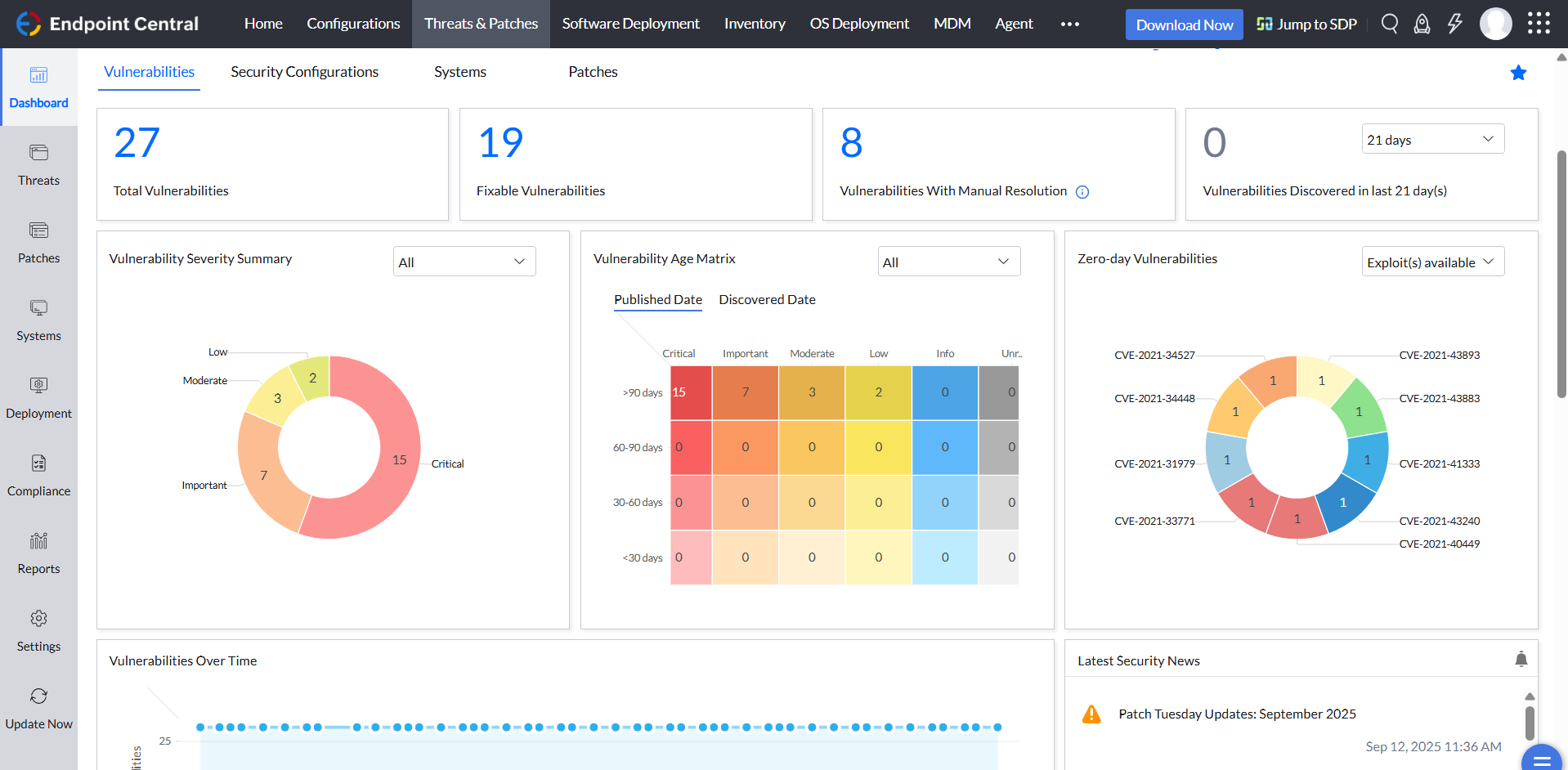
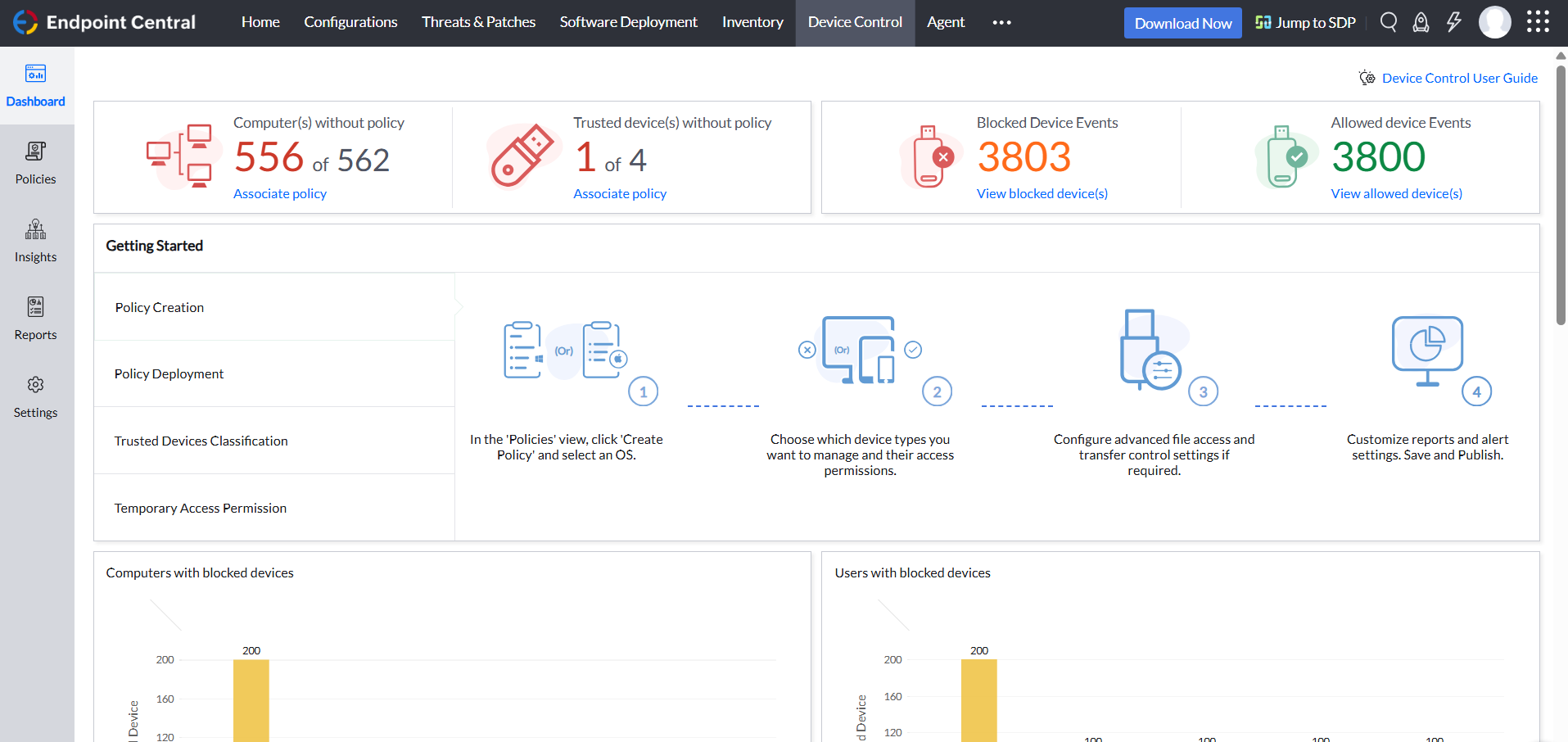
Screenshot of HomepageScreenshot of Threats and patchesScreenshot of ToolsScreenshot of Inventory managementScreenshot of Device control