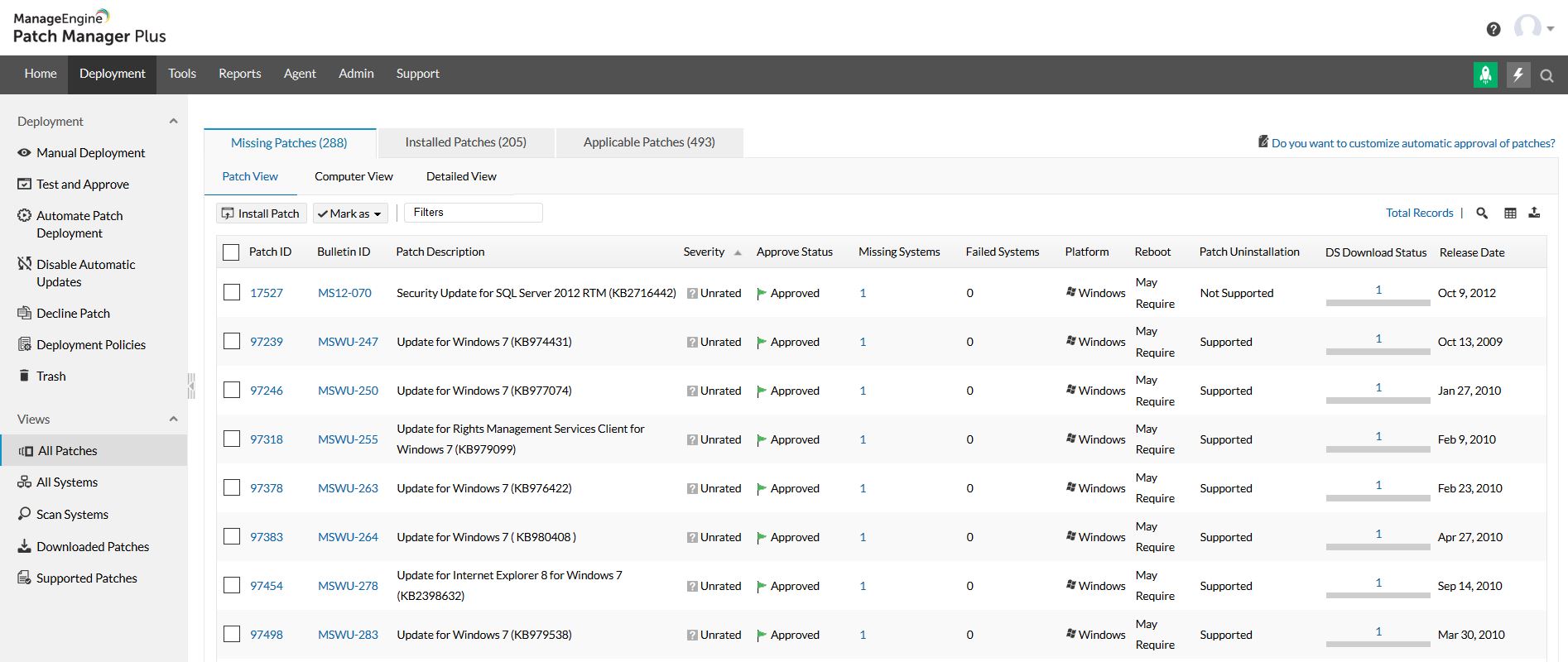
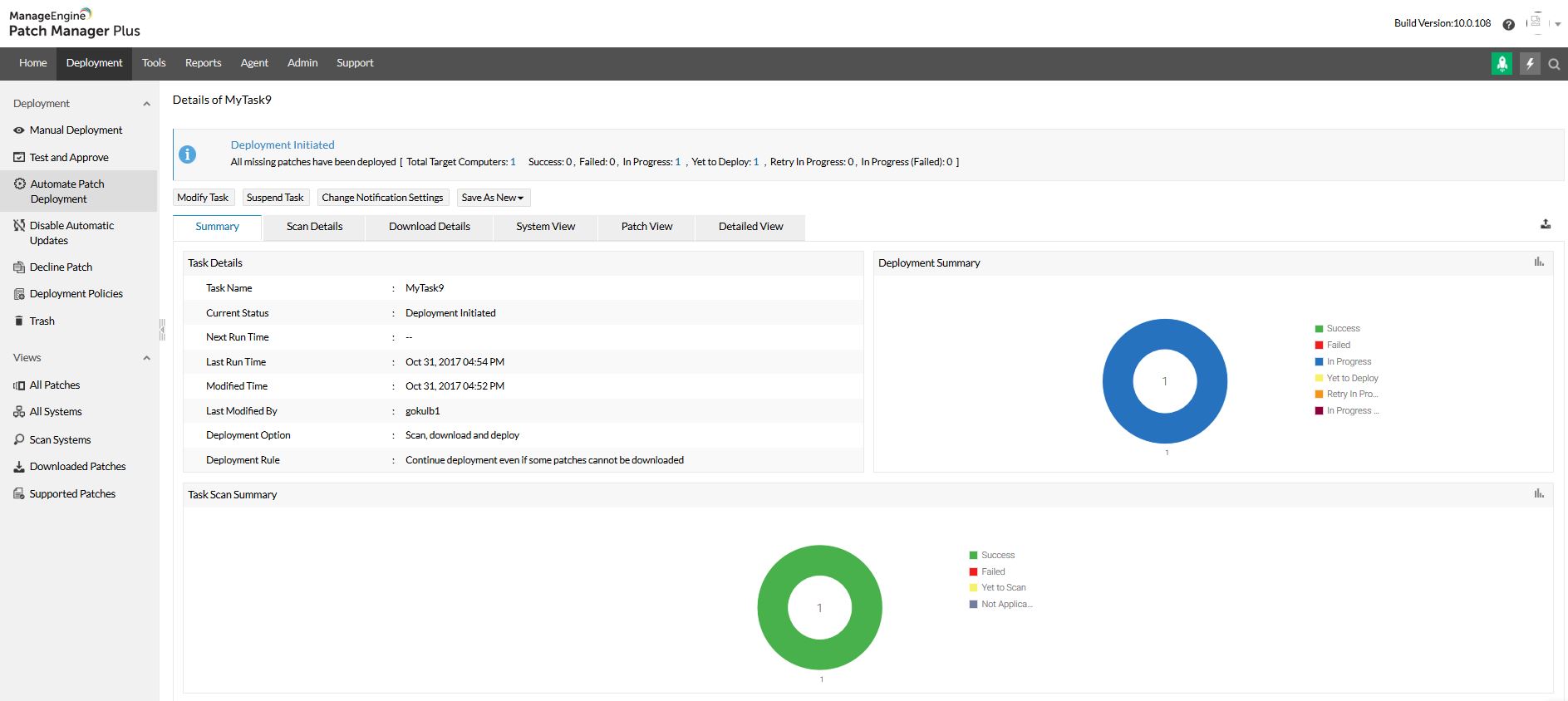
Patch Manager Plus is an automated patch management software that provides enterprises with a single interface for all patch management tasks. The vendor claims it works across platforms, helping users patch Windows, Mac, Linux & 300+ third-party applications. With Automated Patch Deployments, users can automate the entire process of patch management:…
$245
50 endpoints
Microsoft Defender for Cloud
Score 8.5 out of 10
N/A
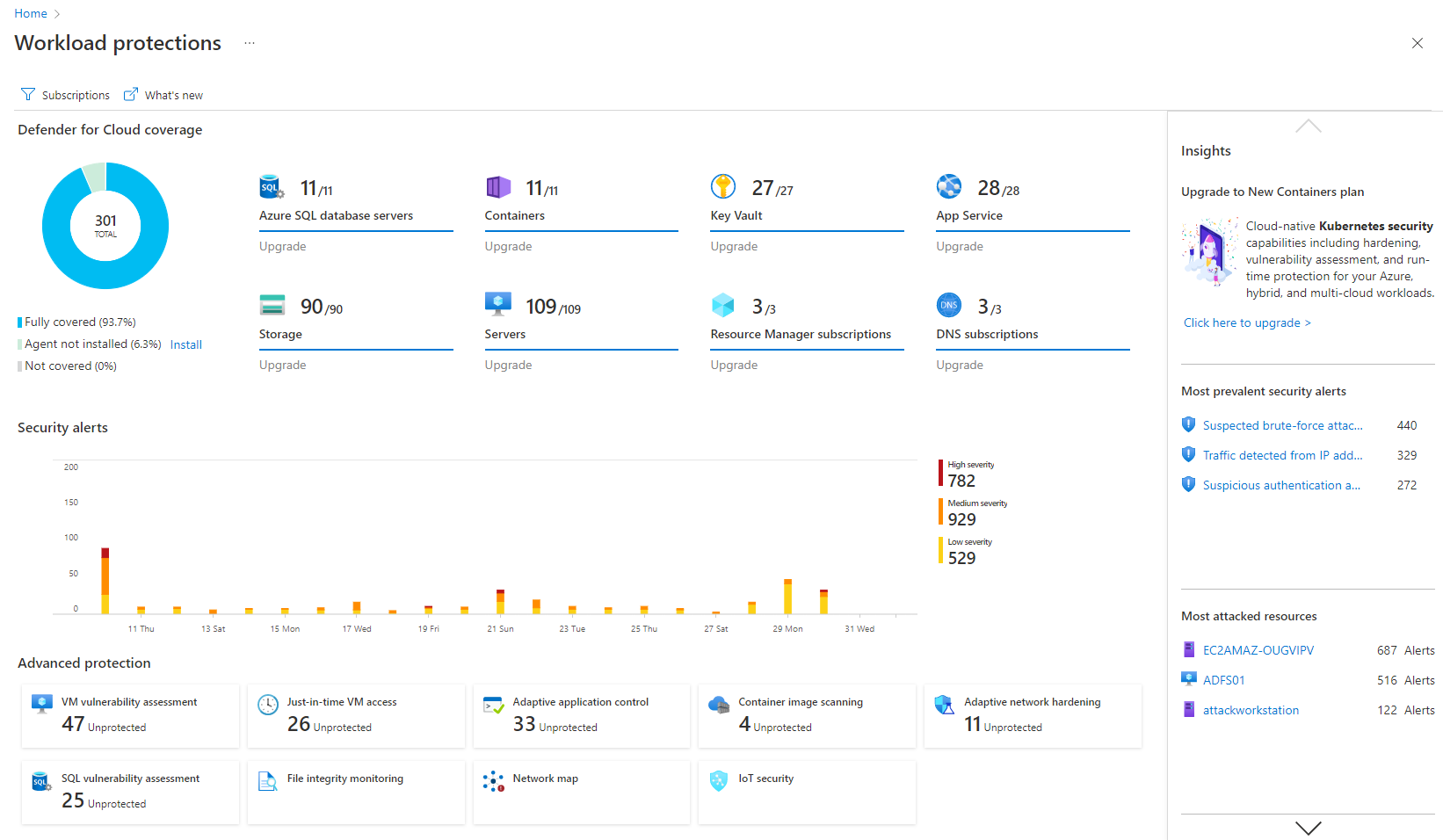
Microsoft Defender for Cloud is a Cloud Security Posture Management (CSPM) and Cloud Workload Protection Platform (CWPP) for Azure, on-premises, and multicloud (Amazon AWS and Google GCP) resources.
If you are managing a very large number of computers, I would say 1000+, the standard patching tools provided by Microsoft will fail to do their job properly. This is where you will benefit from ManageEngine PATCH MANAGER Plus, being agent-based it is fast, easy to manage, and reliable. If you require functionality more than just patching, like security auditing, you have to look elsewhere.
Microsoft is well-suited with its definitive cloud, and I also like its Microsoft Intune ID. The conditional policies are great with that, and they're really good and well situated, so you can't beat them at that conditional policy level. Less appropriate, as I said, some of these low-hanging fruit features, like being good in phishing campaigns, and then I feel like maybe doing better at their seam products. So we'll see how that goes.
Granular permissions and role-based access management could improve security. This would enable organizations to control who has access to and can set specific features.
While it offers integration with various Microsoft services, expanding support for third-party cloud platforms and applications would enhance its versatility. Many organizations use multiple cloud providers, and broader compatibility would be advantageous.
The cost structure could be more transparent, especially for larger organizations with extensive cloud resources. Clearer cost breakdowns and predictions would help organizations budget more effectively.
It is a great product that integrates nicely when running an Azure platform and even multi-cloud environment. Not looking for point-solutions but a suite that answers most requirements. It is very comfortable being able to use KQL, workbooks and automation that is native to the azure platform
The overall usability for the application is great precisely for the ease of use the application provides, if i would go in a different organisation, i would suggest implementing ManageEngine Patch Manager Plus or Endpoint Central due to its features, and productivity.
My visibility is limited because I'm only doing very small pieces of what the overall org does. And also, we have limitations on what we're allowed to use. It's not like we get a new product as users or leadership level users, and everything is on, and we can just do whatever we want. We're very restricted in what we can use any tooling within the org because of the different levels of regulatory constraints we have, because of just the nature of who we are inherently. So that's why. I don't think it's necessarily the product. I think it's more or less of what we're able to do with the product.
The support team at Patch Manager Plus has been awesome. Very responsive and knowledgeable. There are times when there is confusion between different tickets but there is still good service.
We were talking to Action1 and Adaptiva about their solutions of patch management. The main factor of choosing ManageEngine was pricing, which was considerably lower compared to these tools. Also, for Action1, it didn't featured some important features (like Linux patching), and it looked like a solution that is getting started in the market, even being more expensive than Patch Manager Plus.
Microsoft Defender for Cloud is definitely the choice with the latest market trend and attacks that are currently happening. Microsoft has been able to safe guard a lot after the recent serious attacks happening globally in the digital world. There is a trust in this software and with the latest updates and machine learning capabilities, Microsoft Defender for Cloud should be the choice.
ManageEngine Patch Manager Plus provides an excellent return on investment. We were able to get our systems fully patched, which we'd never been able to complete before. This provided excellent security to our organization.
ManageEngine Patch Manager Plus saved us a lot of time as most of our patching was fully automated.
ManageEngine took any issues we found and looked for solutions to further improve their product.
It simplifies security management and saves time. I'm not sure, but I'm very confident it saved me a couple of paychecks by centralizing the data I need to secure the cloud environment.
I also utilize the inventory overview to monitor my team's activities and verify they are following internal regulations, as well as cost overruns.
The recommendations can be utilized as a valuable instructional tool. I have the team explain why they are receiving them, why they are not following them, and what they are doing differently.