MangoApps vs. Onehub

Overview
ProductRatingMost Used ByProduct SummaryStarting Price
MangoApps
Score 8.0 out of 10
Mid-Size Companies (51-1,000 employees)
MangoApps is a unified workforce platform designed to help organizations inform employees, align teams, and run daily work—especially across frontline and distributed environments where execution happens shift by shift. MangoApps brings together employee communications, intranet, collaboration, workforce operations, and HR support. Instead of relying on disconnected tools for messaging, knowledge, scheduling, tasks, and employee support, organizations can use MangoApps…
$299
per month 25 users included
Onehub
Score 10.0 out of 10
N/A
Onehub is a secure file storage and sharing service built for businesses of any size. Users can maintain existing folder and file structure with secure online document sharing and collaboration, and remain hyper-organized while able to access files from anywhere. Bank-level encryption as well as its granular, role-based permission structure means users can control who has access to content and share critical business files with confidence. Onehub’s security features include role…
$29.95
3 paid users included per month
Pricing
MangoAppsOnehub
Editions & Modules
Pro
$299
per month 25 users included
Basic
$990
per year 25 Users Included
Standard
$1,490
per year 25 Users Included
Pro
$2,990
per year 25 Users Included
Enterprise (Self-Hosted)
Contact Sales
for 2000+ users
Enterprise
Contact Sales
per year per user
Team
$29.95
3 paid users included per month
Business
$99.95
5 paid users included per month
Enterprise
Call for details
Offerings
Pricing Offerings
MangoAppsOnehub
Free Trial
YesYes
Free/Freemium Version
NoNo
Premium Consulting/Integration Services
YesNo
Entry-level Setup FeeOptionalNo setup fee
Additional DetailsVolume discounts apply for large enterprise organizations. Non-profit organization discounts also available.Team Plan - $10 per additional user Business Plan - $15 per additional user
More Pricing Information
Community Pulse
MangoAppsOnehub
Features
MangoAppsOnehub
File Sharing & Management
Comparison of File Sharing & Management features of Product A and Product B
MangoApps
-
Ratings
Onehub
8.3
4 Ratings
0% below category average
Versioning00 Ratings8.04 Ratings
Video files00 Ratings9.01 Ratings
Audio files00 Ratings10.01 Ratings
Document collaboration00 Ratings8.04 Ratings
Access control00 Ratings10.04 Ratings
File search00 Ratings5.03 Ratings
Cloud Storage Security & Administration
Comparison of Cloud Storage Security & Administration features of Product A and Product B
MangoApps
-
Ratings
Onehub
9.0
4 Ratings
4% above category average
User and role management00 Ratings10.04 Ratings
File organization00 Ratings8.04 Ratings
Cloud Storage Platform
Comparison of Cloud Storage Platform features of Product A and Product B
MangoApps
-
Ratings
Onehub
10.0
3 Ratings
15% above category average
Performance00 Ratings10.03 Ratings
Reliability00 Ratings10.03 Ratings
Best Alternatives
MangoAppsOnehub
Small Businesses
HCL Connections
HCL Connections
Score 9.0 out of 10
SugarSync
SugarSync
Score 4.2 out of 10
Medium-sized Companies
RWS Tridion Sites
RWS Tridion Sites
Score 9.0 out of 10
Druva Security Cloud
Score 9.4 out of 10
Enterprises
RWS Tridion Sites
RWS Tridion Sites
Score 9.0 out of 10
Druva Security Cloud
Score 9.4 out of 10
All AlternativesView all alternativesView all alternatives
User Ratings
MangoAppsOnehub
Likelihood to Recommend
9.0
(2 ratings)
10.0
(4 ratings)
Likelihood to Renew
-
(0 ratings)
10.0
(1 ratings)
Usability
-
(0 ratings)
10.0
(1 ratings)
User Testimonials
MangoAppsOnehub
Likelihood to Recommend
MangoApps
The ability to create optional interest groups for users to join if they like is a great way brings users together, and promote group meet ups and events. The polls ability is always great for taking a quick check of people's availability, we've used it to gauge interest in events and dates. One thing that could be improved is that there is both a messaging and an instant message functionality which seems a little redundant having users being able to message you from different places in separate inboxes, however this may be due to our set up.
Read full review
Onehub
Onehub data rooms can be used to privately share sensitive financial data with multiple parties or just one. Onehub is easy to use and secure which puts our clients at ease when uploading and transferring financial data.
Read full review
Pros
MangoApps
  • MangoApps provide a large number of options to interact within a community. People can post updates, ask questions, create polls, quizzes, wiki, surveys, chats, or forms.
  • The Web interface is a modern application (Facebook inspired). The navigation (although not the most efficient) is overall quite intuitive.
  • MangoApps has a web interface, and apps for desktop (Windows, Mac), and mobile.
  • MangoApps features a centralized notification system. Unread messages are notified from the Web app, the mobile, or the desktop app. The synchronization status is synchronized.
  • MangoApps integrates with Active Directory.
Read full review
Onehub
  • Able to customize the pages where you keep files and documents, helping to keep organized.
  • Uploading files is an easy process.
  • Has reliable security for keeping documents safe. Uses a 2-factor authentication process.
Read full review
Cons
MangoApps
  • The messaging system is quite new and doesn't always clear down when read
  • The mentions tab can get very busy if you're added to groups
  • Lots of customisation can make it overwhelming when editing
Read full review
Onehub
  • Design
  • Sharing Portal
Read full review
Likelihood to Renew
MangoApps
No answers on this topic
Onehub
Our clients and staff enjoy the security level when sending sensitive financial data back and forth.
Read full review
Usability
MangoApps
No answers on this topic
Onehub
Again we love the tool
Read full review
Alternatives Considered
MangoApps
Although, Facebook at Work featured a very modern interface and was praised by many of the beta testers, we primarily didn't choose Facebook at Work due to data security reasons.
Read full review
Onehub
Onehub has the better security, but Evernote is more user friendly and more compatible with other programs the department uses. Onehub is good for sending documents to externals/clients and then having the document reviewed, but like the flow of other programs better. Onehub is more user friendly than OneNote and has the ability to collaborate with members outside of the department. OneNote is used more for internal collaboration where security is not as big of an issue, Onehub is better for shared outside of the department.
Read full review
Return on Investment
MangoApps
  • Users can connect from all over the business, especially useful when working from home
  • A friendly informal communication method outside of teams/slack/emails
  • A way to communicate events to the whole business
Read full review
Onehub
  • Assuring clients of record keeping
  • Client interest
Read full review
ScreenShots

MangoApps Screenshots

Screenshot of the MangoApps Unified Intranet & Employee App. The intranet helps organizations overcome scattered communications and low engagement.

 - AI search delivers faster information access.
 - Targeted communications reaching 100% of workforce.
 - Mobile-first platform, for a higher adoption rate.
 - Social tools to drive an increase in engagement.Screenshot of the MangoApps Employee App, for reaching frontline employees, including those who don’t sit at a desk, use a company email, or have regular access to internal systems. Bring frontline teams in the loop, speed up operations, increase engagement, and reduce risk with a branded mobile experience.Screenshot of MangoApps News & Announcement Posts, used to schedule and publish important updates, from executive messages to departmental news, in a central location that’s easy to access from desktop or mobile.

Key Capabilities:
 - Increases visibility of key messages.
 - Mobile-friendly announcements.
 - Includes images, attachments, and video.Screenshot of the file sharing, sync, management and file versioning interface.Screenshot of the knowledge base, accessible from any device.Screenshot of an online web form, with trackers used to track and co-ordinate anything.

Onehub Screenshots

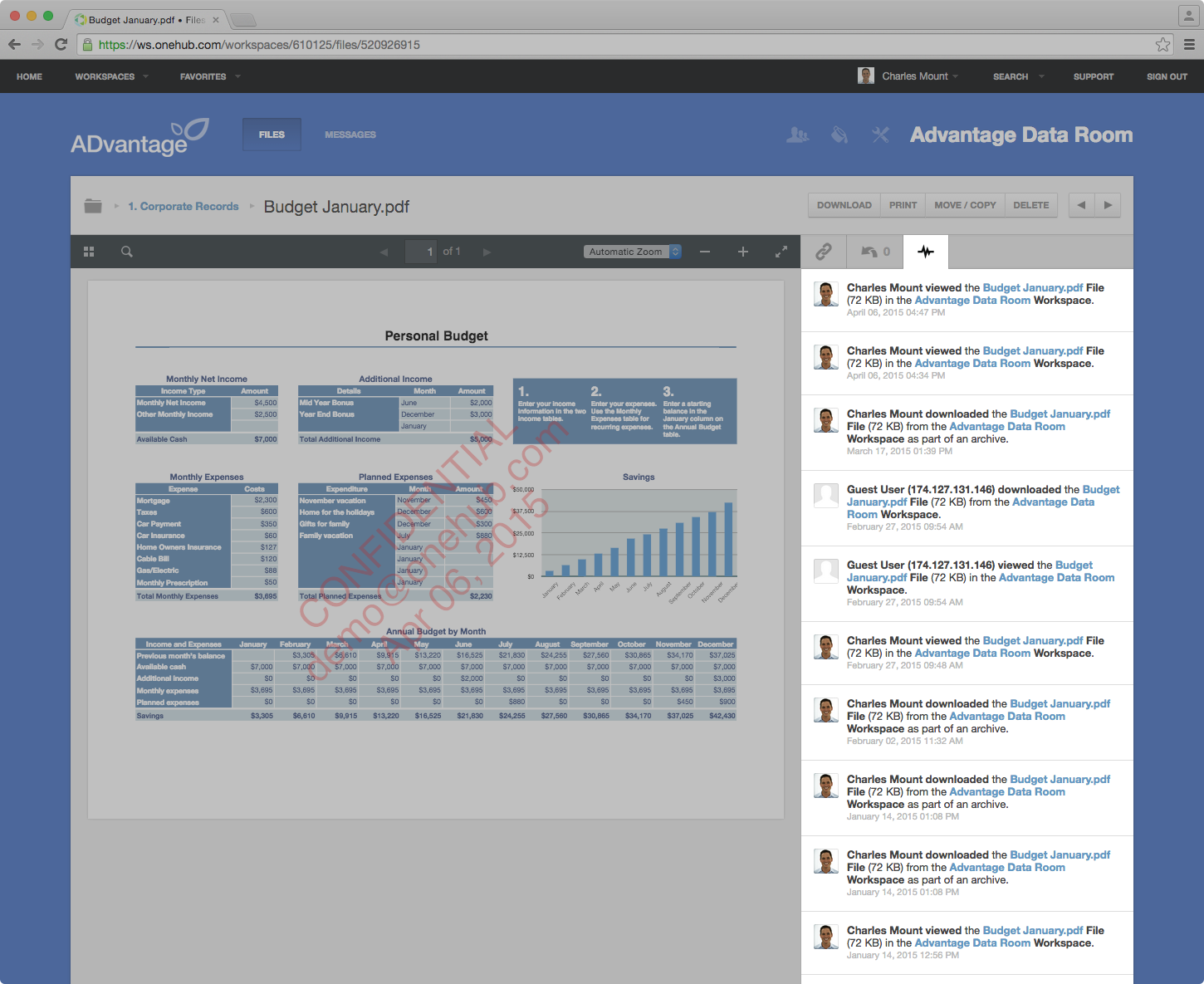
Screenshot of Onehub Workspace homeScreenshot of Data Room ActivityScreenshot of Custom Branded WorkspaceScreenshot of Mobile AccessScreenshot of User Permission Controls