TrustRadius: an HG Insights company

Save this comparison

Save this comparison

Add Product

Recommended Comparisons

    Overview
    ProductRatingMost Used ByProduct SummaryStarting Price

    Microsoft Lists

    Score9.9 out of 10
    N/ALists is an information tracking app in Microsoft 365 that enables users to work with anyone, anywhere. Users can configure lists to better organize events, issues, and assets.N/A

    TaskQue

    Score9 out of 10
    N/ATaskQue is a productivity management tool. It offers auto task assignment features, different workflow templates for various industries and functional departments, and a list of collaboration tools designed to facilitate remote workers.

    $0

    up to 10 users

    Pricing
    Microsoft ListsTaskQue
    Editions & Modules
    No answers on this topic
    Basic
    $0.00
    up to 10 users
    Business
    $5.00
    per user
    Offerings
    Pricing Offerings
    Microsoft ListsTaskQue
    Free Trial
    NoYes
    Free/Freemium Version
    NoYes
    Premium Consulting/Integration Services
    NoYes
    Entry-level Setup FeeNo setup fee$5 per user
    Additional Details—For 10 users, its free. After that, we charge $5.00 per user.
    More Pricing Information
    Features
    Microsoft ListsTaskQue
    Project Management
    Comparison of Project Management features of Microsoft Lists and TaskQue
    Feature
    Microsoft Lists
    -
    Ratings
    TaskQue
    7.8
    1 Ratings
    2% above category average
    Task Management00 Ratings10.01 Ratings
    Resource Management00 Ratings9.01 Ratings
    Scheduling00 Ratings9.01 Ratings
    Workflow Automation00 Ratings7.01 Ratings
    Team Collaboration00 Ratings7.01 Ratings
    Support for Agile Methodology00 Ratings7.01 Ratings
    Support for Waterfall Methodology00 Ratings7.01 Ratings
    Document Management00 Ratings8.01 Ratings
    Mobile Access00 Ratings9.01 Ratings
    Timesheet Tracking00 Ratings7.01 Ratings
    Change request and Case Management00 Ratings6.01 Ratings
    Professional Services Automation
    Comparison of Professional Services Automation features of Microsoft Lists and TaskQue
    Feature
    Microsoft Lists
    -
    Ratings
    TaskQue
    7.5
    1 Ratings
    2% below category average
    Quotes/estimates00 Ratings7.01 Ratings
    Project & financial reporting00 Ratings8.01 Ratings
    Best Alternatives
    Microsoft ListsTaskQue
    Small Businesses
    Todoist
    Score9.3 out of 10
    Any.do
    Score8 out of 10
    Medium-sized Companies
    Google Tasks
    Score8.4 out of 10
    KanbanFlow
    Score7.3 out of 10
    Enterprises
    Google Tasks
    Score8.4 out of 10
    Microsoft To Do
    Score7.9 out of 10
    All AlternativesView all alternativesView all alternatives
    User Ratings
    Microsoft ListsTaskQue
    Likelihood to Recommend
    10.0
    (2 ratings)
    9.0
    (1 ratings)
    Usability
    10.0
    (1 ratings)
    -
    (0 ratings)
    Support Rating
    -
    (0 ratings)
    9.0
    (1 ratings)
    User Testimonials
    Microsoft ListsTaskQue
    Likelihood to Recommend
    Microsoft
    Organizations with institutional subscriptions should consider maximizing the use of Microsoft Lists in their operations because it has the feature of seamlessly working with all the other Microsoft Apps. You can have a master file of multiple projects that are going on, and you don't have to manually do the updating. However, it is important to note that to maximize the Microsoft List experience, the team should have basic knowledge about integration and automation
    Incentivized
    Read full review
    TaskQue
    Companies that face issues due to chaos in terms of document management can really take advantage by organizing all their documents at a single place. TaskQue is inappropriate for project costing requirements in big projects.
    Read full review
    Pros
    Microsoft
    • great for capturing loads of data
    • great for manipulating and viewing the data many ways
    • strong integration with other M365 products and Power Automate
    Incentivized
    Read full review
    TaskQue
    • Workload management.
    • Auto task management.
    Read full review
    Cons
    Microsoft
    • Unlike Excel, you need to go to Edit mode for you to make changes in the entries
    • You cannot just copy paste like Excel
    Incentivized
    Read full review
    TaskQue
    • I think Gantt charts should be here to be used as a project management tool. Moreover, affiliation with productivity tools such as time-tracking tools can make it much better.
    Read full review
    Usability
    Microsoft
    The first time I learned about Microsoft Lists, I was automatically converted. How I wish I had learned about Microsoft Lists early on; it could have saved me tons of time, and could have rendered me real-time reports regarding my work, as the data I work with usually keeps changing every time. I believe the best part of it is that it works well with other Microsoft products, so less stressful.
    Incentivized
    Read full review
    TaskQue
    No answers on this topic
    Support Rating
    Microsoft
    No answers on this topic
    TaskQue
    We inquired using the
    TaskQue community forum and got a timely response regarding my queries. We really
    appreciate it.
    Read full review
    Alternatives Considered
    Microsoft
    They are all different but can be used for the same things. They all have different benefits, and I use them except Airtable. Trello has the best automation capabilities natively built into the product of any product I've ever used. (I've personally built over 1,000 automations or more for clients on Trello.) ClickUp has the best flexibility to view data in very different ways and from different organisation levels (i.e. High level data through to detailed specific data across multiple departments or projetcs. Microsoft Lists is an excellent choice if you work in M365 already and you want a deeply integrated way to hold data and use it within M365
    Incentivized
    Read full review
    TaskQue
    TaskQue’s most unique
    feature is the queue feature which enables you to assign tasks automatically.
    We were seriously fed up with the manual assignment of tasks.
    Read full review
    Return on Investment
    Microsoft
    • Massively positive, we have build a business that can scale with ease
    Incentivized
    Read full review
    TaskQue
    • High customer retention.
    • Optimized project and task deliveries.
    Read full review
    ScreenShots

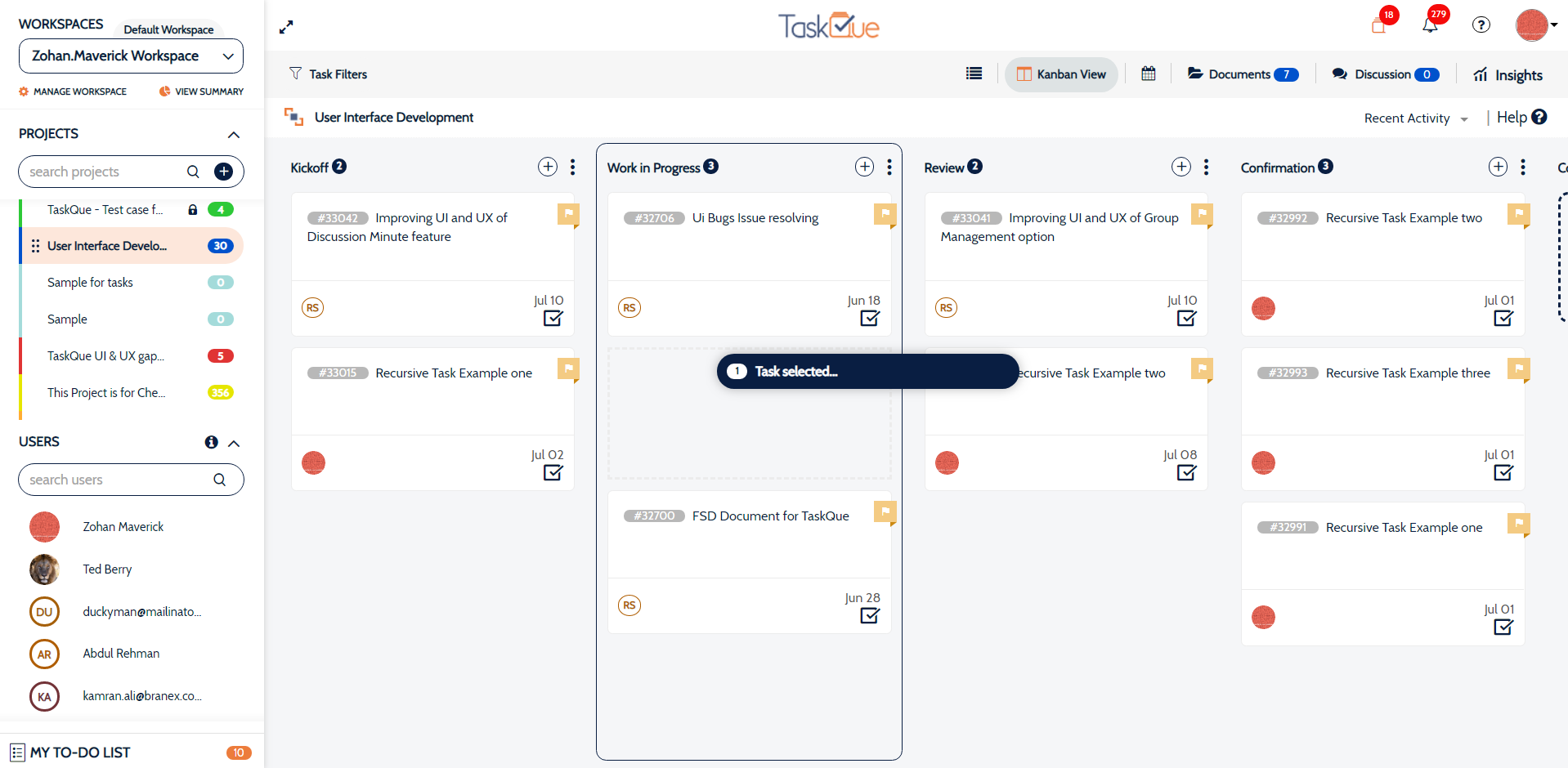
    TaskQue Screenshots

    Product screenshotProduct screenshotProduct screenshotProduct screenshot