Microsoft Power BI is a visualization and data discovery tool from Microsoft. It allows users to convert data into visuals and graphics, visually explore and analyze data, collaborate on interactive dashboards and reports, and scale across their organization with built-in governance and security.
$168
per year per user
Quantrix
Score7.4 out of 10
N/A
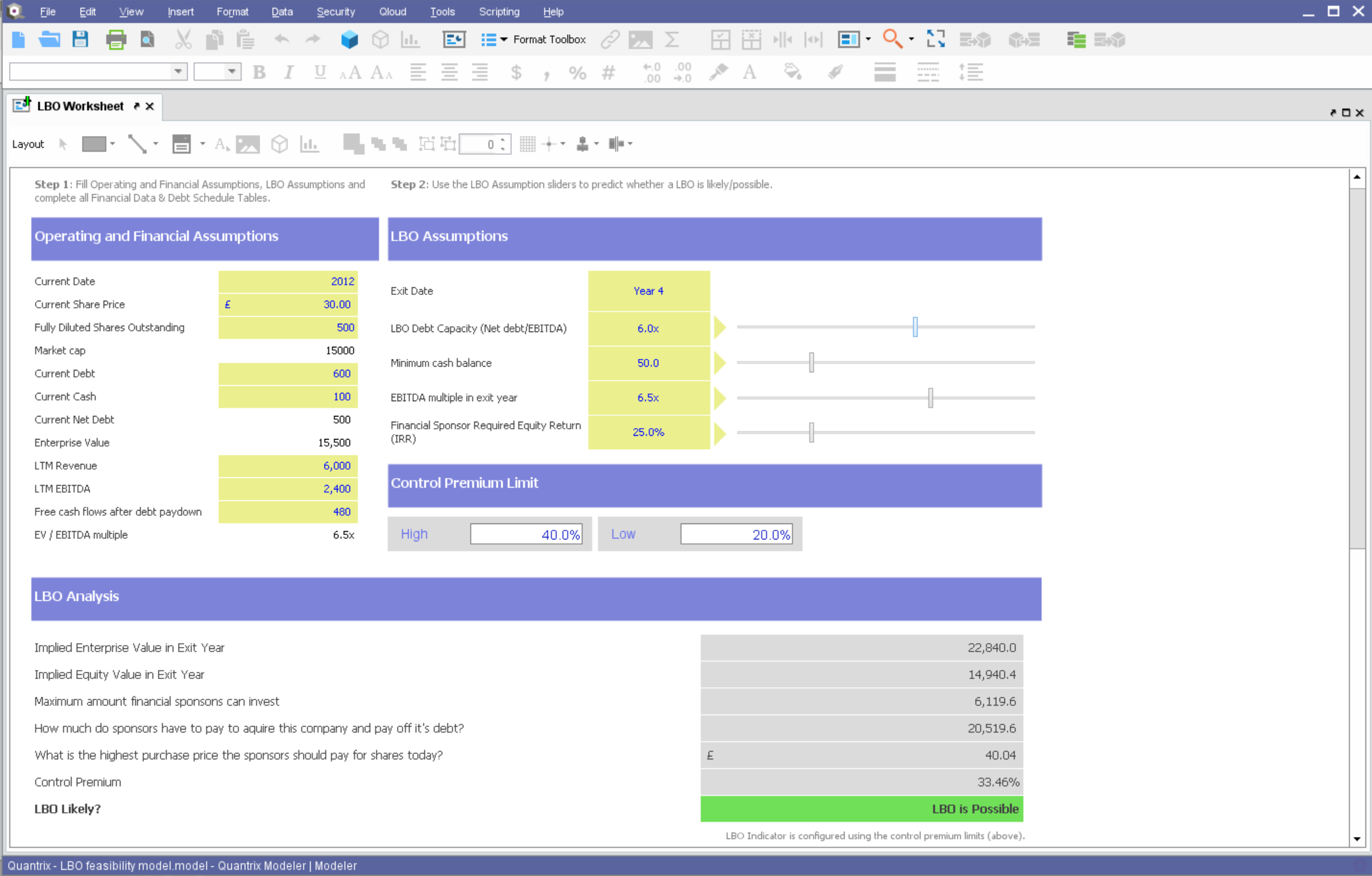
Quantrix is designed to allow users to address the limitations and risks inherent to spreadsheets when developing business-critical models. According to the vendor, this solution offers unmatched capability for forecasting, planning, budgeting, risk modeling and visual analytics, and also allows users to develop ‘what if’ scenarios and model the financial and operational impact of business decisions. Additionally, the vendor says sharing insight is made easier through the creation of interactive…
N/A
Pricing
Microsoft Power BI
Quantrix
Editions & Modules
Power BI Pro
$14
per month (billed annually) per user
Power BI Premium
$24
per month (billed annually) per user
No answers on this topic
Offerings
Pricing Offerings
Microsoft Power BI
Quantrix
Free Trial
Yes
Yes
Free/Freemium Version
Yes
No
Premium Consulting/Integration Services
No
Yes
Entry-level Setup Fee
No setup fee
No setup fee
Additional Details
Power BI Desktop is the data exploration and report authoring experience for Power BI, and is available as a free download.
Quantrix Modeler is licensed on a per user subscription basis.
Has significantly improved collation of data and visualisation especially with business across Europe. Has given me the ability to see the Site availability at the click of a button to see which Site is in the "money" and seize opportunities based on Market data
A de minimis incentive was given to thank the reviewer for their time. The incentive was not used to bias or drive a particular response, nor was the incentive contingent on a positive endorsement. More Info
If you find yourself in the ocean of traditional spreadsheets, overwhelmed by broken links, errors, model audit problems, hardwiring, etc. here is a lifebuoy for you. If you want to have full flexibility in your budgeting and forecasting in contrast to ERPs with rigid structures and one-size-fits-all concept. If you are small or medium size company and do not want to invest in costly enterprise solutions. If you need a fast implementation https://youtu.be/5W_q5Xhw5fg
Options for data source connections are immense. Not just which sources, but your options for *how* the data is brought in.
Constant updates (this is both good and bad at times).
User friendliness. I can get the data connections set up and draft some quick visuals, then release to the target audience and let them expand on it how they want to.
A de minimis incentive was given to thank the reviewer for their time. The incentive was not used to bias or drive a particular response, nor was the incentive contingent on a positive endorsement. More Info
Building complex financial planning model availing of a multidimensional data structure coupled with a powerful formula language, with the immediacy and intuitiveness typical of spreadsheets
Implement quickly model modifications (new products, new scenarios, new time periods) simply adding new "items" to "categories" (corresponding to dimensions in a multidimensional data model)
Scale up models to very large datasets with very fast computation times
Easily import data from text files, other Quantrix models and external databases via DataLink and DataNAV
Save snapshots of tables computed in Quantrix to external databases via DataPush
A de minimis incentive was given to thank the reviewer for their time. The incentive was not used to bias or drive a particular response, nor was the incentive contingent on a positive endorsement. More Info
A de minimis incentive was given to thank the reviewer for their time. The incentive was not used to bias or drive a particular response, nor was the incentive contingent on a positive endorsement. More Info
Hard to be critical of the Quantrix team as I know they strive to produce the best product possible. I suppose the next thing on my wish list would be the application of the new Solver functionality to be available in the Qloud.
A big help for new users would be a good book on transitioning from Excel or other environment into Quantrix. I know first hand it can be difficult to transition when having to learn the program through a help guide, forums and tech support. I had a lot of trial and error in my journey to producing the desired models. On one hand it was a valuable method as it taught me a lot of what not to do, but I will admit it was not the most efficient way to do things.
Would also love to see local user groups being formed at some point in the future. Quantrix puts on a fantastic conference once a year in beautiful Maine, but it is a big journey for someone in Southern California (and limited to one or two days a year). I would like to see some local chapters formed in different areas of the country so local Quantrix users can get together more often and collaborate (maybe a quarterly or semi-annual meetup?). Our Quantrix community is still relatively small and may be a difficult task for some areas, but is also the very reason why this would be great idea.
Microsoft Power BI is an excellent and scalable tool. It has a learning curve, but once you get past that, the sky is the limit and you can build from the most simple to the most complex dashboards. I have built everything from simple reports with only a few data points to complex reports with many pages and advanced filtering.
Automating reporting has reduced manual data processing by 50-70%, freeing up analysts for higher-value tasks. A finance team that previously spent 20+ hours per week on Excel-based reports now does it in minutes with Microsoft Power BI's automated Real-time dashboards have shortened decision cycles by 30-40%, enabling leadership to react quickly to sales trends, operational bottlenecks, and customer behavior.
A de minimis incentive was given to thank the reviewer for their time. The incentive was not used to bias or drive a particular response, nor was the incentive contingent on a positive endorsement. More Info
It is a fantastic tool, you can do almost everything related with data and reports, it is a perfect substitutive of Power Point and Excel with a high evolution and flexibility, and also it is very friendly and easy to share. I think all companies should have Power BI (or other BI tool) in their software package and if they are in the MS Suite, for sure Power BI should be the one due to all the benefits of the MS ecosystem.
A de minimis incentive was given to thank the reviewer for their time. The incentive was not used to bias or drive a particular response, nor was the incentive contingent on a positive endorsement. TR verified that a representative sample of customers was invited. More Info
A de minimis incentive was given to thank the reviewer for their time. The incentive was not used to bias or drive a particular response, nor was the incentive contingent on a positive endorsement. More Info
Microsoft Power BI is free. If I didn't want to create a custom platform (i.e. my organization insisted on an existing platform that I *had* to use), I'd use Microsoft Power BI. For any start-up or SMB, I'd just use Claude & Grok to build it quickly, also for free. Would not pay for Tableau or Sigma anymore. Not worth it at all.
A de minimis incentive was given to thank the reviewer for their time. The incentive was not used to bias or drive a particular response, nor was the incentive contingent on a positive endorsement. More Info
Overall, I was not part of the ultimate decision to purchase Quantrix. I terms of user-friendliess and robust reporting capabilities I do think Tableau has Quantrix outclassed. That being said, Quantrix does provide more in-depth analyses for our relevant data and provides better modeling for our forecasts out of the box. The accuracy of the tools output is also much better
A de minimis incentive was given to thank the reviewer for their time. The incentive was not used to bias or drive a particular response, nor was the incentive contingent on a positive endorsement. More Info
A de minimis incentive was given to thank the reviewer for their time. The incentive was not used to bias or drive a particular response, nor was the incentive contingent on a positive endorsement. More Info
Capacity forecasting used to take hours to calculate with a ton of manual modifications. Quantrix has automated that so a model can be updated at any time with a click of a button
The accuracy of the models is incredible. It took some tweaking to add in data scubbers, but now it runs almost flawlessly
The confidence the management teams have in the output of the model is amazing. Before, people would question the output, have you rebuild it, and then compare. Now the report comes out and the output has high confidence.
A de minimis incentive was given to thank the reviewer for their time. The incentive was not used to bias or drive a particular response, nor was the incentive contingent on a positive endorsement. More Info