Overview
ProductRatingMost Used ByProduct SummaryStarting Price
Microsoft Publisher
Score 8.2 out of 10
N/A
Microsoft Publisher is a desktop publishing application available with an Office 365 subscription, or as a standalone download.
$139
one time purchase
QuarkXPress
Score 9.0 out of 10
N/A
QuarkXPress from Quark Software headquartered in Denver introduces modern responsive web design with Flex Layouts, reimagined Tables, and productivity-boosting design features.
$279
per year
Scribus
Score 7.0 out of 10
N/A
Scribus is open source desktop publishing software.N/A
Pricing
Microsoft PublisherQuarkXPressScribus
Editions & Modules
Microsoft Publisher
$139
one time purchase
QuarkXPress Subscription License
$279
per year
QuarkXPress Perpetual License
$629
one-time fee
No answers on this topic
Offerings
Pricing Offerings
Microsoft PublisherQuarkXPressScribus
Free Trial
NoYesNo
Free/Freemium Version
NoNoNo
Premium Consulting/Integration Services
NoNoNo
Entry-level Setup FeeNo setup feeOptionalNo setup fee
Additional Details
More Pricing Information
Community Pulse
Microsoft PublisherQuarkXPressScribus
Considered Multiple Products
Microsoft Publisher
Chose Microsoft Publisher
At the time I was not impressed with Quark Xpress. I always disliked PageMaker. I always considered it over-rated. I like InDesign and have always liked InDesign, if I have a need for more complex documents I'll go with InDesign over Publisher or Quark Xpress in a heartbeat. …
QuarkXPress

No answer on this topic

Scribus

No answer on this topic

Best Alternatives
Microsoft PublisherQuarkXPressScribus
Small Businesses
CorelDRAW Graphics Suite
Score 7.3 out of 10
CorelDRAW Graphics Suite
Score 7.3 out of 10
CorelDRAW Graphics Suite
Score 7.3 out of 10
Medium-sized Companies
Canva
Canva
Score 9.1 out of 10
GIMP
GIMP
Score 8.2 out of 10
Canva
Canva
Score 9.1 out of 10
Enterprises
CorelDRAW Graphics Suite
Score 7.3 out of 10
CorelDRAW Graphics Suite
Score 7.3 out of 10
CorelDRAW Graphics Suite
Score 7.3 out of 10
All AlternativesView all alternativesView all alternativesView all alternatives
User Ratings
Microsoft PublisherQuarkXPressScribus
Likelihood to Recommend
7.4
(11 ratings)
9.9
(6 ratings)
-
(0 ratings)
Usability
8.0
(3 ratings)
10.0
(1 ratings)
-
(0 ratings)
Support Rating
8.0
(3 ratings)
-
(0 ratings)
-
(0 ratings)
User Testimonials
Microsoft PublisherQuarkXPressScribus
Likelihood to Recommend
Microsoft
Microsoft Publisher is well suited for almost any situation. It is something that I'm sure has far more advanced tools than I use or am aware of, but it is also very simple for entry-level users to create professional documents quickly. I have used it for very involved brochures in real estate scenarios and I have also used it for very simple "Construction Zone" signs at a job site under construction. There are so many uses for this program!
Read full review
Quark Software Inc.
I used QuarkXPress to maintain a proper page layout for the UI which I receive from a UIUX developer. I develop Graphic Illustrations on the digital canvas to create creative content on the page design set and to develop designer headlines and sub-headlines where writers and editors can amend the text and place the copped images.
Read full review
Open Source
No answers on this topic
Pros
Microsoft
  • Design of my quarterly full color magazine: (usually 28-56 pages in length)
  • Design of the quarterly planning system used by me and others in the annual conference.
  • Design and layout of any document that requires graphics/photos.
  • Simple to use with ample flexibility and strength of features
Read full review
Quark Software Inc.
  • Excellent project conversion into PDFs and digital formats.
  • Incredibly user friendly and intuitive to use.
  • Works seamlessly with our Adobe Suite of programs.
Read full review
Open Source
No answers on this topic
Cons
Microsoft
  • Formatting in general. It's a pain to refine a layout in Publisher in my opinion.
  • Microsoft is so invested in their approach to software and making it look and feel like an Office 365 application that they inadvertantly cripple applications like Publisher.
  • Earlier versions of Publisher gave you a lot more latitude and creative freedom. They were also much easier to work with. Not everything has to look like it's part of Office 365. They did the same ... thing to Access.
Read full review
Quark Software Inc.
  • Currently does not have a way to open really old archived QuarkXPress files.
  • Text manipulation could be expanded upon (ie be able to warp or distort text).
  • Be able to output files in InDesign format.
Read full review
Open Source
No answers on this topic
Likelihood to Renew
Microsoft
We use this product 2-3 times a month and have not been able to find a comparable alternative.
Read full review
Quark Software Inc.
No answers on this topic
Open Source
No answers on this topic
Usability
Microsoft
There are a few quirks with Microsoft Publisher that make some functions a little tricky for new users at first, but most of our employees are able to figure out the quirks and work around them to use the product for their job. It is relatively high on the scale of usability.
Read full review
Quark Software Inc.
This is an industry standard. It is intuitive and pretty simple. I have been using it for 40 years and by no means do I use its potential, rather it does just what I want it to do.
Read full review
Open Source
No answers on this topic
Support Rating
Microsoft
While I have not directly used support for Microsoft Publisher, I have used their help files and found them to be useful. I have also found that most answers that I need can be found through simple web searches and chat platforms. In all though, there are very few times when the preloaded help files have not given me the answers that I need.
Read full review
Quark Software Inc.
No answers on this topic
Open Source
No answers on this topic
Alternatives Considered
Microsoft
Microsoft Publisher is more for beginners, or for basic needs, anyone with some familiarity with the Microsoft suite should be able to use it easily. If you’re looking to create something more graphic and advanced, you’d probably want to look into something like InDesign, which is not as user friendly if you’re not familiar with it at all. For basic needs the average employee should be able to use Microsoft Publisher with ease.
Read full review
Quark Software Inc.
QuarkXPress simply blew the competition out of the water when it came to pricing and scalability in our business. Every employee that uses Quark always speaks very highly about using the software. We are not a large company but, the amount of money saved on the cost of each license was about 60% when compared to the competitors' products.
Read full review
Open Source
No answers on this topic
Return on Investment
Microsoft
  • we have invested on our Microsoft license for our team and that has made a very big productivity for making banners and holdings for our projects as making it from third party would cost much higher and the return is very well over the comparison with third-party vendors
  • Functionality is very easy, so we don’t have to train much to get it in production and use it efficiently so we don’t have to invest much on training and learning things and we can work on it directly with a very basic knowledge as well
  • It has functionality to get stored and share things directly to the OneDrive and using curated links, which is very secure and reliable to transfer files without losing picture and banners quality and share them in lossless quality.
Read full review
Quark Software Inc.
  • On different computers, it does crash.
  • Issues with accidental (program) photo overrides.
  • Corrupted photo formats.
Read full review
Open Source
No answers on this topic
ScreenShots

QuarkXPress Screenshots

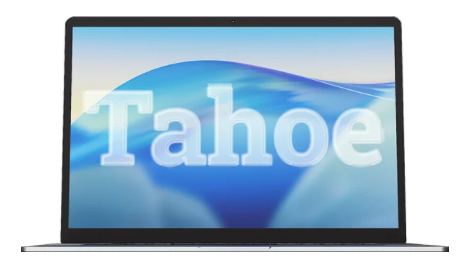
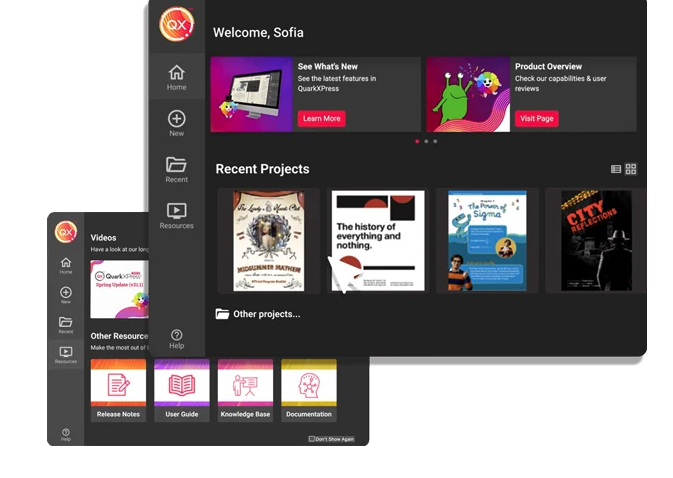
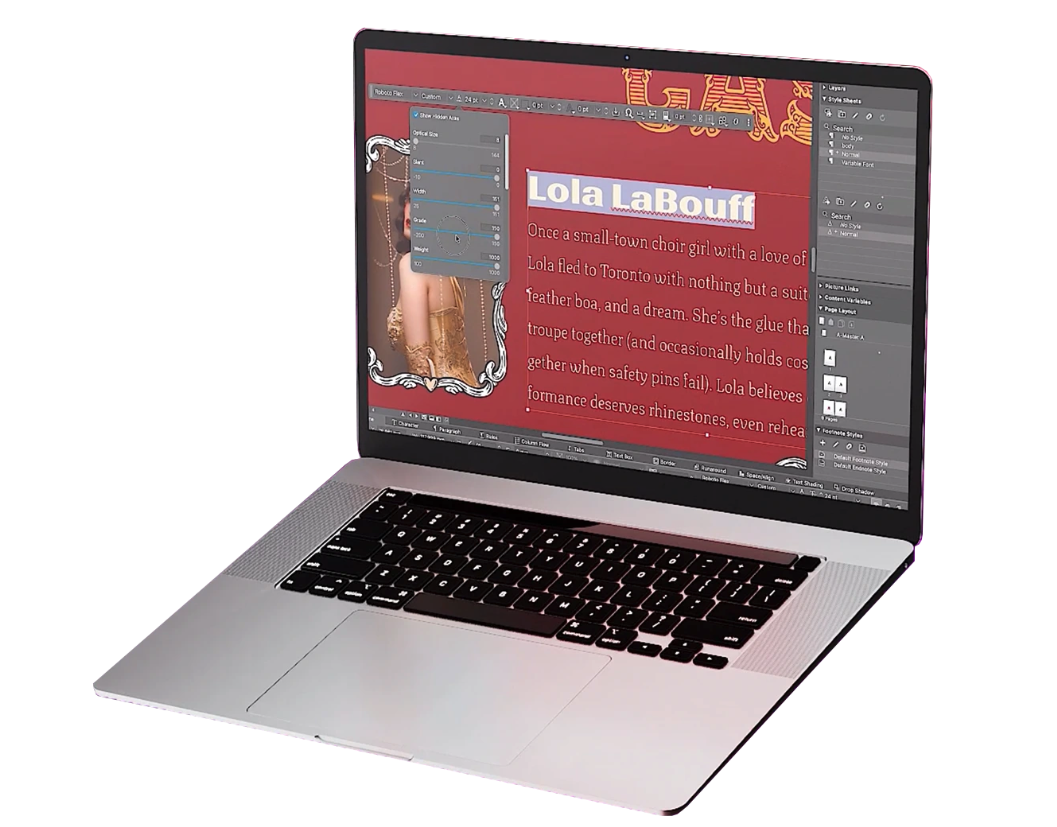
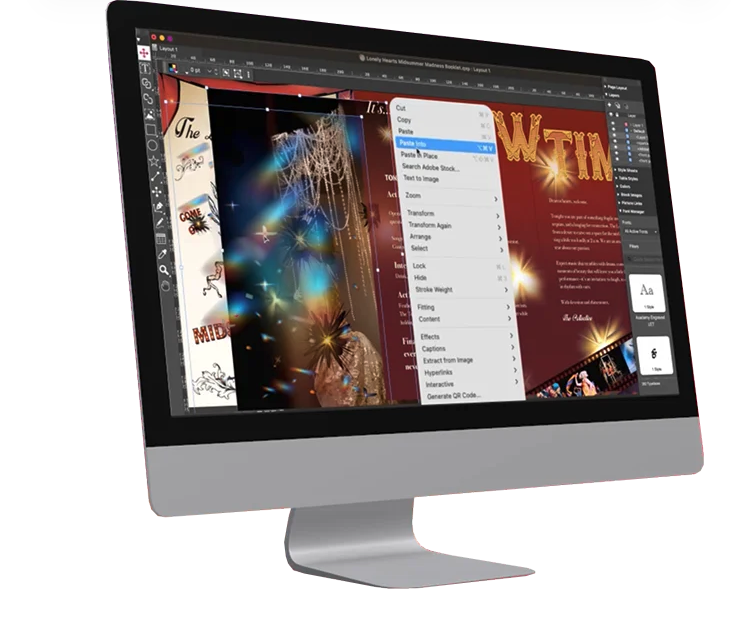
Screenshot of QuarkXPress 2026 is compatible with the latest macOS® 26.x (Tahoe), macOS® 15.x (Sequoia), macOS® 14.x (Sonoma).Screenshot of the Welcome Screen in QuarkXPress 2026, which has had a fresh redesign. Here, users can create new projects, find ready-to-use project size presets, use customized workspaces and quickly access built-in tutorials and useful resources.Screenshot of where to adjust typography with Variable Fonts in QuarkXPress 2026 to enhance creative freedom. With a single font file, users can adjust font characteristics like weight, width, slant, and more with sliders.Screenshot of the Paste Into feature. Users can display content creatively by masking images or grouping items through placing them inside container shapes.Screenshot of built-in support for LaTeX and MathML, so that there's no need for external tools or plugins for advanced mathematical equations. This is ideal while working in STEM or Academia, as it enables quick and accurate editing of math equations across print and digital formats.