TrustRadius: an HG Insights company

Save this comparison

Save this comparison

Add Product

Recommended Comparisons

    Overview
    ProductRatingMost Used ByProduct SummaryStarting Price

    Remote Desktop Services

    Score7.7 out of 10
    N/ARemote Desktop Services from Microsoft is virtual desktop and remote user session technology.N/A

    Vivantio

    Score7.3 out of 10
    Mid-Size Companies (51-1,000 employees)
    Founded in 2003, Vivantio is a provider of customer service optimization software and solutions for B2B service teams. By combining enterprise-level software with the flexibility of a cloud-based solution, Vivantio provides a unified service management platform. The platform scales to meet the complex business needs of large, multi-site organizations, to optimize workflows across several departments including IT, operations and customer service.

    $588

    per year per user

    Pricing
    Remote Desktop ServicesVivantio
    Editions & Modules
    No answers on this topic
    No answers on this topic
    Offerings
    Pricing Offerings
    Remote Desktop ServicesVivantio
    Free Trial
    NoYes
    Free/Freemium Version
    NoNo
    Premium Consulting/Integration Services
    NoYes
    Entry-level Setup FeeNo setup feeRequired
    Additional Details—Vivantio pricing ranges from $49–$99 per agent, per month, billed annually. Pricing applies to technical agents only; self-service portal users, requestors, and customers do not require a license. Every Vivantio customer receives access to the full platform and feature set, including ITSM, AI, automation and approval workflows, CRM, asset management and CMDB, self-service and knowledge management, reporting and dashboards, integrations, and API access. There are no feature-based modules or tiers to purchase separately. Vivantio offers named, concurrent, and pooled licensing, which can be mixed to match different teams and usage patterns. Volume discounts begin at 15 agents and scale up to 40%. Educational institutions receive a 5% discount, and registered non-profits receive a 10% discount. Dedicated onboarding by Vivantio's in-house professional services team, a Customer Success Manager, and US and UK technical support are included. Enterprise pricing and the appropriate license mix are available through a custom quote.
    More Pricing Information
    Community Pulse
    Remote Desktop ServicesVivantio
    Considered Both Products
    Microsoft
    No answer on this topic
    Vivantio
    No answer on this topic
    Key User Insights
    Would buy again
    100%
    Would buy again
    8 Answers
    No answers on this topic
    Delivers good value for the price
    100%
    Delivers good value for the price
    8 Answers
    No answers on this topic
    Happy with the feature set
    88%
    Happy with the feature set
    7 Answers
    No answers on this topic
    Lived up to sales and marketing promises
    100%
    Lived up to sales and marketing promises
    6 Answers
    No answers on this topic
    Implementation went as expected
    88%
    Implementation went as expected
    7 Answers
    No answers on this topic
    Features
    Remote Desktop ServicesVivantio
    Remote Administration
    Comparison of Remote Administration features of Remote Desktop Services and Vivantio
    Feature
    Remote Desktop Services
    4.6
    5 Ratings
    53% below category average
    Vivantio
    -
    Ratings
    Screen sharing8.25 Ratings00 Ratings
    File transfer4.65 Ratings00 Ratings
    Instant message1.01 Ratings00 Ratings
    Secure remote access with Smart Card authentication6.02 Ratings00 Ratings
    Access to sleeping/powered-off computers1.12 Ratings00 Ratings
    Over-the-Internet remote session6.85 Ratings00 Ratings
    Initiate remote control from mobile3.64 Ratings00 Ratings
    Remote management of servers & workstations8.24 Ratings00 Ratings
    Remote Active Directory® management8.64 Ratings00 Ratings
    Centralized management dashboard2.23 Ratings00 Ratings
    Session record2.23 Ratings00 Ratings
    Monitoring and Alerts3.13 Ratings00 Ratings
    Incident and problem management
    Comparison of Incident and problem management features of Remote Desktop Services and Vivantio
    Feature
    Remote Desktop Services
    -
    Ratings
    Vivantio
    7.6
    1 Ratings
    7% below category average
    Organize and prioritize service tickets00 Ratings8.21 Ratings
    Expert directory00 Ratings6.41 Ratings
    Subscription-based notifications00 Ratings8.21 Ratings
    ITSM collaboration and documentation00 Ratings7.31 Ratings
    Best Alternatives
    Remote Desktop ServicesVivantio
    Small Businesses
    N-able Take Control
    Score7.2 out of 10
    Agiloft Service Desk (discontinued)
    Score9 out of 10
    Medium-sized Companies
    Remote Desktop Manager
    Score9.6 out of 10
    ManageEngine ServiceDesk Plus
    Score9.2 out of 10
    Enterprises
    BeyondTrust Privileged Remote Access
    Score9.1 out of 10
    Ivanti ITSM
    Score6.4 out of 10
    All AlternativesView all alternativesView all alternatives
    User Ratings
    Remote Desktop ServicesVivantio
    Likelihood to Recommend
    7.8
    (20 ratings)
    8.2
    (1 ratings)
    Likelihood to Renew
    6.0
    (1 ratings)
    -
    (0 ratings)
    Usability
    8.4
    (5 ratings)
    9.1
    (1 ratings)
    Performance
    5.0
    (1 ratings)
    -
    (0 ratings)
    Support Rating
    3.0
    (1 ratings)
    -
    (0 ratings)
    Ease of integration
    5.0
    (1 ratings)
    -
    (0 ratings)
    User Testimonials
    Remote Desktop ServicesVivantio
    Likelihood to Recommend
    Microsoft
    This is well-suited if you need to log in to a remote machine on occasion to make updates or change configurations. It is also good for a production environment or for environments where people need to log in to use common applications, so you don't need to install the application on each individual client.
    Incentivized
    Read full review
    Vivantio
    I’d recommend Vivantio as an ITSM platform because it combines powerful functionality with ease of use. Its customizable workflows and automation streamline IT service management, saving time and improving efficiency. The platform scales well, making it suitable for businesses of all sizes, and it integrates seamlessly with other tools, ensuring smooth operations. Vivantio also offers excellent reporting capabilities, helping teams track performance and identify areas for improvement. If you’re looking for a reliable, flexible, and user-friendly ITSM solution, Vivantio is a great choice.
    Read full review
    Pros
    Microsoft
    • When you connect with RDS, everything looks and feels (and is) exactly like you're sitting at that desktop. This is great for us and for users.
    • You can sign in with RDS and the desktop will be the same as when you left it (if you choose to set it up that way).
    • Although they take some setup, RemoteApps are a very handy way to let users access a program without requiring them to actually connect to a remote desktop on the server.
    Incentivized
    Read full review
    Vivantio
    • Incident Tracking
    • Reporting
    • Customisation
    Read full review
    Cons
    Microsoft
    • Remote Desktop Services currently does not support multiple monitors on the terminal server. Unlike other applications such as Teamviewer, there's no feature to toggle between multiple screens even if they were connected to the terminal server.
    • Remote Desktop Services should provide an option to scale up or down the screen size after a connection is established. Currently you can only adjust the screen size prior to a connection is established. So you'll have to take a best guess at what display screen resolution will fit best on your screen.
    • Remote Desktop Services should offer some kind of menu to send special key strokes like Ctrl+Alt+Del to the terminal server. Currently the substitute for that particular combination is Ctrl+Alt+End. But I have yet to discover a replacement for other combination keystrokes such as Alt+PrintScrn.
    Incentivized
    Read full review
    Vivantio
    No answers on this topic
    Usability
    Microsoft
    The initial setup for Remote Desktop Services is complex, and licensing is costly. Each user connects to their virtual desktop hosted by a single server or group of servers, so a change or issue with servers quickly impacts every single user at the same time. Aside from that, users appreciate seeing their same personal desktop from any device or geographical location.
    Incentivized
    Read full review
    Vivantio
    i find the system easy to navigate and customise
    Read full review
    Performance
    Microsoft
    There are some third party tools available that allow you to manage multiple connections.
    Incentivized
    Read full review
    Vivantio
    No answers on this topic
    Support Rating
    Microsoft
    As with any Microsoft Server product, support for Remote Desktop Services requires a paid support package. These are license-based and very costly, on top of the already costly product licensing. Microsoft's licensing is complicated to begin with, so setting up licensing alone essentially requires a licensing expert's counsel. There is community documentation and support available on Microsoft websites, as well as community websites.
    Incentivized
    Read full review
    Vivantio
    No answers on this topic
    Alternatives Considered
    Microsoft
    We selected Remote Desktop Services based upon price alone. Other solutions on the market are significantly more expensive, but if your company can foot the bill you should seriously consider products that have been on the market for longer. The lack of an ability to easily upgrade farm servers has been a challenge for us - although it is still faster than updating an application on 2000+ machines. The lack of a centralized management console in 2008 R2 is also challenging, but you get by with the tools available to you. If you don't have the money to spend on Citrix or VMWare Horizon, Remote Desktop Services is a decent replacement.
    Incentivized
    Read full review
    Vivantio
    Vivantio's extensive customization features ensure it always balances in its favor by allowing businesses to tailor workflows, forms, and processes to their unique needs. This flexibility means the platform adapts to your organization, not the other way around, enabling seamless alignment with changing requirements and maximizing efficiency over time.
    Read full review
    Return on Investment
    Microsoft
    • Allowed remote users access from home
    • Shared file access for multipolar users from a centralized location
    • Cost to add additional users when maxed out
    • Purchase multiple licenses for programs to run in virtual machines. Or unable to run on a virtual machine
    Incentivized
    Read full review
    Vivantio
    • Positive - Reporting
    Read full review
    ScreenShots

    Vivantio Screenshots

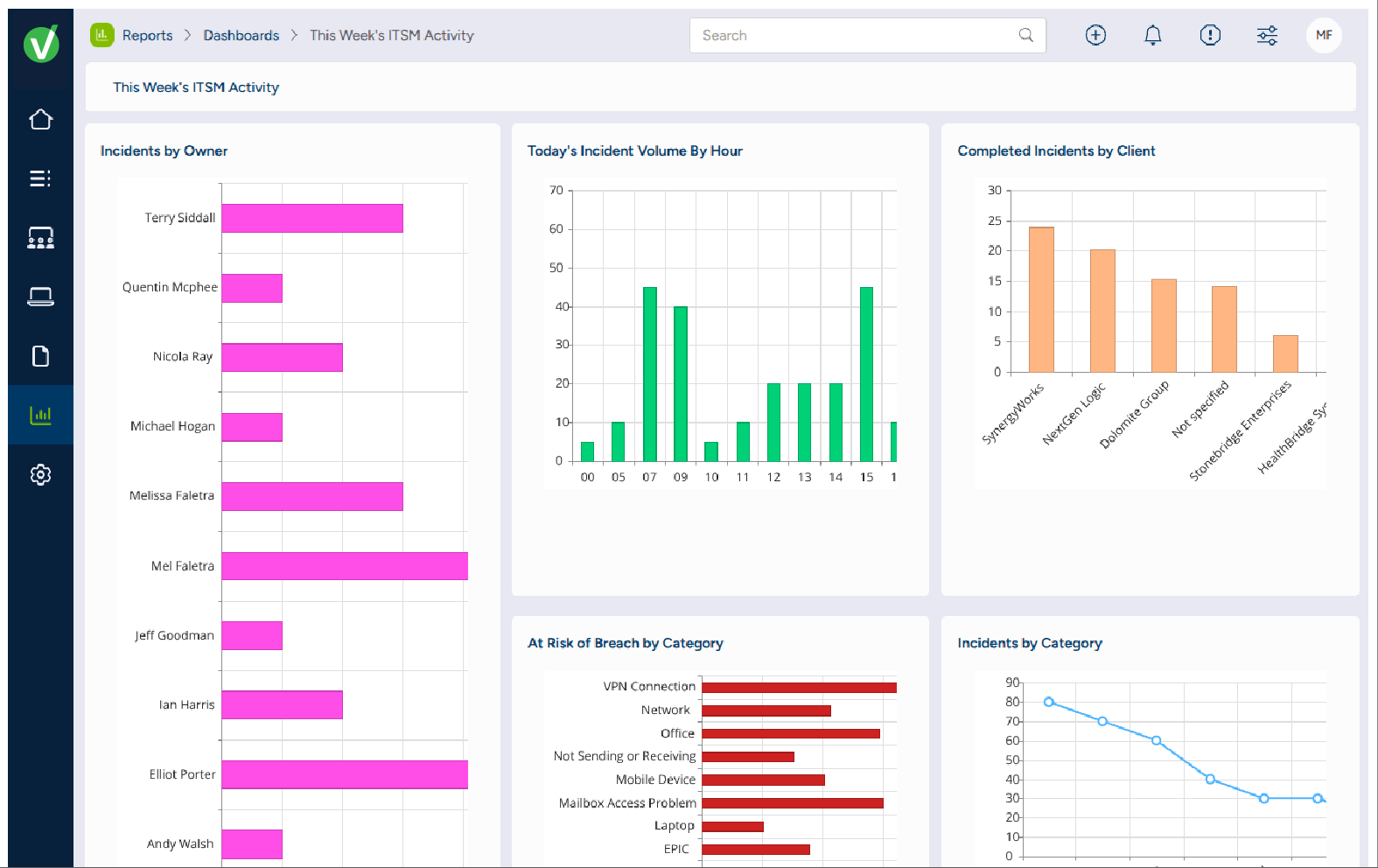
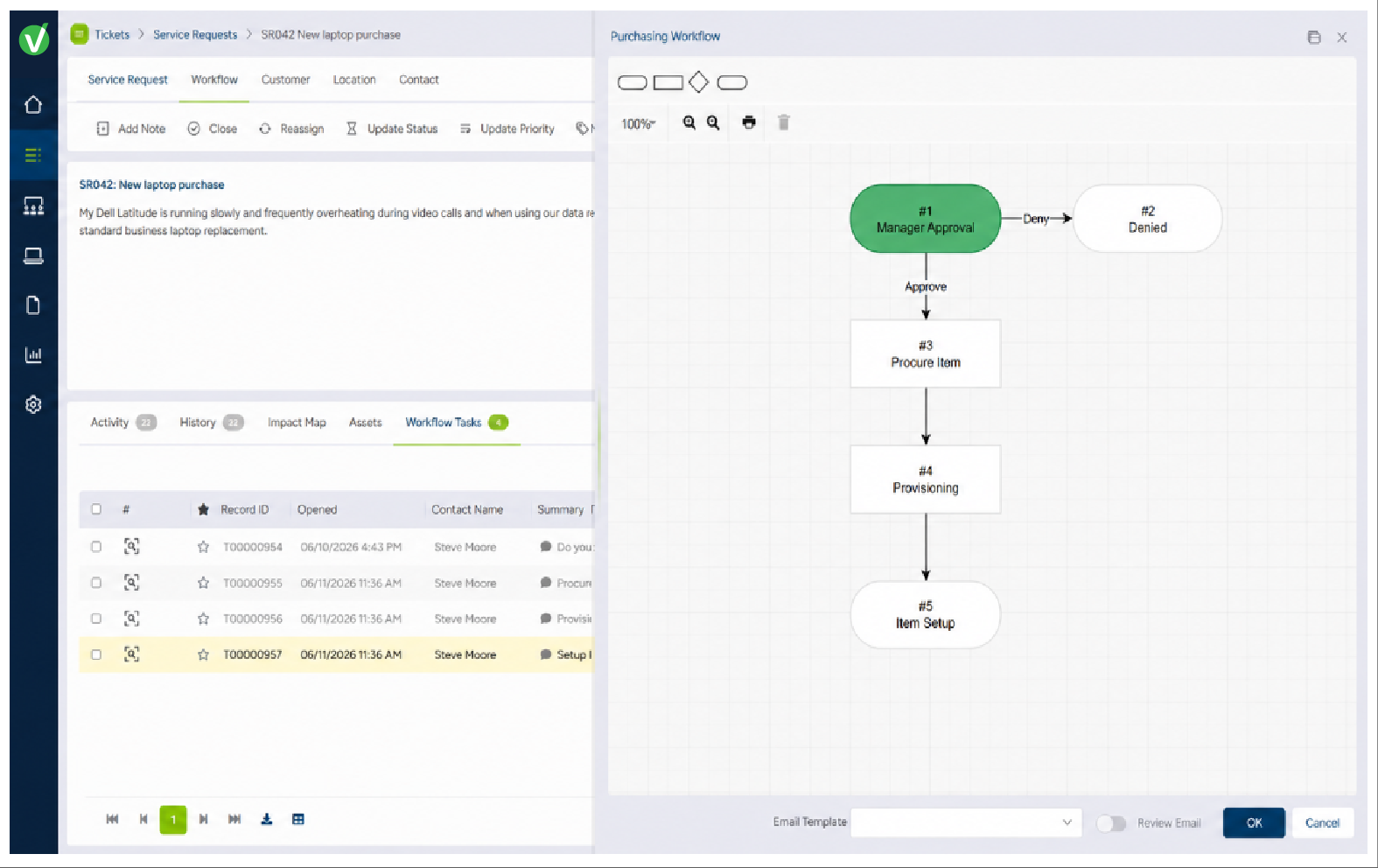
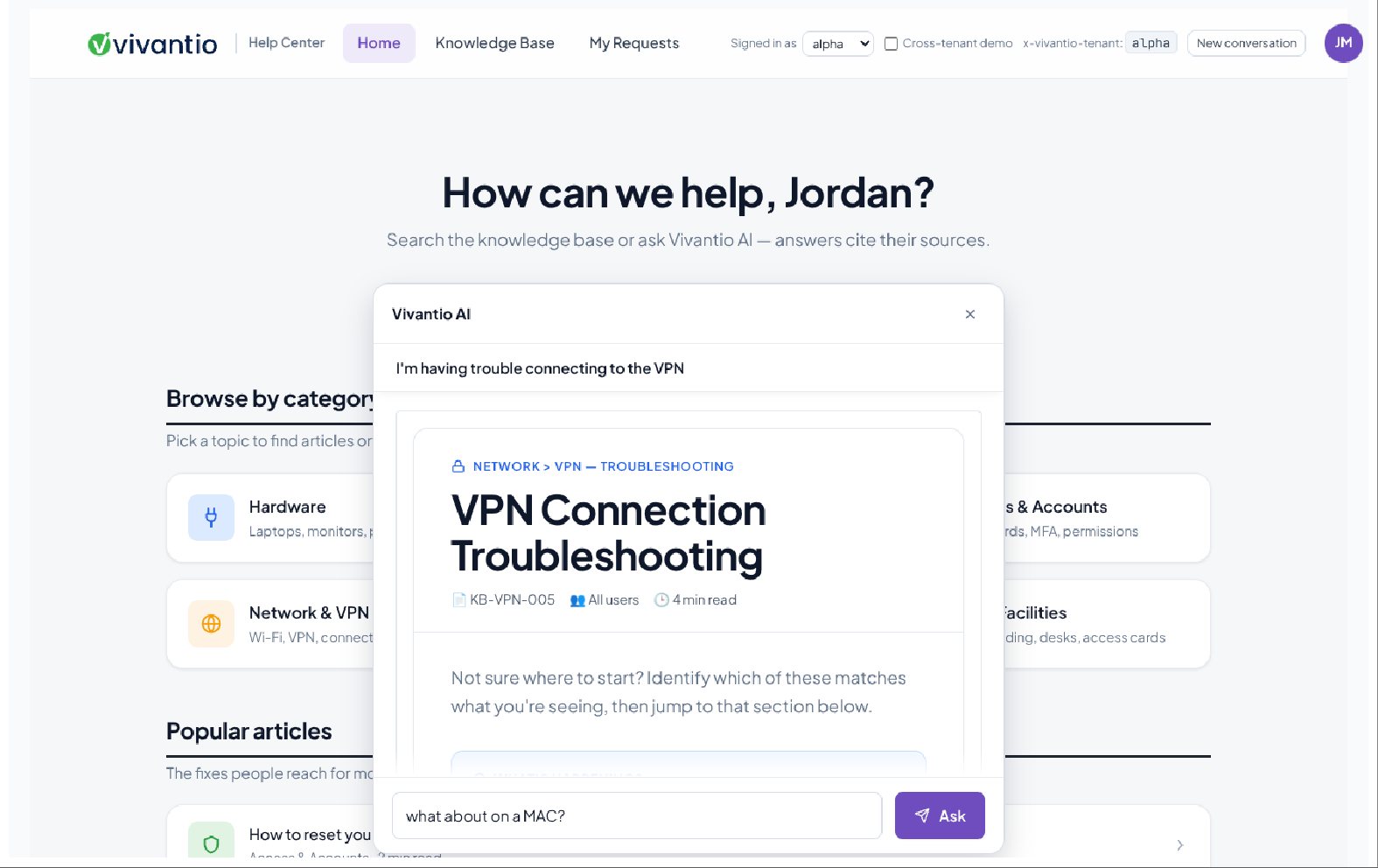
    Screenshot of the dashboard to monitor service performance at a glance with configurable dashboards that surface workload, trends, SLAs, and the metrics that matter to each team.Screenshot of the self-service experience with access to requests, knowledge, services, and AI-assisted support from one branded portal.Screenshot of the dashboard to manage requests from one configurable workspace with the context, ownership, status, and service information agents need to move work forward.Screenshot of the editor used to build and visualize multi-step service processes with configurable workflows, automation, approvals, and routing.Screenshot of reporting and analytics for tracking performance, identifying trends, and improving service over time.Screenshot of Vivantio AI, which helps service teams Assist, Enrich, and Optimize service delivery.