TrustRadius: an HG Insights company

Save this comparison

Save this comparison

Add Product

Recommended Comparisons

    Overview
    ProductRatingMost Used ByProduct SummaryStarting Price

    SharePoint

    Score7.9 out of 10
    N/AMicrosoft's SharePoint is an Intranet solution that enables users to share and manage content, knowledge, and applications to empower teamwork, quickly find information, and collaborate across the organization.

    $5

    Per User Per Month

    Pimcore

    Score8.5 out of 10
    Mid-Size Companies (51-1,000 employees)
    Pimcore is an open-core Product Experience Management (PXM) platform designed for enterprise organizations that require consolidation of product data, digital assets, and customer experience delivery within a unified infrastructure. Founded in 2013 and headquartered in Salzburg, Austria, the platform serves as a centralized ecosystem for managing multi-channel data operations. Pimcore solutions at a glance A consolidated platform built around six integrated solution…

    $0

    Pricing
    SharePointPimcore
    Editions & Modules
    Plan 1
    $5.00
    Per User Per Month
    Plan 2
    $10.00
    Per User Per Month
    Office 365 E3
    $20.00
    Per User Per Month
    Community Edition
    $0
    Professional Edition
    9,900
    per year per installation
    Enterprise Edition
    29,900
    per year per installation
    PaaS Edition
    From 39,900
    per year per installation
    Offerings
    Pricing Offerings
    SharePointPimcore
    Free Trial
    YesYes
    Free/Freemium Version
    NoYes
    Premium Consulting/Integration Services
    NoYes
    Entry-level Setup FeeNo setup feeRequired
    Additional Details——
    More Pricing Information
    Community Pulse
    SharePointPimcore
    Considered Both Products
    Microsoft
    No answer on this topic
    Pimcore
    No answer on this topic
    Key User Insights
    Would buy again
    89%
    Would buy again
    51 Answers
    No answers on this topic
    Delivers good value for the price
    96%
    Delivers good value for the price
    45 Answers
    No answers on this topic
    Happy with the feature set
    95%
    Happy with the feature set
    54 Answers
    No answers on this topic
    Lived up to sales and marketing promises
    96%
    Lived up to sales and marketing promises
    27 Answers
    No answers on this topic
    Implementation went as expected
    97%
    Implementation went as expected
    37 Answers
    No answers on this topic
    Best Alternatives
    SharePointPimcore
    Small Businesses
    HCL Connections
    Score9 out of 10
    No answers on this topic
    Medium-sized Companies
    HCL Connections
    Score9 out of 10
    No answers on this topic
    Enterprises
    HCL Connections
    Score9 out of 10
    No answers on this topic
    All AlternativesView all alternativesView all alternatives
    User Ratings
    SharePointPimcore
    Likelihood to Recommend
    8.1
    (271 ratings)
    9.7
    (3 ratings)
    Likelihood to Renew
    9.8
    (26 ratings)
    -
    (0 ratings)
    Usability
    8.2
    (31 ratings)
    -
    (0 ratings)
    Support Rating
    8.8
    (13 ratings)
    -
    (0 ratings)
    In-Person Training
    4.5
    (1 ratings)
    -
    (0 ratings)
    Online Training
    6.4
    (1 ratings)
    -
    (0 ratings)
    Implementation Rating
    6.0
    (5 ratings)
    -
    (0 ratings)
    Data Sharing and Collaboration
    9.2
    (51 ratings)
    -
    (0 ratings)
    Data Sources
    7.6
    (50 ratings)
    -
    (0 ratings)
    User Testimonials
    SharePointPimcore
    Likelihood to Recommend
    Microsoft
    It's Microsoft, so it rarely goes down or unnecessarily limits access. It works, though page load times can be long if you have lots of data. I feel like the Mac vs. PC divide has started to show up for MS products, but SharePoint works well with both.
    Read full review
    Pimcore
    Pimcore is especially suitable for an organization that has a complex data model and processes that cannot be met easily with out of the box systems. It is especially helpful where data is lying in multiple legacy systems and needs complex integrations with these systems. It may not be the best choice for someone looking for and out of the box system with predefined features.
    Read full review
    Pros
    Microsoft
    • We track employees' performance sheets, which are accessible to the employee, his manager, and HR, and this helps with transparency.
    • We maintain technical process documents and SOPs, which help us quickly provide relevant documents during audits.
    • We maintain incident documents change request forms in SharePoint, which helps us in tracking the changes.
    Incentivized
    Read full review
    Pimcore
    • PIM - Production Information Management
    • CX - Customer Experience and Customer Data Platform
    • MDM - Master Data Management
    • DAM - Digital Asset Management
    • CMS - Content Management System
    • Digital Commerce
    Incentivized
    Read full review
    Cons
    Microsoft
    • Windows Explorer users have some difficulty having to constantly UPLOAD / DOWNLOAD files. Specifically on the DOWNLOAD when they are used to Drag & Drop in & out of LOCAL folders via Window's explorer.
    • Microsoft SharePoint supports multiple "library" types. When implementing our "image" library the search function is done via "tags" and boolean logic. This is challenging to most end users. I'd like our users to be able to search our Microsoft SharePoint image library without having to enter KEYWORD or other BOOLEAN logic.
    • Microsoft SharePoint can also be an internal website for each department or company wide communication tool but I believe these features are geared for much larger organizations. Since we are a SMB we really aren't using these features. So maybe something more useful to SMBs would be nice.
    Incentivized
    Read full review
    Pimcore
    • Can have a better UI.
    • The data delivery channel sometimes breaks.
    • Analytics and reporting could be improved.
    Incentivized
    Read full review
    Likelihood to Renew
    Microsoft
    It's integral to our business. It's already included with most of the Office 365 licensing we buy, so the cost is effectively zero. It stores our files, it is the foundation for custom applications, and Microsoft only continues to enhance its functionality and its connections to other Microsoft tools. SharePoint just keeps getting better and better.
    Incentivized
    Read full review
    Pimcore
    No answers on this topic
    Usability
    Microsoft
    No usability issues reported. Individual teams also have allocated areas which replace legacy shared drives on local LANs. Access to Sharepoint resources is fully integrated with corporate Active Directory with additional two-factor authentication required for administrative users. Users have access to Microsoft Services Hub which allows you to create, manage, and track support requests while staying current on Microsoft technologies with access to select self-paced learning paths
    Incentivized
    Read full review
    Pimcore
    No answers on this topic
    Support Rating
    Microsoft
    Support for SharePoint is quite good. Microsoft provides good support. Microsoft offers
    • Quick turnaround time for issues
    • A range of support services
    • Access to a network of resources
    • Escalation of issues
    • Ongoing development and commitment to produce enhancement
    The majority of support is required for initial installation. Once complete and the system is operating we have had very few support issues.
    Incentivized
    Read full review
    Pimcore
    No answers on this topic
    In-Person Training
    Microsoft
    The face to face training I received was on SharePoint Administration. It was rushed as there was a lot of information to cover and the application of the labs weren't that great either. I like to be able to relate what I am learning to what I am currently doing.
    Read full review
    Pimcore
    No answers on this topic
    Online Training
    Microsoft
    I like to learn at my own pace and online training allows for that. Additionally, you can skip through pieces of content that you already know or are already comfortable with. Microsoft actually offers great videos on their website for basic fundamental SharePoint Training. I have used these training videos in some of my own training sessions with end users.
    Read full review
    Pimcore
    No answers on this topic
    Implementation Rating
    Microsoft
    Planning to the last detail would be advised. SharePoint is a very large application that takes a lot of finesse to get operational
    Read full review
    Pimcore
    No answers on this topic
    Alternatives Considered
    Microsoft
    The reasons for selecting MS SharePoint are: SharePoint provides ease of use and web design assistance and support SharePoint helps you schedule your content for publishing. enables users to share documents with external parties and offers a better internal structure of the content and better indexing and searching capabilities.
    Incentivized
    Read full review
    Pimcore
    PIMCore is Digital Platform making it single source of truth for many upstream and downstream system. Akeneo is just PIM and its doing PIM job properly but PimCore is much more than this. AEM is too costly and can't be affordable for many small and mid size companies
    Incentivized
    Read full review
    Return on Investment
    Microsoft
    • It comes with Office 365. It won't cost you any additional charges.
    • It will help you to streamline your communication and work as a central hub for all tasks, files[,] and events[.]
    • Setting it up will need a bit [of] planning. If you jump blindly it will become a confusing place for your team members and make them frustrated[.]
    Incentivized
    Read full review
    Pimcore
    • With the customers we have worked with, Pimcore has quite a positive impact on ROI.
    • Pimcore systems have helped customers not only integrate their data but also improved data quality, greatly reduced their time to market and turn around time.
    Read full review
    ScreenShots

    Pimcore Screenshots

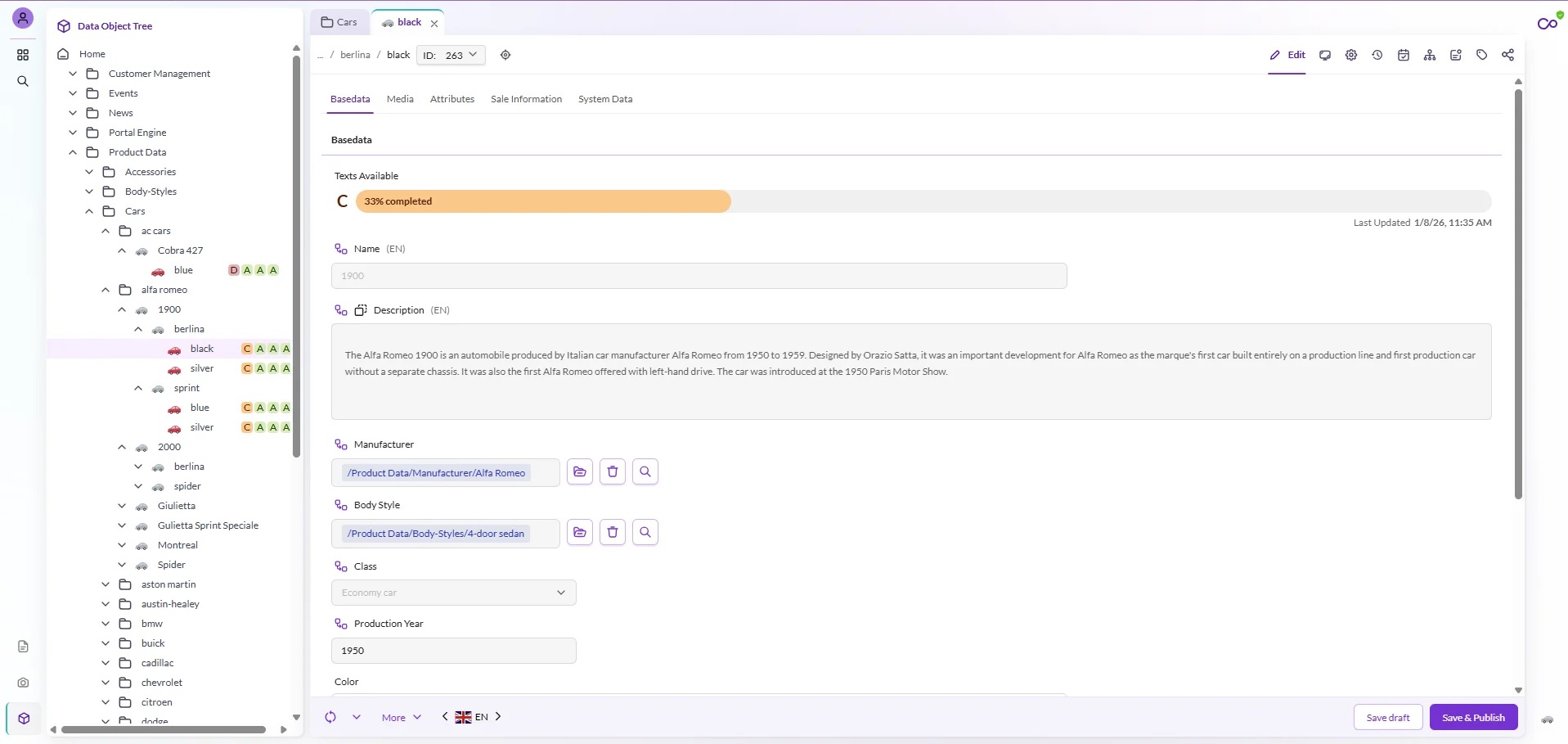
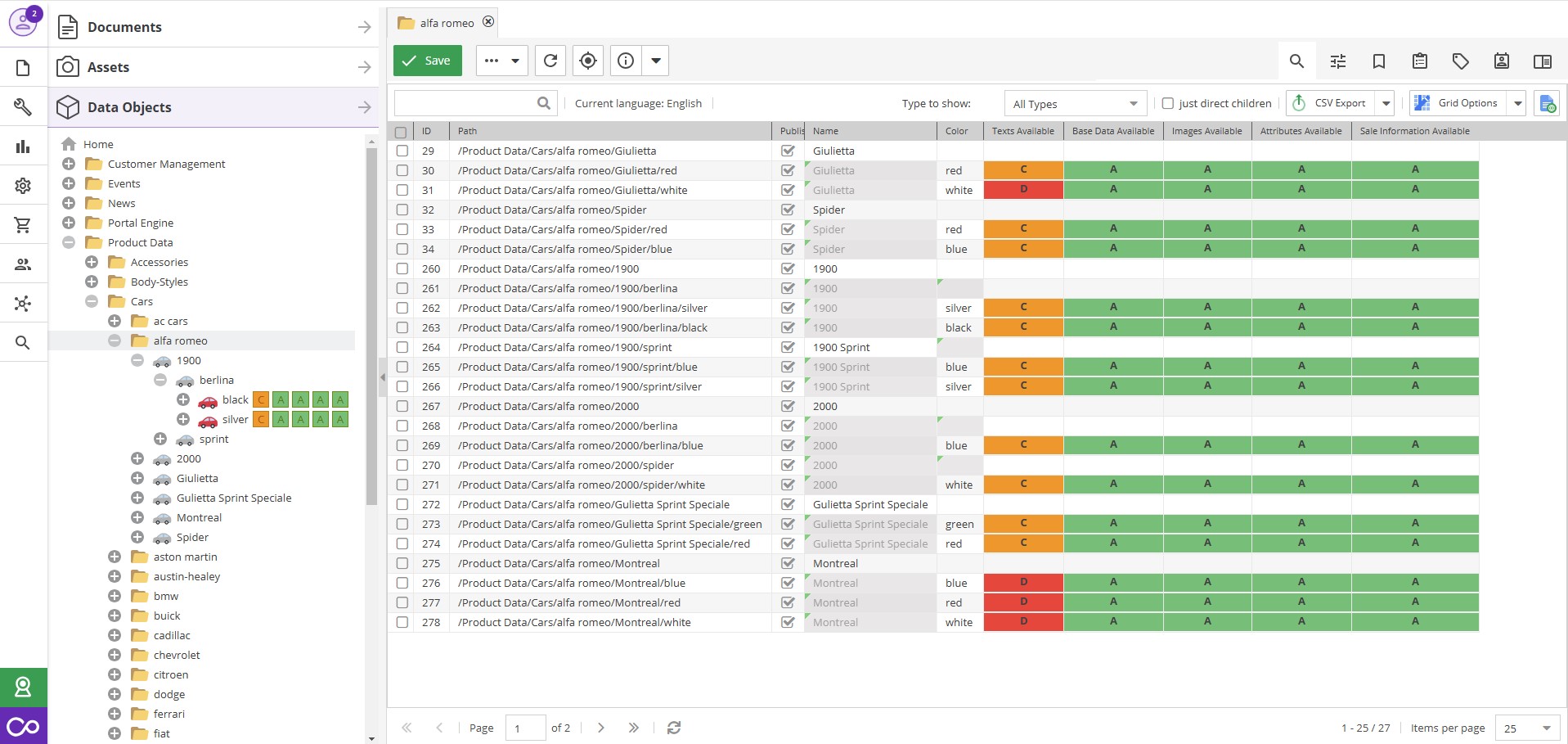
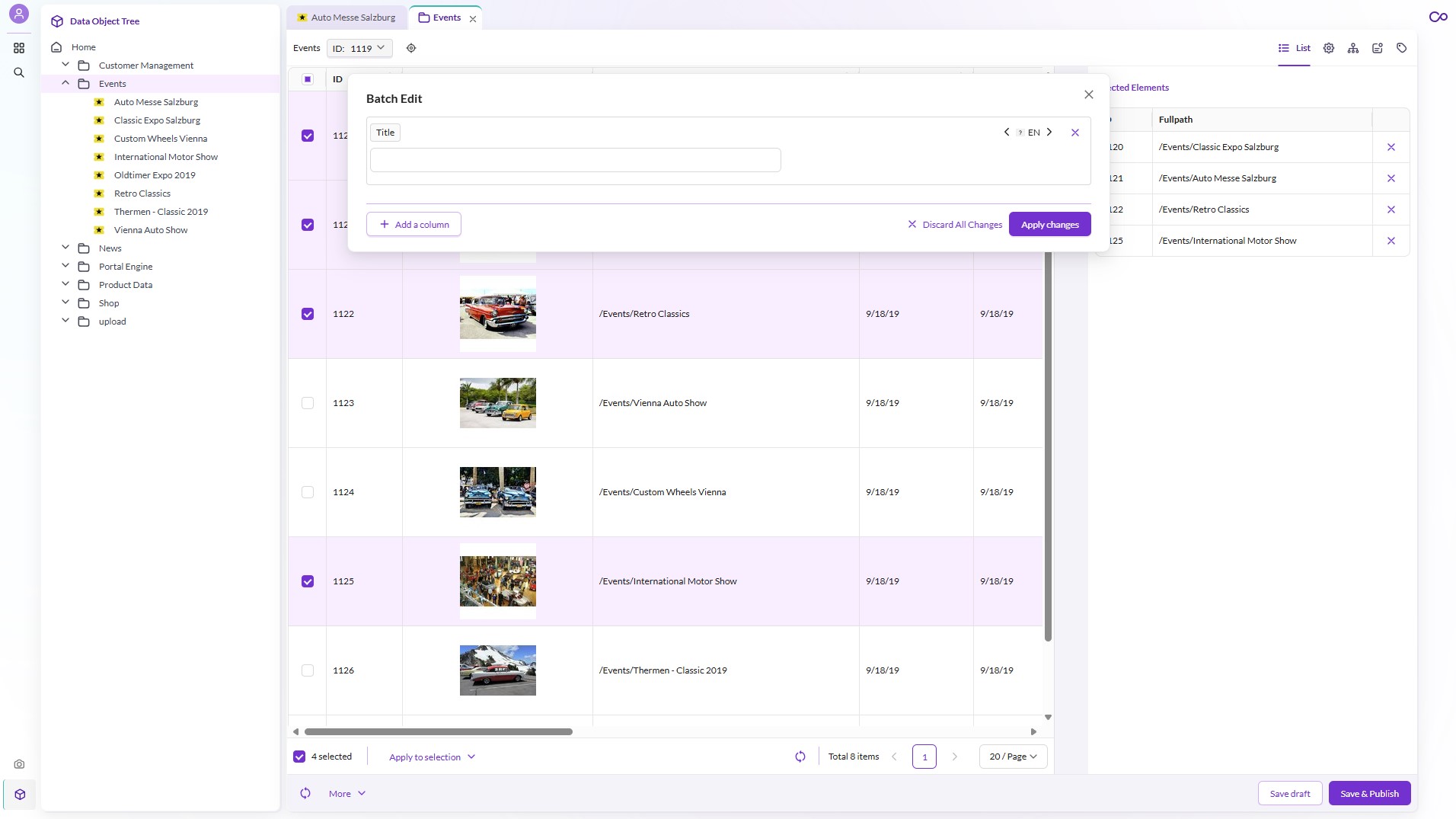
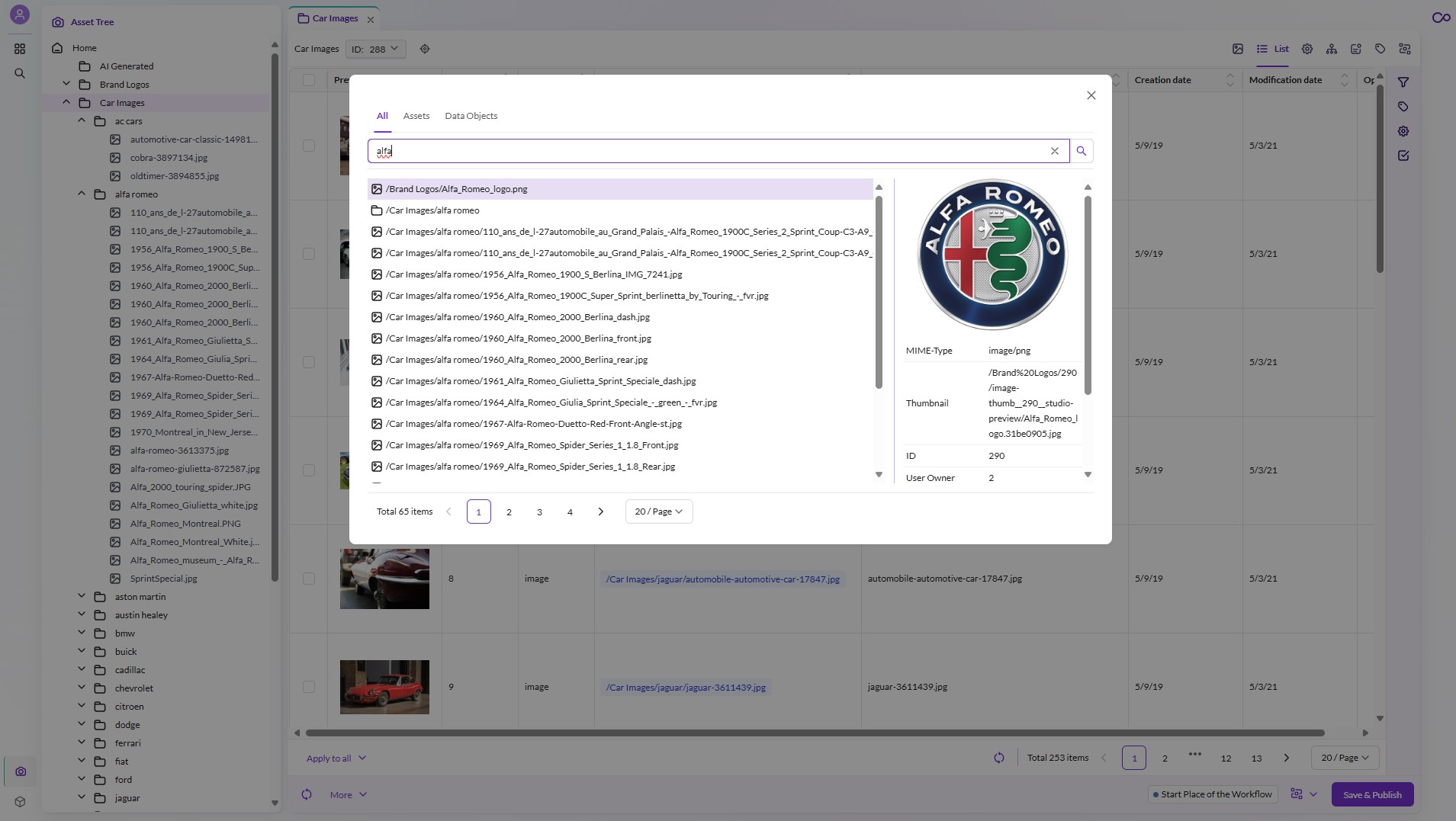
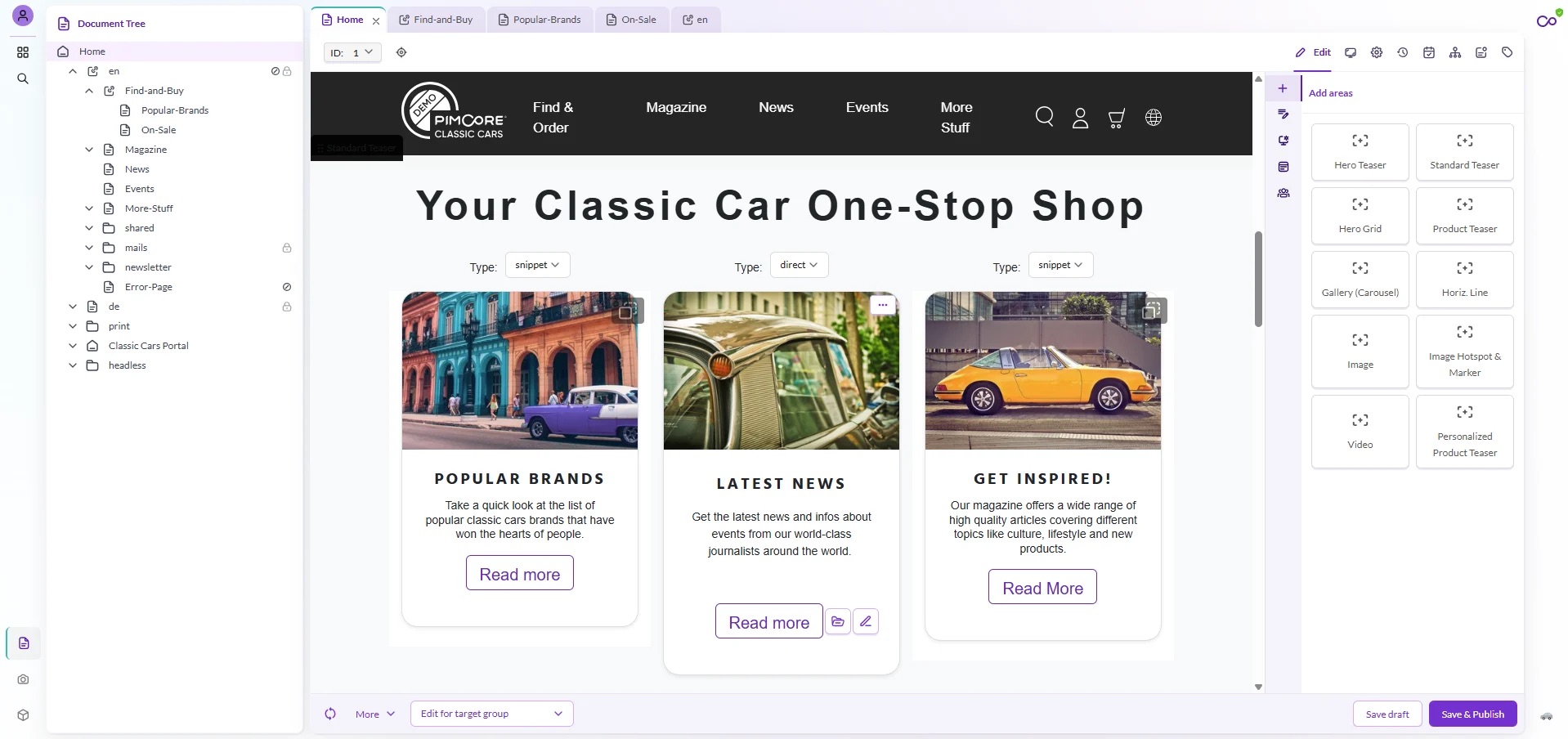
    Screenshot of Pimcore offers integrated Digital Asset Management (DAM) functionality to centrally manage all types of digital assets like images, videos, documents, and graphics. Users can enrich these assets with custom metadata and categorize them using flexible tagging. This tagging system enhances searchability and organization across all connected content. Metadata structures can be tailored to meet business-specific requirements, enabling precise control and contextual enrichment of assets throughout their lifecycle.Screenshot of Pimcore PIM offers flexible product data modeling that supports complex and scalable data structures tailored to any business need. Its graphical data modeling interface enables the creation of custom classes, attributes, and entity relationships without coding. Pimcore supports data inheritance, allowing child products to automatically inherit attributes from parent items, reducing redundancy. With data perspectives, users can define role-specific views for streamlined editing. Strong data relation capabilities further enrich product information by linking related entities like accessories or manuals, ensuring consistency, efficiency, and reusability across all channels.Screenshot of Pimcore supports data quality management through configurable validation rules, completeness checks, and structured data models. Businesses can define mandatory fields, set formatting or value constraints, and apply rule-based validations across data types. Dashboards and custom widgets highlight data quality metrics in real time. These capabilities ensure consistent, accurate, and reliable data, reduce errors in downstream systems, and support compliance with internal and external data standards.Screenshot of Pimcore’s batch editing functionality for assets empowers users to manage and update multiple digital files simultaneously. This feature streamlines administrative tasks by enabling the mass assignment of metadata, tags, or classifications across selected assets in just a few clicks. It reduces manual workload and ensures consistency in data quality, which is vital for large enterprises managing thousands of media files. For users, it enhances productivity and accelerates time-to-market by minimizing repetitive actions and improving operational workflows.Screenshot of Pimcore offers search and filtering capabilities across all content types - assets, data objects, and documents. Users can perform full-text searches, apply advanced filters, and configure faceted navigation to quickly locate relevant data. The system supports attribute-based filtering, role-specific search masks, and customizable grid views. These tools enhance user efficiency, reduce time spent on manual browsing, and ensure data accessibility and precision in high-volume environments.Screenshot of Pimcore’s Digital Experience Platform (DXP), which integrates content management and personalization to deliver tailored digital experiences across channels. It enables real-time content and product personalization based on user behavior, segmentation, or contextual data. With built-in tools for targeting, rule-based personalization, and multichannel publishing, businesses can serve dynamic content and product views adapted to individual preferences. This leads to increased engagement, improved conversion rates, and a consistent brand experience across all digital touchpoints.