Microsoft Viva Engage vs. Progress MOVEit

Overview
ProductRatingMost Used ByProduct SummaryStarting Price
Microsoft Viva Engage
Score 8.0 out of 10
N/A
Microsoft Viva Engage, formerly Yammer, is used for private communication within organizations or between organizational members and pre-designated groups.
$24
per year per user
Progress MOVEit
Score 9.3 out of 10
Enterprise companies (1,001+ employees)
Progress MOVEit offers a range of solutions to help companies: Securely transfer files between applications, internal users, external customers or business partners. Automate and administer tasks without advanced programming. Consolidate costs and management while establishing a documented audit trail. Meet internal and external compliance requirements including HIPAA, SOX, GDPR, FINRA, BASEL, PCI and others.N/A
Pricing
Microsoft Viva EngageProgress MOVEit
Editions & Modules
Microsoft Viva Employee Communications and Communities
$24
per year per user
Microsoft Viva Suite
$144
per year per user
No answers on this topic
Offerings
Pricing Offerings
Microsoft Viva EngageProgress MOVEit
Free Trial
NoYes
Free/Freemium Version
NoNo
Premium Consulting/Integration Services
NoYes
Entry-level Setup FeeNo setup feeOptional
Additional DetailsMicrosoft Viva Engage is also available in some Microsoft 365 packages.
More Pricing Information
Community Pulse
Microsoft Viva EngageProgress MOVEit
Features
Microsoft Viva EngageProgress MOVEit
Project Management
Comparison of Project Management features of Product A and Product B
Microsoft Viva Engage
5.4
42 Ratings
35% below category average
Progress MOVEit
-
Ratings
Task Management6.025 Ratings00 Ratings
Gantt Charts7.013 Ratings00 Ratings
Scheduling3.019 Ratings00 Ratings
Workflow Automation2.021 Ratings00 Ratings
Mobile Access9.040 Ratings00 Ratings
Search7.040 Ratings00 Ratings
Visual planning tools4.023 Ratings00 Ratings
Communication
Comparison of Communication features of Product A and Product B
Microsoft Viva Engage
8.2
45 Ratings
3% above category average
Progress MOVEit
-
Ratings
Chat8.040 Ratings00 Ratings
Notifications8.545 Ratings00 Ratings
Discussions9.044 Ratings00 Ratings
Surveys7.535 Ratings00 Ratings
Internal knowledgebase9.534 Ratings00 Ratings
Integrates with GoToMeeting7.314 Ratings00 Ratings
Integrates with Gmail and Google Hangouts6.713 Ratings00 Ratings
Integrates with Outlook8.632 Ratings00 Ratings
File Sharing & Management
Comparison of File Sharing & Management features of Product A and Product B
Microsoft Viva Engage
6.7
38 Ratings
17% below category average
Progress MOVEit
-
Ratings
Versioning7.025 Ratings00 Ratings
Video files6.633 Ratings00 Ratings
Audio files6.131 Ratings00 Ratings
Document collaboration4.632 Ratings00 Ratings
Access control5.632 Ratings00 Ratings
Advanced security features7.629 Ratings00 Ratings
Integrates with Google Drive8.014 Ratings00 Ratings
Device sync8.525 Ratings00 Ratings
Best Alternatives
Microsoft Viva EngageProgress MOVEit
Small Businesses
Stackby
Stackby
Score 9.0 out of 10
DataMotion
DataMotion
Score 9.1 out of 10
Medium-sized Companies
Troop Messenger
Troop Messenger
Score 9.8 out of 10
DataMotion
DataMotion
Score 9.1 out of 10
Enterprises
HCL Connections
HCL Connections
Score 9.0 out of 10
Fortra's GoAnywhere MFT
Score 7.8 out of 10
All AlternativesView all alternativesView all alternatives
User Ratings
Microsoft Viva EngageProgress MOVEit
Likelihood to Recommend
8.4
(55 ratings)
9.0
(7 ratings)
Likelihood to Renew
9.0
(11 ratings)
-
(0 ratings)
Usability
8.0
(5 ratings)
-
(0 ratings)
Availability
8.0
(1 ratings)
-
(0 ratings)
Performance
9.0
(1 ratings)
-
(0 ratings)
Support Rating
7.0
(12 ratings)
-
(0 ratings)
Online Training
7.0
(2 ratings)
-
(0 ratings)
Implementation Rating
8.0
(1 ratings)
-
(0 ratings)
User Testimonials
Microsoft Viva EngageProgress MOVEit
Likelihood to Recommend
Microsoft
Yammer is great when you have a company culture that encourages friendly collaboration and communication. It can be a great supplement (but certainly not a substitute) for bonding and sharing ideas and thoughts. Certain channels can be really successful, too, like a channel where people can post dog pictures or something fun like that!
Read full review
Progress Software
MOVEit is actively used on a dedicated server to supply clients with SFTP transactions. Automation is configured easily and safely. We rely on MOVEit to provide the transmission of daily, weekly, and monthly files across many companies and businesses. MOVEit is recommended by my group for any SFTP needs etc.
Read full review
Pros
Microsoft
  • Providing a platform for social news in the company where "bottom up" topics can percolate freely across department
  • Social networking across the company where folks can divide their work into topics instead of teams
  • Basic collaboration within a group including document sharing with ability to pin documents to a team
Read full review
Progress Software
  • Dashboard provides good insight and quick access to troubled jobs
  • Being able to handle file transfer across various protocols securely
  • Ability to connect to various cloud sites and storage (SharePoint, Amazon S3)
  • Easy SSL certificate implementation of the web UI
  • Easy SSH with certificate implementation
  • Strong permissions configuration.
Read full review
Cons
Microsoft
  • Although the social enterprise network works very well, there is room for some slight improvement - such as the ability to attract users. By being part of the Microsoft Office Suite, it is offered as an "add-on" and many overlook it and see it as unnecessary at first. It would be smart for Microsoft to sell it as its own product so it could gather more popularity as a "social network".
  • Giving an option to filter results could be better as well as giving an option to turn off the "recent activity" bar on the home page.
Read full review
Progress Software
  • Drag and dropping of files to attached to packages.
  • I believe there is room for improvement when it comes to setting up folder and group security.
  • A better mobile app is absolutely needed. The current app lacks in features.
Read full review
Likelihood to Renew
Microsoft
Microsoft is dedicated to continual improvement on Yammer. They realize the value that Yammer brings to the table with their clients. In the short time that we have had Yammer implemented, we are just now beginning to see the strong impact it has on becoming more effective and efficient around collaboration.
Read full review
Progress Software
No answers on this topic
Usability
Microsoft
Overall easy to use and intuitive, although limited in the possibility to personalize layout and look & feel of a site. Some functionalities are not easy to use, like document editing, but some others are quick and effective (posts and tagging above all). Performance and responsiveness of the Yammer site is typically acceptable, in my experience.
Read full review
Progress Software
No answers on this topic
Reliability and Availability
Microsoft
Very available
Read full review
Progress Software
No answers on this topic
Performance
Microsoft
It's a simple product but it does provide value.
Read full review
Progress Software
No answers on this topic
Support Rating
Microsoft
We have never had to use the support for Yammer. The tool works well and we have not come across any bugs. User Interface is simple and easy to use, similar to other forum type products, thereby removing the need for any extensive training. Team members are invited in and immediately are able to start using the tool.
Read full review
Progress Software
No answers on this topic
Online Training
Microsoft
The training that Microsoft provides is very generic training for Yammer. I like the fact the training is short and easy to understand
Read full review
Progress Software
No answers on this topic
Implementation Rating
Microsoft
We organically implemented the product
Read full review
Progress Software
No answers on this topic
Alternatives Considered
Microsoft
Our team briefly used Salesforce.com's Chatter product before switching over to Yammer in 2012. While Chatter is essentially the same product as Yammer, it left much to be desired. Chatter's design was (and remains) clunky and difficult to navigate. Yammer is a simple, easy-to-use product that offers similar functionality as Salesforce's Chatter.
Read full review
Progress Software
We previously used Attunity MFT (Formerly Repliweb MFT); We were looking to move away from the platform becuase, while flexible, it was too flexible. The flexibility was gained by running scripts with each job to do what you want. So, not only did you have to define the job (Source and Destination), you had to have a fairly strong programming background. Tasks as simple as renaming files with a date stamp, required a script be written. MoveIt has many of these basic macros available for file name manipulations like various date pieces, times, file names, etc, and they're all well documented. Ex: [OrigName] = Original Filename (TestFile.pdf), [OnlyName] = Just the filename, no extension (TestFile), [OnlyExt] = Just the file extentions (.pdf). Pretty much every field within a job can use pre-defined Macros, which is a huge benefit. We also moved away from that platform because it had gone stale, it wasn't their "Core" product. The vendor supported it, but was not actively developing it or fixing bugs or anything. We went 2-3 years without even an update to the binary. MoveIt is one of Progress's "Core" products, so they are adding features / functionality and fixing bugs actively
Read full review
Return on Investment
Microsoft
  • My company is pleased with the positive impact Yammer has created departmentally and on an individual basis with work flow efficiency.
  • Adversely, most old and new employees are more familiar with SharePoint, causing the company to pay for training for all current and incoming employees.
  • As Yammer becomes more widely used, the need for training may diminish, which is where we will see our return on investment, as the product clearly provides a more effective form of file sharing and communication between employees and their department.
Read full review
Progress Software
  • It gave us the ability to exchange files with customers and vendors in a secure manner.
  • Given the sensitivity of our files exchange, MOVEit helped in gaining the trust of our customers that their data is safe.
  • Using its API, we were able to build a custom app that is adding even more features, specific to our needs, like empowering project managers with more permissions on their folders
Read full review
ScreenShots

Progress MOVEit Screenshots

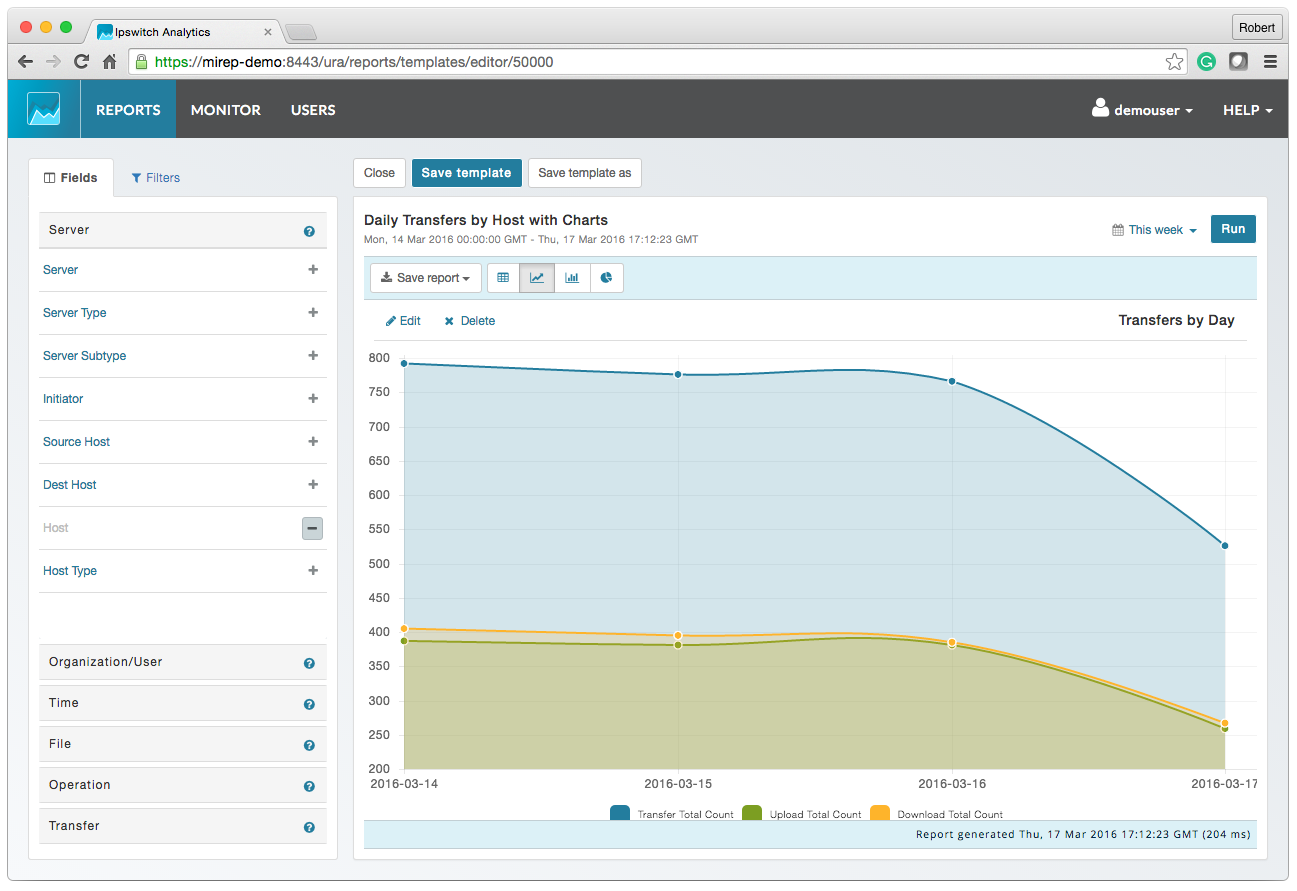
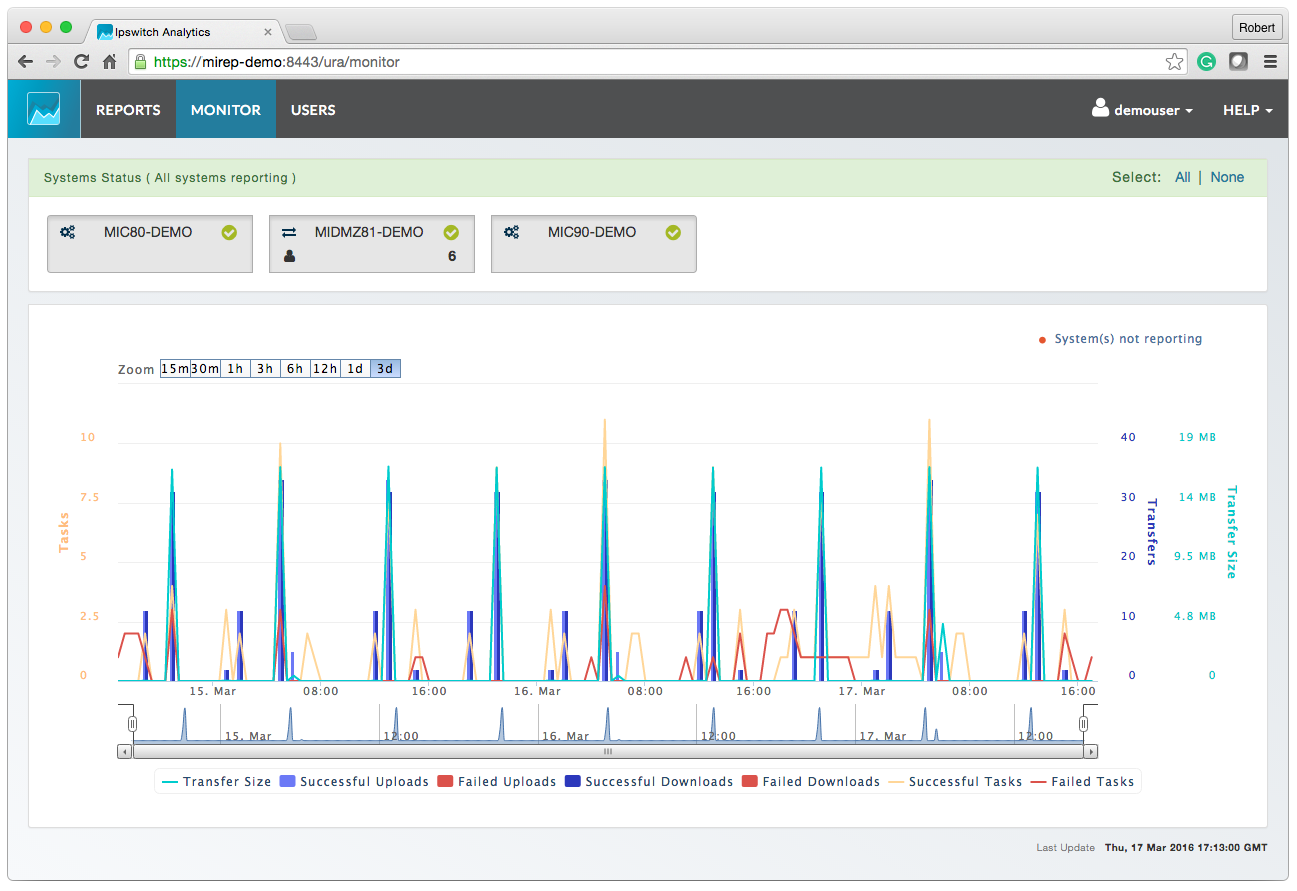
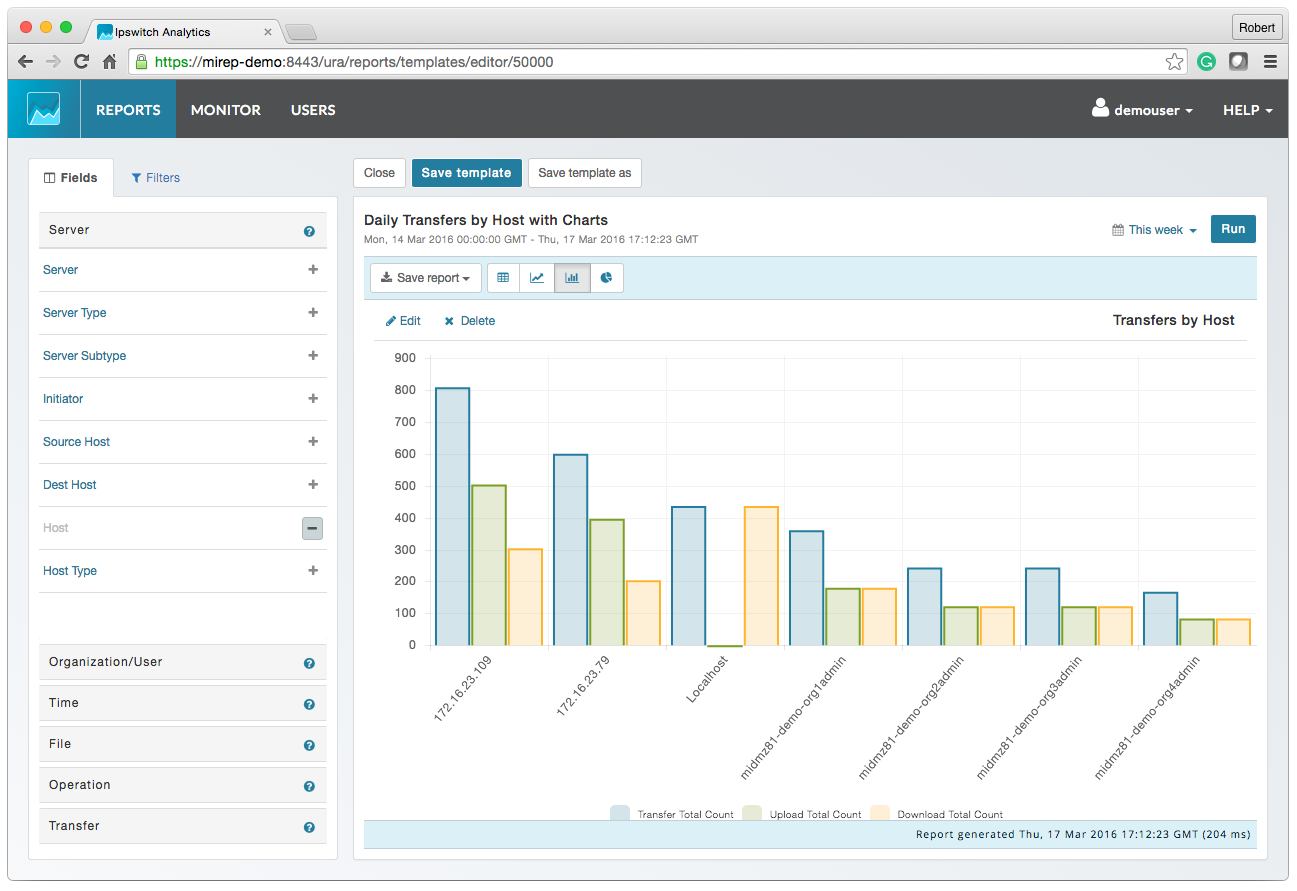
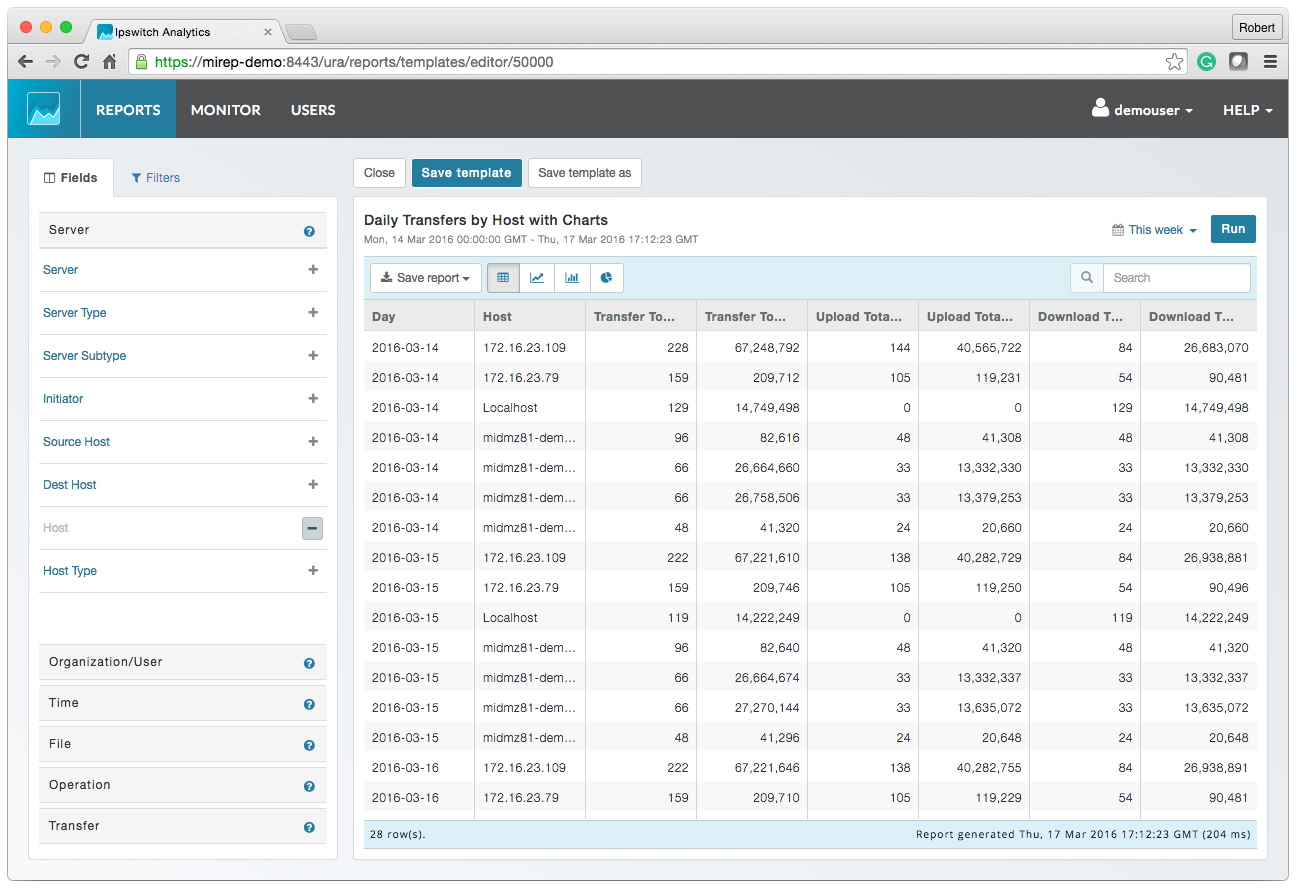
Screenshot of MOVEit AnalyticsScreenshot of MOVEit Automated ReportingScreenshot of MOVEit Data ConsolidationScreenshot of MOVEit AuditsScreenshot of MOVEit TransfersScreenshot of MOVEit Visibility and Control