MSPs
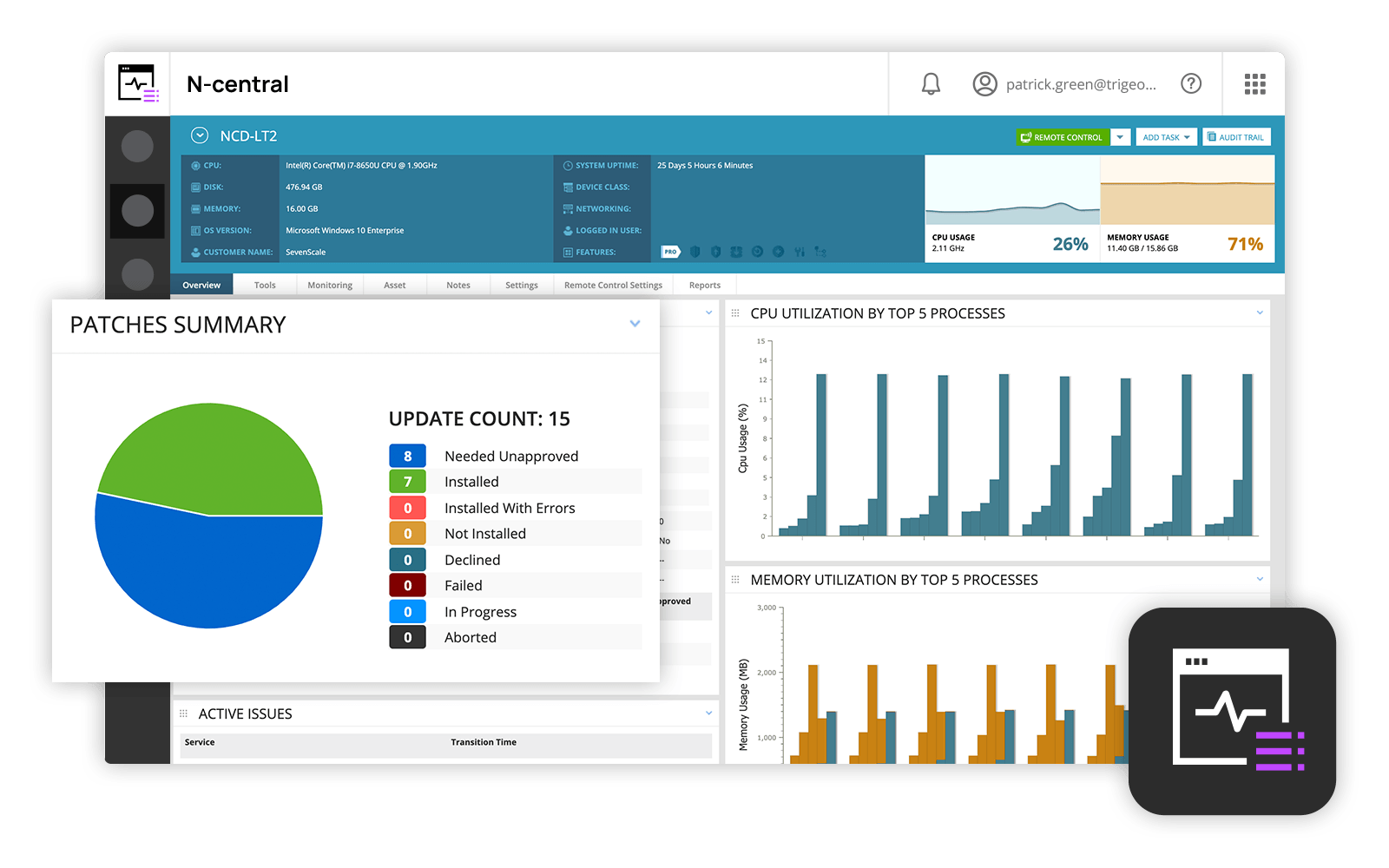
and IT professionals use N-able™ N-central® to monitor and manage devices and complex
networks remotely. N-central provides
visibility and efficiency as the user's needs scale. N-central can help users:
1. Proactively monitor everything on a customer network—not just servers
and workstations—and troubleshoot.
2. Stay on top of threats with features like MFA, antivirus, integrated endpoint
detection and response, data backup, disk encryption, email protection,…
N/A
Nmap
Score8.7 out of 10
N/A
Nmap is a free, open source network discovery, mapper, and security auditing software. Its core features include port scanning identifying unknown devices, testing for security vulnerabilities, and identifying network issues.
$49,980
one-time fee
Pricing
N-able N-central
Nmap
Editions & Modules
No answers on this topic
Nmap OEM Small/Startup Company Redistribution License - Quarterly Term Maintenance Fee
$7,980
Every Three Months per license
Nmap OEM Mid-Sized Company Redistribution License - Quarterly Term Maintenance Fee
$11,980
Every Three Months per license
Nmap OEM Enterprise Redistribution License - Quarterly Term Maintenance Fee
$13,980
Every Three Months per license
Nmap OEM Small/Startup Company Redistribution License - Annual Maintenance Fee
$14,980
per year per license
Nmap OEM Mid-Sized Company Redistribution License - Annual Maintenance Fee
All perpetual licenses include a six-month trial period during which you can cancel for any reason and receive a full refund of all money paid (including maintenance). The term license is only a 3-month commitment and cal also be terminated with full refund during the first 30 days of the initial quarter.
N-Able is perfect for an MSP environment. It gives all the standard functionality an IT professional needs out of the box and can be configured to show almost anything required. For example, we have configured a dashboard to show when our backups need attention for each customer. This is achieved by running a small script on repeat via N-Central everyday/evening, and the result gives us information on the dashboard to help us identify exactly what is working and what needs looking into.
A de minimis incentive was given to thank the reviewer for their time. The incentive was not used to bias or drive a particular response, nor was the incentive contingent on a positive endorsement. More Info
If you're a sysadmin, or anyone who's had to deploy network services, you've almost certainly had to use Nmap at some point or other. Need to see what devices are on your LAN? Nmap can tell you that. Want to check which ports your web server has open to the internet? Nmap is your friend.
Nmap is a powerful command-line tool and has many options that require some reading of documentation to get the best out of (although generally straightforward). If the thought of working at the command-line scares you (presumably not if you're reading this review), then you may want a much simpler tool, or at least check out Zenmap GUI.
A de minimis incentive was given to thank the reviewer for their time. The incentive was not used to bias or drive a particular response, nor was the incentive contingent on a positive endorsement. More Info
Remote tasks - entry-level techs can run basic tasks without physically touching a piece of equipment.
Remote support - remote controlling user devices is easy and saves a lot of time with having to initiate a remote session.
Management of devices, particularly patch management and anti-virus management - you can automatically approve and deploy patches and schedule automatic AV scans.
NMap provides a very fast and a very thorough network "sweep" that allows you to quickly map out exactly what's on your network.
NMap is highly configurable. The "canned" choices are very good in most instances, but using various switches and options, you can create a very specific scan and get exactly the results you're looking for.
NMap is easy to use. Even a new administrator will be able to use the graphical version (Zenmap) with efficiency right away.
A de minimis incentive was given to thank the reviewer for their time. The incentive was not used to bias or drive a particular response, nor was the incentive contingent on a positive endorsement. More Info
Customer support just points to online guides and I feel they aren't helpful.
During the trial they turn on a lot of features. In my experience, if you play around with the features, they charge you for them. Keep this in mind if you move forward with N-Able - they will charge for "trialed" services.
In my experience, some services that you're being charged for can't be disabled or monitored by you or your team. You only see them on the monthly invoice.
In my opinion, the "Scripting Automation" doesn't provide value. You're either going to be writing your own batch or Powershell to make scripting work.
In my opinion, monitoring software deployments is painful.
The default monitoring template can't be duplicated, edited, or referenced. You'll find that the default monitors in an unusual way and will throw needless recurring alerts into your ticketing system. To avoid this, you need to create a template from scratch which takes many hours to set up.
In my opinion, they're more concerned about a quick buck than customer service. "Buyer beware" company.
The GUI version on Nmap could use some improvement with the options that are available to do scans. For example, they could make it easier to select options for the different types of scanning for people who are beginners
There are no abilities to schedule a scan in the Nmap tool.
An intensive scan sometimes takes too much time to complete.
A de minimis incentive was given to thank the reviewer for their time. The incentive was not used to bias or drive a particular response, nor was the incentive contingent on a positive endorsement. More Info
Overall we have liked our solar winds experience, however, as our company has grown to support larger enterprises, this product does not have the functionality that our teams need in order to fully support them. The lack of granularity with backups and lack of ability to support nutanix environments is slowly drawing us into the use of other tools.
A de minimis incentive was given to thank the reviewer for their time. The incentive was not used to bias or drive a particular response, nor was the incentive contingent on a positive endorsement. More Info
The user interface is fairly straight forward, with logic groupings for objects. I did not deploy this software, but am one of the daily administrators. Once you get the correct agent package (Which can be a challenge) the integration into AD is not bad. The UI could be more customized, but that may have been a design choice.
A de minimis incentive was given to thank the reviewer for their time. The incentive was not used to bias or drive a particular response, nor was the incentive contingent on a positive endorsement. More Info
Nmap uses are very practical and I don't think there is a better tools for what Nmap does. It is open-sources that therefore there is no cost to use it. It offers a number of benefits, including but not limited to network mapping, port scanning and more. It is very reliable as a network scanning tool.
A de minimis incentive was given to thank the reviewer for their time. The incentive was not used to bias or drive a particular response, nor was the incentive contingent on a positive endorsement. More Info
Every time we have reached out to SolarWinds they are quick to respond, even offering support chat 24/7. Their support team is great and works with you to find solutions to issues. They have taken items we had issues with before and used those to create updates so that the issue is handled better in the future.
A de minimis incentive was given to thank the reviewer for their time. The incentive was not used to bias or drive a particular response, nor was the incentive contingent on a positive endorsement. More Info
There is a very large support community and a robust selection of add-ons and scripts. Once you get the use down this is one of the most powerful tools and you can find anything you are looking for as far as examples on the web. While not having official support its not lacking by any means.
A de minimis incentive was given to thank the reviewer for their time. The incentive was not used to bias or drive a particular response, nor was the incentive contingent on a positive endorsement. More Info
A de minimis incentive was given to thank the reviewer for their time. The incentive was not used to bias or drive a particular response, nor was the incentive contingent on a positive endorsement. More Info
Our version of SolarWinds was old and running on old hardware, but it was way easier to setup and do things with. It did not do everything N-able does such as patch management, or at least we didn't have a module to do so if one existed. However it definitely seemed easier to use and possibly more stable.
Alternatives to Nmap (other IP scanners) are often much more limited in what they can do; They often only allow you to scan a specific subset of ports or a limited number of IP addresses in one command. Nmap is unrestricted in that regard. What makes Nmap stand out above the rest, is the complete network analysis package you get with it. It allows IP scanner, network deep-dives, hardware analysis, vulnerability analysis, encryption detailing, and so much more, in one free application
A de minimis incentive was given to thank the reviewer for their time. The incentive was not used to bias or drive a particular response, nor was the incentive contingent on a positive endorsement. More Info
A de minimis incentive was given to thank the reviewer for their time. The incentive was not used to bias or drive a particular response, nor was the incentive contingent on a positive endorsement. More Info