Nialli Visual Planner vs. NoteVault

Overview
ProductRatingMost Used ByProduct SummaryStarting Price
Nialli Visual Planner
Score 0.0 out of 10
Enterprise companies (1,001+ employees)
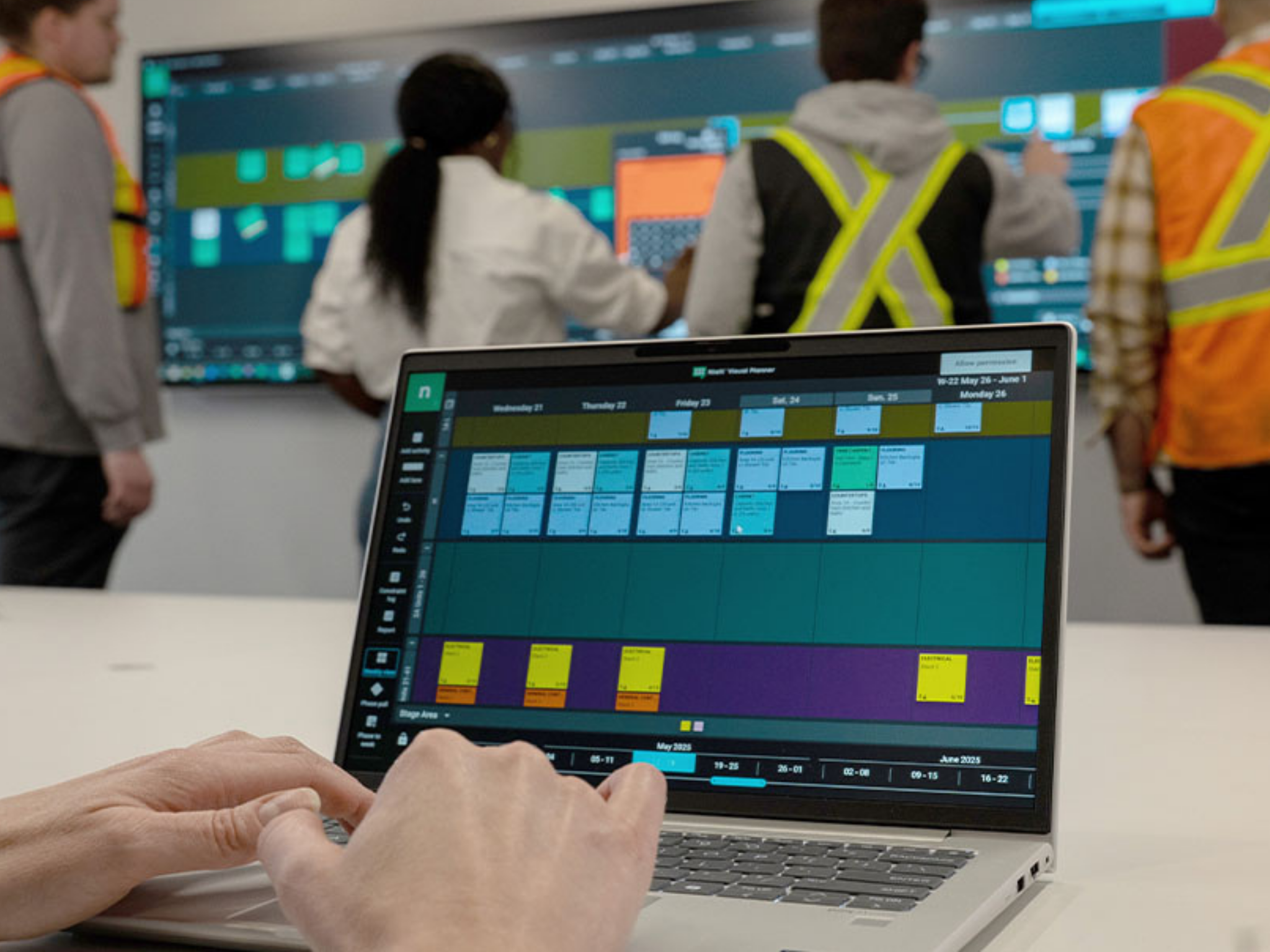
Nialli Visual Planner is a tool for construction teams planning and executing projects in the field. Built on the principles of Lean construction, the platform combines the familiarity of sticky note workflows with technology to enable collaboration and planning.N/A
NoteVault
Score 7.9 out of 10
N/A
NoteVault is a construction reporting tool with three components. The Notes! app is supported by an audio-to-text translation service, and the Crew! app allows users to track labor, materials, and equipment quantities. The AlertMe! app supports group calls for issue notification.N/A
Pricing
Nialli Visual PlannerNoteVault
Editions & Modules
Nialli Visual Planner
Contact Sales
per year per plan (project)
No answers on this topic
Offerings
Pricing Offerings
Nialli Visual PlannerNoteVault
Free Trial
YesNo
Free/Freemium Version
NoNo
Premium Consulting/Integration Services
NoNo
Entry-level Setup FeeOptionalNo setup fee
Additional Details
More Pricing Information
Community Pulse
Nialli Visual PlannerNoteVault
Considered Both Products
Nialli Visual Planner

No answer on this topic

NoteVault
Chose NoteVault
Notevault is who we decided to use, for the simple fact that it is the easiest on the market for our foremen to use. Make it easy, and they'll actually do it. Make it bulky and cumbersome, and they'll do a way less accurate job of daily reporting. This is why Notevault works …
Chose NoteVault
I have used both Raken and NoteVault. It is my preference to use NoteVault due to the simplicity of it. Raken tended to be a bit cumbersome. I did not like the photo features used with Raken as opposed to the very simple straight forward approach with NoteVault.
Chose NoteVault
I have not found another program that can do or offers what Notevault does for our company. We like to be on the cutting edge of tech for our industry by investing in the best processes as they become available, but I simply have not found anything comparable to notevault at …
Chose NoteVault
I have not used other products similar to NoteVault
Chose NoteVault
As a company, we relied on Word document as our daily report. We do not have any other products to evaluate against.
Chose NoteVault
We could use the daily report feature in our current project management software, but it doesn't have any many features. NoteVault is a no-brainer.
Features
Nialli Visual PlannerNoteVault
Construction Project & Field Management
Comparison of Construction Project & Field Management features of Product A and Product B
Nialli Visual Planner
-
Ratings
NoteVault
9.1
Ratings
20% above category average
Photo documentation00 Ratings9.10 Ratings
Jobsite reports00 Ratings9.10 Ratings
Best Alternatives
Nialli Visual PlannerNoteVault
Small Businesses
FollowUp CRM
FollowUp CRM
Score 1.5 out of 10
FollowUp CRM
FollowUp CRM
Score 1.5 out of 10
Medium-sized Companies
InEight
InEight
Score 8.2 out of 10
InEight
InEight
Score 8.2 out of 10
Enterprises
InEight
InEight
Score 8.2 out of 10
InEight
InEight
Score 8.2 out of 10
All AlternativesView all alternativesView all alternatives
User Ratings
Nialli Visual PlannerNoteVault
Likelihood to Recommend
-
(0 ratings)
8.2
(0 ratings)
Likelihood to Renew
-
(0 ratings)
9.1
(0 ratings)
Usability
-
(0 ratings)
8.6
(0 ratings)
User Testimonials
Nialli Visual PlannerNoteVault
Likelihood to Recommend
No answers on this topic
NoteVault helps to reduce the amount of time to produce a daily report and makes the typically burdensome task easier to accomplish. Our Superintendents are able to craft their daily reports as they see the work activities being performed as opposed to trying to remember what happened during the day and then writing down those activities with accuracy after a long day in the field. NoteVault also allows our Superintendents to keep accurate manpower counts, material deliveries, equipment on site and weather reports.
Read full review
Pros
No answers on this topic
  • Enhances safety; instead of writing notes, with my head down buried in a notebook, I am aware and looking around. I work on highway repair projects next to live traffic and all types of construction equipment moving in all directions and overhead.
  • Documentation; I got in a dispute with a contractor recently and won it immediately by showing my Notevault notes with time stamped photos of the disputed work.
  • Communication; I can keep other support staff back in the home office up to date with project developments and they get to see what is going on .
Read full review
Cons
No answers on this topic
  • The website for administrators setting up projects and users could be improved. It's hard to find where things are located. I would like it in more of a Office (Word) template, with tabs up top. Some things are in Settings, some are in tabs, some are on the right side.
Read full review
Likelihood to Renew
No answers on this topic
It flat works and has paid for itself quickly.
Read full review
Usability
No answers on this topic
Simple use of functions. Majority of people can become familiar with this product fairly quick
Read full review
Alternatives Considered
No answers on this topic
Notevault is who we decided to use, for the simple fact that it is the easiest on the market for our foremen to use. Make it easy, and they'll actually do it. Make it bulky and cumbersome, and they'll do a way less accurate job of daily reporting. This is why Notevault works for us... IT'S EASY!!
Read full review
Return on Investment
No answers on this topic
  • It has made it easy for our guys out in the filed to report all that is needed for daily reports so there is no scrabbling to remember and report at a later time.
  • NoteVault has had no negative impact for us at all.
Read full review
ScreenShots

Nialli Visual Planner Screenshots

Screenshot of Nialli Visual Planner weekly planning interface - use on touchscreen, laptop, tablet or mobileScreenshot of Nialli Visual Planner phase planning interfaceScreenshot of a team hosting a digital pull planning session using Nialli Visual Planner on an interactive displayScreenshot of a worker accessing Nialli Visual Planner on their laptop while the team hosts a big room planning session on an interactive display behind them, replicating sticky note processes.Screenshot of a worker adds a milestone and applies a condition of satisfaction on an interactive display.Screenshot of a worker adjusts a task in Nialli Visual Planner using an interactive display. Dependencies and incomplete tasks are shown.