
Steve Rosenfield
COO (Chief Operating Officer)
Chose NoteVault
We have not used other products

| Product | Rating | Most Used By | Product Summary | Starting Price |
|---|---|---|---|---|
 NoteVault | N/A | NoteVault is a construction reporting tool with three components. The Notes! app is supported by an audio-to-text translation service, and the Crew! app allows users to track labor, materials, and equipment quantities. The AlertMe! app supports group calls for issue notification. | N/A | |
 SubTrade Software | Small Businesses (1-50 employees) | SubTrade is a construction management platform built exclusively for trade subcontractors in electrical, HVAC, plumbing, drywall, and concrete. Unlike general contractor tools, SubTrade is designed around the workflows subcontractors actually use in the field. Core Features SubTrade includes GPS-based time tracking with real job costing, crew scheduling across multiple active projects, digital daily logs with photo… | $299 per month per company |
| NoteVault | SubTrade Software | |||||||||||||||
|---|---|---|---|---|---|---|---|---|---|---|---|---|---|---|---|---|
| Editions & Modules | No answers on this topic |
| ||||||||||||||
| Offerings |
| |||||||||||||||
| Entry-level Setup Fee | No setup fee | No setup fee | ||||||||||||||
| Additional Details | — | SubTrade is offered as a single all-inclusive plan at $299/month CAD or $2,870.40/year CAD (20% annual discount). The base plan includes 5 full users with access to all features — time tracking, crew scheduling, daily logs, change orders, safety forms, drawings, and submittals. Additional full users are added at tiered per-user pricing: $25/user/month for users 6–15, $20/user/month for users 16–30, and $15/user/month for 31+ users. A 14-day free trial is available with no credit card required. | ||||||||||||||
| More Pricing Information | ||||||||||||||||
| NoteVault | SubTrade Software | |
|---|---|---|
| Considered Both Products |  NoteVault Steve Rosenfield COO (Chief Operating Officer) Chose NoteVault We have not used other products  Glen Nelson General Superintendent Chose NoteVault Notevault is who we decided to use, for the simple fact that it is the easiest on the market for our foremen to use. Make it easy, and they'll actually do it. Make it bulky and cumbersome, and they'll do a way less accurate job of daily reporting. This is why Notevault works …  Jason Burdette Foreman Chose NoteVault NoteVault is the superior product  Mike Petrich Directer of Operations Chose NoteVault I have not found another program that can do or offers what Notevault does for our company. We like to be on the cutting edge of tech for our industry by investing in the best processes as they become available, but I simply have not found anything comparable to notevault at …  Aaron Jewell Project Manager Chose NoteVault As a company, we relied on Word document as our daily report. We do not have any other products to evaluate against.  Will Kosnik IT Manager Chose NoteVault We could use the daily report feature in our current project management software, but it doesn't have any many features. NoteVault is a no-brainer. |  SubTrade Software No answer on this topic |
| NoteVault | SubTrade Software | |||||||||
|---|---|---|---|---|---|---|---|---|---|---|
| Construction Project & Field Management |
|
| NoteVault | SubTrade Software | |
|---|---|---|
| Small Businesses |  FollowUp CRM Score 1.4 out of 10 | FollowUp CRM Score 1.4 out of 10 |
| Medium-sized Companies |  InEight Score 8.2 out of 10 | InEight Score 8.2 out of 10 |
| Enterprises | InEight Score 8.2 out of 10 | InEight Score 8.2 out of 10 |
| All Alternatives | View all alternatives | View all alternatives |
| NoteVault | SubTrade Software | |
|---|---|---|
| Likelihood to Recommend | 8.2 (0 ratings) | - (0 ratings) |
| Likelihood to Renew | 9.1 (0 ratings) | - (0 ratings) |
| Usability | 8.6 (0 ratings) | - (0 ratings) |
| NoteVault | SubTrade Software | |
|---|---|---|
| Likelihood to Recommend |
Steve Rosenfield COO (Chief Operating Officer) | No answers on this topic |
| Pros |
| No answers on this topic |
| Cons |
 Cheryll Blount Field Office Manager | No answers on this topic |
| Likelihood to Renew |
Mike Petrich Directer of Operations | No answers on this topic |
| Usability |
Jason Burdette Foreman | No answers on this topic |
| Alternatives Considered |
Glen Nelson General Superintendent | No answers on this topic |
| Return on Investment |
| No answers on this topic |
| ScreenShots | SubTrade Software Screenshots     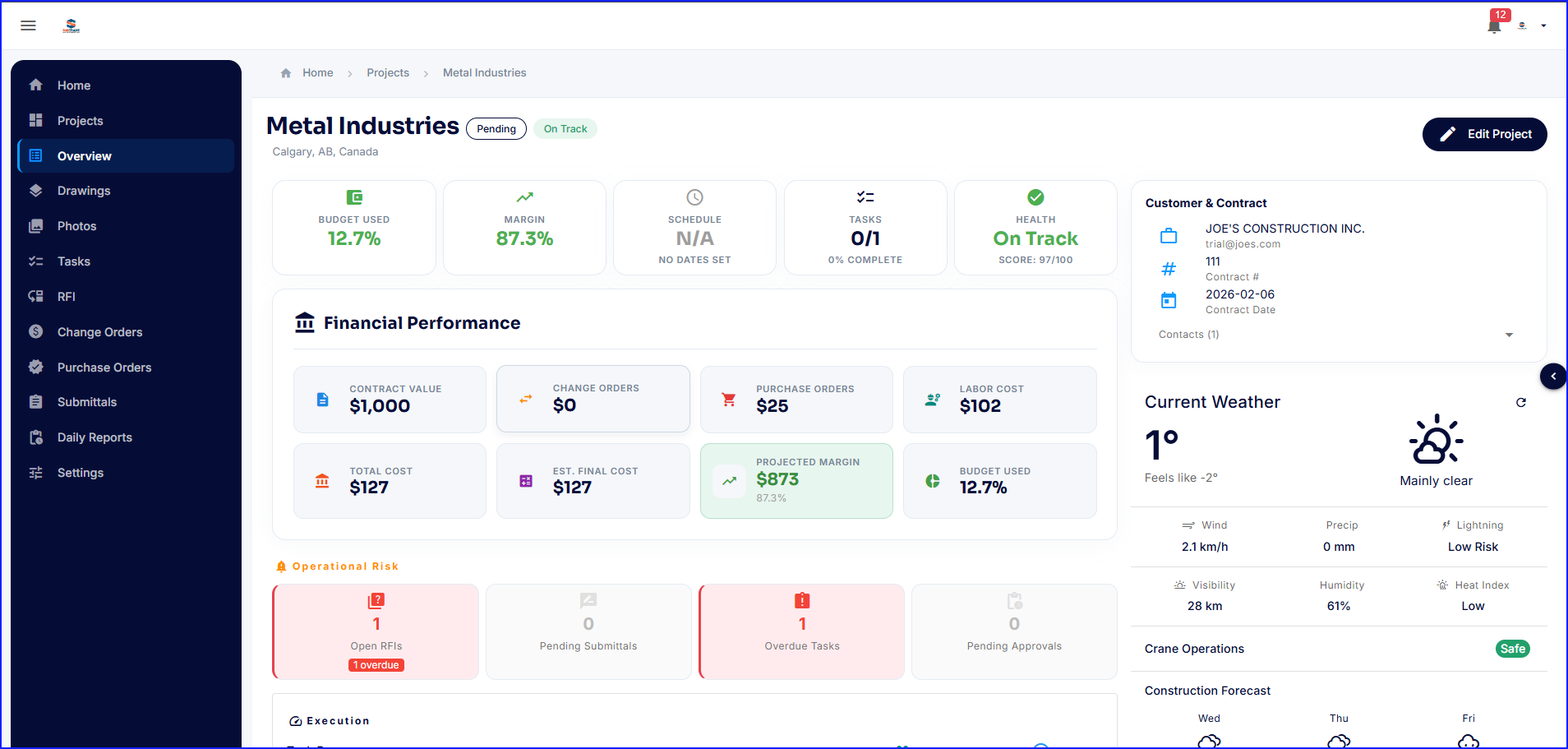 |