Omnisend vs. PushEngage

Overview
ProductRatingMost Used ByProduct SummaryStarting Price
Omnisend
Score 8.0 out of 10
N/A
Omnisend is an email and SMS marketing platform with features made to help ecommerce stores grow their audience and sales. It features one-click integration with major ecommerce platforms, pre-made automation and email templates, and 24/7/365 live customer support.
$16
per month 500 contacts, 6,000 emails / month
PushEngage
Score 8.0 out of 10
N/A
PushEngage offers a proactive push notification service, supporting abandoned cart triggering, dynamic segmentation, automatic responders, and advanced analytics, as well as other features.
$0
2,500 subscribers
Pricing
OmnisendPushEngage
Editions & Modules
Free plan
$0
Standard plan
$16
per month
Pro plan
$59
per month
Forever Free Plan
$0.00
2,500 subscribers
Business Plan
$29.00/Month
Up To 5,000 Subscribers
Premium Plan
$59.00/Month
Up To 10,000 Subscribers
Enterprise Plan
Contact Us for Quote
Up To Unlimited Subscribers
Offerings
Pricing Offerings
OmnisendPushEngage
Free Trial
NoYes
Free/Freemium Version
YesYes
Premium Consulting/Integration Services
NoYes
Entry-level Setup FeeRequiredRequired
Additional DetailsOmnisend offers three pricing plans: Free, Standard and Pro. The Free plan is used to explore all of Omnisend's features (emails, SMS, push notifications, popups, segmentation, analytics, etc), send up to 500 emails and push notifications, plus 60 SMS per month at no cost. The standard plan starts at $16 per month and includes everything in Free, unlimited web push notifications, a customer success manager and 24/7 support. From $59 per month, the Pro plan can be used to send unlimited emails and push notifications, get advanced reporting features, a dedicated Customer Success Manager, and priority 24/7 support. It also includes free SMS credits equal to the price of the Pro plan selected.
More Pricing Information
Community Pulse
OmnisendPushEngage
Features
OmnisendPushEngage
Email & Online Marketing
Comparison of Email & Online Marketing features of Product A and Product B
Omnisend
7.0
14 Ratings
12% below category average
PushEngage
-
Ratings
WYSIWYG email editor8.113 Ratings00 Ratings
Dynamic content4.912 Ratings00 Ratings
Ability to test dynamic content8.011 Ratings00 Ratings
Landing pages8.67 Ratings00 Ratings
A/B testing8.19 Ratings00 Ratings
Mobile optimization8.611 Ratings00 Ratings
Email deliverability reporting6.413 Ratings00 Ratings
List management5.913 Ratings00 Ratings
Triggered drip sequences4.411 Ratings00 Ratings
Reporting & Analytics
Comparison of Reporting & Analytics features of Product A and Product B
Omnisend
6.3
13 Ratings
19% below category average
PushEngage
-
Ratings
Dashboards5.412 Ratings00 Ratings
Standard reports5.413 Ratings00 Ratings
Custom reports8.010 Ratings00 Ratings
Pre-Send Testing
Comparison of Pre-Send Testing features of Product A and Product B
Omnisend
8.9
10 Ratings
12% above category average
PushEngage
-
Ratings
Link Tracking9.08 Ratings00 Ratings
Image Validation8.57 Ratings00 Ratings
Inbox Display9.07 Ratings00 Ratings
Email Previews9.110 Ratings00 Ratings
Best Alternatives
OmnisendPushEngage
Small Businesses
Mad Mimi
Mad Mimi
Score 10.0 out of 10
OneSignal
OneSignal
Score 8.0 out of 10
Medium-sized Companies
VerticalResponse
VerticalResponse
Score 10.0 out of 10
Iterable
Iterable
Score 8.9 out of 10
Enterprises
Emma by Marigold
Emma by Marigold
Score 9.3 out of 10
Iterable
Iterable
Score 8.9 out of 10
All AlternativesView all alternativesView all alternatives
User Ratings
OmnisendPushEngage
Likelihood to Recommend
5.4
(14 ratings)
8.0
(1 ratings)
Usability
8.8
(7 ratings)
8.0
(1 ratings)
Support Rating
5.0
(1 ratings)
10.0
(1 ratings)
User Testimonials
OmnisendPushEngage
Likelihood to Recommend
Omnisend
It's kind of an automation workflow, but for example you can set up a popup to appear at a specific time on a specific product page and offer the visitor something. The visitor then signs up and then (after you've set up your automation sequence) that visitor gets a specific welcome page based on the popup they signed up through, and then a specific order confirmation email and everything else flows from that specific popup. That's great because it's allowed us to sort of fine-tune our offerings to get our visitors' emails in the first place and offer, for example, someone browsing a product page for 3 minutes something different than someone staying 20 seconds on the homepage and then leaving.
Read full review
PushEngage
It is appropriate to send notifications through rss. It is less appropriate to send urgent notifications, it takes a long time to get the notification to users.
Read full review
Pros
Omnisend
  • Newsletter campaigns - the content editor is the usual one you see on email marketing apps, but it works so smoothly and well. Of course, there's Product Picker that allows you to just pick a product from your store and it goes straight into your newsletter--no need to add images or descriptions. Really easy.
  • Popups are great because they look amazing right out of the box. It's all pre-filled so if you don't like looking at a blank screen, you can just adapt the wording and it's there. voila!
  • Automation really is nice and it's the bulk of what we're doing now. It's like second level ecommerce marketing I guess, because you really see after some time how having automated steps can really save you time and make you a lot more money. Omnisend's automations are really good and intuitive and was really easy to learn and implement.
Read full review
PushEngage
  • Supports sending to many users.
  • Allows the sending of different notifications to two different segments.
  • Allows user segmentation.
Read full review
Cons
Omnisend
  • Initial setup wasn't firing right, support issue was handled pretty quickly and easily.
  • It does not go back and put previous orders/customers into the automation. It will only work with go-forward customers from the time you install the product. (At least that's what the outcome of our support inquiry told us...).
  • Would like to see more sample templates and campaigns.
Read full review
PushEngage
  • Notifications take a long time to reach users.
  • The platform interface could improve.
Read full review
Usability
Omnisend
The platform is super easy to use — even without deep technical knowledge. And the best part is, Omnisend keeps improving all the time.
Read full review
PushEngage
The platform and analytics are slightly confusing.
Read full review
Support Rating
Omnisend
Support is weird. They ask you to keep everything in one thread, but they can't see your replies if they forward it to tech, and things easily get lost. Also tech support is HORRIBLE, they just seem snobby, and give horrible advice liek to test things on a live version vs staging
Read full review
PushEngage
The support was efficient and fast to resolve doubts.
Read full review
Alternatives Considered
Omnisend
We can create marketing campaigns that can span across multiple channels so that we can reach more customers regardless of the platform they are using. The system combines multiple channels into a single workflow for maximum engagement. Comes with various features that make it easy to personalize messages based on the customer's journey.
Read full review
PushEngage
No answers on this topic
Return on Investment
Omnisend
  • I am able to see if ordered were placed based on who opened the email and clicked on links.
  • It’s had a positive impact on my business by being able to see what emails have produced direct sales.
  • It has helped to increase website traffic
  • It has allowed my to expand how I can communicate with potential customers.
Read full review
PushEngage
  • Due to the time it takes for notifications to arrive, the opportunity is lost in some publications we do.
  • With the notifications we have been able to reach more users.
Read full review
ScreenShots

Omnisend Screenshots

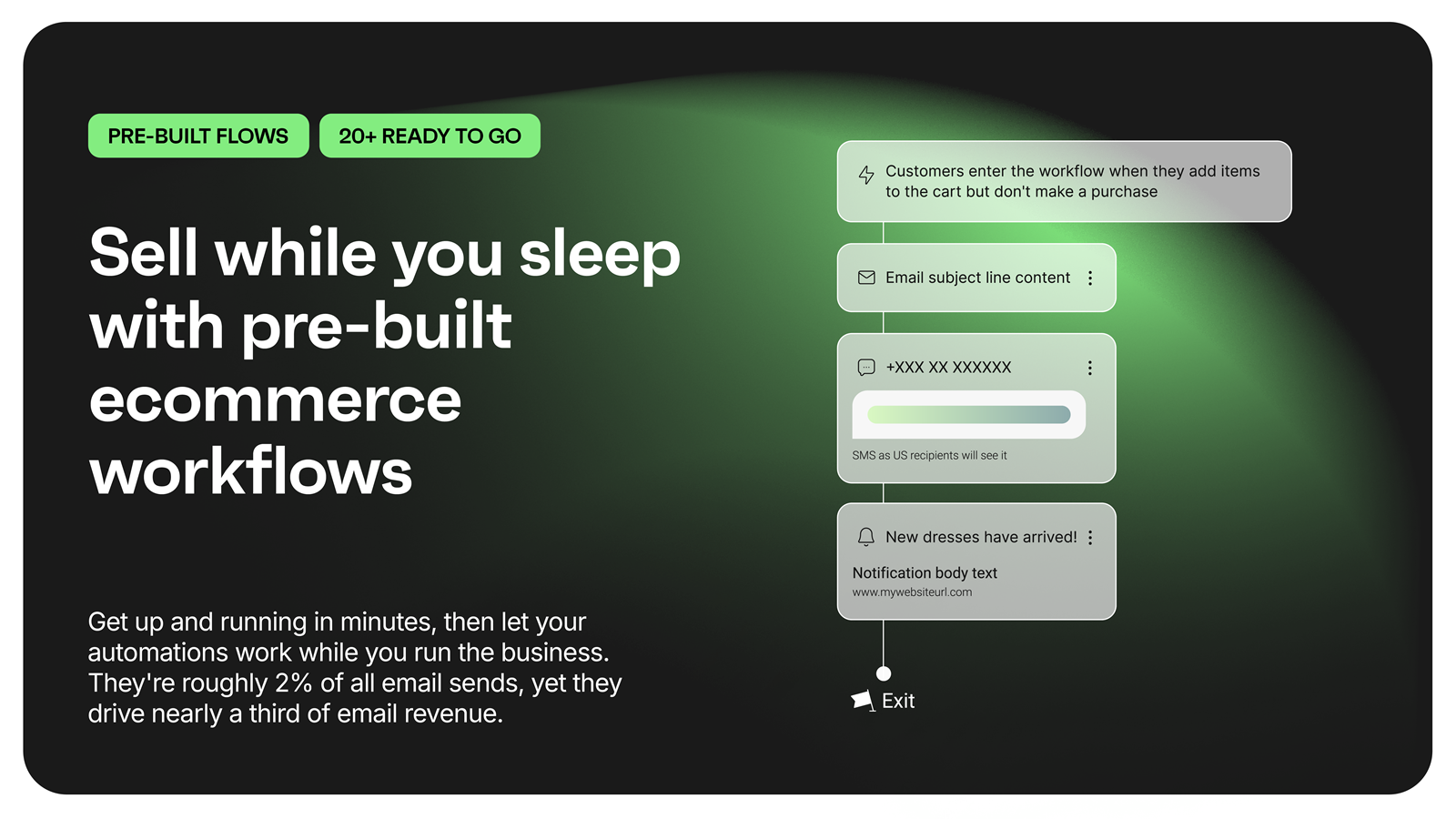
Screenshot of an overview of landing pages, with OmnisendScreenshot of an overview of email marketing, with OmnisendScreenshot of a description of Omnisend's pre-built ecommerce workflowsScreenshot of an overview of Omnisend's customer supportScreenshot of an overview of Omnisend's customer supportScreenshot of an overview of Omnisend's reporting

PushEngage Screenshots

Screenshot of Dynamic Segmentation: Sending notifications based on customer action is now possible using PushEngage. Create a drip campaign/series of notifications to increase your conversions, leads or click metrics.Screenshot of A/B Testing: Stop wondering on what would make your subscribers happy. Send different notifications to the same target group and analyze, which notification performs better. Use the Right Combination by experimenting with different text for title, message. Use different timings and find out what suits your subscribers.Screenshot of Drip Autoresponder: Sending notifications based on customer action is now possible using PushEngage. Create a drip campaign/series of notifications to increase your conversions, leads or click metrics.Screenshot of Cart Abandonment Campaign: Set auto-trigger for an abandoned cart with a single click. Send custom notifications to your customers.Screenshot of Subscription Dialogbox: Settings of Subscription DialogboxScreenshot of Send Notification: Sample notification that was send using PushEngage in the dashboard.