TrustRadius: an HG Insights company

Save this comparison

Save this comparison

Add Product

Recommended Comparisons

    Overview
    ProductRatingMost Used ByProduct SummaryStarting Price

    OpenText Service Manager

    Score9 out of 10
    N/AOpenText™ Service Manager (formerly from Micro Focus) is scalable service desk software powered by machine learning, analytics, and automation. It provides an ITSM platform for standardizing service delivery and support across the enterprise.N/A

    ProofHub

    Score8.9 out of 10
    N/AProofHub is a SaaS based project management software from ProofHub LLC in Walnut, CA. It is an online project management and collaboration tool that comes with integrated Group chat, quick Discussions on projects, Workflows and boards, Project reports, among other features. Document (e.g. Excel, Powerpoint) uploading and sharing is supported, along with an integrated an Online proofing tool to aid in image and document review. ProofHub aims to enable teams to…

    $50

    per month

    Pricing
    OpenText Service ManagerProofHub
    Editions & Modules
    No answers on this topic
    Essential
    $45
    per month (billed annually) unlimited users
    Ultimate Control
    $89
    per month (billed annually) unlimited users
    Large Team
    $279
    per month (billed annually) unlimited users
    Offerings
    Pricing Offerings
    OpenText Service ManagerProofHub
    Free Trial
    NoYes
    Free/Freemium Version
    NoNo
    Premium Consulting/Integration Services
    NoNo
    Entry-level Setup FeeNo setup feeNo setup fee
    Additional Details——
    More Pricing Information
    Community Pulse
    OpenText Service ManagerProofHub
    Considered Both Products
    OpenText
    No answer on this topic
    ProofHub
    No answer on this topic
    Key User Insights
    Would buy again
    No answers on this topic
    80%
    Would buy again
    4 Answers
    Delivers good value for the price
    No answers on this topic
    100%
    Delivers good value for the price
    5 Answers
    Happy with the feature set
    No answers on this topic
    80%
    Happy with the feature set
    4 Answers
    Lived up to sales and marketing promises
    No answers on this topic
    No answers on this topic
    Implementation went as expected
    No answers on this topic
    80%
    Implementation went as expected
    4 Answers
    Features
    OpenText Service ManagerProofHub
    Incident and problem management
    Comparison of Incident and problem management features of OpenText Service Manager and ProofHub
    Feature
    OpenText Service Manager
    9.4
    2 Ratings
    14% above category average
    ProofHub
    -
    Ratings
    Organize and prioritize service tickets8.62 Ratings00 Ratings
    Expert directory9.62 Ratings00 Ratings
    Service restoration8.72 Ratings00 Ratings
    Self-service tools9.82 Ratings00 Ratings
    Subscription-based notifications9.82 Ratings00 Ratings
    ITSM collaboration and documentation9.82 Ratings00 Ratings
    ITSM reports and dashboards9.82 Ratings00 Ratings
    ITSM asset management
    Comparison of ITSM asset management features of OpenText Service Manager and ProofHub
    Feature
    OpenText Service Manager
    9.7
    2 Ratings
    18% above category average
    ProofHub
    -
    Ratings
    Configuration mangement9.72 Ratings00 Ratings
    Asset management dashboard9.82 Ratings00 Ratings
    Policy and contract enforcement9.52 Ratings00 Ratings
    Change management
    Comparison of Change management features of OpenText Service Manager and ProofHub
    Feature
    OpenText Service Manager
    10.0
    1 Ratings
    17% above category average
    ProofHub
    -
    Ratings
    Change requests repository10.01 Ratings00 Ratings
    Change calendar10.01 Ratings00 Ratings
    Service-level management10.01 Ratings00 Ratings
    Project Management
    Comparison of Project Management features of OpenText Service Manager and ProofHub
    Feature
    OpenText Service Manager
    -
    Ratings
    ProofHub
    10.0
    5 Ratings
    26% above category average
    Task Management00 Ratings10.05 Ratings
    Resource Management00 Ratings10.05 Ratings
    Gantt Charts00 Ratings10.05 Ratings
    Scheduling00 Ratings10.05 Ratings
    Workflow Automation00 Ratings10.05 Ratings
    Team Collaboration00 Ratings10.05 Ratings
    Support for Agile Methodology00 Ratings10.05 Ratings
    Document Management00 Ratings10.05 Ratings
    Email integration00 Ratings10.05 Ratings
    Mobile Access00 Ratings10.05 Ratings
    Timesheet Tracking00 Ratings10.05 Ratings
    Professional Services Automation
    Comparison of Professional Services Automation features of OpenText Service Manager and ProofHub
    Feature
    OpenText Service Manager
    -
    Ratings
    ProofHub
    10.0
    3 Ratings
    26% above category average
    Quotes/estimates00 Ratings10.03 Ratings
    Invoicing00 Ratings10.03 Ratings
    Project & financial reporting00 Ratings10.03 Ratings
    Integration with accounting software00 Ratings10.03 Ratings
    Best Alternatives
    OpenText Service ManagerProofHub
    Small Businesses
    Agiloft Service Desk (discontinued)
    Score9 out of 10
    Any.do
    Score8 out of 10
    Medium-sized Companies
    ManageEngine ServiceDesk Plus
    Score9.2 out of 10
    KanbanFlow
    Score7.3 out of 10
    Enterprises
    Ivanti ITSM
    Score6.4 out of 10
    Microsoft To Do
    Score7.9 out of 10
    All AlternativesView all alternativesView all alternatives
    User Ratings
    OpenText Service ManagerProofHub
    Likelihood to Recommend
    9.6
    (2 ratings)
    10.0
    (9 ratings)
    Likelihood to Renew
    -
    (0 ratings)
    8.8
    (4 ratings)
    Usability
    -
    (0 ratings)
    10.0
    (1 ratings)
    Support Rating
    -
    (0 ratings)
    7.4
    (2 ratings)
    User Testimonials
    OpenText Service ManagerProofHub
    Likelihood to Recommend
    OpenText
    HP Service Manager (HPSM) is well suited for a big company and it does the job that it's intended to do but it's not perfect. It has a fairly large learning curve for searching Knowledge Management (KMs) and it takes time to learn how to be fast at creating/resolving tickets while on calls. I have been using HPSM for about 2 years now and we recently moved from the desk client to the web client and we are seeing a lot more issues than we did with the desk client. They keep coming out with updates for it so eventually most of our issues will hopefully be resolved. Overall the web experience is better as it looks more modern than what we used in the past.
    Incentivized
    Read full review
    ProofHub
    It suits well for those businesses who want to operate on a global level without investing too much over creating infrastructure. A business can easily reach out to various clients, customers, partners and other stakeholders and communicate and collaborate with them in a fast and transparent manner and can effectively tap any opportunities coming its way. Such opportunities if
    properly implemented can lead to gains for the parties involved.
    Read full review
    Pros
    OpenText
    • Capacity management like maintaining CI's and their relations is good.
    • Approvals with HPSM is a cake walk and quite logical.
    • There is no wait for troubleshooting or help, HPSM tech help is always there.
    Incentivized
    Read full review
    ProofHub
    • The obvious, proofing! We need something in-house that can do this instead of hiring one person for this job. Each person on our marketing team knows how to use it.
    • Organizes team projects in a friendly way.
    Incentivized
    Read full review
    Cons
    OpenText
    • When you search Knowledge Articles, it is not like Google, and you need to learn how to search for what you need.
    • It takes a very long time to close tickets in HPSM. Here are the steps to close a ticket. 1. Add notes. 2. Add KM 3. Click Resolve 4.Click Save 5.Click Close 6.Click Okay to Message (ticket has recently been modified) 7. Click Close.
    • It's slow and sometimes crashes/freezes and you lose all the information you may have entered. I usually use notepad++ to gather all my notes and paste them into HPSM.
    • When searching previous tickets the preview pane does not allow for sorting by date to have the most recent at the very top every time you pull up previous tickets. Sometimes there are pages and pages of previous tickets and you have to click and scroll to get what you need.
    • I click on search KMs and it takes me to a blank page and I have to click the back button which then brings me to the search KM page.
    Incentivized
    Read full review
    ProofHub
    • Proofhub can improve a bit in areas of helping people customize their accounts a bit more. That makes managing work even more easier, when you have things just the way you want them to be.
    Read full review
    Likelihood to Renew
    OpenText
    No answers on this topic
    ProofHub
    With an array of useful features available that solve all our work issues, each department has an access to it. Each one knows what’s going on with different teams. This makes collaboration easier, as different teams just need one tool to come together and get things done. I think this is a great product! it has really helped my company get MUCH better organized.
    Read full review
    Usability
    OpenText
    No answers on this topic
    ProofHub
    It's convenient, simple, and clear.
    Read full review
    Support Rating
    OpenText
    No answers on this topic
    ProofHub
    Great support website and had reps follow up multiple times in our trial process. Getting started was very straightforward and adding people is easy too.
    Incentivized
    Read full review
    Alternatives Considered
    OpenText
    [We selected HP Service Manager because] HPSM is reliable.
    Incentivized
    Read full review
    ProofHub
    We used Basecamp in the past, but we did encounter some problems while working with it. But these concerns have been better addressed in ProofHub. It has a simple interface which is so easy to operate and this was not the case in Basecamp. ProofHub lets us quickly chat with our team members over various work matters through its inbuilt chat feature and resolve them fast while Basecamp provides this feature through a third-party tool which added to our expenses and it was not a very convenient affair. ProofHub has got an inbuilt proofing tool which allows us to get quality feedback over designs instantly saving our time and costs, whereas Basecamp enables proofing through a third party tool which again was not convenient for us. ProofHub’s casper mode feature helps us to protect privacy and secrecy over confidential issues but Basecamp lacks such an important feature. So ProofHub has more to offer and better too in comparison to Basecamp. (answer to Describe how ProofHub stacks up against them and why you selected ProofHub.
    Read full review
    Return on Investment
    OpenText
    • We take anywhere from between 850-1400 calls a day and overall the whole opening tickets to close process goes pretty smoothly.
    Incentivized
    Read full review
    ProofHub
    • Proofhub has a great impact on our ROI. Due to a systematic approach of handling each clients’ project, we have been able to double the number of clients we had prior to signing up for Proofhub.
    Read full review
    ScreenShots

    ProofHub Screenshots

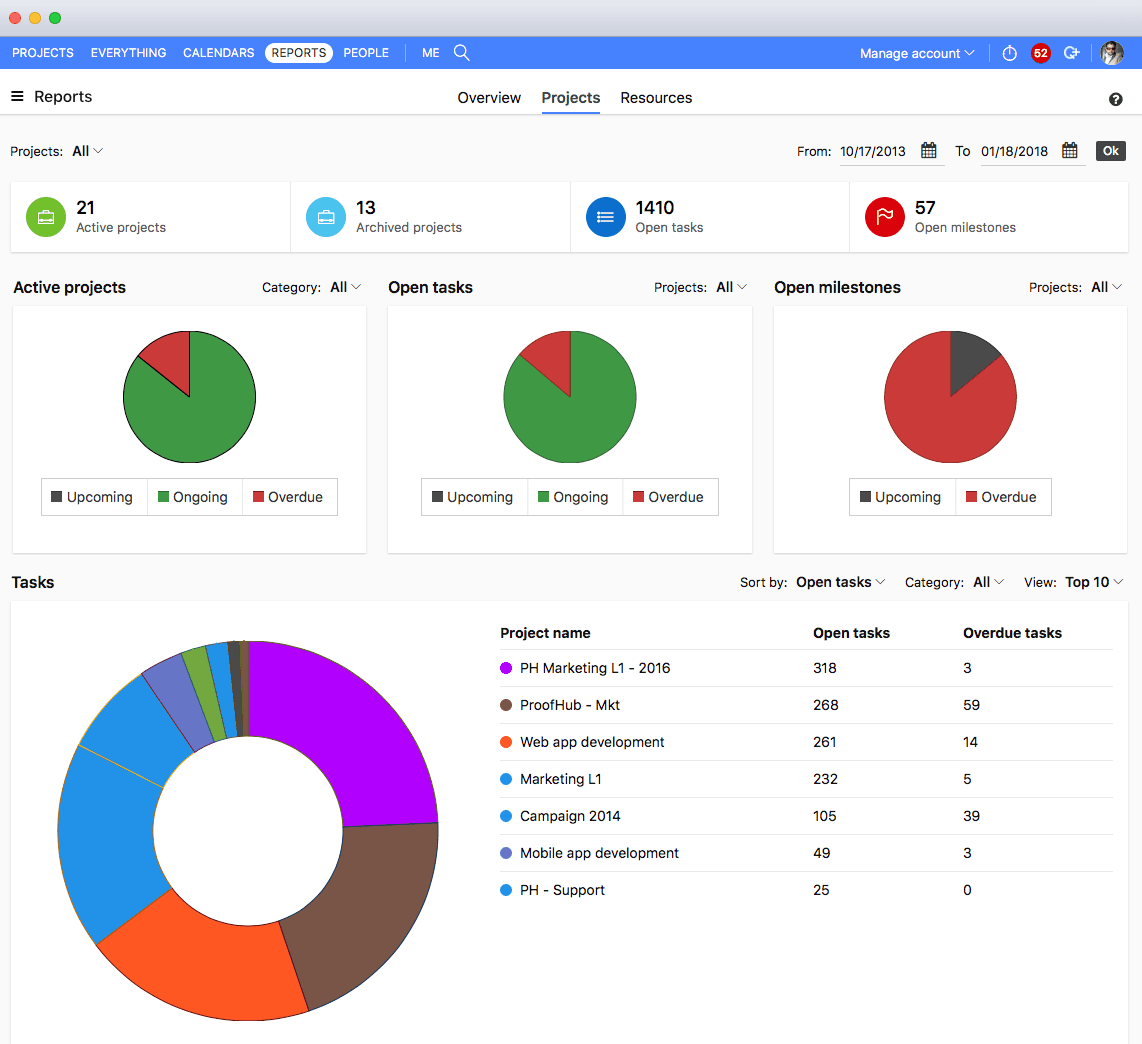
    Screenshot of All devicesScreenshot of ProofHub CalendarScreenshot of ProofHub Gantt ChartScreenshot of ProofHub ReportsScreenshot of ProofHub Workflow and  BoardsScreenshot of ProofHub Overview