Overview
ProductRatingMost Used ByProduct SummaryStarting Price
pCloud
Score 6.4 out of 10
N/A
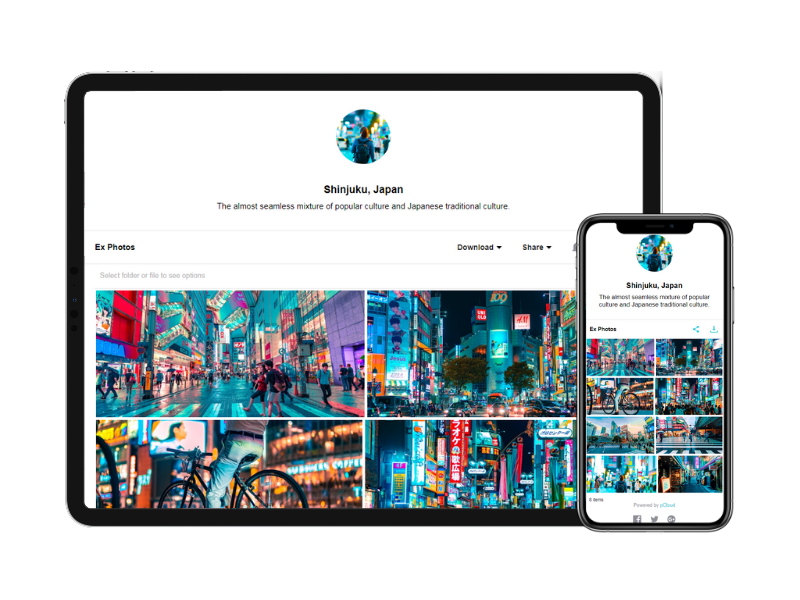
pCloud is a cloud- based digital asset management platform that provides access to all digital content including images,video, audio, documents, and more, anytime, anywhere, on any device. Users can keep important files safe and centralized in one place, and share with team members, clients, etc. across the globe with controlled access and permissions to the digital library. The vendor says that the product has a user-friendly interface that clearly shows where everything is located and…
$29.97
per month 3 users
SpiderOak One Backup
Score 8.8 out of 10
N/A
SpiderOak is a file sync and cloud storage / backup solution, emphasizing privacy.
$6
per month per user
Zoho WorkDrive
Score 9.2 out of 10
N/A
Zoho WorkDrive is an online file storage and content collaboration platform for teams, small businesses, and large enterprises. Introducing Team Folders, which enables teams of any size to work together more securely. It also offers access to a built-in office suite to brainstorm and ideate with your team in real time. WorkDrive supports mobility needs with its Android and iOS mobile apps and a desktop sync application.
$2.50
per month per user
Pricing
pCloudSpiderOak One BackupZoho WorkDrive
Editions & Modules
pCloud Business
$9.99
per month per user (1 TB storage per user, 3+ users)
Business Pro
$19.98
per month per user (2 TB storage per user, 3+ users)
150 GB
$6
per month per user
400 GB
$11
per month per user
2 TB
$14
per month per user
5 TB
$29
per month per user
Starter
$2.50
per month per user
Team
$4.50
per month per user
Business
$9
per month per user
Offerings
Pricing Offerings
pCloudSpiderOak One BackupZoho WorkDrive
Free Trial
NoYesYes
Free/Freemium Version
YesNoNo
Premium Consulting/Integration Services
NoNoNo
Entry-level Setup FeeOptionalNo setup feeNo setup fee
Additional DetailsDiscount available for annual pricing.
More Pricing Information
Community Pulse
pCloudSpiderOak One BackupZoho WorkDrive
Features
pCloudSpiderOak One BackupZoho WorkDrive
Reporting & Analytics
Comparison of Reporting & Analytics features of Product A and Product B
pCloud
8.0
2 Ratings
12% above category average
SpiderOak One Backup
-
Ratings
Zoho WorkDrive
-
Ratings
Dashboards10.02 Ratings00 Ratings00 Ratings
Standard reports9.82 Ratings00 Ratings00 Ratings
Custom reports5.01 Ratings00 Ratings00 Ratings
Data exportability5.01 Ratings00 Ratings00 Ratings
Content analytics10.01 Ratings00 Ratings00 Ratings
DAM Features
Comparison of DAM Features features of Product A and Product B
pCloud
8.7
4 Ratings
6% above category average
SpiderOak One Backup
-
Ratings
Zoho WorkDrive
-
Ratings
Uploading assets6.44 Ratings00 Ratings00 Ratings
Downloading assets6.34 Ratings00 Ratings00 Ratings
Categories9.12 Ratings00 Ratings00 Ratings
Asset storage10.03 Ratings00 Ratings00 Ratings
Asset sharing8.84 Ratings00 Ratings00 Ratings
Asset search9.01 Ratings00 Ratings00 Ratings
Embed codes9.92 Ratings00 Ratings00 Ratings
Metadata8.01 Ratings00 Ratings00 Ratings
Collections9.02 Ratings00 Ratings00 Ratings
User access9.92 Ratings00 Ratings00 Ratings
Related asset discovery9.01 Ratings00 Ratings00 Ratings
File Sharing & Management
Comparison of File Sharing & Management features of Product A and Product B
pCloud
-
Ratings
SpiderOak One Backup
-
Ratings
Zoho WorkDrive
8.4
5 Ratings
1% above category average
Versioning00 Ratings00 Ratings9.05 Ratings
Video files00 Ratings00 Ratings7.34 Ratings
Audio files00 Ratings00 Ratings7.74 Ratings
Document collaboration00 Ratings00 Ratings9.25 Ratings
Access control00 Ratings00 Ratings9.25 Ratings
File search00 Ratings00 Ratings8.05 Ratings
Device sync00 Ratings00 Ratings8.65 Ratings
Cloud Storage Security & Administration
Comparison of Cloud Storage Security & Administration features of Product A and Product B
pCloud
-
Ratings
SpiderOak One Backup
-
Ratings
Zoho WorkDrive
8.8
5 Ratings
2% above category average
User and role management00 Ratings00 Ratings9.05 Ratings
File organization00 Ratings00 Ratings9.45 Ratings
Device management00 Ratings00 Ratings8.05 Ratings
Cloud Storage Platform
Comparison of Cloud Storage Platform features of Product A and Product B
pCloud
-
Ratings
SpiderOak One Backup
-
Ratings
Zoho WorkDrive
8.7
5 Ratings
1% above category average
Performance00 Ratings00 Ratings8.85 Ratings
Reliability00 Ratings00 Ratings8.85 Ratings
Storage Reports00 Ratings00 Ratings8.65 Ratings
Best Alternatives
pCloudSpiderOak One BackupZoho WorkDrive
Small Businesses
CoSchedule Marketing Suite
Score 10.0 out of 10
SugarSync
SugarSync
Score 4.0 out of 10
SugarSync
SugarSync
Score 4.0 out of 10
Medium-sized Companies
CoSchedule Marketing Suite
Score 10.0 out of 10
Druva Security Cloud
Score 9.4 out of 10
Druva Security Cloud
Score 9.4 out of 10
Enterprises
MediaValet
MediaValet
Score 9.0 out of 10
Druva Security Cloud
Score 9.4 out of 10
Druva Security Cloud
Score 9.4 out of 10
All AlternativesView all alternativesView all alternativesView all alternatives
User Ratings
pCloudSpiderOak One BackupZoho WorkDrive
Likelihood to Recommend
6.3
(13 ratings)
-
(0 ratings)
-
(0 ratings)
Usability
6.3
(3 ratings)
-
(0 ratings)
-
(0 ratings)
User Testimonials
pCloudSpiderOak One BackupZoho WorkDrive
Likelihood to Recommend
pCloud
I need to store and share a lot of files. These include videos and other documents. Before using pCloud, I constantly had to clean up and delete files from my hard drive to free up space for new files. Sharing files and also using files on my website is now easier with pCloud's public folder.
Read full review
SpiderOak
No answers on this topic
Zoho
Zoho WorkDrive is probably the best for small organizations because of its affordability and the easy of setting up. Zoho is very well suited for facilitating the sharing of documents securely to allow for efficient collaboration. It is also supported by enterprise grade security, making it well suited for storing and sharing documents securely.
Read full review
Pros
pCloud
  • pCloud helps us to store data very well and it is accessible from anywhere. It makes it easy for anyone to use it and secure the data. It is easy to upload data and access it while having a meeting with our client.
  • pCloud easily stores files from another platform as well like Google Drive or Dropbox. It easily exchanges information like images, videos, and documents. This feature is amazing as it gives access to files from other storage.
  • It had one feature known as pCloud Crypto which gives high-end security to the data when stored. It is highly secure and encrypted. It uses blockchain technology which requires a key to use called Crypto Pass to unlock your data. Really like it.
Read full review
SpiderOak
No answers on this topic
Zoho
  • It is every easy to share documents/ files using Zoho WorkDrive
  • Zoho WorkDrive is far much cheaper than similar solutions, like OneDrive/ Google Workspace but still gives much more storage than those
  • The support from the Zoho WorkDrive team is very solid, and always able to respond within minutes
Read full review
Cons
pCloud
  • pCloud provides a lot of wonderful features, however we've seen a few stutters when using the service
  • Every time we try to download a file, it fails to complete the process
  • The newly uploaded files are not being correctly synced automatically
Read full review
SpiderOak
No answers on this topic
Zoho
  • Zoho WorkDrive has limitations in sync and performance.
  • There is Sync limitations which lacks the selective or block and make it inefficient for large files
  • There is navigation issues like trash and shared items and tasks are hidden in menus.
  • Large files uploading and downloading is very slow. The speed lacks
  • In the storage part if we edit the file, the file takes the full file version and store it.
  • Missing feature is there is no proper encryption for the files and folders.
Read full review
Usability
pCloud
It is very easy to use, fast loading and the product team keeps adding updates. Like now I can listen to all my audiobooks from a playlist in pCloud. I am ask for files or send files easier than ever before. I also have access to all my files whereever I am.
Read full review
SpiderOak
No answers on this topic
Zoho
Very user friendly and I've had difficulties with many other CRMs/ WorkDrives. This one is definitely top notch. In fact, I used Zoho WorkDrive back in 2015 for my first company, then I worked for a company which also used Zoho WorkDrive and now I have another company and we're using it again.
Read full review
Alternatives Considered
pCloud
The reason why we love pCloud over similar tools is because of its neat and clean interface. We also love options for file encryption through pCloud Crypto, which is unavailable on Google Drive, Dropbox, or OneDrive. Also, the upload speed on pCloud is fantastic and it is a lot better than Dropbox or Google Drive
Read full review
SpiderOak
No answers on this topic
Zoho
We are using IDrive e2 since last 2 year for NAS storage backup and Idrive e2 pricing are very budget friendly.
Read full review
Return on Investment
pCloud
  • pCloud had worked very well for us. It had given the best service and features to us whenever we needed our data. It was there safe and secure.
  • The Synchronization issue is there with pCloud Data Storage. It needs to be updated by the developers if possible.
  • pCloud has helped us with the improvement of our business requirements, as it makes our work easier and fast enough to deliver the project details on time to clients.
Read full review
SpiderOak
No answers on this topic
Zoho
  • Zoho WorkDrive makes knowledge transfer process easy, when someone leaves or join company.
  • Zoho WorkDrive helps engineers and developer sharing API docs, code snippet, RCA etc.
  • Zoho WorkDrive is part of zoho workplace, so we don't have to invest on standalone apps and services.
Read full review
ScreenShots

pCloud Screenshots

Screenshot of Screenshot of Screenshot of

Zoho WorkDrive Screenshots

Screenshot of Offers a shared space to store, organize, and manage files to support collaboration.Screenshot of Files can be located from Team Folders with not just the file name, but also by using text keywords and image content.Screenshot of Personalized Labels can be created based on how users want to arrange shared and personal files. This is to make it easier for everyone to get access to the data they need.Screenshot of WorkDrive's Global and Unread notifications helps users to stay on top of all the changes made by team members.