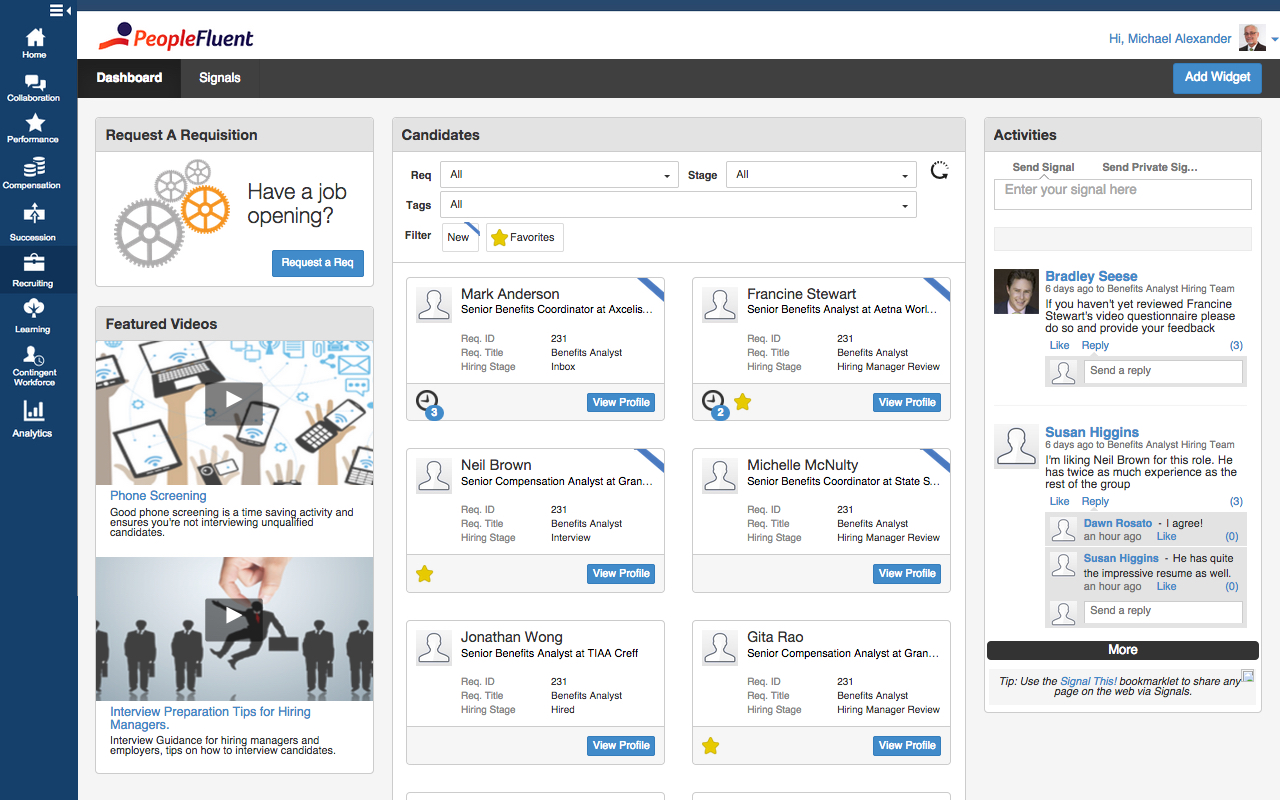
PeopleFluent includes modules for recruiting, performance management, compensation, learning, succession, and vendor management, as well as workforce planning and diversity. These modules can be purchased separately or bundled, and integrate with other HR systems.
N/A
Poppulo
Score9.6 out of 10
N/A
Poppulo, from the company of the same name in Ireland, is presented as a one-stop solution for engaging employee communications. To solve the challenges of the rapidly changing workplace, they offer a multi-channel solution on a single platform which they describe as interactive with targeted email, instant mobile app connection, video, social and intranet, as well as business insights.
N/A
Pricing
PeopleFluent
Poppulo
Editions & Modules
No answers on this topic
Essentials
On application
per user
Pro
On aplication
per user
Enterprise
On application
per user
Offerings
Pricing Offerings
PeopleFluent
Poppulo
Free Trial
No
No
Free/Freemium Version
No
No
Premium Consulting/Integration Services
Yes
No
Entry-level Setup Fee
No setup fee
No setup fee
Additional Details
—
Poppulo Essentials - gives you the tools needed to transform your internal email channel. Best suited for organizations with less than 1,000 employees and 1-2 Internal Communicators;
Poppulo Pro - Includes all Essentials features, plus enhanced capabilities to reduce email overload, manage events & run surveys. Typically for organizations of up to 5,000 employees and a single IC team;
Poppulo Enterprise - Includes all Pro features plus advanced capabilities for managing and measuring across multiple teams. Typically for organizations with multiple IC teams and more than 10,000 employees.
PeopleFluent has eliminated the use of paper reviews. It is also eliminated the use of scanning, emailing or interoffice mail. It is a great tool for communication and I highly recommend it. However, in some ways, the product can be improved. Some processes are tied to each other and could function in tandem. For example, while completing the self-review, the employee has to capture multi-raters. If self-review is submitted without listing multi-rater names then multi-rater review has to be captured separately on paper. In my opinion, these two processes can be different. Multi-raters should be added/removed/modified after submitting self-review.
A de minimis incentive was given to thank the reviewer for their time. The incentive was not used to bias or drive a particular response, nor was the incentive contingent on a positive endorsement. More Info
If you want to create an elaborate, multi-leveled kiosk for your organization, Four Winds Interactive Content Manager Desktop can definitely do that for you. Just know going in that it's not the easiest to operate, and definitely devote time to training. Definitely have a couple of people go through this training, so it's not just one person in your organization that can operate Four Winds.
A de minimis incentive was given to thank the reviewer for their time. The incentive was not used to bias or drive a particular response, nor was the incentive contingent on a positive endorsement. More Info
It was very easy to go through resumes, choose the people you wanted to interview and set up the interviews.
It is great at keeping track of people that have come through hiring process in the past so you do not waste time on those that have already been declined or are sent in by multiple vendors.
The handling of time sheets and expense reports is very easy to manage.
The FWi platform handles very complex or unique situations better than other signage solutions. They support every standard type of data and web service, and through a supplemental Integration Framework product they can support almost anything out there... or things that aren't even out there yet.
Their support and assistance has gotten very good over the years; I'd say it is now excellent. Their team of sign builders and engineers have advanced knowledge of the product and how it can be used; you won't get a "did you try restarting it?" when dealing with them.
The interface is a little confusing. I'm not sure if it's something that can be fixed in implementations, or if it's inherent to PeopleFluent, but there are almost too many tabs asking for too much information. A lot of it can be repetitive as well.
Changing your password/resetting your password seems to be nightmarish. It requires an organization ID as well as security questions, and forces you to reset your password far too often. I really dislike that feature.
Honestly, PeopleFluent itself looks pretty outdated. I feel as though the entire application really needs a facelift to be more current.
A de minimis incentive was given to thank the reviewer for their time. The incentive was not used to bias or drive a particular response, nor was the incentive contingent on a positive endorsement. More Info
When working with a large installation the amount of mouse clicking and dragging and setting of settings and make your hand a bit sore but the modular component setup of this software demands a lot of settings.
As a custom software designer myself I would like to see more group effective operations so I could effect a change at a property level instead of an individual player level.
Upgrading to a new version of the software I have left to the experts at FWI because it is rather complex. They state they are working on better ways to perform large upgrades.
PeopleFluent continues to develop an already high quality product and works to continually improve the user experience. The different modules integrate well, and the administrative functions are easy to understand and perform resulting in less time spent with KTLO functions. They provide world class customer service and work hard to keep you engaged as a customer.
PeopleFluent seems to have all the functionality one would need, but it can be a bit overwhelming. Depending on the client implementation, it can be downright confusing and not intuitive. My 6 rating comes from the fact that it seems like the system can be configured to actually be confusing and not make sense. I think a VMS should be set up not to allow a customer to configure it in such a way as to not really work, or to allow users to circumvent steps. I also really don't like the "organization key" that needs to be entered every time you log in. Why is a login and password good enough for 99% of the systems out there, but PeopleFluent requires an extra field?
A de minimis incentive was given to thank the reviewer for their time. The incentive was not used to bias or drive a particular response, nor was the incentive contingent on a positive endorsement. More Info
I would rate this ATS system a 9 as there's some room for improvement as mentioned prior. I really love the design and its functionality buttons and the way I can integrate it with other systems. I would really love to see a more detailed reporting metrics long with super candidate filters when searching profiles.
A de minimis incentive was given to thank the reviewer for their time. The incentive was not used to bias or drive a particular response, nor was the incentive contingent on a positive endorsement. More Info
Its great, its very versatile and stacks up very well against the competition. In terms of usability and ease of use, anyone can quickly learn how to use PeopleFluent. Again, the faults against the system would be when a client who is running the tool customizes it to their liking. Not to mention it's a very popular tool that i have had the pleasure of working in twice now with two different organizations.
A de minimis incentive was given to thank the reviewer for their time. The incentive was not used to bias or drive a particular response, nor was the incentive contingent on a positive endorsement. More Info
Simply put, FWi outperforms just about any other software solution by being more adaptable and more reliable, while being competitively priced for its class (top shelf). It's not as cheap as using "free" signage software that's in the cloud, or built into display screens (LG), but if you plan on doing more than running slides and you plan on doing it in multiple locations and screens, this is the platform to do it on - especially if your venues and needs vary across the network.
I do believe that goal setting and the workflow of following up, going through the process yearly is as good as you make it. If you set good goals, or help your team make good goals then the experience can go well. Otherwise it's just another thing that an employee is doing to make their manager happy.
I am not sure the cost of the product, but if it is really expensive I am not sure that we are getting fully what we should be for what the product offers. Make sure you are using what is offered.
A de minimis incentive was given to thank the reviewer for their time. The incentive was not used to bias or drive a particular response, nor was the incentive contingent on a positive endorsement. More Info
A de minimis incentive was given to thank the reviewer for their time. The incentive was not used to bias or drive a particular response, nor was the incentive contingent on a positive endorsement. More Info