Porsline vs. Zoho Forms

Overview
ProductRatingMost Used ByProduct SummaryStarting Price
Porsline
Score 0.0 out of 10
N/A
Porsline is an online form and survey platform that helps teams turn responses into clear, actionable decisions. From a single workspace, organisations design forms, questionnaires, tests, and feedback flows without code, then analyse the results in real time to guide everyday and strategic decisions. Headquartered in Estonia and serving customers across Europe, the Middle East, North America, and beyond, Porsline is built for teams that work in multiple languages…
$23
per month per user
Zoho Forms
Score 9.2 out of 10
N/A
Zoho Forms is an online form builder that lets users create mobile-ready online forms. Forms can be shared with select users via email, or via a public link. This solution includes a drag-and-drop form builder that is responsive on all mobile devices. Zoho Forms also offers native mobile applications for iOS and Android devices. According to the vendor, key benefits include: A web and mobile form builder. Drag and drop fields to add them to…
$0
per month
Pricing
PorslineZoho Forms
Editions & Modules
Pro
€23
per month per user
Enterprise
€53
per month per user
Free
$0
per month
Basic
$10
per month
Standard
$25
per month
Professional
$50`
per month
Premium
$100
per month
Offerings
Pricing Offerings
PorslineZoho Forms
Free Trial
YesYes
Free/Freemium Version
YesYes
Premium Consulting/Integration Services
NoNo
Entry-level Setup FeeNo setup fee$10 per month
Additional DetailsPorsline is offered as a cloud-based subscription with three main plans: Free – €0 For simple forms and trials, with unlimited questions and up to 100 responses per month. Pro – €23 per user/month (monthly billing) For teams that need scale and automation, with unlimited responses (fair use), advanced logic, payments, custom domains, and integrations. Enterprise – €53 per user/month (monthly billing) For organisations that need governance and advanced analysis, adding respondent authentication, calculated and custom variables, multi-level filters, report builder and sharing, webhooks, and 500+ integrations via Zapier. A 7-day free trial is available (no credit card required), and annual plans include 2 months free. Premium onboarding and consulting are available for Enterprise customers.Contact support@zohoforms.com to try out our paid plans.
More Pricing Information
Community Pulse
PorslineZoho Forms
Features
PorslineZoho Forms
Survey Content
Comparison of Survey Content features of Product A and Product B
Porsline
-
Ratings
Zoho Forms
9.5
11 Ratings
11% above category average
Changes to live survey00 Ratings9.710 Ratings
Multiple question types00 Ratings9.311 Ratings
Survey Logic
Comparison of Survey Logic features of Product A and Product B
Porsline
-
Ratings
Zoho Forms
9.3
10 Ratings
11% above category average
Survey logic flexibility00 Ratings9.310 Ratings
Survey Reporting & Analytics
Comparison of Survey Reporting & Analytics features of Product A and Product B
Porsline
-
Ratings
Zoho Forms
9.0
11 Ratings
11% above category average
Response tracking00 Ratings8.811 Ratings
Data export00 Ratings9.59 Ratings
Standard reports00 Ratings9.311 Ratings
Custom reports00 Ratings8.710 Ratings
Analytics00 Ratings8.711 Ratings
Survey Administration & Security
Comparison of Survey Administration & Security features of Product A and Product B
Porsline
-
Ratings
Zoho Forms
9.1
11 Ratings
5% above category average
Access controls00 Ratings9.111 Ratings
Survey Distribution
Comparison of Survey Distribution features of Product A and Product B
Porsline
-
Ratings
Zoho Forms
8.6
10 Ratings
6% above category average
Respondent restrictions00 Ratings8.610 Ratings
Best Alternatives
PorslineZoho Forms
Small Businesses
Square 9 Softworks
Square 9 Softworks
Score 9.7 out of 10
Square 9 Softworks
Square 9 Softworks
Score 9.7 out of 10
Medium-sized Companies
Qualaroo
Qualaroo
Score 7.0 out of 10
Qualaroo
Qualaroo
Score 7.0 out of 10
Enterprises
Verint Voice of the Customer
Score 9.3 out of 10
Verint Voice of the Customer
Score 9.3 out of 10
All AlternativesView all alternativesView all alternatives
User Ratings
PorslineZoho Forms
Likelihood to Recommend
-
(0 ratings)
8.7
(11 ratings)
Usability
-
(0 ratings)
9.5
(3 ratings)
Support Rating
-
(0 ratings)
10.0
(1 ratings)
User Testimonials
PorslineZoho Forms
Likelihood to Recommend
Porsline
No answers on this topic
Zoho
Zoho Forms is great for customer surveys, collection of data, onboarding clients, instances where you need a signature. Might be less appropriate for some businesses depending upon branding messages. Zoho Forms has some disclaimers that appear on forms i.e. not to enter personal information, credit cards, passwords, etc. so depends upon the intent & purposes of the form data collection, whether it would be a solution that would fit every business model.
Read full review
Pros
Porsline
No answers on this topic
Zoho
  • Its feature of sending alerts in real time is my favorite feature. Whenever someone fills an inquiry form, I get alert immediately.
  • It has a mobile app also which makes this software usable at anytime and anywhere.
  • It's a cloud based application so users don't need so save anything on their system and they don't need to be dependent on their system. They can access their forms from any system.
Read full review
Cons
Porsline
No answers on this topic
Zoho
  • Zoho Forms could improve if the Super Admin had access to view all reports from org users, not just view the name
  • Audit history tracking needs to be extended, many of our older forms show no history past the creation date
Read full review
Usability
Porsline
No answers on this topic
Zoho
The user interface and user experience is outstanding, seems like a lot of hard work has been put into it by the design, development and product teams. The fonts used are optimal, the icons and menu bars are well placed, the colors are very friendly to the eye and the standard white background is beautifully adjusted to the user expectations. The sliders are well designed and you can easily find whatever menu/option/feature you are looking for without much hassle.
Read full review
Support Rating
Porsline
No answers on this topic
Zoho
So far we have not faced any issue while using the software but our customer journey has been breathtaking so far, which obviously i am expecting, should be the case of the support of Zoho Forms as well. However we have explored their support channels; you can easily find the contact us form in the profile slider and there are other resources available with a single click like Help Menu, What's New Menu, Blogs and Forums. However i could not find any live chat or support with the Free version.
Read full review
Alternatives Considered
Porsline
No answers on this topic
Zoho
Zoho Forms is just as good as Google Forms. I believe that ZF is easier to use. I have not used GF as extensively as ZF. I will be evaluating GF in the very near future. I selected ZF mainly because it easily integrates with its own Zoho applications quickly and with very little difficulty.
Read full review
Return on Investment
Porsline
No answers on this topic
Zoho
  • All positive. Zoho Forms is just another tool from the Zoho toolbox that adds value for us.
  • ROI is hard to say since we are a Zoho One user. Providing an amazing customer experience is what we strive for and this tool is part of that customer experience. It may have a small effect within our internal process but it is a customer facing and customer interaction point/application so it is crucial that it performs optimally.
Read full review
ScreenShots

Porsline Screenshots

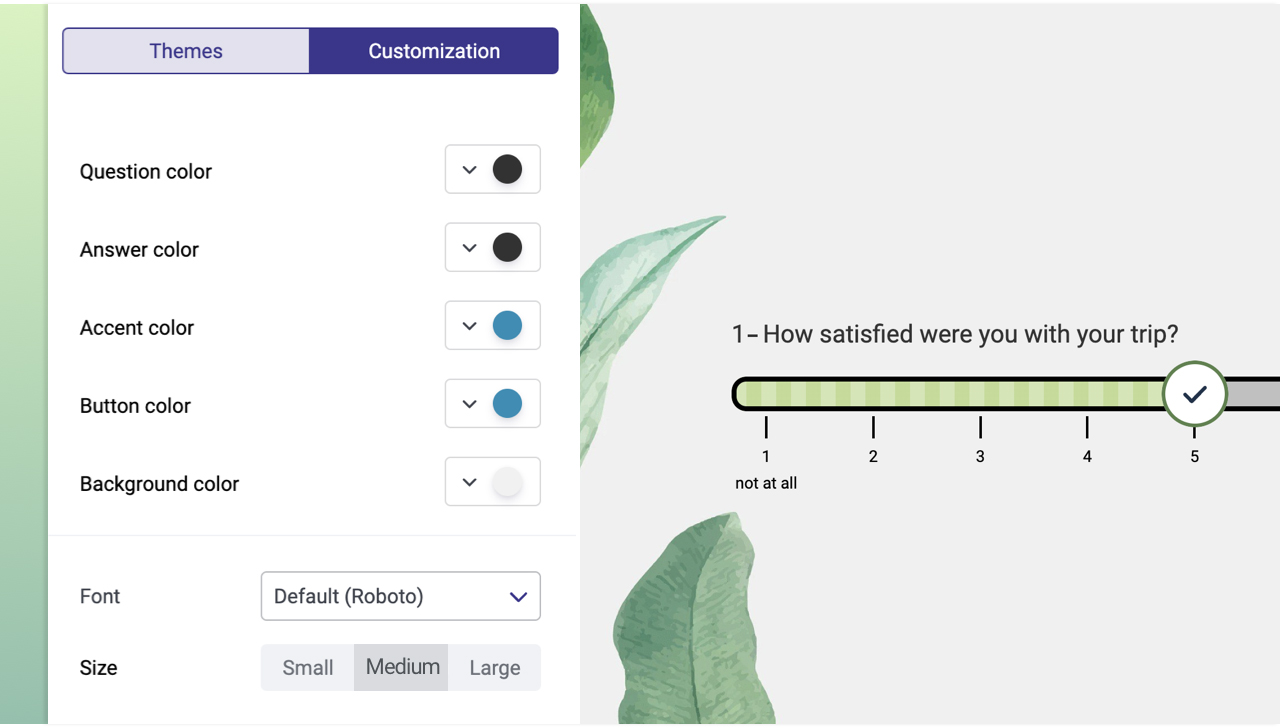
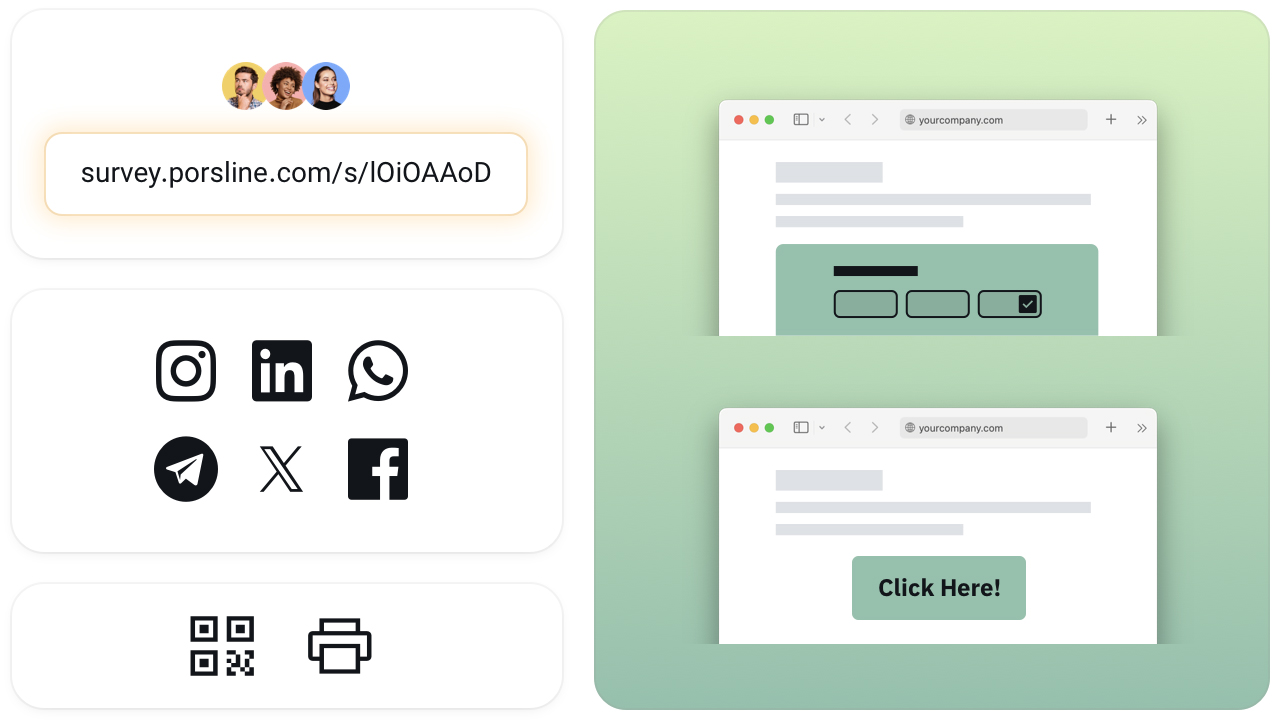
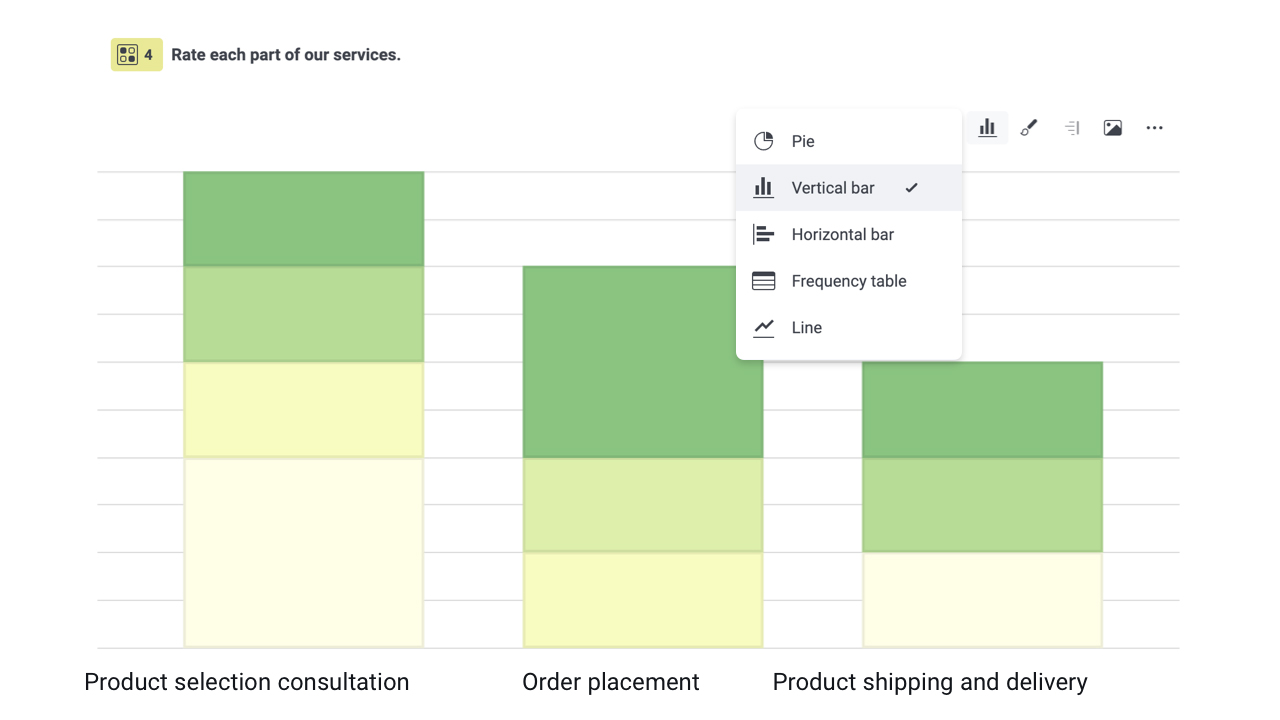
Screenshot of the drag-and-drop survey builder. Porsline’s drag-and-drop builder features a palette of question types and a structured layout, making it easy to design complex surveys, forms and quizzes.Screenshot of the available theme and branding controls. The design panel for adjusting colours, fonts, sizes and backgrounds has a live preview, so every survey matches the brand without any design or coding skills.Screenshot of the multi-channel survey sharing feature. Surveys can be shared via short links, social media, messengers, QR codes and website embeds to reach respondents on any channel they already use.Screenshot of charts for quick insights. Viewers can switch between bar, pie, line and table formats to quickly understand response patterns.

Zoho Forms Screenshots

Screenshot of Screenshot of Screenshot of Screenshot of Screenshot of Screenshot of