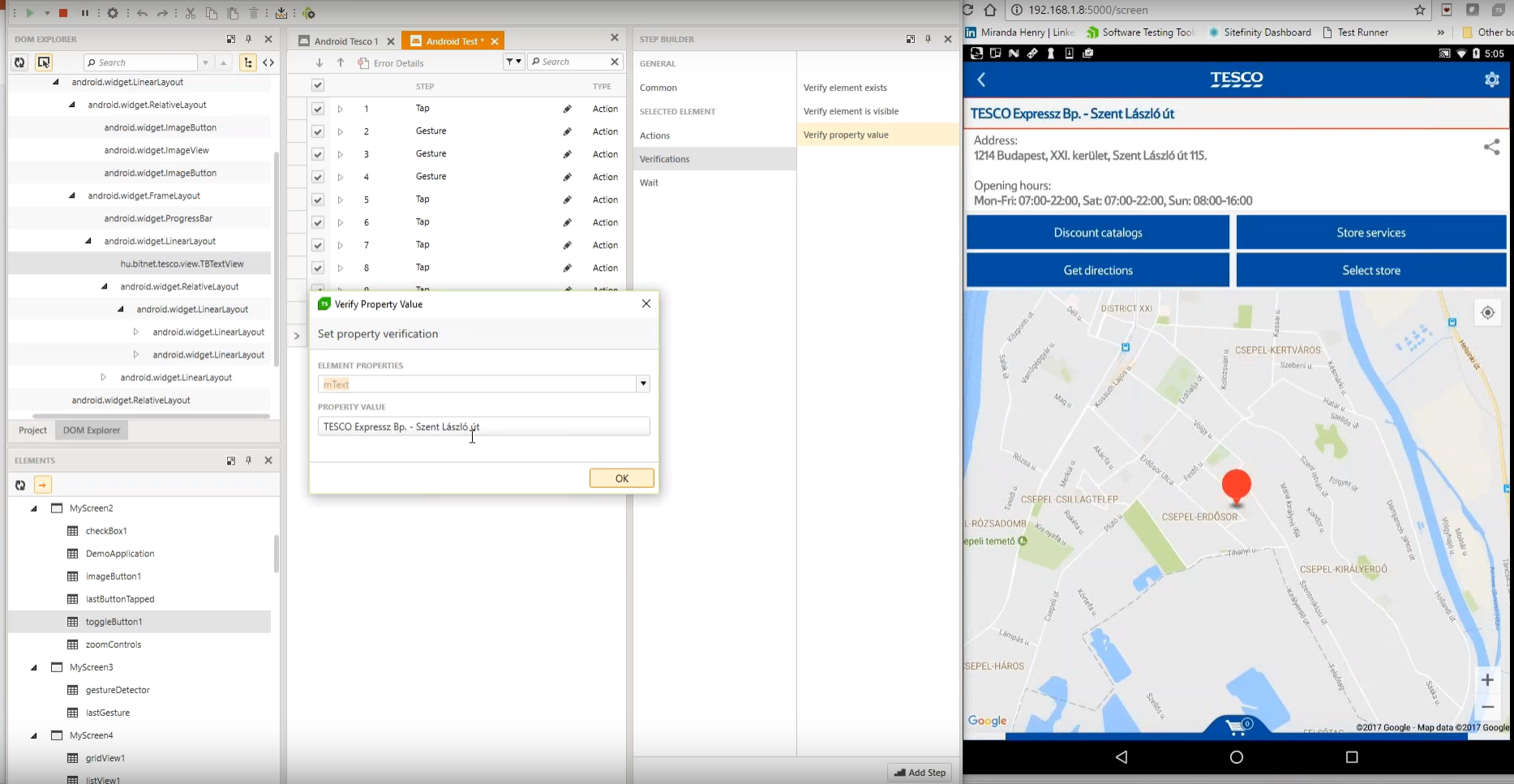
Progress Test Studio aims to be the easiest to use Web Automation tool on the market, widely used by Enterprise
QA’s for testing, but easy enough for anyone.
The product automates testing for WPF,
Silverlight, Web, HTML, Angular, React, KUIB, iOS, Android, Mobile Web, and
API’s.
Test Studio is ideal
for a no-code or low-code approach for: QA Test Automation, Application
Monitoring, Performance and Load Testing, Web/Marketing Process Automation, and
Mobile App Automation.
N/A
ReadyAPI
Score 6.2 out of 10
N/A
ReadyAPI (formerly SoapUI Pro, LoadUI Pro, and ServiceV Pro) is a REST and SOAP API functional testing tool that enables software developers, QA engineers, and manual testers to work together to create, maintain, and execute complex end-to-end API tests in their CI/CD pipelines without needing to code.
N/A
SoapUI Open Source
Score 8.4 out of 10
N/A
SoapUI is an open source API testing tool supported by SmartBear's community, supporting functional and performance testing of APIs.
N/A
Pricing
Progress Test Studio
ReadyAPI
SoapUI Open Source, supported by SmartBear
Editions & Modules
No answers on this topic
No answers on this topic
No answers on this topic
Offerings
Pricing Offerings
Progress Test Studio
ReadyAPI
SoapUI Open Source
Free Trial
Yes
Yes
No
Free/Freemium Version
No
Yes
No
Premium Consulting/Integration Services
Yes
No
No
Entry-level Setup Fee
Optional
No setup fee
No setup fee
Additional Details
—
—
—
More Pricing Information
Community Pulse
Progress Test Studio
ReadyAPI
SoapUI Open Source, supported by SmartBear
Considered Multiple Products
Progress Test Studio
No answer on this topic
ReadyAPI
Verified User
Engineer
Chose ReadyAPI
ReadyAPI beats all other alternatives because of its support of all kinds of API types. Also, users can specify every flow and every step for every second to replicate every test case with ease. It also has GIT support with is a big plus.
ReadyAPI provides intuitive GUI capabilities compared to their own open source product.
When compared to Postman, ReadyAPI also supports SOAP based services, which is a saver especially when integrating with legacy or other third party systems.
SoapUI Open Source is free, which is good for light use or simple things here and there. There is a Pro version that makes things more user-friendly. I also like that custom code can also be used for doing more complicated tasks. I like that SoapUI can have a process/flow …
It is very good for testers who have little coding experience but are willing to learn. It is very good for regression testing and really helps us identify issues that could have been a detriment to our end users. It is also great to keep track of the performance of pages across time.
As stated, we do a LOT of API testing, the swaggerhub import makes it easy to add APIs. This is very well-suited, as well as easy management of the steps/cases/suites inside of ReadyAPI. The one thing I do wish ReadyAPI was better suited for is changes to data, we have a lot of test cases in ReadyAPI and if we make a change to how the backend data is structured, one-by-one adjustments need to be made to the steps. Less appropriate, UI testing.
Good for simple requests, simple scripts, assertions, and small workflows. Also not bad with the Open Source version if savvy with code as you can do a lot with custom functionality.Free version has limited compatibility with scripts/projects created from the Pro version, but functionality-wise can probably be made up with coding. As such, the free version may not be too suitable for complex scripts or for those who are not familiar with coding as functionality/usability may be limited.
The only reason this isn't a '10' is because of the cost. This product is definitely meant for organizations who are serious about making sure they invest in the full ecosystem of API design, development, maintenance. But there is a significant cost associated with this investment. and because of this cost (and the non-tangible output for executives), it is a difficult line-item to justify in this post-pandemic environment.
SoapUI allows us to combine multiple tests and adhere to the sequence that they need to run in order to complete successfully. It has an excellent GUI design and the reporting mechanism is also very good. It does consume a lot of memory though during concurrent testing
Soap UI has managed to continuously build on it's solid foundation and keep improving by each release. It is by far the most dependable and accurate testing tool out there of its kind. Available via connecting to VM's created as SoapUI test machines give access to it anytime, anywhere practically.
To be honest, we didnt had much issues with the support, as there is already plenty of online communities available for help. But if ever there were some minor issues with the membership or the certificates, the tech support was always quick and efficient enough to resolve the issue ASAP
Test Studios had a smaller foot print and allowed us to ease into deploying it in the company. The online help was a great benefit to getting started and the evaluation period allowed us to fully run though the product before purchasing it. Cost difference between the products was a big decision factor as well for the type of deployment we were looking for.
ReadyAPI provides intuitive GUI capabilities compared to their own open source product. When compared to Postman, ReadyAPI also supports SOAP based services, which is a saver especially when integrating with legacy or other third party systems.
Compared to SoapUI, we have been using "light" tools like RestClient extension in Firefox, or Postman. Compared to Postman, SoapUI is more simple for WSDL / SOAP webservices, as SoapUI generate all envelop, but Postman does not. For Rest API, I think that Postman is a little above SoapUI, but not too far away.
It has an excellent GUI design and the reporting mechanism is also very good. It does consume a lot of memory though during concurrent testing. However, I have read that added monitoring tools have been added, which if so the 7 could possibly go to a 8 or 9.