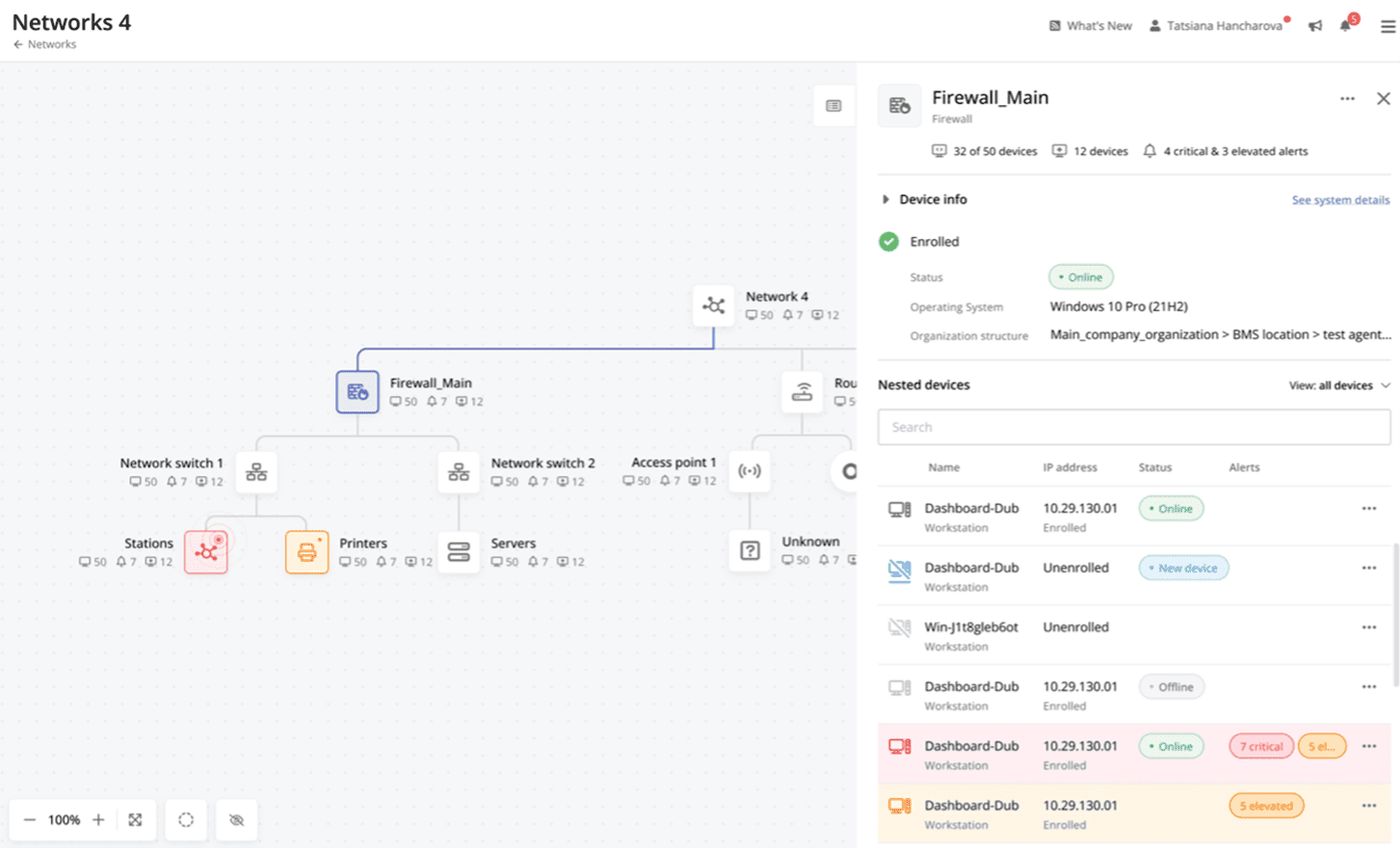
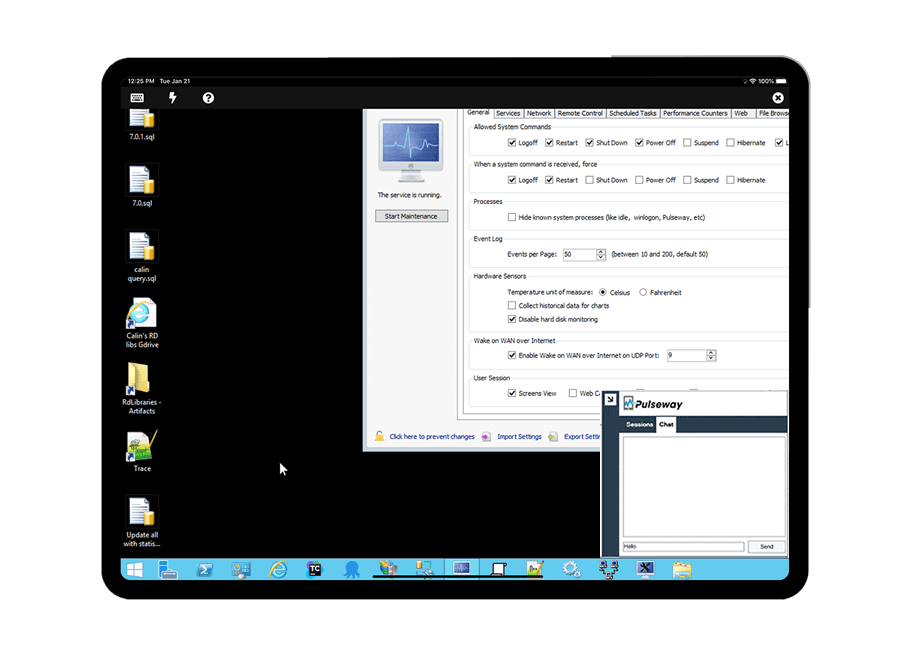
Pulseway is an IT monitoring and management solution that enables users to monitor, manage and control all systems and servers from a smartphone, tablet or browser. For system administrators, Pulseway sends a notification, so they can see an issue and sort it in seconds. Pulseway features: Automation: Auto-remediation workflows, so that IT issues are fixed before users even notice them. Mobile Access: Customers can monitor, manage, connect with…
$0.80
per month per installation
Windows Server Failover Clustering
Score8.7 out of 10
N/A
Windows Server Failover Clustering (WSFC) is a group of independent servers that work together to increase application and service availability.
N/A
Pricing
Pulseway
Windows Server Failover Clustering
Editions & Modules
Enterprise
$0.80
per month per installation
No answers on this topic
Offerings
Pricing Offerings
Pulseway
Windows Server Failover Clustering
Free Trial
Yes
No
Free/Freemium Version
Yes
No
Premium Consulting/Integration Services
Yes
No
Entry-level Setup Fee
No setup fee
No setup fee
Additional Details
No hidden fees or contracts. Term-based discounts.
If you have to manage a large number of computers, especially spread over multiple clients or a large physical area. This is one of the main products that allows us to act as a Managed Service Provider (MSP) and actually manage our clients devices and not just react to issues as clients call them in. Clients really love the proactive approach it allows us to take. Sadly as we became more familiar with options out there we found this area lacking and what was actually holding us back.
A de minimis incentive was given to thank the reviewer for their time. The incentive was not used to bias or drive a particular response, nor was the incentive contingent on a positive endorsement. More Info
Windows ServerFailover Clustering works very well for applications that can sustain a short disconnect when failing over. It works, and works well, in providing single-node applications HA, meaning an active/passive setup. It is not a load balancing solution. Use NLB for that. Another area that it works well is when used in combination with Hyper-V. We set our Hyper-V hosts up as clusters, and those clusters also host clusters for SQL Server and other enterprise class applications like BMC's Control-M/Enterprise and Control-M/Server.
A de minimis incentive was given to thank the reviewer for their time. The incentive was not used to bias or drive a particular response, nor was the incentive contingent on a positive endorsement. More Info
It monitors computers and notifies us of any issues with any computer.
It allows remote control of computers, such as requesting a computer to reboot itself.
It is very highly configurable to monitor exactly what we need to monitor. For example, on server, we can have it notify us any time the server is shutdown or rebooted. On the other hand, for a desktop computer, we don't have to be bothered with notifications when a user decides to reboot his computer.
A de minimis incentive was given to thank the reviewer for their time. The incentive was not used to bias or drive a particular response, nor was the incentive contingent on a positive endorsement. More Info
Live Migration of VMs between hosts. If you have sufficient network bandwidth, it is fast and I never had a failed live migration break the VM or kill it. Worst case is the live migration will fail (not enough RAM for example) but the VM always stayed up.
Windows Server Failover Clustering enables Scaleout Storage, which is probably the coolest feature Microsoft has to offer at this moment. It gives you Active-Active SMB file shares which can now be used by most Microsoft Services like MS SQL, Hyper-V, etc. and clients if Windows 8+
Cluster Validation is really complete and easy to understand. The validation gives you comprehensive error messages that help to diagnose and fix rapidly to get your Failover Cluster running in no time.
A de minimis incentive was given to thank the reviewer for their time. The incentive was not used to bias or drive a particular response, nor was the incentive contingent on a positive endorsement. More Info
A de minimis incentive was given to thank the reviewer for their time. The incentive was not used to bias or drive a particular response, nor was the incentive contingent on a positive endorsement. More Info
The setup of the Windows Server Failover Clustering is complex, requiring different networks and multiple network cards.
Better integration between the Windows Failover clustering and Hyper-V. Unlike VMWare you have to make changes to two places instead of just one panel.
I wish there was a web portal to manage the cluster. Instead you have to remote desktop into the VIP address and go to the Cluster manager.
A de minimis incentive was given to thank the reviewer for their time. The incentive was not used to bias or drive a particular response, nor was the incentive contingent on a positive endorsement. More Info
It has proven its value to us both for maintaining SLAs and providing the ability to perform much needed and regular systems maintenance without taking applications offline for more than a few seconds.
A de minimis incentive was given to thank the reviewer for their time. The incentive was not used to bias or drive a particular response, nor was the incentive contingent on a positive endorsement. More Info
The tool is easy to use however it is can be daunting with the amount of features available in it. Last I checked, their knowledge base was not very expansive and they relied a lot on the changelog for how to do some stuff. This can make it hard to learn how to do some more advanced things like the automation.
A de minimis incentive was given to thank the reviewer for their time. The incentive was not used to bias or drive a particular response, nor was the incentive contingent on a positive endorsement. More Info
Usability of Failover Clustering on Windows Server is generally good. Failover Clustering console is not hard to understand if the complexity of the product is taken into account. Most of the task on the Cluster can be done via PowerShell, so automation is possible and not hard (PowerShell is very intuitive). Configuring storage is the hardest and most confusing task during cluster configuration, so storage configuration should be planned in advance. Cluster Validation Wizard is verbose but most of the errors are easy to understand.
A de minimis incentive was given to thank the reviewer for their time. The incentive was not used to bias or drive a particular response, nor was the incentive contingent on a positive endorsement. More Info
I have never had to use the support for Pulseway. However, when initially starting out, we would receive emails every so often asking how we are doing and if there is any support that they can provide. I would imagine that any request would be supplied with the same great support!
A de minimis incentive was given to thank the reviewer for their time. The incentive was not used to bias or drive a particular response, nor was the incentive contingent on a positive endorsement. More Info
Online documentation is excellent. Everything I needed to know, I learned from the online documentation. I haven't used phone support as I haven't needed to but would presume it is similar to Microsoft Support for other products that I've used. Phone support from Microsoft is hit and miss. It depends on who you get. That said, my rating is based on the online documentation.
A de minimis incentive was given to thank the reviewer for their time. The incentive was not used to bias or drive a particular response, nor was the incentive contingent on a positive endorsement. More Info
Pulseway has the most features, the best looking app with the best design and better usability than any others we evaluated. We liked the uniformity of the app design across all platforms (Windows, Android, Apple) and the notifications displayed on each platform. The price was a major contributor to our selection of Pulseway compared to the competition.
A de minimis incentive was given to thank the reviewer for their time. The incentive was not used to bias or drive a particular response, nor was the incentive contingent on a positive endorsement. More Info
Both VMware and Microsoft Failover do the job and they both do it extremely well. For many bussiness and environments though, they will have the existing investment in a Microsoft environment and Microsoft infrastructure. The introduction of VMware will or may achieve the end result however it introduces new dimensions like support, licensing, documentation and ensuring the support team are trained.
A de minimis incentive was given to thank the reviewer for their time. The incentive was not used to bias or drive a particular response, nor was the incentive contingent on a positive endorsement. More Info
Problems can be dealt with more rapidly because I have access to systems from anywhere. I don't have to carry a computer with me nor do I have to find a location with potentially non-secure wifi to gain access to my systems.
I can handle 99% of my system admin tasks using Pulseway and never have to touch a system or connect to the console.
Pulseway gives so much control over a system that I don't need to spend extra money on other software to perform management tasks.
A de minimis incentive was given to thank the reviewer for their time. The incentive was not used to bias or drive a particular response, nor was the incentive contingent on a positive endorsement. More Info
Failover Cluster gives us the power to do updates or hardware upgrade / change without having to create an outage. Which permit us not to work night shifts.
By creating one cluster with all Hyper-V servers, it enabled us to move VMs via live migration between host to balance RAM usage which was time consuming and took a lot of time over network before.
It created some problems that caused us to have to investigate quite some time before finding the cause. We encountered dll locking that caused the Failover Cluster to force-restart a host. Logs are really not the strong point of Failover Cluster Manager, and even Microsoft Support wasn't able to help much. We had to find the problem ourself.
A de minimis incentive was given to thank the reviewer for their time. The incentive was not used to bias or drive a particular response, nor was the incentive contingent on a positive endorsement. More Info