Pyla automates IT Onboarding and IT Offboarding. It centralizes and automates the allocation of employee access and permissions in one platform, allowing optimal management of employee profiles. Key features : Faster provisioning of IT resources and accurate management of allocated access and hardware.
Offboarding : Access to the company's various tools and systems can be revoked with just a few clicks, for optimal IT security. Integrations : identity management (Okta,…
N/A
WorkBright
Score 10.0 out of 10
Mid-Size Companies (51-1,000 employees)
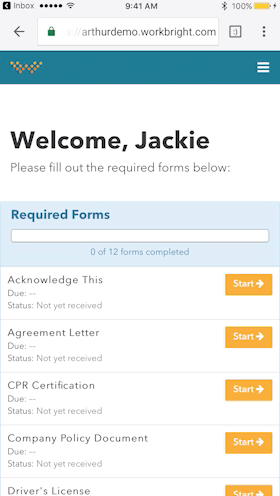
For businesses that are rapidly, seasonally, or just plain constantly hiring, WorkBright aims to take the cumbersome and traditionally paper-heavy process of onboarding and puts it all online. They make it possible for new employees to fill out their W4s, upload photos of licenses and certifications, sign digitally, and complete any paperwork from their laptop, tablet, or smartphone before they show up for their first day on the job. Integrations and an open API…
$158
hires per year
Pricing
Pyla
WorkBright
Editions & Modules
No answers on this topic
Onboarding
Starting at $158/mo
hires per year
Offerings
Pricing Offerings
Pyla
WorkBright
Free Trial
No
Yes
Free/Freemium Version
No
No
Premium Consulting/Integration Services
No
No
Entry-level Setup Fee
No setup fee
Required
Additional Details
—
Our pricing is based off the number of hires in a given contract year. All contracts are annual but can be billed on a monthly basis.
Workbright was cost effective and easy to use. It was also covering all smartphones which are used here in various host countries. This softwares helped us to scale Sales and operations team without having to bulk up our Human resource and Auditing team.
WorkBright was selected as the primary HR software within our company. One of the main reasons it was selected is the intuitive user interface and dashboard. Additionally, the software had excellent features for the cost such as custom reporting, notifications, enhanced …
We use ADP for payroll and WorkBright for our hiring process/onboarding. WorkBright has been great for our HR team of 6 people. We all are able to monitor applications and push them through our process efficiently.
We use Ceridian Dayforce for payroll. It does not integrate with WorkBright. We are looking to unite payroll, recruitment and onboarding with one service or at least groups that can share info. At the time we purchased Ceridian Dayforce they did not have a recruitment module …
WorkBright is an excellent software for any company [that] needs to optimize their HR department and processes. WorkBright simplifies recruiting and onboarding and allows the department to stay on top of due dates and items needed. Additionally, WorkBright has high-security features so any company can ensure information is encrypted and backed up.
Workbright was cost effective and easy to use. It was also covering all smartphones which are used here in various host countries. This softwares helped us to scale Sales and operations team without having to bulk up our Human resource and Auditing team. Workbright has a 60 day no questions asked refund policy which helped to test the software extensively before taking a long term call on using the software.