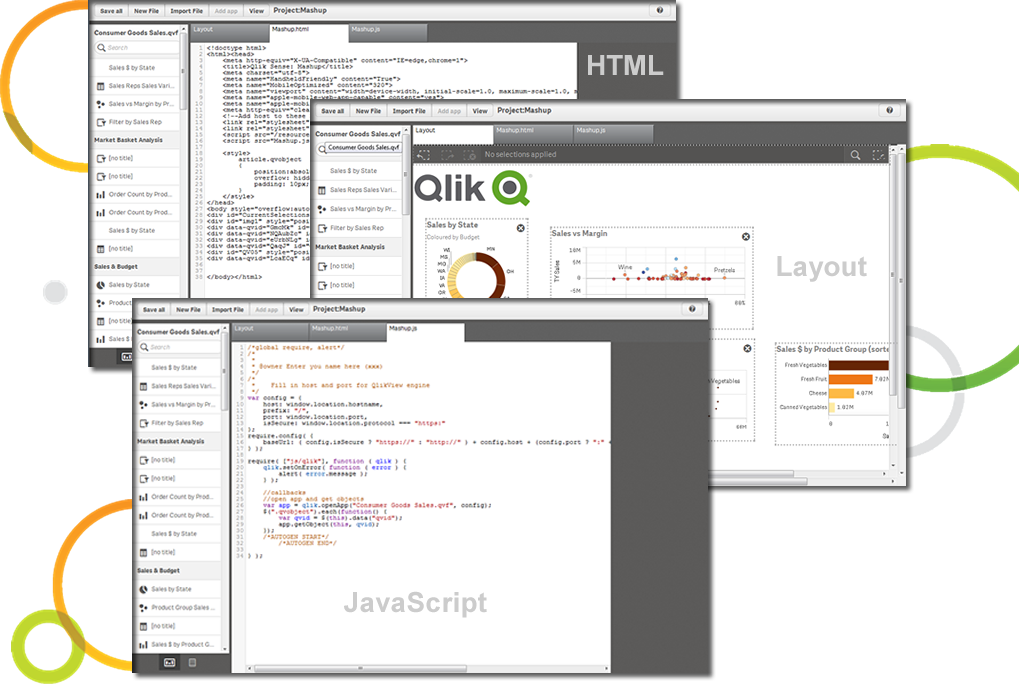
Qlik Sense® is a self-service BI platform for data discovery and visualization. It supports a full range of analytics use cases—data governance, pixel-perfect reporting, and collaboration. Its Associative Engine indexes and connects relationships between data points for creating actionable insights.
$200
per month
TARGIT
Score7.6 out of 10
N/A
TARGIT Decision Suite is a business intelligence (BI) and analytics platform used to automate reporting, boost operational visibility, and give teams insights that support data-driven decisions. The solution combines data from multiple source systems, including enterprise resource planning (ERP) software, customer relationship management (CRM) platforms, and all other data sources to give organizations a complete picture of their operations. …
A de minimis incentive was given to thank the reviewer for their time. The incentive was not used to bias or drive a particular response, nor was the incentive contingent on a positive endorsement. More Info
Qlik Sense is a program whose purpose is to greatly improve all your operations and use of all data in an organic way. The mission will always be to increase the economic and commercial processes of the company in a short time. I recommended it for its high technology, which was Created for this area, the results are successful. We have noticed how it has increased relationships with our clients thanks to the credibility and security that we provide.
A de minimis incentive was given to thank the reviewer for their time. The incentive was not used to bias or drive a particular response, nor was the incentive contingent on a positive endorsement. More Info
Targit is very strong when the data is presented to the system. Because of this, we are able to report on almost all of the information that is valuable to us. When we have questions or ideas on how to better leverage Targit, they are great to work with. We track our sales progress/process in Targit and AP tracks things such as outstanding invoices, open invoices, etc
A de minimis incentive was given to thank the reviewer for their time. The incentive was not used to bias or drive a particular response, nor was the incentive contingent on a positive endorsement. More Info
A de minimis incentive was given to thank the reviewer for their time. The incentive was not used to bias or drive a particular response, nor was the incentive contingent on a positive endorsement. More Info
A de minimis incentive was given to thank the reviewer for their time. The incentive was not used to bias or drive a particular response, nor was the incentive contingent on a positive endorsement. More Info
Probably one of our biggest complaints from the user community is the inability for the user to see the details behind the data. I know with the tool you can write reporting services reports that would allow users to see the detail by right clicking on a measure and selecting Actions, but for a very lean IT shop there simply has not been time to build these Actions for every possible scenario a user might want to see detailed reporting on.
Another complaint I've heard is the inability for the user to know exactly what the data represents from the source. If Targit had maybe some type of capability to hover over a measure or dimension and see a pop up of a more detailed description this might help resolve that issue.
The most difficult concepts to teach our users is how and when to use comparisons and the syntax for calculations. Creating comparisons has become much simpler with the 2k11 release but it is still difficult for my users.
Qlik Sense is a constantly improving it's software and working with its' users to make it better. They are great at keeping their users informed of progress and care about delivering a quality product
A de minimis incentive was given to thank the reviewer for their time. The incentive was not used to bias or drive a particular response, nor was the incentive contingent on a positive endorsement. TR verified that a representative sample of customers was invited. More Info
It is very easy to use and I am proficient at this point to be able to figure out how to run most of the reports I need. I have had the time to "play around" in TARGIT and really teach myself about the visibility settings and other aspects - though other users have needed help with some of these aspects - but once you conceptually understand how to build the reports, it is very simple from a power user perspective.
A de minimis incentive was given to thank the reviewer for their time. The incentive was not used to bias or drive a particular response, nor was the incentive contingent on a positive endorsement. More Info
Qlik Sense has a better and easy to learn user interface compared with other analytics tool which always help us to create regular and adhoc reports within the stipulated time frame and can be easily refreshed at a scheduled time and sent to multiple stakeholders for timely update regarding the Key metrics indicator.
A de minimis incentive was given to thank the reviewer for their time. The incentive was not used to bias or drive a particular response, nor was the incentive contingent on a positive endorsement. More Info
Everything on the back end needs to be correct, which sometimes it may not be set up or missing some variables. Some of the more difficult parts of Targit require a lot more attention and object creation to work properly
Qlik is great for companies with lots of business domains and departments because it scales well, especially if data that is reported is saved in SQL and similar structures. Its ease of use and good UI enables business units to create and manage their own reports. That removes a great burden of creating and managing/modifying these pages from the IT team. Overall, it's a win-win for both IT and business units.
A de minimis incentive was given to thank the reviewer for their time. The incentive was not used to bias or drive a particular response, nor was the incentive contingent on a positive endorsement. More Info
Everyone I've dealt with at Targit genuinely cares about me and my success, and they respond to questions quickly and accurately. There is literally nothing more I could ask for from their support.
A de minimis incentive was given to thank the reviewer for their time. The incentive was not used to bias or drive a particular response, nor was the incentive contingent on a positive endorsement. More Info
A de minimis incentive was given to thank the reviewer for their time. The incentive was not used to bias or drive a particular response, nor was the incentive contingent on a positive endorsement. More Info
A de minimis incentive was given to thank the reviewer for their time. The incentive was not used to bias or drive a particular response, nor was the incentive contingent on a positive endorsement. More Info
A de minimis incentive was given to thank the reviewer for their time. The incentive was not used to bias or drive a particular response, nor was the incentive contingent on a positive endorsement. More Info
Make sure all of the back end work is done prior to getting Targit set up. Every variable you may need for calculations needs to be correct and every item needs to be uniform so it is read properly.
The customization of the platform opens up plenty of other options depending on the use cases. The API layer is incredibly rich and makes integration of Qlik based visualization into web pages a simple and effective pattern. It's been very easy to use with a great community made up of professionals. Qlik Sense has introduces artificial Intelligence into my data visualization and reporting activity.
It really met our business requirements when we were searching for a reporting/Bi tool and the flexible business model of being able to introduce additional functionally as your organization grows and requires it made the investment decision the right one for us. The functionality available in comparison to the investment is well worth it.
A de minimis incentive was given to thank the reviewer for their time. The incentive was not used to bias or drive a particular response, nor was the incentive contingent on a positive endorsement. More Info
A de minimis incentive was given to thank the reviewer for their time. The incentive was not used to bias or drive a particular response, nor was the incentive contingent on a positive endorsement. TR verified that a representative sample of customers was invited. More Info