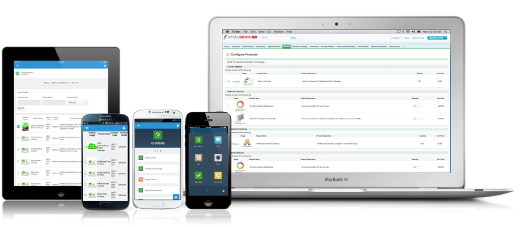
Salesforce Revenue Cloud (formerly Salesforce CPQ or SteelBrick) is built and delivered on the Salesforce Platform and Salesforce1 Mobile App which enables users to create accurate sales quotes quickly and submit error-free orders on the fly from any device.
$30
Per User per Month
SAP Analytics Cloud
Score8.1 out of 10
N/A
The SAP Analytics Cloud solution brings together analytics and planning with integration to SAP applications and access to heterogenous data sources. As the analytics and planning solution within SAP Business Technology Platform, SAP Analytics Cloud supports trusted insights and integrated planning processes enterprise-wide to help make decisions without doubt.
$36
per month per user
Pricing
Agentforce Revenue Management
SAP Analytics Cloud
Editions & Modules
Basic
$30
Per User per Month
Professional
$50
Per User per Month
Enterprise
$75
Per User per Month
SAP Analytics Cloud for Business Intelligence
$36.00
per month per user
SAP Analytics Cloud for Planning
Price upon request
per month per user
Offerings
Pricing Offerings
Agentforce Revenue Management
SAP Analytics Cloud
Free Trial
Yes
Yes
Free/Freemium Version
No
No
Premium Consulting/Integration Services
Yes
No
Entry-level Setup Fee
Optional
No setup fee
Additional Details
—
A 30-day trial with SAP Analytics Cloud is available, supporting analytics enterprise-wide. A trial can be extended up to 90 days on request.
A de minimis incentive was given to thank the reviewer for their time. The incentive was not used to bias or drive a particular response, nor was the incentive contingent on a positive endorsement. More Info
What I like best is the ease of use to be able to track all opportunities and quotes in my daily sales tracker I also like the fact that you can reorganize the view for your opportunities. For instance, it is very similar to a spreadsheet where you can filter them by date, dollar amount, name, and several other ways. I found this to be less appropriate when we have to do multiple roles while assigning one task to multiple users. Column resizing within the Quote Line Editor is not supported in the Salesforce mobile app.
>> Using SAC predictive analytics capabilities for inventory management in a Production line setup has helped generate Purchase Requisitions and Purchase Orders for raw or semi-finished goods without much head-banging into Demand management rules. It does it beautifully with seamless integration with HANA core MM and PP modules, along with BI integration. It has resulted in 30% greater warehouse storage capacity, thereby saving revenue from piled-up inventory and associated manpower costs. >> SAC sometimes shows latency in working out a large data set, thus giving a poor user experience compared to its competition. Also, it may occasionally show misinterpretations when embedding data from 3rd-party systems into the HANA core dataset.
A de minimis incentive was given to thank the reviewer for their time. The incentive was not used to bias or drive a particular response, nor was the incentive contingent on a positive endorsement. TR verified that a representative sample of customers was invited. More Info
A de minimis incentive was given to thank the reviewer for their time. The incentive was not used to bias or drive a particular response, nor was the incentive contingent on a positive endorsement. More Info
It makes it easier yo analyse order and related records easily.
We can easily maintain and track the performance of employees in organisation.
Can easily track various aspects for the growth of an organisation thus allowing real time analysis and tracking of organisation's growth and performance.
A de minimis incentive was given to thank the reviewer for their time. The incentive was not used to bias or drive a particular response, nor was the incentive contingent on a positive endorsement. TR verified that a representative sample of customers was invited. More Info
Our Salesforce is very messy, which tells me it's not super easy to clean up.
I always have a really hard time removing a contacts from an account - it seems like you can't simply remove the relationship so we have lots of people named DO NOT CONTACT or things of that nature.
Sometimes when saving it doesn't seem like things actually save.
A de minimis incentive was given to thank the reviewer for their time. The incentive was not used to bias or drive a particular response, nor was the incentive contingent on a positive endorsement. More Info
SAC supports various data sources, but improvements in the ease of connecting to and integrating with certain data repositories, especially non-SAP databases, would enhance the platform's versatility and integration capabilities.
An offline mode for SAC could be valuable for users who need to access and analyze data without an internet connection. Additionally, optimizing performance for large datasets and complex visualizations would contribute to a smoother user experience.
A de minimis incentive was given to thank the reviewer for their time. The incentive was not used to bias or drive a particular response, nor was the incentive contingent on a positive endorsement. TR verified that a representative sample of customers was invited. More Info
We are planning to review the licensing as we have issues with SAC dealing with huge datasets. Analytics area is good for import models but when we have live connections in place that's when we have issue with SAC dealing with huge datasets in live be it BW or be it HANA models in the backend.
A de minimis incentive was given to thank the reviewer for their time. The incentive was not used to bias or drive a particular response, nor was the incentive contingent on a positive endorsement. TR verified that a representative sample of customers was invited. More Info
Because it looked almost impossible to integrate it with Zoho CRM while our Sales Operations team was working on it. But thankfully it worked at last but at the expense of a month's time. However, it has made every possible Revenue operations task simpler now. And that has ultimately made our team more efficient in terms of work hours spent on manual work.
A de minimis incentive was given to thank the reviewer for their time. The incentive was not used to bias or drive a particular response, nor was the incentive contingent on a positive endorsement. More Info
I landed on a 7 out of 10 for a few key reasons. The tool is flexible in the sense that we are using very very very (very) little off the shelf solutions and customizing to our needs. Users enjoy having the customized data actions, key variance calculations, and easy to use headcount/salary planning in the same tool. One downside is that users are hard to please when they are used to excel. SAP Analytics Cloud simply is not excel, and the flexibility of excel in a crunch is not there.
A de minimis incentive was given to thank the reviewer for their time. The incentive was not used to bias or drive a particular response, nor was the incentive contingent on a positive endorsement. TR verified that a representative sample of customers was invited. More Info
I would rate SAP Analytics Cloud an 8 out of 10 for scalability. It offers a flexible, cloud-based architecture that supports expansion across departments and geographies. The platform adapts well to growing data volumes and user needs, making it a strong choice for organizations looking to scale analytics capabilities efficiently.
A de minimis incentive was given to thank the reviewer for their time. The incentive was not used to bias or drive a particular response, nor was the incentive contingent on a positive endorsement. TR verified that a representative sample of customers was invited. More Info
I would rate SAP Analytics Cloud’s performance an 8 out of 10. Pages generally load quickly, and reports run within a reasonable time frame, even with complex datasets. Integration with other systems is smooth and doesn’t noticeably affect performance. Overall, it’s a responsive and efficient tool for business analytics. But
A de minimis incentive was given to thank the reviewer for their time. The incentive was not used to bias or drive a particular response, nor was the incentive contingent on a positive endorsement. TR verified that a representative sample of customers was invited. More Info
There have been some issues with multi-year pricing of certain products and services which we have been assured will be resolved but I guess are still underway, the support team apart from this has not been needed much and in the rare scenarios, it has been needed the resolutions of conflicts has been prompt and quick, so the overall support would have my high regards for being so helpful and customer-oriented so as to assure good performance of their toolset and customer satisfaction.
A de minimis incentive was given to thank the reviewer for their time. The incentive was not used to bias or drive a particular response, nor was the incentive contingent on a positive endorsement. More Info
Since the implementation stage, the support team has been very helpful and assisting. Even in the later stages, the tech team had quite a rapid response. In general, SAP has provided us with great customer support, let it be for a specific product of SAP or for integration of different modules.
A de minimis incentive was given to thank the reviewer for their time. The incentive was not used to bias or drive a particular response, nor was the incentive contingent on a positive endorsement. More Info
A de minimis incentive was given to thank the reviewer for their time. The incentive was not used to bias or drive a particular response, nor was the incentive contingent on a positive endorsement. TR verified that a representative sample of customers was invited. More Info
In hindsight, it would have been easier to have someone there in person. Questions were answered, but with 11 participants, it got a bit chaotic online
A de minimis incentive was given to thank the reviewer for their time. The incentive was not used to bias or drive a particular response, nor was the incentive contingent on a positive endorsement. TR verified that a representative sample of customers was invited. More Info
SAC is a simple solution ad it works fine when connecting it to other SAP tools. On the other hand, connecting it to third party solutions brings difficulties when there's no previous design and the objetives are not clear. It is really important to integrate Business users from the start to provide with valuable business insights
A de minimis incentive was given to thank the reviewer for their time. The incentive was not used to bias or drive a particular response, nor was the incentive contingent on a positive endorsement. TR verified that a representative sample of customers was invited. More Info
There is no comparison to a fully functional instance of CPQ. Nothing comes close due to the amount of customization and ease of use that CPQ offers once it's fully built out. Other solutions may be easier to build or administer, but for the users and business needs, CPQ is the best solution possible.
A de minimis incentive was given to thank the reviewer for their time. The incentive was not used to bias or drive a particular response, nor was the incentive contingent on a positive endorsement. More Info
SAP Analytics Cloud and Power BI are both tools that help businesses understand their data, but they have some differences. SAC, made by SAP, works well if your company already uses other SAP products. It's in the cloud, easy to use, and has features for analyzing data, getting insights, and planning for the future. Power BI, made by Microsoft, can be used in the cloud or on your own computers. It fits well with Microsoft tools, is easy to use, and can do advanced data analysis. SAC has built-in planning tools, while Power BI needs extra tools for detailed planning
A de minimis incentive was given to thank the reviewer for their time. The incentive was not used to bias or drive a particular response, nor was the incentive contingent on a positive endorsement. TR verified that a representative sample of customers was invited. More Info
A de minimis incentive was given to thank the reviewer for their time. The incentive was not used to bias or drive a particular response, nor was the incentive contingent on a positive endorsement. TR verified that a representative sample of customers was invited. More Info
Is good for use across multiple locations. It allows users to access data and reports from anywhere, regardless of their location. Can consolidate data from various sources, including different SAP systems and external sources, which facilitates cross-location analysis. SAC enables access to data and models from SAP Datasphere to create new stories. Detailed permissions can be defined for cross-departmental use.
A de minimis incentive was given to thank the reviewer for their time. The incentive was not used to bias or drive a particular response, nor was the incentive contingent on a positive endorsement. TR verified that a representative sample of customers was invited. More Info
A de minimis incentive was given to thank the reviewer for their time. The incentive was not used to bias or drive a particular response, nor was the incentive contingent on a positive endorsement. TR verified that a representative sample of customers was invited. More Info
Easy access to reporting on closed-won, closed-lost, and open quotes.
Accuracy in data referenced in a quote - it's typically accurate as it is pulled directly from opportunity, looking up to associated subscription start/end dates, etc..
We lose valuable time in creating quotes ourselves. Quotes were requested and created through sales ops previously, sales did not have access to the excel templates used to generate quotes.
A de minimis incentive was given to thank the reviewer for their time. The incentive was not used to bias or drive a particular response, nor was the incentive contingent on a positive endorsement. More Info
Many manual data manipulations and exports in Excel have been replaced by the tool, providing management with improved insight into the amount of time spent at each stage of an invoice's lifetime, allowing bottlenecks to be discovered.
We now have more insight into the data, and people with little technical experience can easily build stories.
A de minimis incentive was given to thank the reviewer for their time. The incentive was not used to bias or drive a particular response, nor was the incentive contingent on a positive endorsement. TR verified that a representative sample of customers was invited. More Info