Salesforce Revenue Cloud vs. Tacton Design Automation

Overview
ProductRatingMost Used ByProduct SummaryStarting Price
Salesforce Revenue Cloud
Score 8.7 out of 10
Mid-Size Companies (51-1,000 employees)
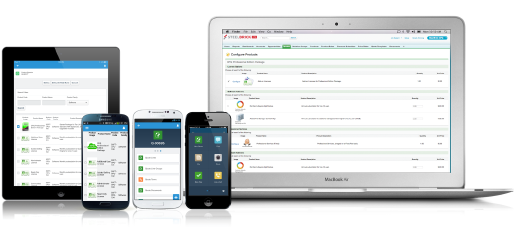
Salesforce Revenue Cloud (formerly Salesforce CPQ or SteelBrick) is built and delivered on the Salesforce Platform and Salesforce1 Mobile App which enables users to create accurate sales quotes quickly and submit error-free orders on the fly from any device.
$30
Per User per Month
Tacton Design Automation
Score 9.0 out of 10
N/A
Tacton Design Automation provides constraint-based and parametric engineer-to-order automation inside SolidWorks, PTC CREO and Autodesk Inventor. With needs-driven design, CAD engineers can configure designs of complex products – including feedback on incompatible choices - and automatically generate complete 2D drawings, 3D models and quote documents. The configurator-powered Tacton Design Automation is designed to propose a solution that's not just buildable, but optimal for the…N/A
Pricing
Salesforce Revenue CloudTacton Design Automation
Editions & Modules
Basic
$30
Per User per Month
Professional
$50
Per User per Month
Enterprise
$75
Per User per Month
No answers on this topic
Offerings
Pricing Offerings
Salesforce Revenue CloudTacton Design Automation
Free Trial
YesNo
Free/Freemium Version
NoNo
Premium Consulting/Integration Services
YesNo
Entry-level Setup FeeOptionalNo setup fee
Additional Details
More Pricing Information
Community Pulse
Salesforce Revenue CloudTacton Design Automation
Features
Salesforce Revenue CloudTacton Design Automation
CPQ
Comparison of CPQ features of Product A and Product B
Salesforce Revenue Cloud
9.9
33 Ratings
12% above category average
Tacton Design Automation
-
Ratings
Quote sharing/sending9.932 Ratings00 Ratings
Product configuration9.833 Ratings00 Ratings
Configuration options9.831 Ratings00 Ratings
Pricing rules9.930 Ratings00 Ratings
Price adjustment9.932 Ratings00 Ratings
Purchase history and open contracts9.925 Ratings00 Ratings
Guided selling/Sales portal9.821 Ratings00 Ratings
CPQ reporting & analytics9.925 Ratings00 Ratings
CPQ-CRM integration10.030 Ratings00 Ratings
Attachments to quotes9.932 Ratings00 Ratings
Order capturing9.915 Ratings00 Ratings
Best Alternatives
Salesforce Revenue CloudTacton Design Automation
Small Businesses
QuoteWerks
QuoteWerks
Score 9.9 out of 10
Onshape
Onshape
Score 7.5 out of 10
Medium-sized Companies
QuoteWerks
QuoteWerks
Score 9.9 out of 10
Onshape
Onshape
Score 7.5 out of 10
Enterprises
SAP Sales Cloud
SAP Sales Cloud
Score 8.5 out of 10
Rhino
Rhino
Score 8.3 out of 10
All AlternativesView all alternativesView all alternatives
User Ratings
Salesforce Revenue CloudTacton Design Automation
Likelihood to Recommend
8.7
(51 ratings)
10.0
(2 ratings)
Likelihood to Renew
9.1
(1 ratings)
-
(0 ratings)
Usability
7.7
(6 ratings)
-
(0 ratings)
Availability
9.1
(1 ratings)
-
(0 ratings)
Performance
8.2
(1 ratings)
-
(0 ratings)
Support Rating
7.9
(12 ratings)
-
(0 ratings)
Product Scalability
8.2
(1 ratings)
-
(0 ratings)
User Testimonials
Salesforce Revenue CloudTacton Design Automation
Likelihood to Recommend
Salesforce
What I like best is the ease of use to be able to track all opportunities and quotes in my daily sales tracker I also like the fact that you can reorganize the view for your opportunities. For instance, it is very similar to a spreadsheet where you can filter them by date, dollar amount, name, and several other ways. I found this to be less appropriate when we have to do multiple roles while assigning one task to multiple users. Column resizing within the Quote Line Editor is not supported in the Salesforce mobile app.
Read full review
Tacton
For design automation for SOLIDWORKS, I feel Tacton Design Automation is the best solution out there. It's simple to develop and implement for the design/engineering department. But can be implemented within the sales team as well with Tacton CPQ. When a company has products that are modular and/or have many sizing updates, this is where Tacton excels. If you have products that are completely customized, then Tacton or even design automation isn't the best suited for that.
Read full review
Pros
Salesforce
  • It does a lot of pricing models really well. So like tiered pricing when you're selling a product has tiered pricing.
  • The out of the box approval functionalities is really good. It can trigger approvals based on a ton of different custom criteria.
  • The data it creates and tracks is really accurate and robust.
Read full review
Tacton
  • Tacton has a non-linear solver, meaning it can solve lots of equations without them being is a particular order. This enables the software to be incredibly flexible.
  • Tacton has a great interface to set up configurators for people to use. No knowledge of programming languages is required. The configurator uses equations similar to Excel equations to control what the users options are.
  • Tacton has the ability to easily add lists of data like product lists, beam or pipe sizes that because available for user selections or for calculations.
  • The Tacton configurator also automatically builds the user interface as you set up user inputs making it much easier to set up then competitor software.
Read full review
Cons
Salesforce
  • Our Salesforce is very messy, which tells me it's not super easy to clean up.
  • I always have a really hard time removing a contacts from an account - it seems like you can't simply remove the relationship so we have lots of people named DO NOT CONTACT or things of that nature.
  • Sometimes when saving it doesn't seem like things actually save.
Read full review
Tacton
  • Layout mode is probably the most lacking aspect of the software (within Tacon Design Automation Engineer). Something so powerful as having modular parts should be more heavily supported. Although, I've heard Tacton is focusing on updating this with better functionality.
  • The constraint editor does not display complex/lengthy constraints very well. I end up using Excel to visually break out in cells the different aspects of the constraint.
Read full review
Likelihood to Renew
Salesforce
The company is very easy to work with and is growing by leaps and bounds. We do not anticipate switching vendors anytime in the near future
Read full review
Tacton
No answers on this topic
Usability
Salesforce
I would give it an eight because it's very customizable in the way that you want to create it. I think I'm just docking points because sometimes there can be a little too much customization, which can make it a little complicated, but it just depends on the complexity of your business and how you guys build it out in the first place.
Read full review
Tacton
No answers on this topic
Support Rating
Salesforce
There have been some issues with multi-year pricing of certain products and services which we have been assured will be resolved but I guess are still underway, the support team apart from this has not been needed much and in the rare scenarios, it has been needed the resolutions of conflicts has been prompt and quick, so the overall support would have my high regards for being so helpful and customer-oriented so as to assure good performance of their toolset and customer satisfaction.
Read full review
Tacton
No answers on this topic
Alternatives Considered
Salesforce
There is no comparison to a fully functional instance of CPQ. Nothing comes close due to the amount of customization and ease of use that CPQ offers once it's fully built out. Other solutions may be easier to build or administer, but for the users and business needs, CPQ is the best solution possible.
Read full review
Tacton
Drive Works is the main competitor for the TactonWorks module of Tacton. We actually discovered DriveWorks and purchased it before we discovered Tacton and started to use it. Once we discovered Tacton we liked it so much better we dropped using DriveWorks and switched to Tacton. I think you could accomplish what you need to in DriveWorks, but it is easier to setup in Tacton and Tacton has alot of features that really can make your product configurators nice
Read full review
Return on Investment
Salesforce
  • Easy access to reporting on closed-won, closed-lost, and open quotes.
  • Accuracy in data referenced in a quote - it's typically accurate as it is pulled directly from opportunity, looking up to associated subscription start/end dates, etc..
  • We lose valuable time in creating quotes ourselves. Quotes were requested and created through sales ops previously, sales did not have access to the excel templates used to generate quotes.
Read full review
Tacton
  • Time to produce submittals went from 1-2 weeks down to a couple of days. Then, once approved, normally to produce the fabrication drawings (70+ unique parts) it would take from 4-6 weeks. We can get it down to as little as a few days.
Read full review
ScreenShots

Salesforce Revenue Cloud Screenshots

Screenshot of Configure. Price. Quote. Anytime, anywhere, on any device.