TrustRadius: an HG Insights company

Save this comparison

Save this comparison

Add Product

Recommended Comparisons

    Overview
    ProductRatingMost Used ByProduct SummaryStarting Price

    Designcenter

    Score8.1 out of 10
    N/ADesigncenter™ software (formerly NX™ software) is an integrated product design and engineering solution. The platform supports stages of product development—from concept design and engineering to manufacturing—to optimize design processes and enhance team collaboration.N/A

    Vectorworks Architect

    Score10 out of 10
    N/AVectorworks Architect allows users to sketch, model, and document in a fully integrated workflow with a design-centric BIM solution. The solution supports 2D graphics, 3D modeling, and visualization tools, and is built to deliver absolute creative expression and maximum efficiency.

    $153

    per month

    Pricing
    DesigncenterVectorworks Architect
    Editions & Modules
    No answers on this topic
    Annual Subscription
    $127.50
    per month per user
    Monthly Subscription
    $153
    per month per user
    Offerings
    Pricing Offerings
    DesigncenterVectorworks Architect
    Free Trial
    YesYes
    Free/Freemium Version
    NoNo
    Premium Consulting/Integration Services
    NoYes
    Entry-level Setup FeeNo setup feeNo setup fee
    Additional Details—$153/M: 2 GB of cloud storage, Basic tech support, Immediate access to new versions $128/M: $1530 billed annually | Save $306 over the monthly plan, 2 GB of cloud storage, Basic tech support, Immediate access to new versions
    More Pricing Information
    Community Pulse
    DesigncenterVectorworks Architect
    Considered Both Products
    Siemens AG
    No answer on this topic
    Vectorworks, Inc.
    No answer on this topic
    Key User Insights
    Would buy again
    96%
    Would buy again
    26 Answers
    No answers on this topic
    Delivers good value for the price
    100%
    Delivers good value for the price
    17 Answers
    No answers on this topic
    Happy with the feature set
    100%
    Happy with the feature set
    27 Answers
    No answers on this topic
    Lived up to sales and marketing promises
    92%
    Lived up to sales and marketing promises
    11 Answers
    No answers on this topic
    Implementation went as expected
    88%
    Implementation went as expected
    15 Answers
    No answers on this topic
    Features
    DesigncenterVectorworks Architect
    Computer-Aided Design Software
    Comparison of Computer-Aided Design Software features of Designcenter and Vectorworks Architect
    Feature
    Designcenter
    7.6
    5 Ratings
    2% above category average
    Vectorworks Architect
    -
    Ratings
    3D Modeling8.75 Ratings00 Ratings
    2D Drafting8.85 Ratings00 Ratings
    Rendering and Visualization5.94 Ratings00 Ratings
    Parametric Design8.45 Ratings00 Ratings
    Collaboration and Sharing6.54 Ratings00 Ratings
    Compatibility with other software and formats7.65 Ratings00 Ratings
    Assembly Design8.35 Ratings00 Ratings
    Simulation and Analysis7.33 Ratings00 Ratings
    Documentation and Annotation7.15 Ratings00 Ratings
    Customization and Extensions7.45 Ratings00 Ratings
    Best Alternatives
    DesigncenterVectorworks Architect
    Small Businesses
    Onshape
    Score6.4 out of 10
    No answers on this topic
    Medium-sized Companies
    Onshape
    Score6.4 out of 10
    No answers on this topic
    Enterprises
    PTC Creo
    Score7.6 out of 10
    No answers on this topic
    All AlternativesView all alternativesView all alternatives
    User Ratings
    DesigncenterVectorworks Architect
    Likelihood to Recommend
    8.1
    (28 ratings)
    -
    (0 ratings)
    Likelihood to Renew
    8.5
    (7 ratings)
    -
    (0 ratings)
    Usability
    7.3
    (8 ratings)
    -
    (0 ratings)
    Support Rating
    7.3
    (3 ratings)
    -
    (0 ratings)
    Implementation Rating
    7.4
    (3 ratings)
    -
    (0 ratings)
    User Testimonials
    DesigncenterVectorworks Architect
    Likelihood to Recommend
    Siemens AG
    There is perfect integration between NX CAD and NX CAM modules with less data loss. Better graphical interface and simplified commands makes NX CAD a better software then others. The tool has scope to develop an algorithm for generating surfaces from the point data. Include of option to convert .STL to any CAD format will be helpful. The connectivity of splines laying in different planes can be improvised.
    Incentivized
    Read full review
    Vectorworks, Inc.
    No answers on this topic
    Pros
    Siemens AG
    • Seamless interaction across multiple departments.
    • The software allows you to create a very high level of control and organization within your engineering staff. This reduces the companies mistakes and maximizes productivity.
    • The software makes it very easy to track your product through every phase of the production cycle.
    Incentivized
    Read full review
    Vectorworks, Inc.
    No answers on this topic
    Cons
    Siemens AG
    • Keeping the colors of surfaces if volume bodies are linked
    • Show and keep symbolic threads
    • For me, I miss more information why a surface can't be deleted or a radius is not possible. And maybe a solution, how could it look like, if NX CAD adds a new surface.
    Incentivized
    Read full review
    Vectorworks, Inc.
    No answers on this topic
    Likelihood to Renew
    Siemens AG
    possibility of integration and customization
    Incentivized
    Read full review
    Vectorworks, Inc.
    No answers on this topic
    Usability
    Siemens AG
    Siemens NX CAD has been has been simple in design & user interface. It is best among the competitors. It can develop heavy models & designs with very ease. It has Layers options for arranging multiple assemblies in the same file. It does not require heavy system investment & works fine on professional PCs
    Read full review
    Vectorworks, Inc.
    No answers on this topic
    Support Rating
    Siemens AG
    NX CAD version is going out of support after only 12 months. Changes will not be implemented after 12 months from prodcution
    Incentivized
    Read full review
    Vectorworks, Inc.
    No answers on this topic
    Implementation Rating
    Siemens AG
    the manitenance period is too small for our implementation timeline
    Incentivized
    Read full review
    Vectorworks, Inc.
    No answers on this topic
    Alternatives Considered
    Siemens AG
    NX CAD is very good for interoperability between different three dimensional modelling softwares, it can convert to .jt models, from native format such as .CATPart, .CATProduct, and ones from SOLIDWORKS. Also it is integrated to Siemens Teamcenter, which also enables other downstream workflow, such as Tecnomatix Process Simulate. Other software packages would need more integration effort to make this possible
    Incentivized
    Read full review
    Vectorworks, Inc.
    No answers on this topic
    Return on Investment
    Siemens AG
    • The software itself is pretty expensive compared to other CAD-systems.
    • Implementation is not out of the box, it requires a lot of consulting and iteration cycles.
    • On the positive side is to mention the seamless of downstream functionalities, from product development to manufacturing and visualization, etc.
    Incentivized
    Read full review
    Vectorworks, Inc.
    No answers on this topic
    ScreenShots

    Designcenter Screenshots

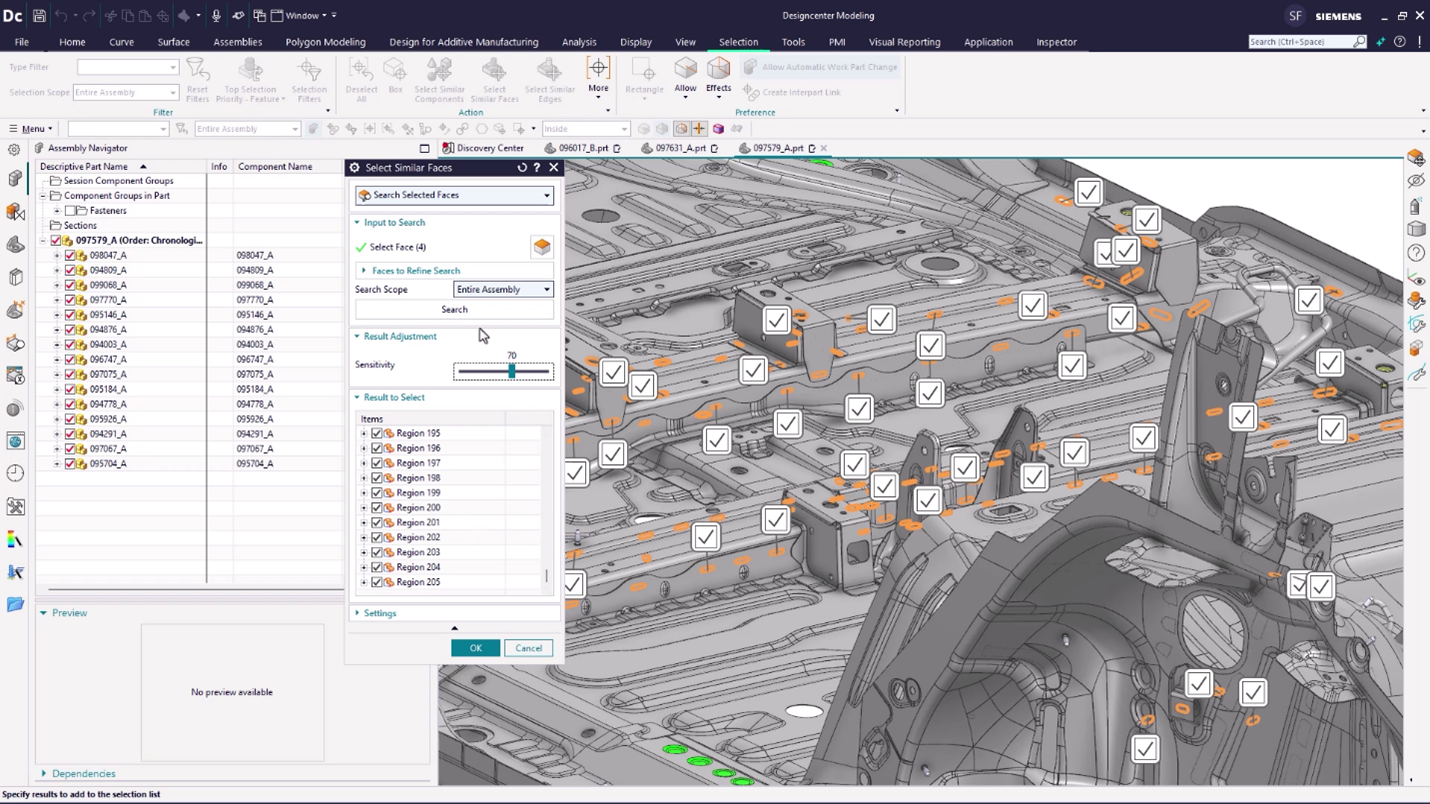
    Screenshot of Sustainability in Designcenter helps evaluate a product's environmental impact. Analyze material choices and manufacturing processes to create eco-friendly designs that meet global standards and reduce your carbon footprint.Screenshot of the Performance Predictor, used to simulate and forecast operational efficiency. This helps optimize designs and proactively avoid bottlenecks before physical implementation.Screenshot of Immersive Engineering, used to dive deep into manufacturing environments. Viewers can explore and analyze processes virtually to pinpoint potential issues and optimize workflows before they ever reach the factory floor.Screenshot of the Select Similar tool, used to quickly identify and group geometrically identical or parametrically similar components within a design. This streamlines modifications and ensures consistency across an entire project.Screenshot of a rendering created from the actual product design. Notice the lighting and surface realism.

    Vectorworks Architect Screenshots

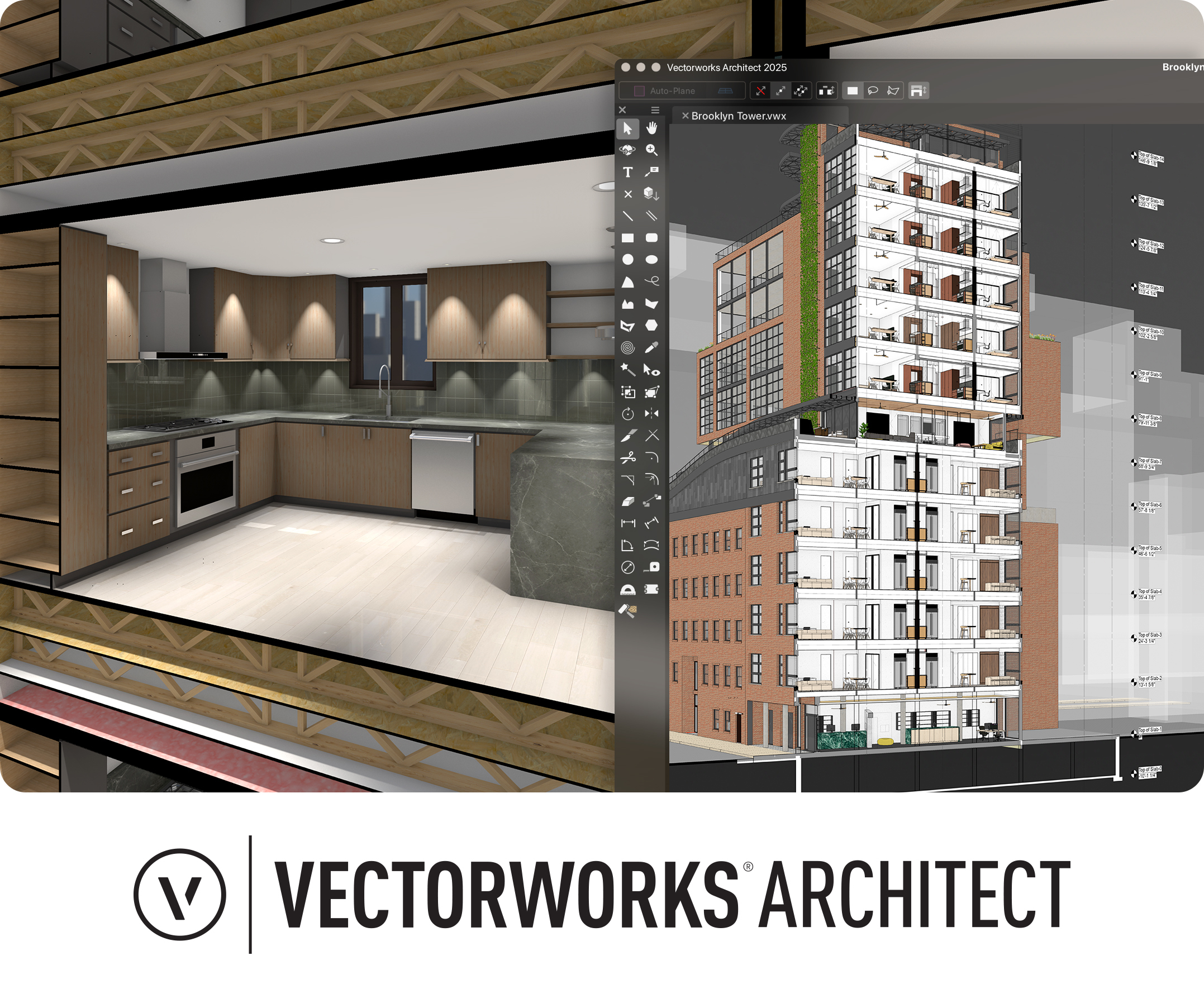
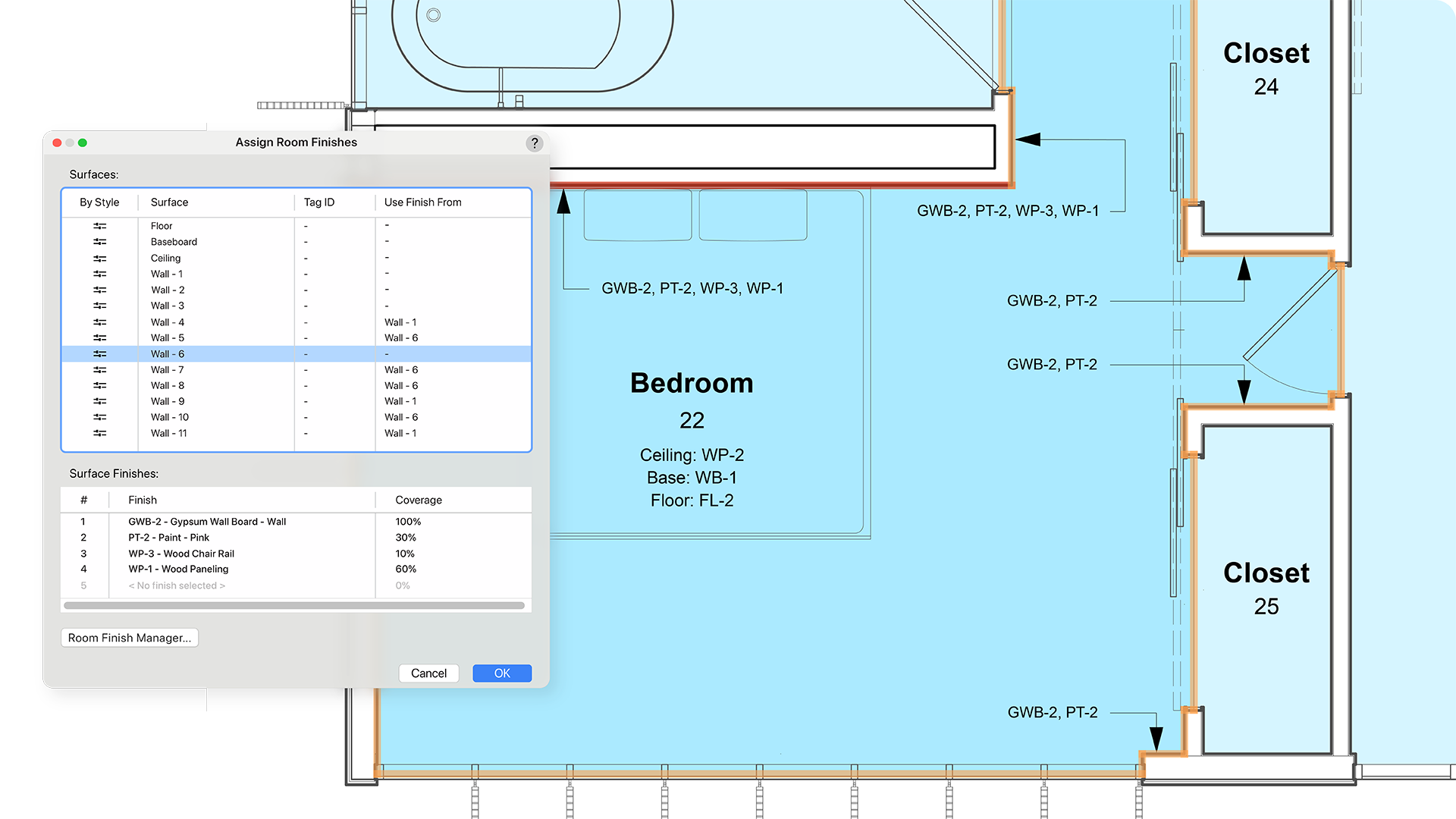
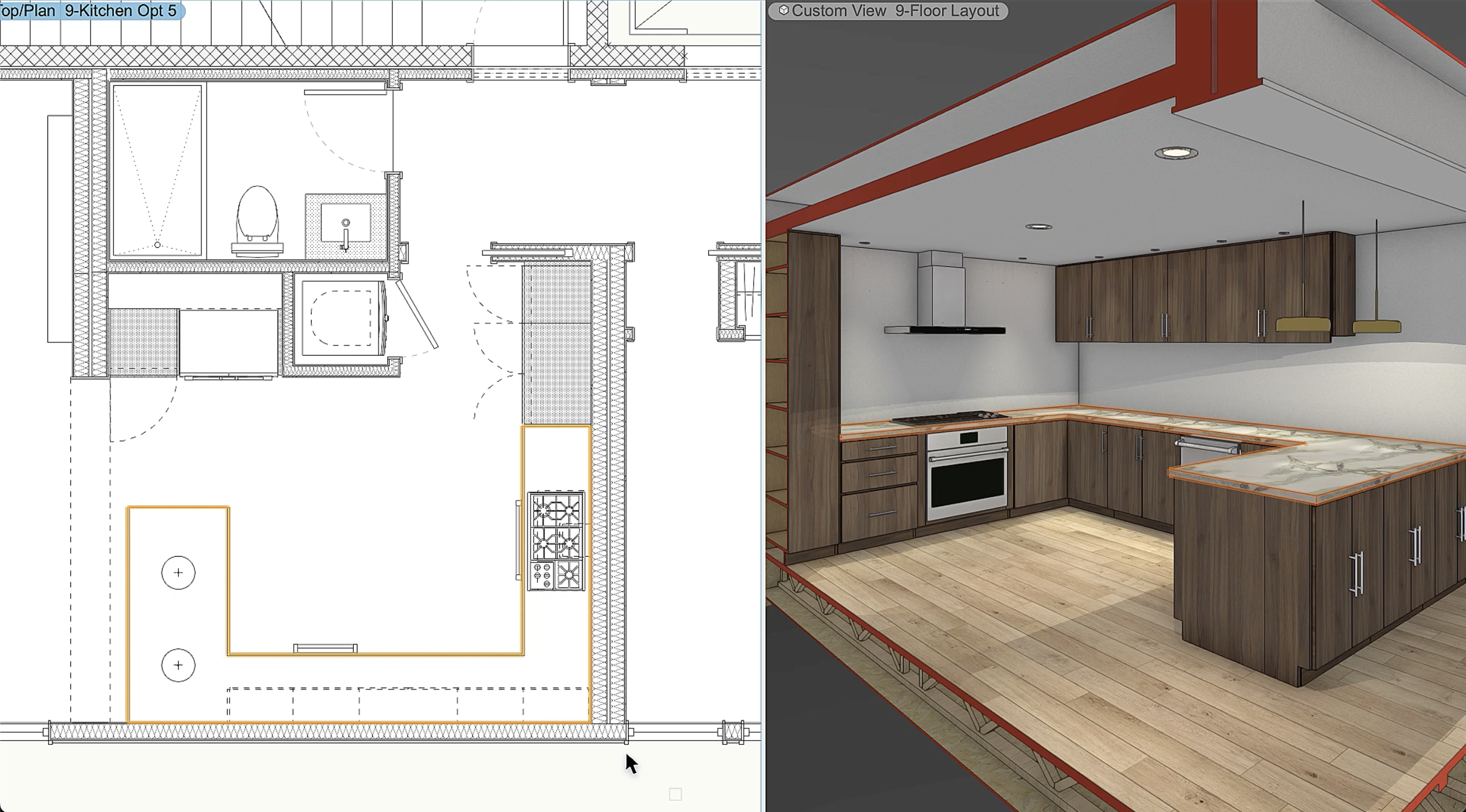
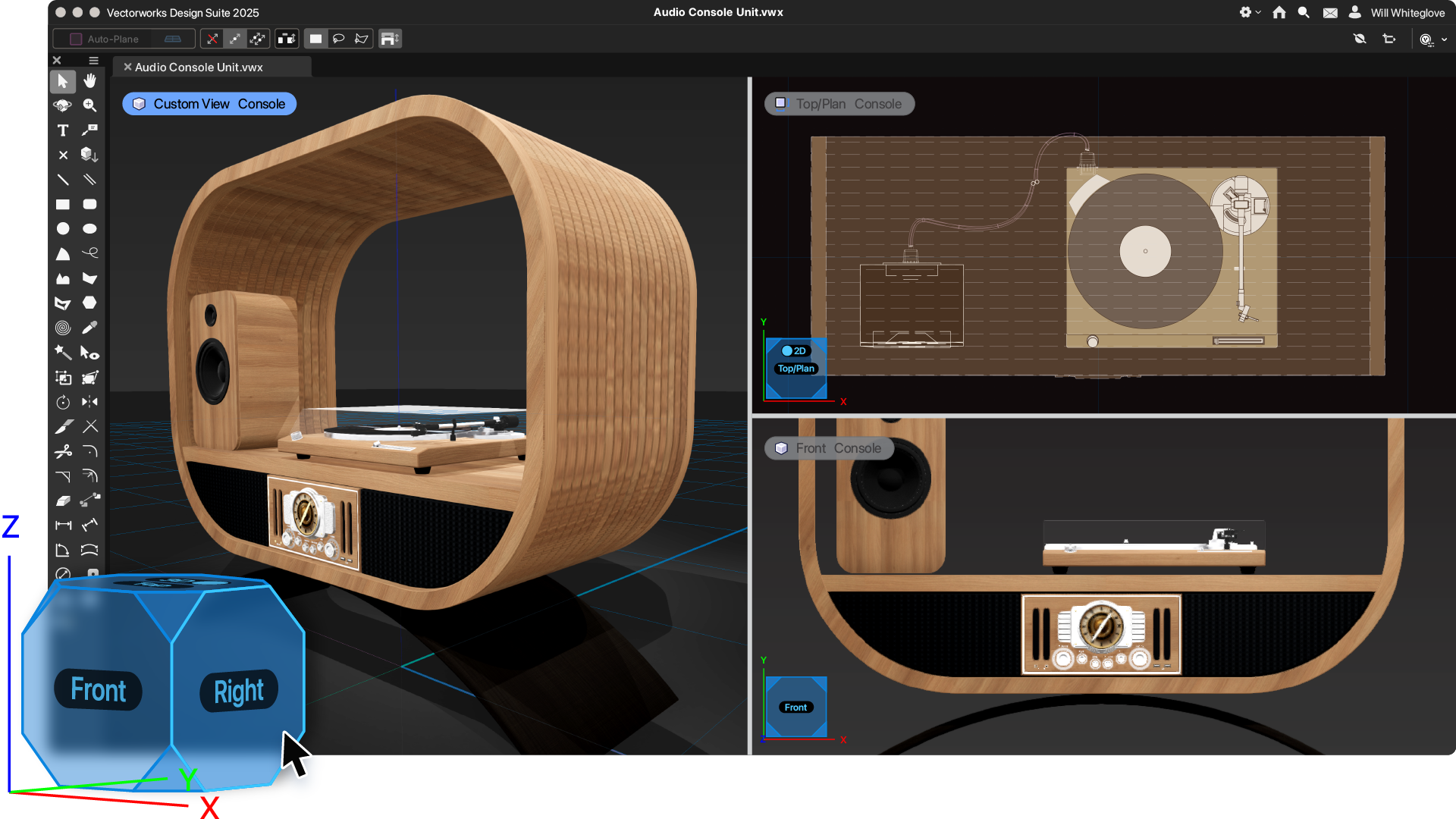
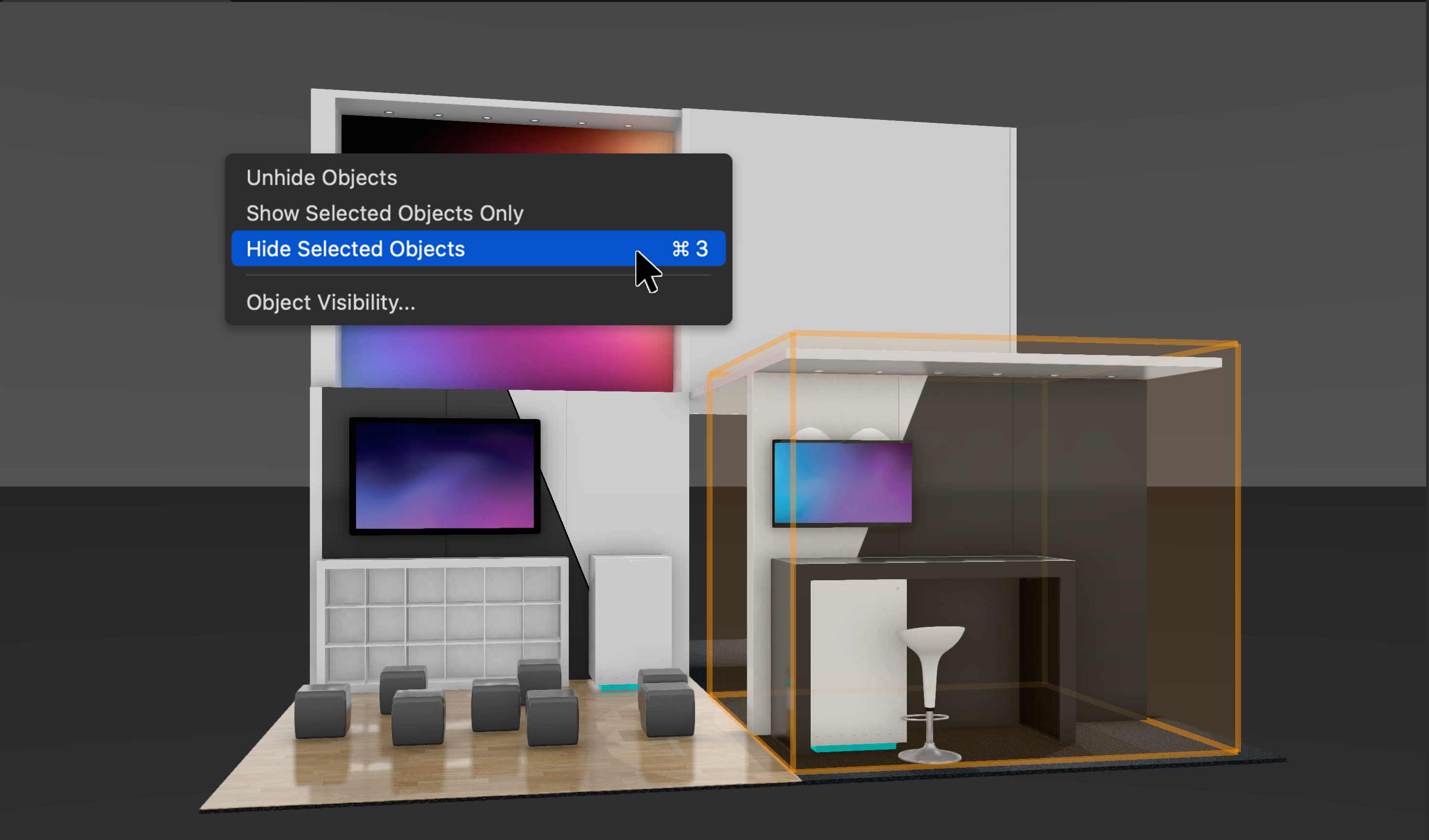
    Screenshot of Vectorworks Architect 2025Screenshot of where the user has the ability to select multiple walls and apply surface finishes in a single operation. From here, users can manage, annotate, and create reports with customizable project finishes and data visualization to help streamline the documentation process.Screenshot of where to assign classifications to Vectorworks objects and sub-parts and manage them centrally with a rules-and-criteria-based system. This helps save time and reduce risk for errors with automated application of local and national classification standards in a BIM collaboration and specification writing workflow.Screenshot of a tool that balances automation with customization, used to create finely detailed countertops and achieve quality visuals and reports. Users can manage countertops across projects with customizable styles and find superior control of design features like overhangs and backsplashes. With efficient modeling and automatic hole cuts, time becomes available to create without having to worry about manual processes.Screenshot of an example of the one-click navigation that allows for instant access to all views of a model and interactive model orbiting with click-dragging. The optional display of XYZ axes, compass direction, and working planes help orient and navigate the model.Screenshot of where to show, ghost, hide, or isolate specific objects with individual visibility control. Navigate to specific parts of the model by isolating objects and create custom drawings or viewports to clearly communicate design intent. Apply object visibility directly within the design layer or save it to viewports and data visualizations. Find fast, flexible workflows, while also working harmoniously with Class and Layer visibilities.