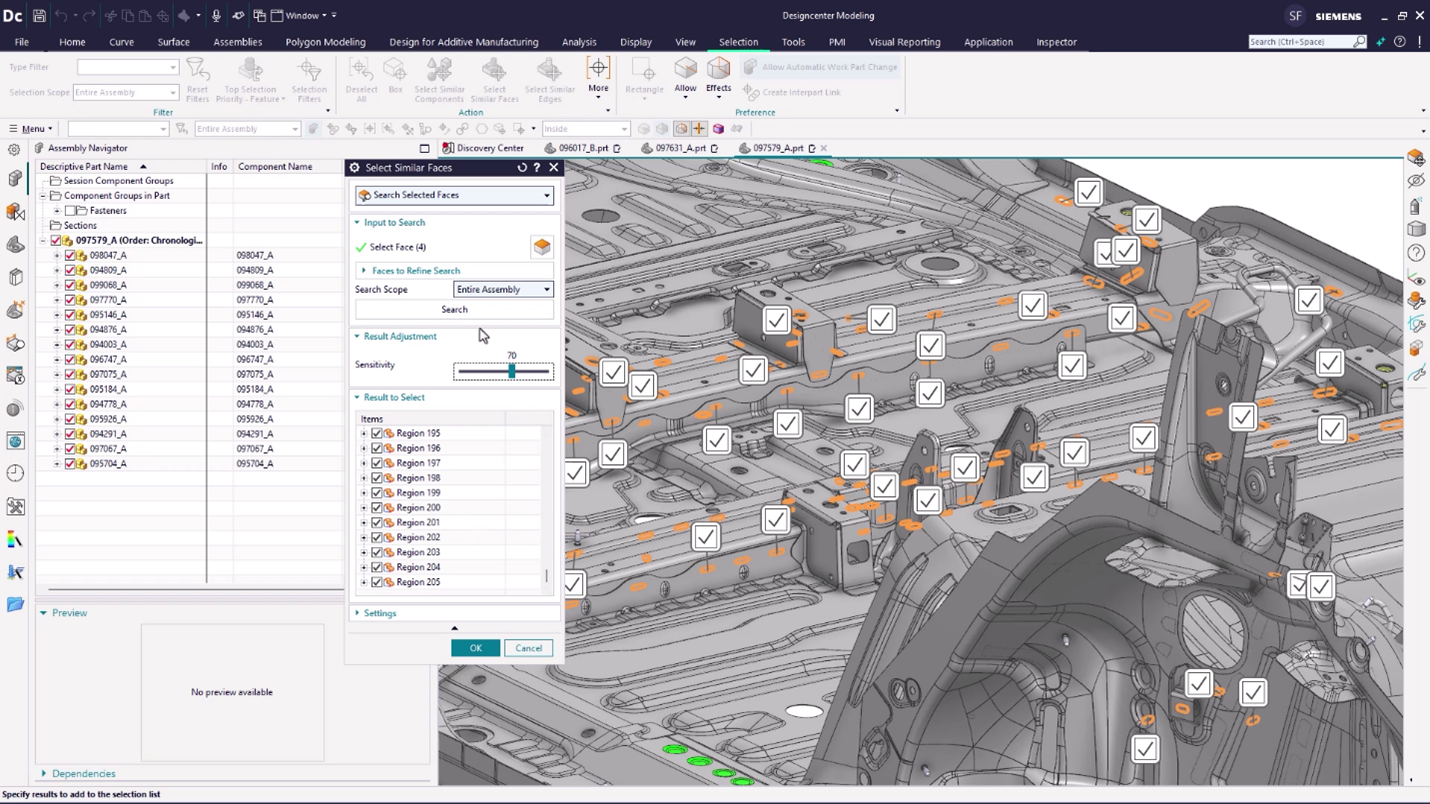
Designcenter™ software (formerly NX™ software) is an integrated product design and engineering solution. The platform supports stages of product development—from concept design and engineering to manufacturing—to optimize design processes and enhance team collaboration.
N/A
Pricing
Designcenter
Editions & Modules
No answers on this topic
Offerings
Pricing Offerings
Designcenter
Free Trial
Yes
Free/Freemium Version
No
Premium Consulting/Integration Services
No
Entry-level Setup Fee
No setup fee
Additional Details
—
More Pricing Information
Community Pulse
Designcenter
Considered Both Products
Siemens AG
Verified User
Chose Designcenter
Customer requirement is in NX CAD. NX CAD is easy to use. NX and TCPLM integration is easy.
A de minimis incentive was given to thank the reviewer for their time. The incentive was not used to bias or drive a particular response, nor was the incentive contingent on a positive endorsement. More Info
A de minimis incentive was given to thank the reviewer for their time. The incentive was not used to bias or drive a particular response, nor was the incentive contingent on a positive endorsement. More Info
Verified User
Chose Designcenter
I like NX CAD modelling features and drafting tool bars which helps in accomplishing the task in minimum steps. The available tools precisely generate the splines and complex geometries as required. There is perfect integration between NX CAD and NX CAM modules with less data …
A de minimis incentive was given to thank the reviewer for their time. The incentive was not used to bias or drive a particular response, nor was the incentive contingent on a positive endorsement. More Info
Verified User
Chose Designcenter
Was not question. The SW is only a translator, export, import system.
A de minimis incentive was given to thank the reviewer for their time. The incentive was not used to bias or drive a particular response, nor was the incentive contingent on a positive endorsement. More Info
Research Fellow in Manufacturing at University of Nottingham (Aviation & Aerospace, 1001-5000 employees)
Chose Designcenter
NX CAD is very good for interoperability between different three dimensional modelling softwares, it can convert to .jt models, from native format such as .CATPart, .CATProduct, and ones from SOLIDWORKS. Also it is integrated to Siemens Teamcenter, which also enables other …
A de minimis incentive was given to thank the reviewer for their time. The incentive was not used to bias or drive a particular response, nor was the incentive contingent on a positive endorsement. More Info
Verified User
Chose Designcenter
The API is more great then by the others. Also the Integration in Teamcenter. This is also leading to collaborative functions.
A de minimis incentive was given to thank the reviewer for their time. The incentive was not used to bias or drive a particular response, nor was the incentive contingent on a positive endorsement. More Info
A de minimis incentive was given to thank the reviewer for their time. The incentive was not used to bias or drive a particular response, nor was the incentive contingent on a positive endorsement. More Info
A de minimis incentive was given to thank the reviewer for their time. The incentive was not used to bias or drive a particular response, nor was the incentive contingent on a positive endorsement. TR verified that a representative sample of customers was invited. More Info
Verified User
Chose Designcenter
Copy of parts and assemblies was much easier in NX CAD than in Solid Edge. The same was with parameters. I don't know if this changed in the last few years.
A de minimis incentive was given to thank the reviewer for their time. The incentive was not used to bias or drive a particular response, nor was the incentive contingent on a positive endorsement. More Info
A de minimis incentive was given to thank the reviewer for their time. The incentive was not used to bias or drive a particular response, nor was the incentive contingent on a positive endorsement. More Info
A de minimis incentive was given to thank the reviewer for their time. The incentive was not used to bias or drive a particular response, nor was the incentive contingent on a positive endorsement. More Info
A de minimis incentive was given to thank the reviewer for their time. The incentive was not used to bias or drive a particular response, nor was the incentive contingent on a positive endorsement. More Info
A de minimis incentive was given to thank the reviewer for their time. The incentive was not used to bias or drive a particular response, nor was the incentive contingent on a positive endorsement. More Info
A de minimis incentive was given to thank the reviewer for their time. The incentive was not used to bias or drive a particular response, nor was the incentive contingent on a positive endorsement. More Info
Product Design/Development Engineer in Research & Development at Jyoti Plastic works Pvt Ltd (Mechanical Or Industrial Engineering, 201-500 employees)
Chose Designcenter
Siemens NX CAD is having very simple layout as compared to other competitors. It supports many numbers of file formats & translation to other software. It supports easy conversion of 3D to 2D. It supports PLM for project & Data Management. It is very versatile & supports Mold …
A de minimis incentive was given to thank the reviewer for their time. The incentive was not used to bias or drive a particular response, nor was the incentive contingent on a positive endorsement. More Info
Design Engineer in Manufacturing at Princess Yachts (Mechanical Or Industrial Engineering, 1001-5000 employees)
Chose Designcenter
The only reason why NX was chosen was due to the process management, and revision control that's built-in. And being able to limit access to files and if they can be modified.
A de minimis incentive was given to thank the reviewer for their time. The incentive was not used to bias or drive a particular response, nor was the incentive contingent on a positive endorsement. TR verified that a representative sample of customers was invited. More Info
A de minimis incentive was given to thank the reviewer for their time. The incentive was not used to bias or drive a particular response, nor was the incentive contingent on a positive endorsement. TR verified that a representative sample of customers was invited. More Info
Verified User
Chose Designcenter
Currently do not have any experience outside of Siemens PLM.
A de minimis incentive was given to thank the reviewer for their time. The incentive was not used to bias or drive a particular response, nor was the incentive contingent on a positive endorsement. More Info
There is perfect integration between NX CAD and NX CAM modules with less data loss. Better graphical interface and simplified commands makes NX CAD a better software then others. The tool has scope to develop an algorithm for generating surfaces from the point data. Include of option to convert .STL to any CAD format will be helpful. The connectivity of splines laying in different planes can be improvised.
A de minimis incentive was given to thank the reviewer for their time. The incentive was not used to bias or drive a particular response, nor was the incentive contingent on a positive endorsement. More Info
The software allows you to create a very high level of control and organization within your engineering staff. This reduces the companies mistakes and maximizes productivity.
The software makes it very easy to track your product through every phase of the production cycle.
A de minimis incentive was given to thank the reviewer for their time. The incentive was not used to bias or drive a particular response, nor was the incentive contingent on a positive endorsement. More Info
Keeping the colors of surfaces if volume bodies are linked
Show and keep symbolic threads
For me, I miss more information why a surface can't be deleted or a radius is not possible. And maybe a solution, how could it look like, if NX CAD adds a new surface.
A de minimis incentive was given to thank the reviewer for their time. The incentive was not used to bias or drive a particular response, nor was the incentive contingent on a positive endorsement. More Info
A de minimis incentive was given to thank the reviewer for their time. The incentive was not used to bias or drive a particular response, nor was the incentive contingent on a positive endorsement. More Info
Siemens NX CAD has been has been simple in design & user interface. It is best among the competitors. It can develop heavy models & designs with very ease. It has Layers options for arranging multiple assemblies in the same file. It does not require heavy system investment & works fine on professional PCs
A de minimis incentive was given to thank the reviewer for their time. The incentive was not used to bias or drive a particular response, nor was the incentive contingent on a positive endorsement. TR verified that a representative sample of customers was invited. More Info
A de minimis incentive was given to thank the reviewer for their time. The incentive was not used to bias or drive a particular response, nor was the incentive contingent on a positive endorsement. More Info
NX CAD is very good for interoperability between different three dimensional modelling softwares, it can convert to .jt models, from native format such as .CATPart, .CATProduct, and ones from SOLIDWORKS. Also it is integrated to Siemens Teamcenter, which also enables other downstream workflow, such as Tecnomatix Process Simulate. Other software packages would need more integration effort to make this possible
A de minimis incentive was given to thank the reviewer for their time. The incentive was not used to bias or drive a particular response, nor was the incentive contingent on a positive endorsement. More Info
A de minimis incentive was given to thank the reviewer for their time. The incentive was not used to bias or drive a particular response, nor was the incentive contingent on a positive endorsement. More Info