Solutions2Share Teams Manager vs. Syskit Point

Overview
ProductRatingMost Used ByProduct SummaryStarting Price
Teams Manager
Score 8.0 out of 10
N/A
IT administrators can keep control of their Microsoft 365 environment with Teams Manager. Teams Manager is used to prevent the uncontrolled creation of Teams and Groups and automate governance processes. Key Features: • Governance Dashboard and Reports – provides an overview of the M365 environment (inactive or ownerless teams, teams with guests etc.) • Provisioning of new teams & SharePoint sites – with channels,…N/A
Syskit Point
Score 9.0 out of 10
N/A
SysKit Point is a Automated Office 365 Governance and Security tool, from SysKit in Zagreb. It is designed to enable users to get a full overview of an Office 365 environment and ownership across Microsoft Teams, SharePoint Online, Office 365 Groups, and OneDrive in a central web interface. With it, the vendor says users can create easy-to-read security reports and proactively manage users and access.
$1
per month
Pricing
Solutions2Share Teams ManagerSyskit Point
Editions & Modules
No answers on this topic
Offerings
Pricing Offerings
Teams ManagerSyskit Point
Free Trial
YesYes
Free/Freemium Version
NoNo
Premium Consulting/Integration Services
YesNo
Entry-level Setup FeeOptionalNo setup fee
Additional Details
More Pricing Information
Community Pulse
Solutions2Share Teams ManagerSyskit Point
Best Alternatives
Solutions2Share Teams ManagerSyskit Point
Small Businesses

No answers on this topic

Egnyte
Egnyte
Score 9.5 out of 10
Medium-sized Companies

No answers on this topic

IBM InfoSphere Information Server
Score 8.0 out of 10
Enterprises
SailPoint Identity Security Cloud
Score 6.8 out of 10
IBM InfoSphere Information Server
Score 8.0 out of 10
All AlternativesView all alternativesView all alternatives
User Ratings
Solutions2Share Teams ManagerSyskit Point
Likelihood to Recommend
8.1
(10 ratings)
-
(0 ratings)
Usability
8.0
(1 ratings)
-
(0 ratings)
User Testimonials
Solutions2Share Teams ManagerSyskit Point
Likelihood to Recommend
Solutions2Share
It's well suited if you or your organization performs tasks incorporating other Microsoft programs such as OneNote or Planner. Teams Manager allows for easy management of that software usage; if you do not use any of those, I'm not sure if there is much advantage in using it to manage workflow.
Read full review
Syskit
No answers on this topic
Pros
Solutions2Share
  • Handles different teams and teams members
  • Giving them permissions as per their job profile and necessity
  • Seeing the projects' progress through one platform
Read full review
Syskit
No answers on this topic
Cons
Solutions2Share
  • user interface can be enhanced to seperate the color coding for different channels
  • It would be great to receive notifications in Outlook for Shifts and be able to approve/deny requests and schedule changes there while it's synced with the Outlook calendar.
Read full review
Syskit
No answers on this topic
Usability
Solutions2Share
It is a well-designed and polished application on Teams. Most of its issues stem from Teams UI and UX, which could be improved further. However, if you can fit the team manager to your needs, it can become a very powerful tool to manage data flow.
Read full review
Syskit
No answers on this topic
Alternatives Considered
Solutions2Share
We still use it for our one-off situations, but mostly stick to Teams as it is much more user-friendly and allows better sharing capabilities through virtual meetings. Skype is not as easily customized, so it's a no-brainer to use Microsoft Teams and Team Manager for all of our instant messaging and virtual meeting needs.
Read full review
Syskit
No answers on this topic
Return on Investment
Solutions2Share
  • Positive in regards to easy access to quick answers through instant messaging
  • Positive in that the Managers have a secure place to go to retrieve sensitive information.
  • Negative in that we do not fully utilize the tool.
Read full review
Syskit
No answers on this topic
ScreenShots

Teams Manager Screenshots

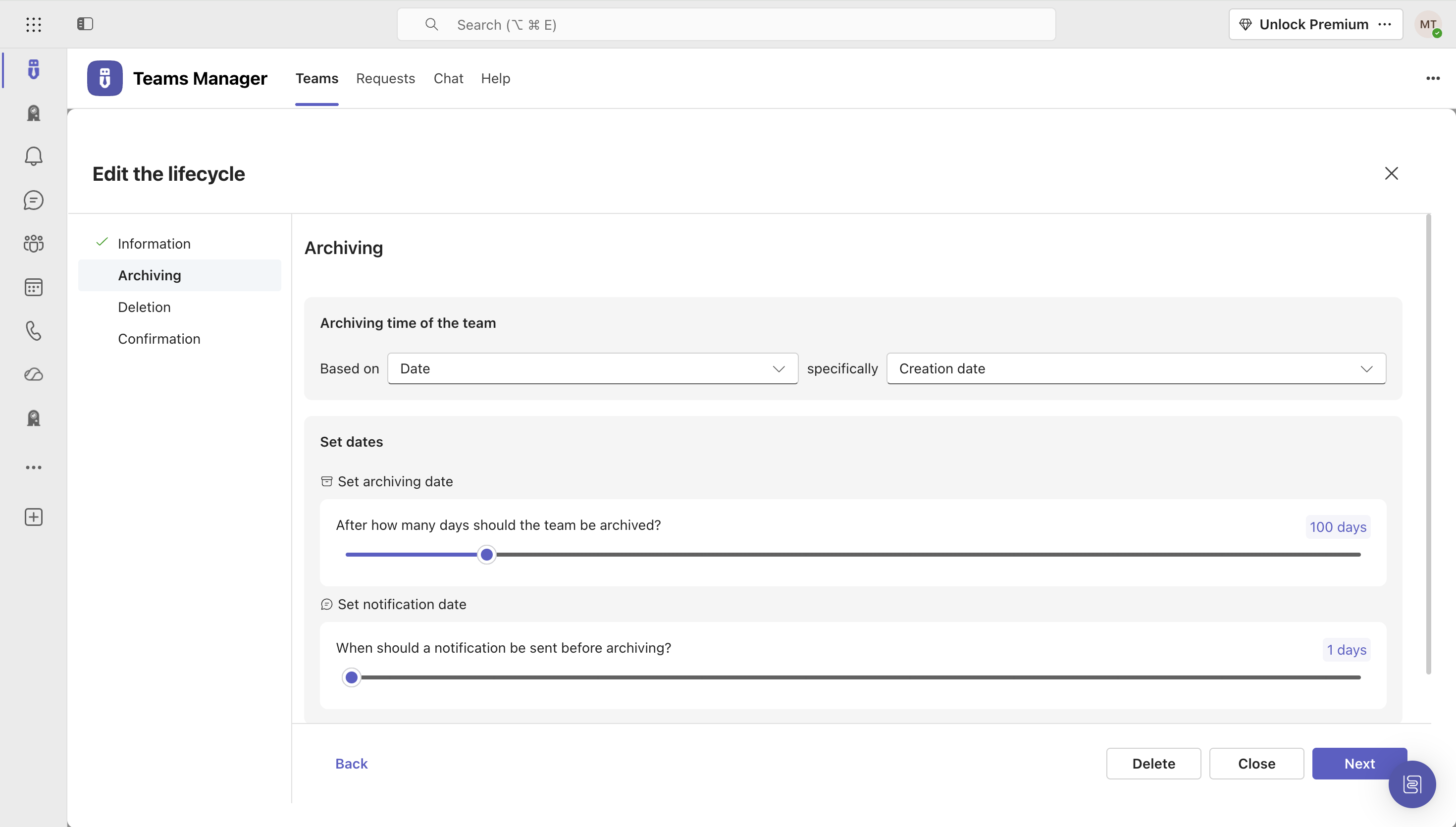
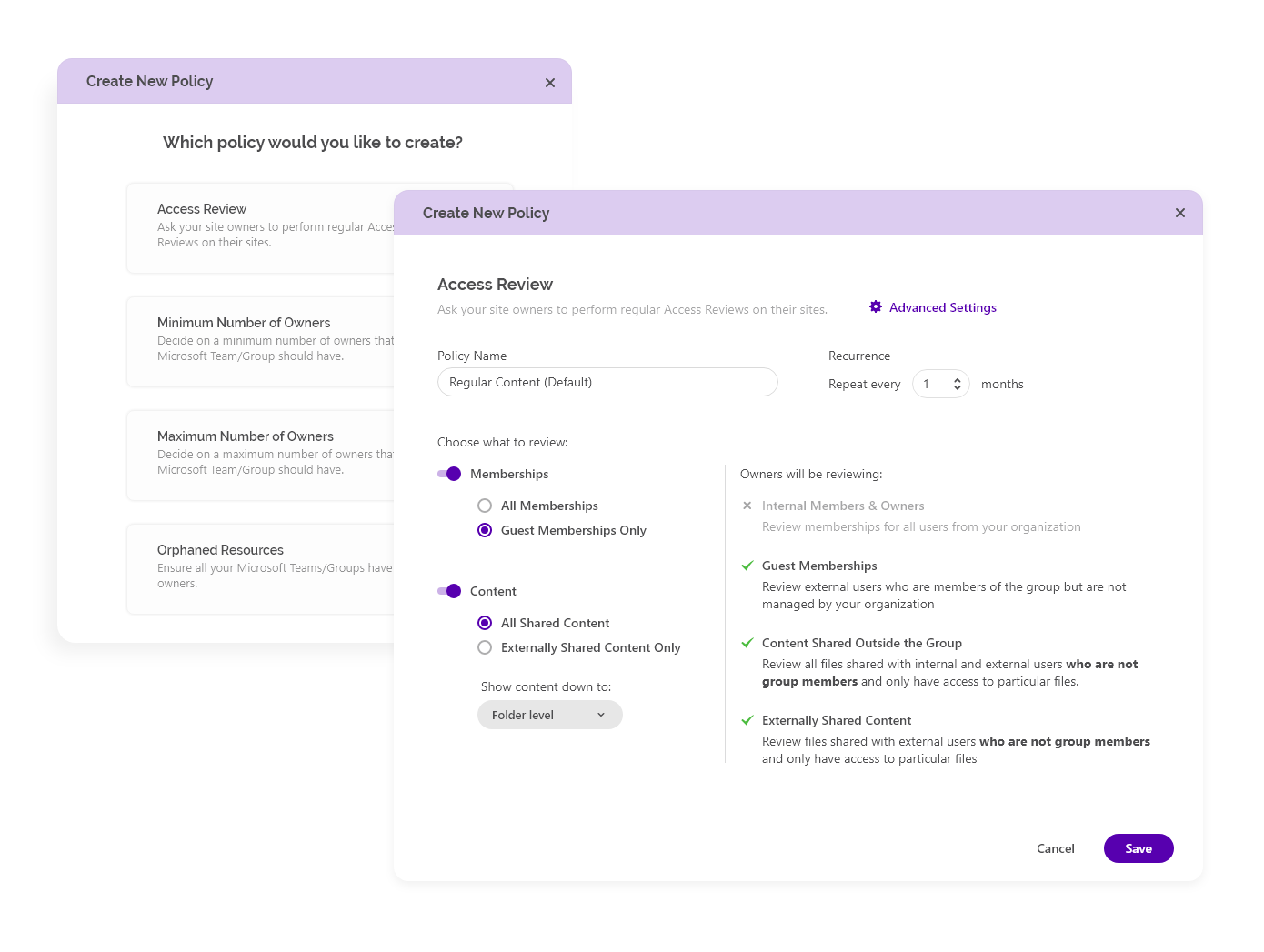
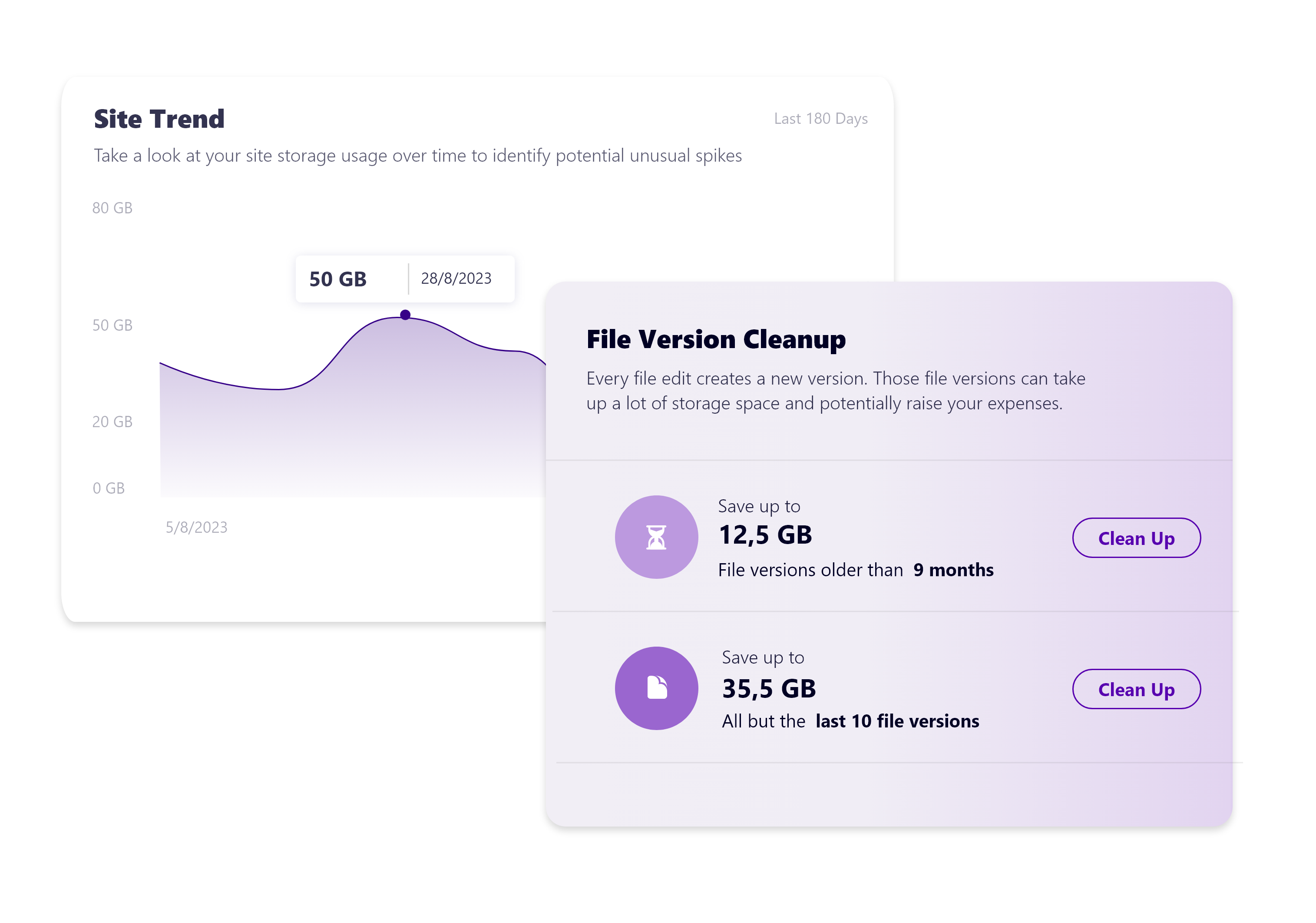
Screenshot of Governance Dashboard and Reports – for an overview of Microsoft 365 environmentsScreenshot of Automated request and approval process for new teams, M365 groups and SharePoint sitesScreenshot of Templates and provisioning for teams and SharePoint Sites (with channels, tabs, apps, folders, Planner with tasks, OneNote with content and more)Screenshot of Lifecycles for teams: inactive or obsolete teams can automatically be archived or even deleted after a specified period of timeScreenshot of Naming conventions for teams, OneNotes and Planners: rules for uniform, relevant names with predefined prefixes and suffixesScreenshot of Mobile view for all functionalities

Syskit Point Screenshots

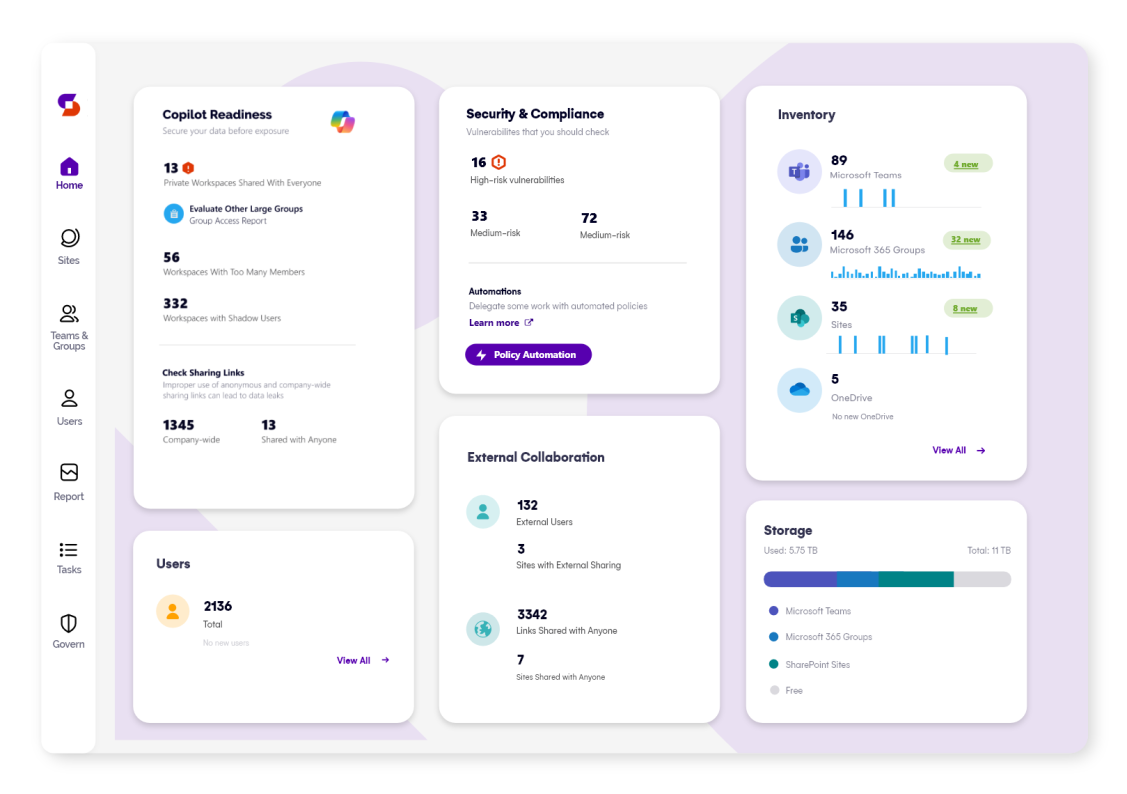
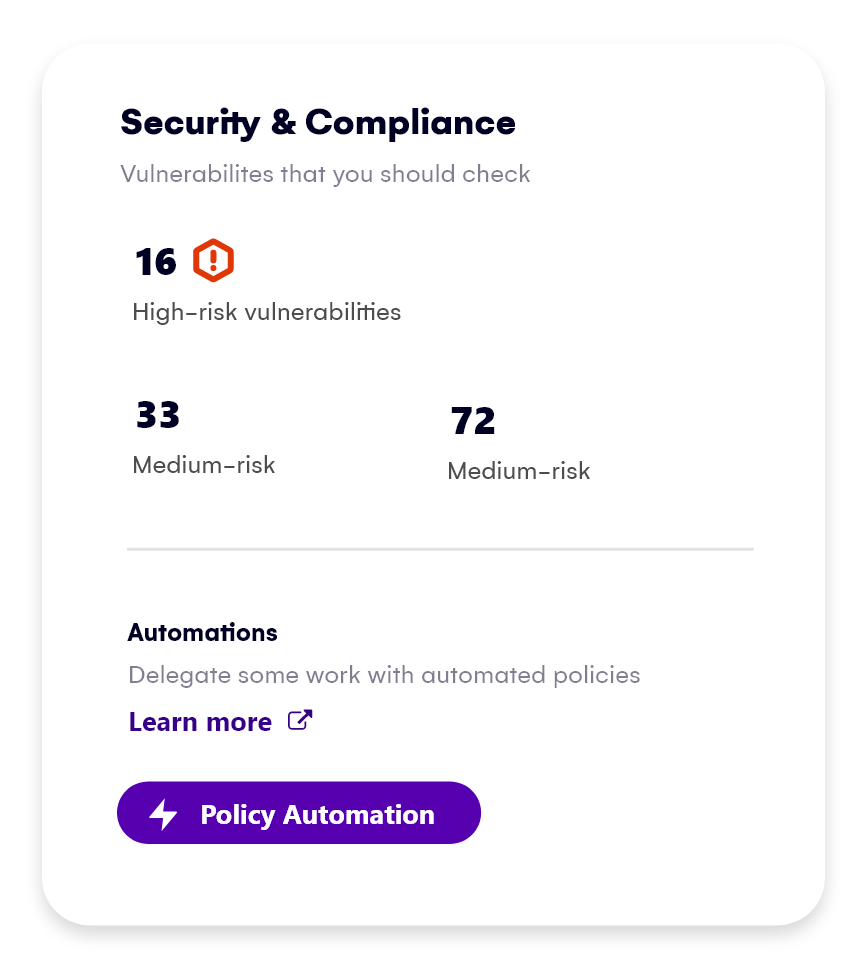
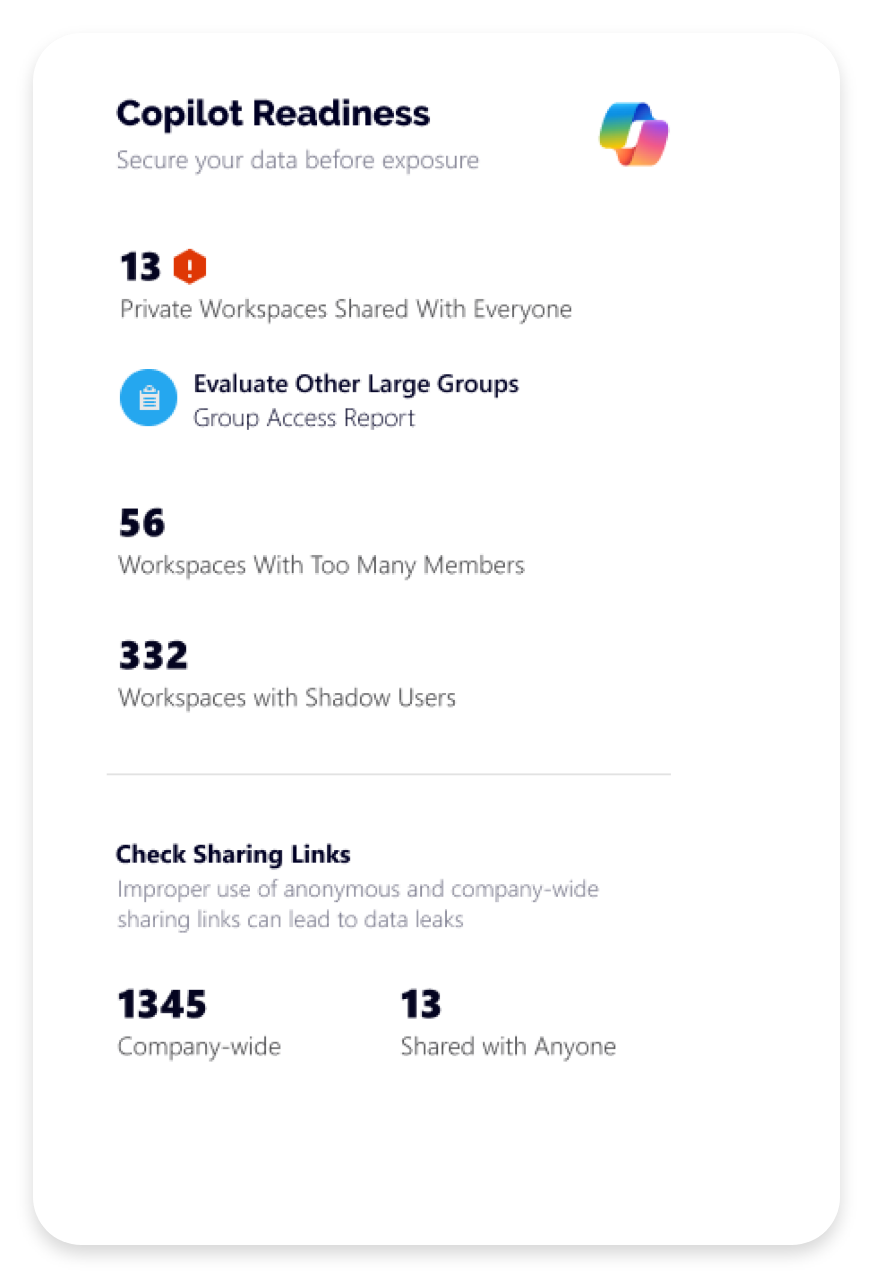
Screenshot of Syskit Point’s dashboard, which offers a centralized view of yoan ur entire Microsoft 365 environment. This offers visibility across Microsoft Teams, SharePoint, OneDrive, Microsoft 365 Groups, and Power Platform. Viewers can quickly identify who has access to what, monitor external sharing, and spot potential risks before they become issues. With real-time insights, detailed reports, and automated governance workflows, the Syskit Point dashboard helps stay in control, simplify management, and protect sensitive data.Screenshot of Syskit Point’s Security & Compliance Dashboard, which provides a centralized view of permissions, user activity, and external sharing across a Microsoft 365 environment. Users can monitor who has access to sensitive data, enforce policies, and take immediate action to prevent unauthorized access or data leaks. With built-in compliance and security checks, the dashboard helps to ensure regulatory alignment and quickly mitigate potential risks.Screenshot of how Syskit Point helps prepare a Microsoft 365 environment for Copilot by ensuring only secure, relevant data is accessible. It identifies oversharing risks, enforces access controls, and provides visibility into sharing activity, so Copilot delivers accurate, trustworthy outputs without exposing sensitive information. With proactive permission reviews and workspace lifecycle management, Syskit Point ensures data is clean, compliant, and Copilot-ready.Screenshot of how Syskit Point simplifies Microsoft 365 governance with automated access reviews and workspace lifecycle management. It empowers resource owners to regularly review access, manage permissions, and keep workspaces secure and well-organized. With policy-based automation, storage optimization, and clear ownership responsibilities, Syskit Point helps prevent oversharing, reduce unnecessary access, and ease the governance burden on IT teams.Screenshot of how Syskit Point provides clear visibility into SharePoint storage usage, helping resource owners track storage trends, identify oversized workspaces, and spot unnecessary file versions. With built-in cleanup options and customizable policies, owners can remove outdated or redundant data, optimize storage, and prevent capacity issues. This proactive approach supports cost savings, improves workspace organization, and helps maintain a healthy Microsoft 365 environment.