Sophos Endpoint Protection (Sophos EPP) with Intercept X is an endpoint security product providing an antivirus / antimalware solution that when upgraded with Intercept X or Intercept X Advanced provides advanced threat detection and EDR capabilities.
$28
per year per user
Windows Server
Score8.7 out of 10
N/A
N/A
N/A
Pricing
Sophos Intercept X
Windows Server
Editions & Modules
Intercept X Advanced
$28
per year per user
Intercept X Advanced with XDR
$48
per year per user
Sophos Managed Threat Response
$79
per year per user
No answers on this topic
Offerings
Pricing Offerings
Sophos Intercept X
Windows Server
Free Trial
No
No
Free/Freemium Version
No
No
Premium Consulting/Integration Services
No
No
Entry-level Setup Fee
No setup fee
No setup fee
Additional Details
Pricing is for a 3-year commitment. Government and Education pricing available.
—
More Pricing Information
Community Pulse
Sophos Intercept X
Windows Server
Considered Both Products
Sophos
No answer on this topic
Microsoft
Verified User
Chose Windows Server
We have various servers or appliances that run on various flavors of Linux that do their jobs well, but we configure and manage them very lightly at the OS level. Most of the admin on these devices is sone inside the applications themselves. We don't shy away from new …
A de minimis incentive was given to thank the reviewer for their time. The incentive was not used to bias or drive a particular response, nor was the incentive contingent on a positive endorsement. More Info
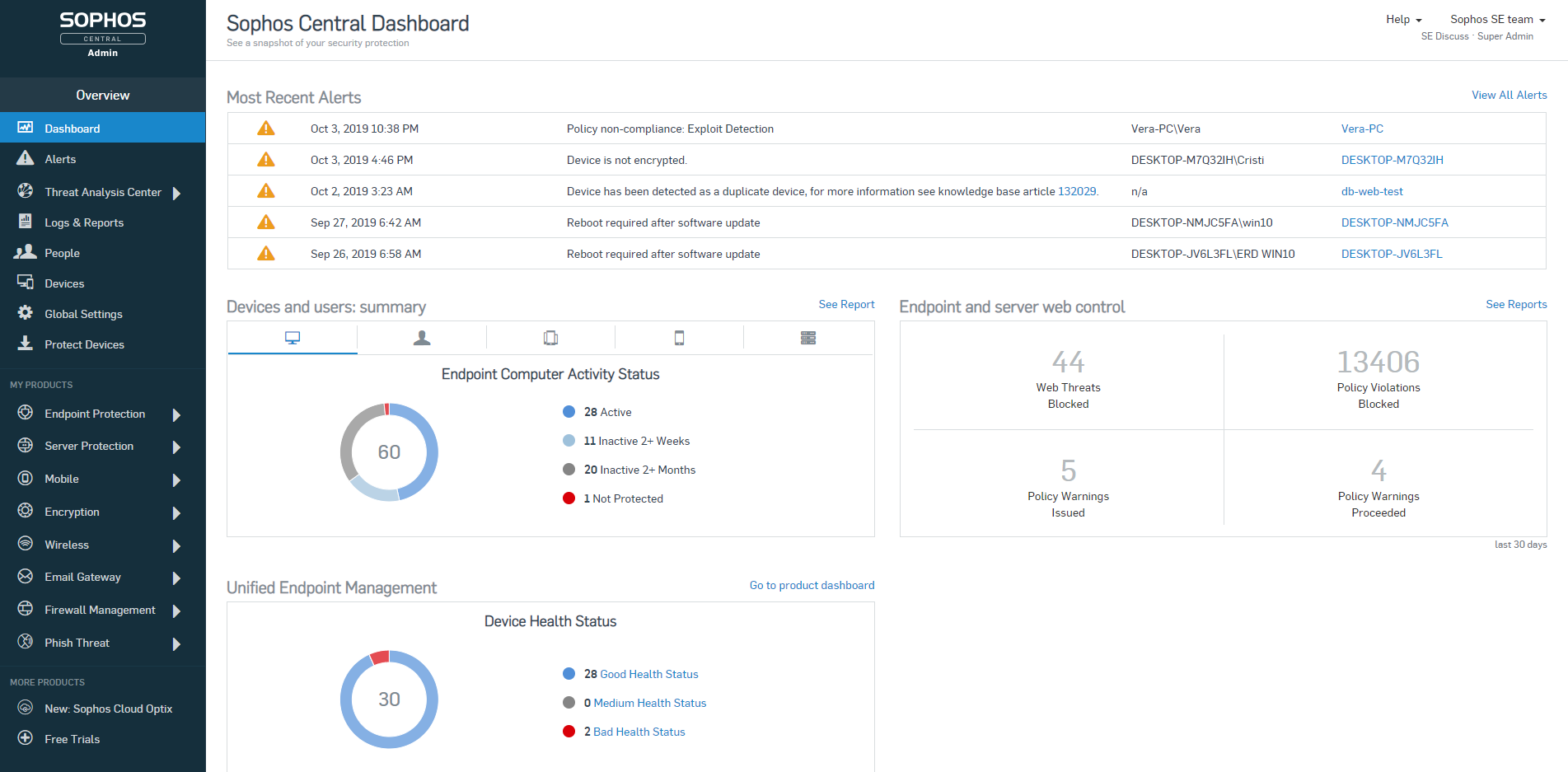
To be frank, this product is fairly expensive. So I would recommend this to companies that are mid-sized or larger to condone the cost of the purchase. It does save me a significant amount of time in my day - being able to glance at the dashboard and see if there are any outstanding issues that require my attention, as not much digging must be done to accomplish this. So for our company, with a short-staffed IT department, it's incredibly helpful to us. We also qualify for Educational pricing which brings the cost down - which helps tremendously
A de minimis incentive was given to thank the reviewer for their time. The incentive was not used to bias or drive a particular response, nor was the incentive contingent on a positive endorsement. More Info
Windows Server and Active Directory is very robust and stable, it has been a staple in every IT environment I have worked in during my career. Junior to Intermediate admins can learn Windows Server easily, the user interfaces make administration tasks very easy as well as the documentation available through a vast amount of resources. There are other Operating Systems available with no GUI which has a smaller attack surface, faster update installation and reboot time. Windows Server does have the ability to remove the desktop experience, however it is not something I have had experience with and I believe most administrators choose not to remove it.
A de minimis incentive was given to thank the reviewer for their time. The incentive was not used to bias or drive a particular response, nor was the incentive contingent on a positive endorsement. More Info
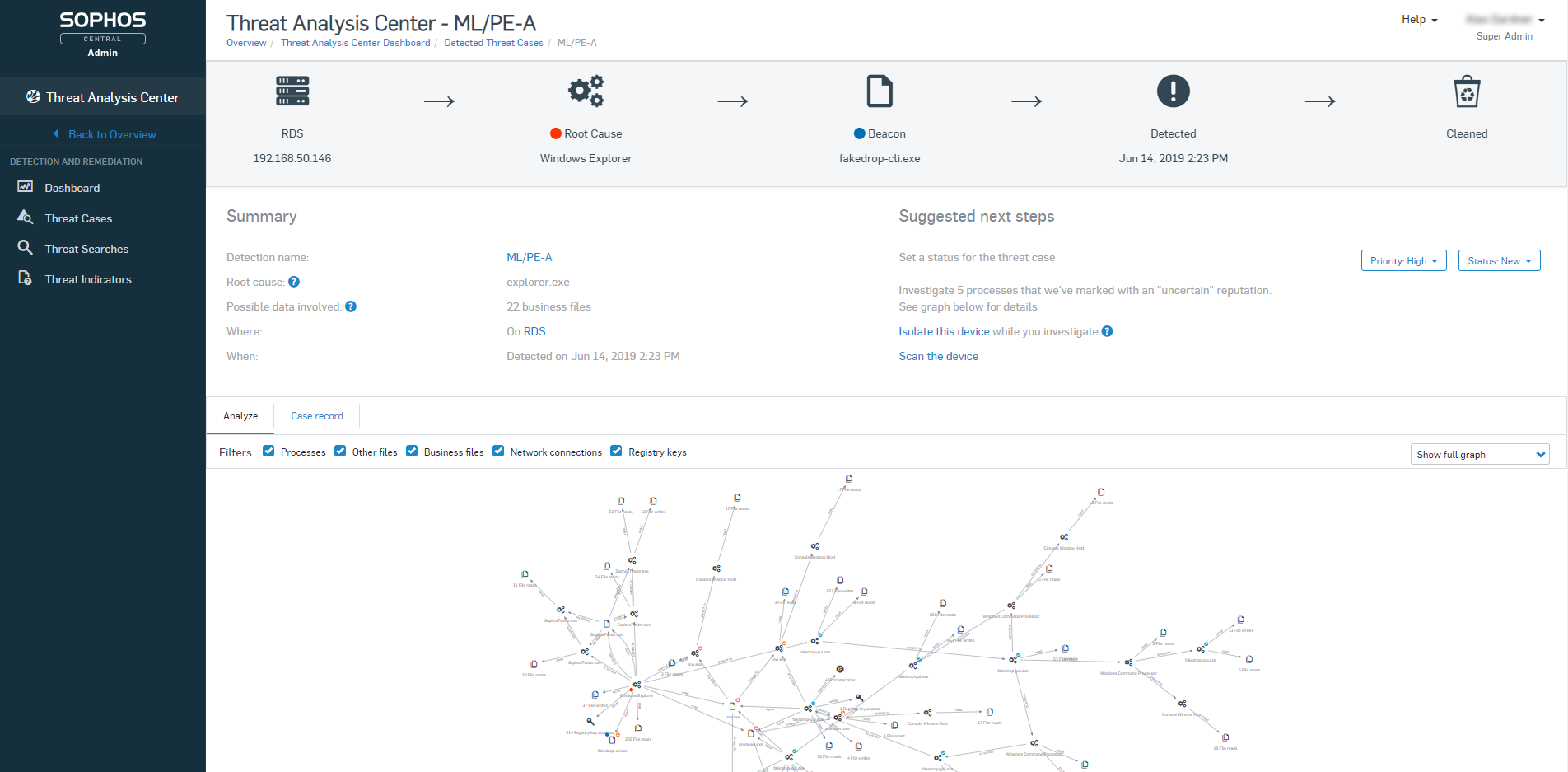
Sophos Intercept X is great at preventing malware infections and rolling back their effects. I have seen this happen hundreds of times since we installed it
When combined with Sophos Central, you have an easy to use dashboard where you can manage all installations from a single pane of glass.
It's easy to deploy on machines and stays updated.
Good reporting features including alerts sent to the admin if there's ever something wrong with it.
A de minimis incentive was given to thank the reviewer for their time. The incentive was not used to bias or drive a particular response, nor was the incentive contingent on a positive endorsement. More Info
A de minimis incentive was given to thank the reviewer for their time. The incentive was not used to bias or drive a particular response, nor was the incentive contingent on a positive endorsement. More Info
Sophos OOTB policies are very strict and they don't offer anything less strict without you creating new custom policies. I'm sure this is deliberate because the product starts you out in the safest way possible but it means that you will have lots of calls to your tech support desk when you first deploy it unless you do somewhat extensive testing beforehand.
Sophos Intercept X is currently broken (at least the DLP component) by having secure boot turned on in the UEFI/BIOS. If any user wants to be able to write data to a USB drive or floppy from their PC (yes we still have a couple users who need to use floppies) we have to turn off secure boot on their PC, even if the DLP policy for that user/PC combination specifies that the user and PC are allowed to write to USB/floppy. This would be a very serious problem if it weren't for the fact that we have very few users who need to write files to USB. For us it's OK but I bet it would be a deal-breaker for others.
I don't see a whole lot of evidence that Intercept X is any different than any other anti-virus, so maybe their admin alerts just don't clearly identify when they have identified a zero-day threat or maybe we just haven't had any zero-day threats.
A de minimis incentive was given to thank the reviewer for their time. The incentive was not used to bias or drive a particular response, nor was the incentive contingent on a positive endorsement. More Info
Microsoft needs to minimize the update frequency by making the product more secure. It can become very exhausting trying to keep updated if you don't have a dedicated support team. It can become challenging where the business is unable to allow downtime for reboots as part of the update process.
Prone to security and audit vulnerabilities.
The operating system needs more CPU and memory resources compared to other options such as Linux.
Understanding the licensing model can be abit confusing.
Comes with a standard firewall, but not the most secured one available. Would suggest using a more secured firewall as part of your antivirus software.
Due to the number of vulnerabilities and the operating system being a target for hackers, anti-virus software is a must.
A de minimis incentive was given to thank the reviewer for their time. The incentive was not used to bias or drive a particular response, nor was the incentive contingent on a positive endorsement. More Info
A de minimis incentive was given to thank the reviewer for their time. The incentive was not used to bias or drive a particular response, nor was the incentive contingent on a positive endorsement. More Info
I've carefully reviewed the servers and services currently running on Windows Server 2012, and given the opportunity would renew them as is going forward. There are two systems I currently have in place, one is a very large Linux implementation for a large ecommerce site, and one is a very large backup solution front ended by FTP servers running Linux. Neither are well suited for Windows, but the overall network infrastructure is and will be Windows Server for the foreseeable future.
The usability has never been a problem. Sophos Intercept X is a program you can install and let protect your company without much intervention. Apart from a few policies, Sophos will keep you protected better than most any product on the market. Sophos Intercept X works quite well when you are looking to "tighten your grip" on user's access to websites, programs, and add-ons.
Anyone new to IT could easily use the familiar Desktop Experience (GUI) version because we all know how to use Windows, whether a client or server version. Once an IT user is more comfortable with the operating system, they can move on to the Core version, which is the way to go in almost all situations.
A de minimis incentive was given to thank the reviewer for their time. The incentive was not used to bias or drive a particular response, nor was the incentive contingent on a positive endorsement. More Info
Most of the support reps are fantastic. There have been a few though that have had to be escalated via Account Manager when they haven't followed up but this is a rare instance, and often followed up by the Support Manager for APAC.
A de minimis incentive was given to thank the reviewer for their time. The incentive was not used to bias or drive a particular response, nor was the incentive contingent on a positive endorsement. More Info
Microsoft's support is hugely wide-ranging from articles online to having to contact them directly for the more serious issues. In recent years when I have contacted them directly, I have found the support o be excellent as I have found myself connected to very knowledgeable people in the field in which I needed the support. The online support available is vast and I tend to find most of the time that there is always someone out there who has had the same issue as me in the past and knows something about how to resolve it! This is the advantage of using industry standard and long-established systems such as Windows Server.
A de minimis incentive was given to thank the reviewer for their time. The incentive was not used to bias or drive a particular response, nor was the incentive contingent on a positive endorsement. More Info
A de minimis incentive was given to thank the reviewer for their time. The incentive was not used to bias or drive a particular response, nor was the incentive contingent on a positive endorsement. More Info
Make sure that you have detailed processes in place for every server instance you plan to install/upgrade, if possible get the base OS loaded and Windows Updates applied ahead of time, and if using a VM take a snapshot prior to installing each role, as well as along the way.
A de minimis incentive was given to thank the reviewer for their time. The incentive was not used to bias or drive a particular response, nor was the incentive contingent on a positive endorsement. More Info
Webroot Endpoint Protection is not even in the same league as Sophos Intercept-X. I have tested and compared both sides by side, run simulations and it's not even close. Plus the Sophos central management is so much better. Easier to view user activities and apply policies and remediate threats. Sophos is the clear winner between these two products.
A de minimis incentive was given to thank the reviewer for their time. The incentive was not used to bias or drive a particular response, nor was the incentive contingent on a positive endorsement. More Info
They are different experiences, and while the other solutions offer enterprise-grade stability and, in some cases, address Windows server shortcomings (such as patching), they all do the trick, but the other solutions require a deeper technical background/configuration of items at the command line, which some people are not fully comfortable with.
A de minimis incentive was given to thank the reviewer for their time. The incentive was not used to bias or drive a particular response, nor was the incentive contingent on a positive endorsement. More Info
Once our technical and commercial areas got certified, the ROI over the time spent, is great. Actual customers, and/or new ones with other tools, feel safe and advised, once they get in touch with us.
When Sophos EndPoint is being compared against Web Management Tools (competitors), we have failed to deliver, nevertheless, there is a version of Sophos Central (Cloud) which achieves this requirement at 100% and more, since is Cloud Based (on AWS).
We are grateful to be on Sophos "Radar" as a Platinum Partner, and "The Americas" valued partner, we have seen our business grow, thanks to this kind of technology, throughout the years.
A de minimis incentive was given to thank the reviewer for their time. The incentive was not used to bias or drive a particular response, nor was the incentive contingent on a positive endorsement. More Info
A de minimis incentive was given to thank the reviewer for their time. The incentive was not used to bias or drive a particular response, nor was the incentive contingent on a positive endorsement. More Info