Spotify for Podcasters, formerly Anchor, is a podcasting platform, enabling the user to create, distribute, and monetize a podcast. It is available via a free plan. It features built-in uploading, recording, and editing tools so the can easily create and publish episodes.
N/A
Vidyard
Score8.3 out of 10
N/A
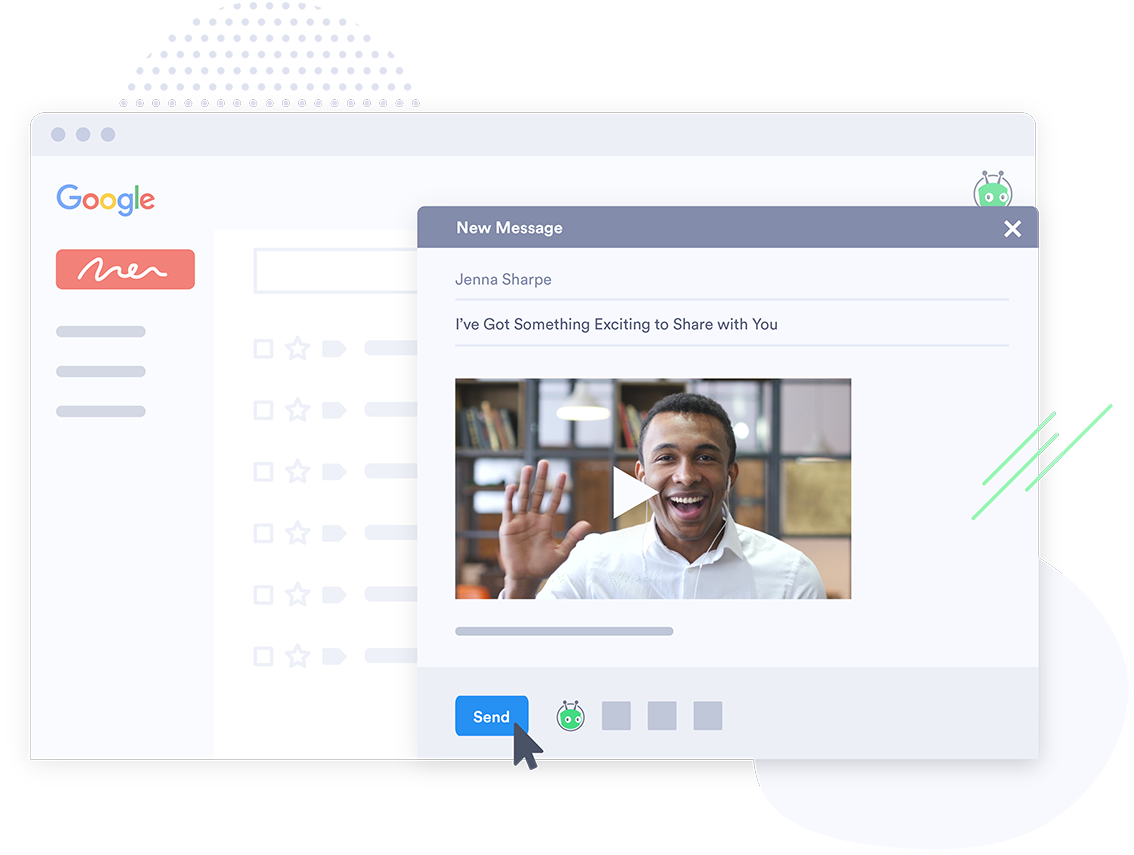
Vidyard is an enterprise video platform built to turn viewers into customers with in-depth insights and robust integrations with different customer relationship management (CRM) and marketing automation platforms.
Anchor is a great podcast app for folks just starting out with podcasting or who want some of the technical things to be streamlined and simplified. With the built-in audience of Spotify subscribers, it's also easy to get started with a listening audience. There are easy ways to connect to other Podcast platforms and easy ways to integrate ads if that's something you want to do as a podcaster.
A de minimis incentive was given to thank the reviewer for their time. The incentive was not used to bias or drive a particular response, nor was the incentive contingent on a positive endorsement. More Info
Vidyard has been critical for our team in many ways. One way that we didn't realize how much we'd be using it is for training new teammates while we're all working remotely. I frequently use the chrome extension to record a video of how to do something to send to our whole team or certain teammates. There are other products that do that, but this seems to be the most efficient, easiest, and quickest. Vidyard is incredibly useful for both inbound, and outbound sales and marketing strategies. It helps us increase our open and click rate for emails and overall engagement for our customer journey.
A de minimis incentive was given to thank the reviewer for their time. The incentive was not used to bias or drive a particular response, nor was the incentive contingent on a positive endorsement. TR verified that a representative sample of customers was invited. More Info
A de minimis incentive was given to thank the reviewer for their time. The incentive was not used to bias or drive a particular response, nor was the incentive contingent on a positive endorsement. More Info
A de minimis incentive was given to thank the reviewer for their time. The incentive was not used to bias or drive a particular response, nor was the incentive contingent on a positive endorsement. More Info
Monetization features are currently present in only a limited number of countries, I look forward to the various monetization features like pre-roll and mid-roll ads to be made available soon in my country India.
Add more platforms to its distribution services such as Amazon Music and similar ones so that we would not be required to submit the RSS Feed to platforms manually.
A de minimis incentive was given to thank the reviewer for their time. The incentive was not used to bias or drive a particular response, nor was the incentive contingent on a positive endorsement. More Info
A de minimis incentive was given to thank the reviewer for their time. The incentive was not used to bias or drive a particular response, nor was the incentive contingent on a positive endorsement. More Info
Vidyard has truly become an essential part of our organization. It's useful for our day to day communication internally amongst departments and externally with our customers. This platform has allowed us to create knowledge base articles, training portals, webinars and communicate effectively with our customers. We receive raving feedback from customers on how helpful the videos are that they receive. We also like the ability to view metrics, insights, etc. of the videos. Always allows us to pivot accordingly based on the feedback we receive
A de minimis incentive was given to thank the reviewer for their time. The incentive was not used to bias or drive a particular response, nor was the incentive contingent on a positive endorsement. More Info
It's intuitive from the moment you log in until you publish. The only reason I'm not giving it a 10 is because some sections aren't translated into Spanish, and while it's not a problem for me, it's something that could be improved. Furthermore, the design is very clean and doesn't feel overwhelming with options. Everything is where it should be, and the process for publishing episodes is clear. Es intuitivo desde el momento que entras hasta que publicas. Si no le pongo un 10 es porque hay ciertas secciones que no aparecen traducidas al español, y aunque no me supone un problema, es algo mejorable. Además, el diseño es muy limpio y no da sensación de "saturación" de opciones. Todo está donde debe estar y el proceso para publicar los episodios es claro.
A de minimis incentive was given to thank the reviewer for their time. The incentive was not used to bias or drive a particular response, nor was the incentive contingent on a positive endorsement. More Info
Vidyard is super easy for new people to pick up - I've never had to spend time explaining the UI or menu, which is a testament so how easy it is. The plugin also makes it quite user-friendly. There's no need to go anywhere else - it's all on the browser.
A de minimis incentive was given to thank the reviewer for their time. The incentive was not used to bias or drive a particular response, nor was the incentive contingent on a positive endorsement. More Info
Absolutely, the unpredictable nature of technology always keeps us on our toes. However, I'm pleased to share that my experience with Vidyard has been remarkably consistent and reassuring. To date, I haven't encountered any instances of service outages. This unparalleled reliability and dependability have instilled a high level of confidence in the platform, making it a stalwart companion in our digital endeavors. While the tech landscape can be uncertain, Vidyard's track record of steadfast performance has truly set it apart.
A de minimis incentive was given to thank the reviewer for their time. The incentive was not used to bias or drive a particular response, nor was the incentive contingent on a positive endorsement. More Info
It performs very well. I have never had any bugs while recording, and none of the videos have been impaired or corrupted. I don't believe it integrates with any other software but you could contact the company to learn more. I am not sure if it is only available on Chrome.
A de minimis incentive was given to thank the reviewer for their time. The incentive was not used to bias or drive a particular response, nor was the incentive contingent on a positive endorsement. TR verified that a representative sample of customers was invited. More Info
Customer support at Vidyard has always been good. When I first looked into the product, the salesperson took a consultative approach that allowed me to see how Vidyard would benefit our specific use case. Since coming on board, the customer service team has been quick to respond if I have any questions.
A de minimis incentive was given to thank the reviewer for their time. The incentive was not used to bias or drive a particular response, nor was the incentive contingent on a positive endorsement. More Info
The training experience proved to be tremendously valuable. Our dedicated representative exhibited an exceptional level of helpfulness and patience as she skillfully addressed all of our inquiries. Notably, she went beyond merely answering questions, providing us with a wealth of resources and sharing best practices that are pivotal for our success in utilizing the software.Her guidance transcended the boundaries of a conventional training session, empowering us with insights that extend far beyond the immediate
A de minimis incentive was given to thank the reviewer for their time. The incentive was not used to bias or drive a particular response, nor was the incentive contingent on a positive endorsement. More Info
The online training experience proved to be incredibly valuable. Our dedicated representative demonstrated exceptional patience and unwavering support in addressing our queries and requests, which greatly contributed to our learning process. Their guidance was pivotal in helping us navigate the intricacies of the training, ensuring that we absorbed the material effectively.
A de minimis incentive was given to thank the reviewer for their time. The incentive was not used to bias or drive a particular response, nor was the incentive contingent on a positive endorsement. More Info
It's pretty straightforward. The bulk of the work goes on outside of Vidyard - it's the time required to add different videos to your website - that was probably the only difficult part and had nothing to do with Vidyard.
A de minimis incentive was given to thank the reviewer for their time. The incentive was not used to bias or drive a particular response, nor was the incentive contingent on a positive endorsement. More Info
Anchor is less expensive and, in my opinion, much easier to use than SoundCloud for podcasting. Anchor makes syndication easy, and their recording and editing interfaces are clean and intuitive. SoundCloud seemed somewhat cumbersome to use, and I didn't care for its UI. Honestly, they seem better suited for other use cases.
A de minimis incentive was given to thank the reviewer for their time. The incentive was not used to bias or drive a particular response, nor was the incentive contingent on a positive endorsement. More Info
I've never evaluated another product like Vidyard. I just used screen recordings with RingCentral before, and I remember the file size being very large and having to add the video as an attachment. So this was a major improvement to be able to shoot videos and easily share with my clients.
A de minimis incentive was given to thank the reviewer for their time. The incentive was not used to bias or drive a particular response, nor was the incentive contingent on a positive endorsement. More Info
The product exhibits an exceptional degree of scalability, accommodating diverse usage scenarios across various departments within our organization. This remarkable flexibility has enabled us to harness the software's potential in ways tailored to the unique needs of each team.In particular, the impact on our communication efforts with both potential and existing customers has been truly transformative.
A de minimis incentive was given to thank the reviewer for their time. The incentive was not used to bias or drive a particular response, nor was the incentive contingent on a positive endorsement. More Info
A de minimis incentive was given to thank the reviewer for their time. The incentive was not used to bias or drive a particular response, nor was the incentive contingent on a positive endorsement. More Info
We save hundreds of dollars a month because we don't have to send out nearly as many physical samples for customers to review. We can send them a video that shows off the product and they love it!
We have improved conversion rates as a result of using Vidyard to communicate with new leads.
Our sales reps are clearly more engaged in the sales process. Each week we discuss how Vidyard helped them win a deal.
A de minimis incentive was given to thank the reviewer for their time. The incentive was not used to bias or drive a particular response, nor was the incentive contingent on a positive endorsement. More Info