Square headquartered in San Francisco, California offers Square Appointments, appointment scheduling software. The software is based on technology acquired with BookFresh in February 2014.
$29
per month per location
Zoho Calendar
Score6.9 out of 10
N/A
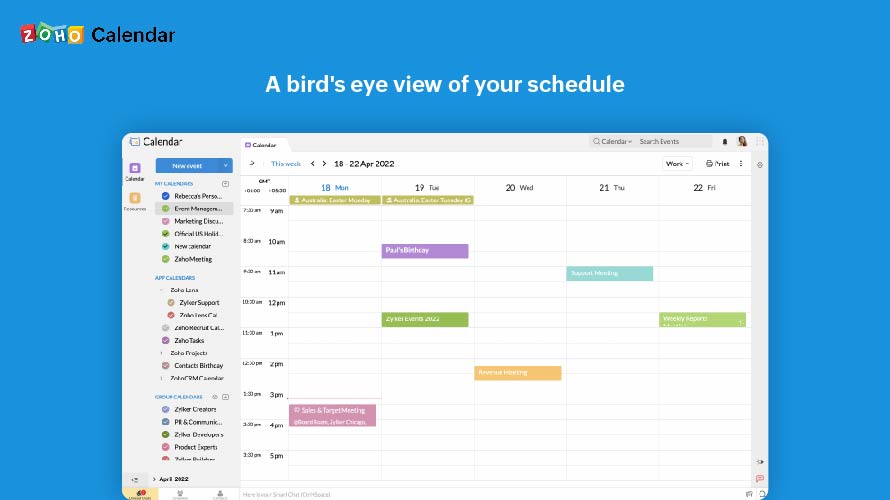
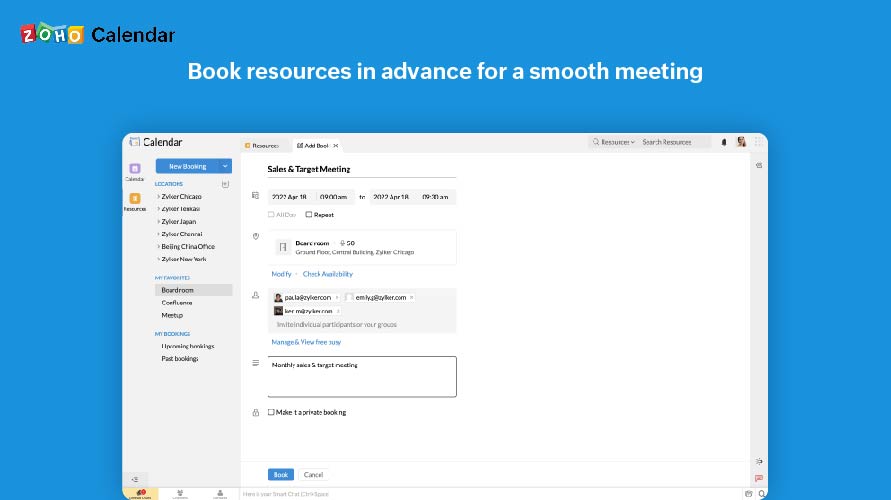
Zoho Calendar is an online business calendar designed to make scheduling easy. It can be used to stay on top of a schedule, or to share scheduled events with peers.
Great for booking and managing appointments. This software is very user-friendly due to its simplicity. The interface is intuitive and easy to use for all ages. The only time this software may not be appropriate might be with someone who is managing their calendar manually and not using a software solution at all.
A de minimis incentive was given to thank the reviewer for their time. The incentive was not used to bias or drive a particular response, nor was the incentive contingent on a positive endorsement. More Info
It is good for office use for keeping track of meetings and various important events. It is very nice to share a calendar with the whole team and the whole team has access to it, everyone can modify and update events. Furthermore, it is less appropriate when you use it on mobile, and it also cannot record the meetings.
A de minimis incentive was given to thank the reviewer for their time. The incentive was not used to bias or drive a particular response, nor was the incentive contingent on a positive endorsement. More Info
A de minimis incentive was given to thank the reviewer for their time. The incentive was not used to bias or drive a particular response, nor was the incentive contingent on a positive endorsement. More Info
A de minimis incentive was given to thank the reviewer for their time. The incentive was not used to bias or drive a particular response, nor was the incentive contingent on a positive endorsement. More Info
A de minimis incentive was given to thank the reviewer for their time. The incentive was not used to bias or drive a particular response, nor was the incentive contingent on a positive endorsement. More Info
A de minimis incentive was given to thank the reviewer for their time. The incentive was not used to bias or drive a particular response, nor was the incentive contingent on a positive endorsement. More Info
I subscribe to Zoho One so I use many of the modules that come with that single subscription. I've had intermittent issues with scheduled Zoho Meetings through Zoho CRM not appearing in my Zoho Calendar. Zoho has been working on the issue but it will be fixed for a while and then I'll miss a meeting because it wasn't appearing.
A de minimis incentive was given to thank the reviewer for their time. The incentive was not used to bias or drive a particular response, nor was the incentive contingent on a positive endorsement. More Info
Since there are lots of preference options, it can be a little confusing when setting up. It does integrate with other calendars where you can choose one or two way syncing which is helpful if you keep separate personal and work calendars. You can set your start day of the week which for me I have it set to Monday. There are also time zone options which are great but still a bit confusing to me.
A de minimis incentive was given to thank the reviewer for their time. The incentive was not used to bias or drive a particular response, nor was the incentive contingent on a positive endorsement. More Info
Square Appointment is excellent at support! I have had several calls with them, and not one time have they dropped the ball, leaving me frustrated without a solution — not one time.
The community forum in Square Appointment can answer most of the questions, but if I have had real issues, I am always able to talk to a person. That is very valuable to me as a customer.
A de minimis incentive was given to thank the reviewer for their time. The incentive was not used to bias or drive a particular response, nor was the incentive contingent on a positive endorsement. More Info
Support has been excellent. As always, they are quickly responsive, and I feel they genuinely wish to address and fix any issues. It's unfortunate that my issues with meetings created in Zoho CRM don't always appear in my Zoho Calendar. While they mostly appear, my confidence level on any given week that I can see what is on my schedule is decidedly lacking.
A de minimis incentive was given to thank the reviewer for their time. The incentive was not used to bias or drive a particular response, nor was the incentive contingent on a positive endorsement. More Info
Though office can offer a lot of appointment base tasks. Square appointments seem to help keep track, with a more direct approach. It helps to declutter integrations and information, that can often get missed and feel to convoluted. It's approach is more specific in handling appointment needs and scheduling. We would recommend it.
A de minimis incentive was given to thank the reviewer for their time. The incentive was not used to bias or drive a particular response, nor was the incentive contingent on a positive endorsement. More Info
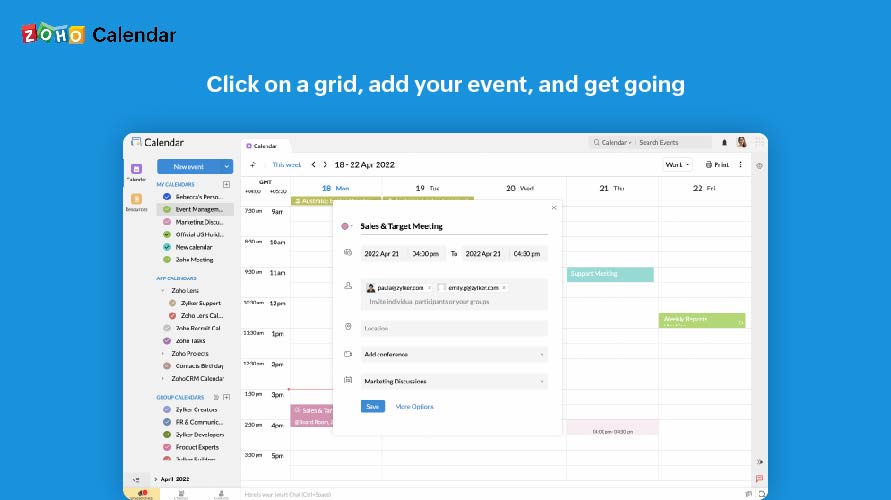
Zoho calendar allows us to schedule, manage and track your appointment, meetings, birthdays, and other important dates. And also collaborate, share and publish your daily activities. Zoho Calendar also provides you to make it more creative by changing the themes. Event reminders are also available on Zoho Calendar, so we can be reminded either via email or through a pop-up about appointments, dates, milestones, and events. Reminders can pop up as early as 30 days before an event.
A de minimis incentive was given to thank the reviewer for their time. The incentive was not used to bias or drive a particular response, nor was the incentive contingent on a positive endorsement. More Info
A de minimis incentive was given to thank the reviewer for their time. The incentive was not used to bias or drive a particular response, nor was the incentive contingent on a positive endorsement. More Info
Once the meeting is created on the Zoho calendar, you don't need to remind invitees to join the meeting at a particular time or day. Zoho calendar does that for you.
If any invitees are unable to join the meeting, they can ask for a different time prior to that meeting.
Sometimes if many meetings are in the pipeline then there can be overlap.
A de minimis incentive was given to thank the reviewer for their time. The incentive was not used to bias or drive a particular response, nor was the incentive contingent on a positive endorsement. More Info