TestMu AI vs. WAVE Web Accessibility Evaluation Tool

Overview
ProductRatingMost Used ByProduct SummaryStarting Price
TestMu AI
Score 8.9 out of 10
Mid-Size Companies (51-1,000 employees)
TestMu AI (Formerly LambdaTest) is a Full Stack Agentic AI Quality Engineering platform that uses end-to-end AI agents to plan, author, execute, and analyze software quality. The platform enables testing of web, mobile, and enterprise applications at any scale across real devices, real browsers, and custom real-world environments.
$19
per month per user
WAVE Web Accessibility Evaluation Tool
Score 5.0 out of 10
N/A
WAVE is a suite of evaluation tools that helps authors make their web content more accessible to individuals with disabilities. WAVE can identify many accessibility and Web Content Accessibility Guideline (WCAG) errors, but also facilitates human evaluation of web content. The vendor, WebAIM who offers WAVE as a free suite of tools, states their philosophy is to focus on issues that they know impact end users, facilitate human evaluation, and to educate about web…
$0
Pricing
TestMu AIWAVE Web Accessibility Evaluation Tool
Editions & Modules
Live
$19
per month Parallel Test
Real Device (Includes Live)
$35
per month Parallel Test
Web & Mobile Browser Automation
$119
per month Parallel Test
Native App Automation
$149
per month Parallel Test
Web & Mobile Browser on Real Device
$158
per month Parallel Test
HyperExecute Cloud (Multi OS)
$199
per month Parallel Test
SmartUI Visual Regression
$219
per month Parallel Test
Enterprise
Custom Pricing
Parallel Test
HyperExecute On-Premise
Custom Pricing
per parallel test
WAVE API Credits 10000+
$0.25
per credit
WAVE API Credits 1000-9999
$0.3
per credit
WAVE API Credits 250-999
$0.4
per credit
Offerings
Pricing Offerings
TestMu AIWAVE Web Accessibility Evaluation Tool
Free Trial
YesNo
Free/Freemium Version
YesYes
Premium Consulting/Integration Services
NoNo
Entry-level Setup FeeNo setup feeNo setup fee
Additional DetailsDiscount available for annual pricing.
More Pricing Information
Community Pulse
TestMu AIWAVE Web Accessibility Evaluation Tool
Features
TestMu AIWAVE Web Accessibility Evaluation Tool
Accessibility Testing
Comparison of Accessibility Testing features of Product A and Product B
TestMu AI
-
Ratings
WAVE Web Accessibility Evaluation Tool
5.7
1 Ratings
17% below category average
Accessibility Scanning and Assessment00 Ratings7.01 Ratings
Issue Ranking00 Ratings8.01 Ratings
Manual Auditing Services00 Ratings5.01 Ratings
Compliance Reporting and Tracking00 Ratings2.01 Ratings
HTML and CSS scanning00 Ratings6.01 Ratings
Color/Contrast Analysis00 Ratings6.01 Ratings
Best Alternatives
TestMu AIWAVE Web Accessibility Evaluation Tool
Small Businesses
BrowserStack
BrowserStack
Score 8.5 out of 10
BrowserStack
BrowserStack
Score 8.5 out of 10
Medium-sized Companies
BrowserStack
BrowserStack
Score 8.5 out of 10
Siteimprove
Siteimprove
Score 9.0 out of 10
Enterprises
BrowserStack
BrowserStack
Score 8.5 out of 10
BrowserStack
BrowserStack
Score 8.5 out of 10
All AlternativesView all alternativesView all alternatives
User Ratings
TestMu AIWAVE Web Accessibility Evaluation Tool
Likelihood to Recommend
9.1
(110 ratings)
5.0
(4 ratings)
Likelihood to Renew
8.7
(7 ratings)
-
(0 ratings)
Usability
9.2
(62 ratings)
-
(0 ratings)
Availability
10.0
(1 ratings)
-
(0 ratings)
Performance
9.0
(1 ratings)
-
(0 ratings)
Support Rating
10.0
(7 ratings)
-
(0 ratings)
Implementation Rating
9.0
(2 ratings)
-
(0 ratings)
Configurability
8.0
(1 ratings)
-
(0 ratings)
Contract Terms and Pricing Model
9.0
(1 ratings)
-
(0 ratings)
Ease of integration
10.0
(1 ratings)
-
(0 ratings)
Product Scalability
10.0
(1 ratings)
-
(0 ratings)
Vendor post-sale
9.0
(1 ratings)
-
(0 ratings)
Vendor pre-sale
9.0
(1 ratings)
-
(0 ratings)
User Testimonials
TestMu AIWAVE Web Accessibility Evaluation Tool
Likelihood to Recommend
LambdaTest Inc.
One day, I needed to test a specific issue that was occurring only on Pixel phones. I turned to LambdaTest, quickly identified the problem, and was able to fix it. There hasn't been a situation where I felt LambdaTest didn't help, it's my go-to solution for testing, as it solves many problems.
Read full review
WebAIM
This is pretty middle of the road. It does a good job of picking out some of the low-hanging fruit, but it's not going properly evaluate semantic structure and will pop several false positives. Additionally, the tools are incomplete. For instance, the contrast editor will allow you to test your colors with sliders so you can get the closest color that passes; however, that isn't how color palettes work, you generally don't get to change a companies palette without a lot of pain; furthermore, there is no ability to adjust the font-size and both font-size AND color are used to determine contrast requirements. Oh, and they use points VS pixels...nobody is using points on the web even if the ADA uses them in their fairly dated guidelines. Text from the actual contrast editor "Text is present that has a contrast ratio less than 4.5:1, or large text (larger than 18 point or 14 point bold) has a contrast ratio less than 3:1.". 14pt = 18.66 pixels, so I can see their logic even if I don't agree with it
Read full review
Pros
LambdaTest Inc.
  • Very accessible as multiple users can be added in each subscription
  • Very reliable as it is very close to the actual device when it comes to operating system and version behavior
  • There are a lot of options for devices and browsers that users can choose from when it comes to emulating and testing
Read full review
WebAIM
  • Provides report of errors for you
  • Explains what needs to be fixed so you know why
  • Shows the errors next to each item on your website so you can see which one they mean
Read full review
Cons
LambdaTest Inc.
  • More real devices should be added like I have Samsung mobile but it was not in the list
  • It takes time in checking the link on LambdaTest if we compare with real mobiles
  • Sometimes exact results are not matching as from real mobiles
Read full review
WebAIM
  • Sometimes the automated functions miss things or are mis-triggered
  • I would like it to link out to more in-depth reading on issues and resolving them
  • I would love it if it generated a PDF report to send people.
Read full review
Likelihood to Renew
LambdaTest Inc.
The reason i have given the 10 points becasue the problem LambdaTest solves is providing access to all devices in one place, allowing developers to identify the same errors they would encounter on real devices. This makes life much easier, especially for developers who regularly face cross-device functionality issues. It's a big plus point that positions LambdaTest as an all-in-one solution.
Read full review
WebAIM
No answers on this topic
Usability
LambdaTest Inc.
Because of the ease of use of the platform, we just save a lot of time and effort with this as its a feature rich solution, we just need to upload app binary once and for everytime we need to test on a different device we can just directly install that binary on the device without the pain of reupload.
Read full review
WebAIM
No answers on this topic
Reliability and Availability
LambdaTest Inc.
yes always available
Read full review
WebAIM
No answers on this topic
Performance
LambdaTest Inc.
haven't found any glitch while using this
Read full review
WebAIM
No answers on this topic
Support Rating
LambdaTest Inc.
The customer support team is very active and cooperative. Once, I contacted them in their off timings because of an issue, I got an instant reply from the executive and he resolved the issue very efficiently. This is why we have been using LambdaTest for more than two years. It is best suited for us.
Read full review
WebAIM
No answers on this topic
Implementation Rating
LambdaTest Inc.
Implementation of Lambdatest was very easy for different project requirements.
Read full review
WebAIM
No answers on this topic
Alternatives Considered
LambdaTest Inc.
While BrowserStack is also a well-established platform, we found LambdaTest to offer similar and even better features at reasonable pricing. LambdaTest is more cost-effective than BrowserStack. LambdaTest provides a free forever plan, while BrowserStack does not. Even manual testing plans are better priced than BrowserStack’s. In terms of UI and onboarding, we found LambdaTest more user-friendly as well.
Read full review
WebAIM
For this, I'm speaking specifically to the Siteimprove browser plugin. The Siteimprove plugin: Allows to filter on guideline level Catches a few more errors than WAVE Web Accessibility Evaluation Tool, but comes pretty close But, both do a great job in all other aspects WebAIM shines in its simplicity of overlaying of errors and warnings on the page. I think its real benefit is a lower learning curve on understanding how to use the tool
Read full review
Scalability
LambdaTest Inc.
not all department, but we're using for our clients
Read full review
WebAIM
No answers on this topic
Return on Investment
LambdaTest Inc.
  • Automation testing has a bit of a learning curve
  • Lack of real device keep that bug in your head if not on the website.
  • Need to wait for a while for a new OS or browser version on the contrary of immediate availability in case of owning a lab
Read full review
WebAIM
  • It has led us to be more inclusive and accessible in our website
  • We have more website visitors
  • We have had positive comments about our website in terms of being accessible
Read full review
ScreenShots

TestMu AI Screenshots

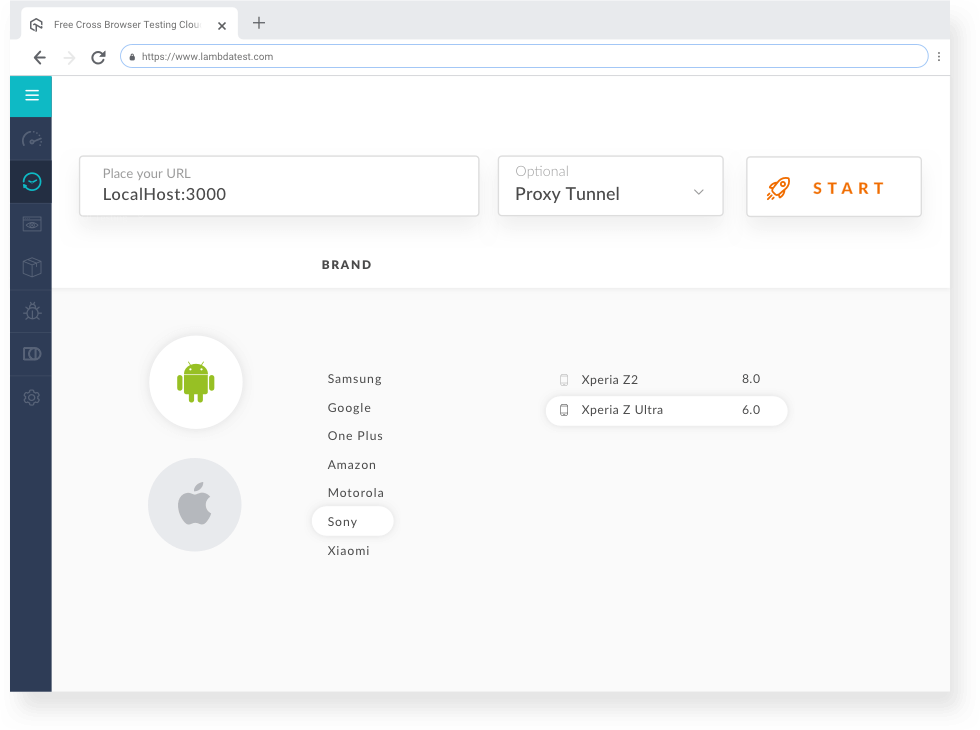
Screenshot of an automated screenshotScreenshot of mobile-browser-testingScreenshot of automation testing on LambdatestScreenshot of some of the available integrations.Screenshot of real-time testingScreenshot of responsive testing