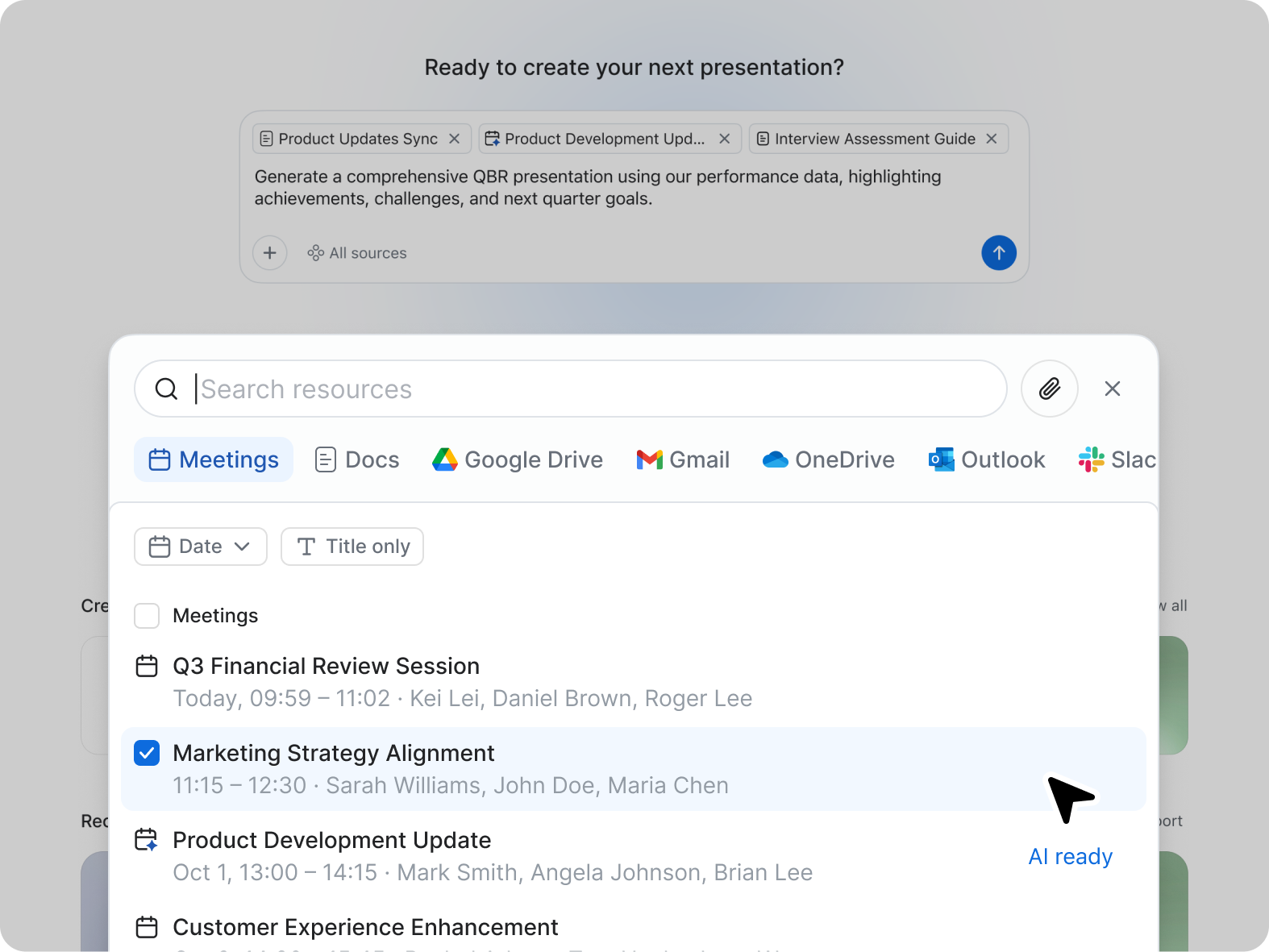
ZoomMate is Zoom’s next-generation "agentic" workspace, launched in June 2026 to transform how teams move from conversation to completion. Positioned as an "AI Teammate" or virtual "Chief of Staff," ZoomMate goes beyond standard chatbots by proactively executing tasks across a company's entire digital ecosystem.
N/A
zoovu
Score 7.0 out of 10
N/A
zoovu, headquartered in New York, offers their AI virtual assistant and chatbot for ecommerce and customer engagement, guided selling, and interactive product recommendations.
N/A
Pricing
ZoomMate
zoovu
Editions & Modules
No answers on this topic
Offerings
Pricing Offerings
ZoomMate
zoovu
Free Trial
No
No
Free/Freemium Version
Yes
No
Premium Consulting/Integration Services
No
No
Entry-level Setup Fee
No setup fee
No setup fee
Additional Details
—
—
More Pricing Information
Community Pulse
ZoomMate
zoovu
Considered Both Products
ZoomMate
Verified User
Anonymous
Chose ZoomMate
Much better virtual meeting experience, now adding extra features building a whole ecosystem around zoom
I think Zoom AI Companion works really well with ChatGPT, our teams use both and we need both - Zoom AI for the Zoom Meetings and ChatGPT for searching the web. Azure isn't as smart as Zoom AI, at least in the use cases that we used them for in construction.
Zoom has better compatibility compared to Teams at our institution. It also supports a wider array of codecs. We like using Zoom despite the fact that both Teams and Zoom are supported at an enterprise level at our academic institution. Zoom also seems to have better video and …
Zoom Workplace was a great choice to host grand meeting; we were having quarterly grand meeting more than 500 staff in the meeting with the owner of the company. Zoom was able to host these grand meeting perfectly with high quality and stable call all while sharing screen and …
Compared to Microsoft Teams, Zoom AI Companion is a clear pioneer in this remote and virtual collaboration platform, leading the way. It is possible to have a remote meeting on both Microsoft Teams and Zoom AI Companion. But Zoom AI Companion provides
more productivity and time …
Teams seems to provide better quality overall when it comes to video or calls. Teams being a Microsoft product integrates well with Office 365 as well. We ended up switching from Zoom Workplace to Microsoft Teams due to more features and overall better experience for our …
As a videoconferencing tool, Zoom stacks up similarly. There are AI Companion tools we haven't seen with Teams yet, but they may be there now or coming soon with Co-Pilot in play on the Microsoft side. I do like having Teams and Sharepoint connections with being able to share …
My current workplace uses Google Chat, which is sometimes blocked by certain institutions for whatever reason. Zoom Workplace is available and a great solution.
Both Google and Teams have issues with video playback on my current Surface Laptop. Zoom has no issues and the video …
We chose Zoom Workplace over Slack due to its integrated video conferencing, enhanced collaboration tools, and robust meeting capabilities. Zoom Workplace excels in video-centric communication, virtual events, and room scheduling. Slack is ideal for real-time messaging and file …
Zoom Workplace has the most reliable video and audio connectivity, especially for large audiences. No dropped calls or meetings, hi def video streaming, intuitive controls for showing or hiding video, mute/unmute, gestures, a marketplace of apps that are seamlessly integrated. …
You couldn't pay me enough money to use Microsoft Teams on a regular basis. In my opinion, Zoom Workplace is in a class of its own as compared to Teams. I think the Teams experience is clunky, cumbersome and includes too many features. I was glad to see the one feature that I …
I think Zoom Workplace is great for work calls. One bug or thing that I don't like about Zoom is I can't actually share the software application while screen sharing. For example, I can't show a whiteboard when I'm screen sharing when I'm using it from the desktop application, so it forces me to have to use the browser, which I don't love
When we researched similar tools out there, we decided to go with zoovu due to price and also felt it could do what we wanted it to do. But honestly not sure I would recommend as it's not very intuitive.
It would be nice to be able to turn off or opt in and out of AI companion automatically. For some meetings, an even briefer summary or table would be nice.
Free translated captions and summaries for workshops with communities that do not speak english as a first language.
My Zoom Workplace requires me to restart at least once a week or it will cause some issues with crashing. This may be my device.
Metrics are lacking in my opinion- sales attribution for every product clicked on (and don't have a way to truly track real conversion)
Learning the backend setup has a learning curve I've found - would recommend starting/learning with a very simple assistant. Ours was complex and took many, many months to complete.
It's really easy to use - the AI icon is everywhere all over the place in the Zoom client so it's easy to be able to leverage AI whenever you need it, and similarly in the meeting it's easy to find and to use. I don't have complaints here that I can think of
Compared to Microsoft Teams, Zoom AI Companion is a clear pioneer in this remote and virtual collaboration platform, leading the way. It is possible to have a remote meeting on both Microsoft Teams and Zoom AI Companion. But Zoom AI Companion provides more productivity and time savings to users. Zoom AI Companion continues to enhance its features to provide value to the product.
The ROI metrics aren't very credible in my opinion - so can't say. Wish there were a valid way to connect click assistant click through to verified purchase.