ZoomMate

Overview
ProductRatingMost Used ByProduct SummaryStarting Price
ZoomMate
Score 8.4 out of 10
N/A
ZoomMate is Zoom’s next-generation "agentic" workspace, launched in June 2026 to transform how teams move from conversation to completion. Positioned as an "AI Teammate" or virtual "Chief of Staff," ZoomMate goes beyond standard chatbots by proactively executing tasks across a company's entire digital ecosystem.
$20
per month includes 2,200 AI credits
Pricing
ZoomMate
Editions & Modules
No answers on this topic
Offerings
Pricing Offerings
ZoomMate
Free Trial
No
Free/Freemium Version
Yes
Premium Consulting/Integration Services
Yes
Entry-level Setup FeeNo setup fee
Additional Details
More Pricing Information
Community Pulse
ZoomMate
Considered Both Products
ZoomMate
Chose ZoomMate
I think Zoom AI Companion works really well with ChatGPT, our teams use both and we need both - Zoom AI for the Zoom Meetings and ChatGPT for searching the web. Azure isn't as smart as Zoom AI, at least in the use cases that we used them for in construction.
Chose ZoomMate
Much better virtual meeting experience, now adding extra features building a whole ecosystem around zoom
Chose ZoomMate
Teams seems to provide better quality overall when it comes to video or calls. Teams being a Microsoft product integrates well with Office 365 as well. We ended up switching from Zoom Workplace to Microsoft Teams due to more features and overall better experience for our …
Chose ZoomMate
In our experience, CloudCall was horrible. Zoom Workplace phone has been a life saver and better in every way.
Chose ZoomMate
Zoom Workplace was a great choice to host grand meeting; we were having quarterly grand meeting more than 500 staff in the meeting with the owner of the company. Zoom was able to host these grand meeting perfectly with high quality and stable call all while sharing screen and …
Chose ZoomMate
Zoom has better compatibility compared to Teams at our institution. It also supports a wider array of codecs. We like using Zoom despite the fact that both Teams and Zoom are supported at an enterprise level at our academic institution. Zoom also seems to have better video and …
Chose ZoomMate
Compared to Microsoft Teams, Zoom AI Companion is a clear pioneer in this remote and virtual collaboration platform, leading the way. It is possible to have a remote meeting on both Microsoft Teams and Zoom AI Companion. But Zoom AI Companion provides more productivity and time …
Chose ZoomMate
As a videoconferencing tool, Zoom stacks up similarly. There are AI Companion tools we haven't seen with Teams yet, but they may be there now or coming soon with Co-Pilot in play on the Microsoft side. I do like having Teams and Sharepoint connections with being able to share …
Chose ZoomMate
My current workplace uses Google Chat, which is sometimes blocked by certain institutions for whatever reason. Zoom Workplace is available and a great solution.

Both Google and Teams have issues with video playback on my current Surface Laptop. Zoom has no issues and the video …
Chose ZoomMate
Better screen sharing functionality. Better sound quality and better video quality. Less lagging on Zoom Workplace as well
Chose ZoomMate
We continue to use Slack over Zoom chat. Zoom chat is used for meetings only.
Chose ZoomMate
We chose Zoom Workplace over Slack due to its integrated video conferencing, enhanced collaboration tools, and robust meeting capabilities. Zoom Workplace excels in video-centric communication, virtual events, and room scheduling. Slack is ideal for real-time messaging and file …
Chose ZoomMate
Teams has never worked for our organization, it constantly crashes the computers, freezes up, and is not as easy to navigate for us.
Chose ZoomMate
Zoom Workplace has the most reliable video and audio connectivity, especially for large audiences. No dropped calls or meetings, hi def video streaming, intuitive controls for showing or hiding video, mute/unmute, gestures, a marketplace of apps that are seamlessly integrated. …
Chose ZoomMate
I think Zoom Workplace Clips is much better than the free versions of Loom and Screencastify.

I like the UI for Teams better, but I have not been able to use the other features in teams to accurately compare.
Chose ZoomMate
You couldn't pay me enough money to use Microsoft Teams on a regular basis. In my opinion, Zoom Workplace is in a class of its own as compared to Teams. I think the Teams experience is clunky, cumbersome and includes too many features. I was glad to see the one feature that I …
Chose ZoomMate
we have not evaluated other vendors
Chose ZoomMate
Zoom Workplace has better-quality video and the AI feature is defiantly a plus
User Ratings
ZoomMate
Likelihood to Recommend
8.4
(28 ratings)
Usability
9.0
(1 ratings)
User Testimonials
ZoomMate
Likelihood to Recommend
Zoom
If you have a colleague who is based in a remote location or is part of a remote team, Zoom is a vital collaboration tool for your day-to-day work. Zoom AI Companion is easier and more effective for working with a colleague at a remote location rather than making a call. You can share your non-verbal reactions through video, which brings a close experience to face-to-face interactions.
Read full review
Pros
Zoom
  • Zoom has a built-in AI-powered transcription feature that generates automated meeting summaries, so we don't have to take meeting notes.
  • Zoom has stable video/audio quality even in low bandwidth.
  • Zoom has everything in one place, like meetings, chat, phone, and whiteboard, so we don't have to juggle multiple apps.
Read full review
Cons
Zoom
  • Although the whiteboard is nice, it's not as advanced as I'd like to be. For example, navigating it can sometimes be tricky, and it doesn't have nearly as many features as a tool like Miro.
  • The Zoom integration for Outlook has issues, it doesn't always sync
  • The React feature on Zoom calls doesn't always work and sometimes isn't visible
Read full review
Usability
Zoom
It's really easy to use - the AI icon is everywhere all over the place in the Zoom client so it's easy to be able to leverage AI whenever you need it, and similarly in the meeting it's easy to find and to use. I don't have complaints here that I can think of
Read full review
Alternatives Considered
Zoom
Zoom has better compatibility compared to Teams at our institution. It also supports a wider array of codecs. We like using Zoom despite the fact that both Teams and Zoom are supported at an enterprise level at our academic institution. Zoom also seems to have better video and audio quality and lower drop rates.
Read full review
Return on Investment
Zoom
  • It has allowed us to work seamlessly with hybrid work environments
  • It has allowed us to have clients or vendors share seamlessly when they are in office. Makes it look like we have our [...] together, thanks!
  • Other options we were looking at (barco) would have been such a large chunk of money to get even half the rooms we have done. You are top notch!
Read full review
ScreenShots

ZoomMate Screenshots

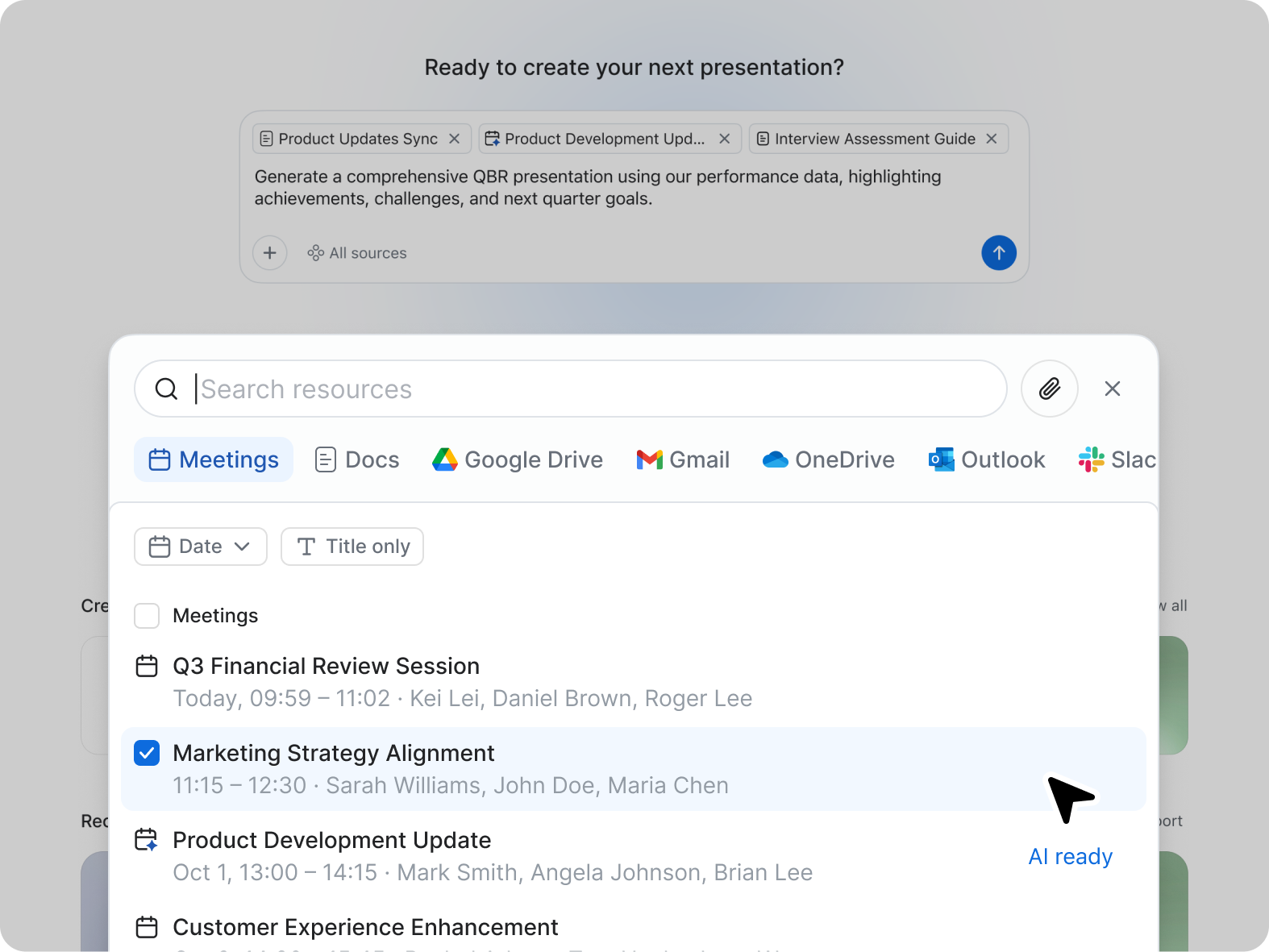
Screenshot of an assistant analyzing a document. It gets information about documents connected to Zoom Workplace, including email attachments, documents from chat, and Zoom Docs. With Zoom AI Companion for Zoom Meetings, Meeting Summary can take notes and share important action items. Summaries are shared in 36 supported languages, automatically detected by the main language spoken during the meeting.Screenshot of the agentic assistant for Zoom Team Chat, Zoom Mail and Calendar, and Zoom Docs, used to get a summary of the chat channel, email, and documents. Instead of reading a long email, users can get a quick summary.Screenshot of the assistant as it appears in Zoom Phone, which offers a post-call summary during a recorded conversation.