TrustRadius: an HG Insights company

MailUp

Score6 out of 10

5 Reviews and Ratings

What is MailUp?

MailUp is the eponymous email & SMS platform from the Italian company that was founded in 2002 that now has a modest but respectable presence across the western world with a diverse customer base (Yamaha, Amnesty International, Korean Air, etc.). Mailup's platform combines email marketing, with transactional email and SMS features, and offers SMTP relay and plugins for ecommerce, CRM and CMS systems. Their unusual pricing scheme is tiered just on subscribers but on volume of sends and that rarely seen variable: speed of delivery. The plan minimum no matter how you configure it is $49.00 per month for as many as about 23,000 subscribers, with the expectation that messages will be delivered within 10 hours... Other enhancements available for a fee are the ability to add attachments and embed images, Mailup logo removal, delivery help from Mailup's on-staff delivery "gurus," and premium extended support hours to relieve sufferers of late night email marketing confusion.

Media

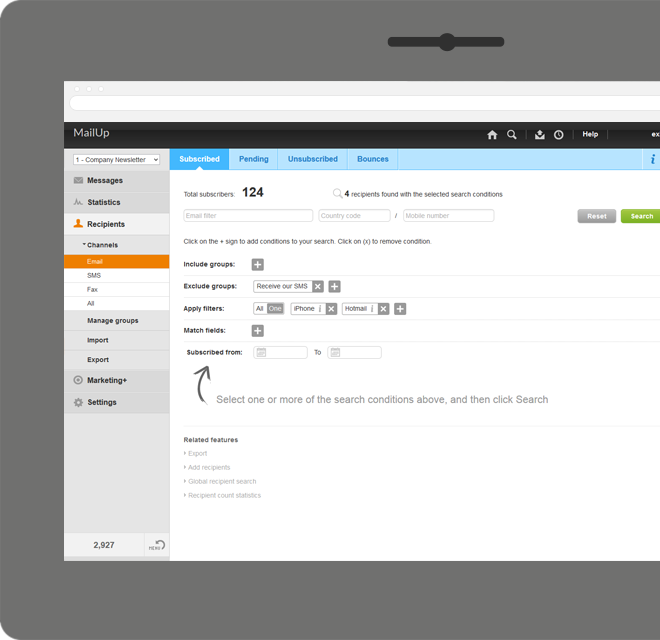
Manage lists. With MailUp, you can manage mailing lists, groups and sending profiles, automatically eliminating duplicate addresses and handling users who cancel their subscription. The procedure is guided, quick and safe. The utmost simplicity, with no need to install additional software. Not bad, right?
he winning variable, with mathematical certainty
With A/B testing, discover, prior to mailing, what your recipients prefer to read, by automatically testing several versions of the same text, measuring its effectiveness on a select group. Opening results improve by up to 30% and, for each version, you have more statistical information. Mailing after mailing, you can only do better!
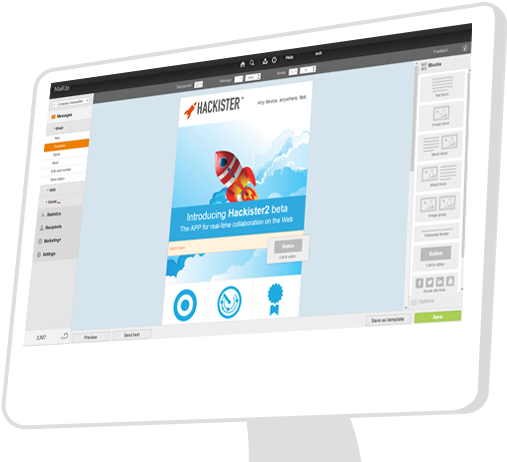
Creating emails for mobile devices is easy
Free your creativity and create emails and newsletters that have great visual impact, optimised for mobile devices. While you concentrate on the content of your campaign, MailUp takes care of the rest with the aid of an intelligent editor and plenty of cutting-edge functions. Not bad, right?
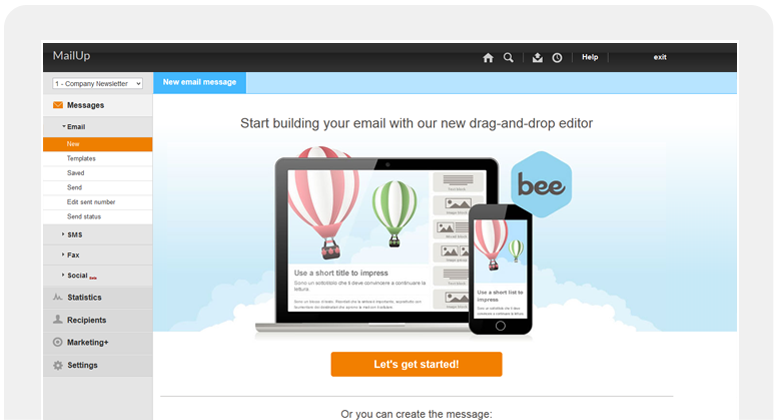
Countless ways to create your messages.

There's not only BEE with which create messages. You can start with HTML documents, RSS/Atom, URL or choose from hundreds of graphic models. Starting with an empty email? The convenient WYSIWYG editor helps you put your messages together with just a few clicks. It's all up to you!
.and you can do the same with unsubscribe lists.

Automatic management of unsubscribe lists allows you to activate the UNSUBSCRIBE button directly in the email client interface. The unsubscribers list also shows a list of users who performed this action, which may be edited and exported. This function also allows you to make up random groups of users, specifying the number of subscribers. This makes it easier to manage random sampling and A/B testing.

1 / 6

Top Performing Features

  • WYSIWYG email editor

    Users can create html emails through a drag-and-drop interface, without html coding knowledge.

    Category average: 8.3

  • Dynamic content

    Users can tailor email, website or landing page content depending on the viewer or recipient (e.g., email salutations that include the recipient’s name).

    Category average: 8

  • Mobile optimization

    Users can easily optimize emails and landing pages for mobile devices.

    Category average: 8.5

Areas for Improvement

  • Ability to test dynamic content

    Users can test dynamic content prior to launching a campaign.

    Category average: 7.5

Email design and development made easier... finally!

Pros

  • Email marketing creation
  • Email design
  • HTML template creation

Cons

  • Alt tag styling within the editor

Return on Investment

  • Faster email development
  • More team members able to contribute to the email development process
  • Better templates

Alternatives Considered

MailChimp, Constant Contact and Marketo

Other Software Used

Marketo