TrustRadius: an HG Insights company

Storylane

Score9.1 out of 10

19 Reviews and Ratings

What is Storylane?

Storylane, headquartered in Santa Clara, helps companies build interactive product demos in minutes with their eponymous no-code tool. Marketing users can embed guided product tours on their websites, landing pages , blogs or share them in email campaigns. Sales users can replicate the product and build custom demos tailor made for conversation. Storylane's no code editor enables users to personalize anything in the demo.

Read more details.

Categories & Use Cases

Media

Screenshot of how Storylane captures screenshots, video and HTML Recordings for demos
Screenshot of the no-code demo editor, used to customize text, images, graphs or any other kind of element appearing in a demo.
Screenshot of an example of the tooltips, callouts and video popups that can be used to explain a product
Screenshot of AI - not just for better buyer discovery but also for easier and quicker demo creation for sellers
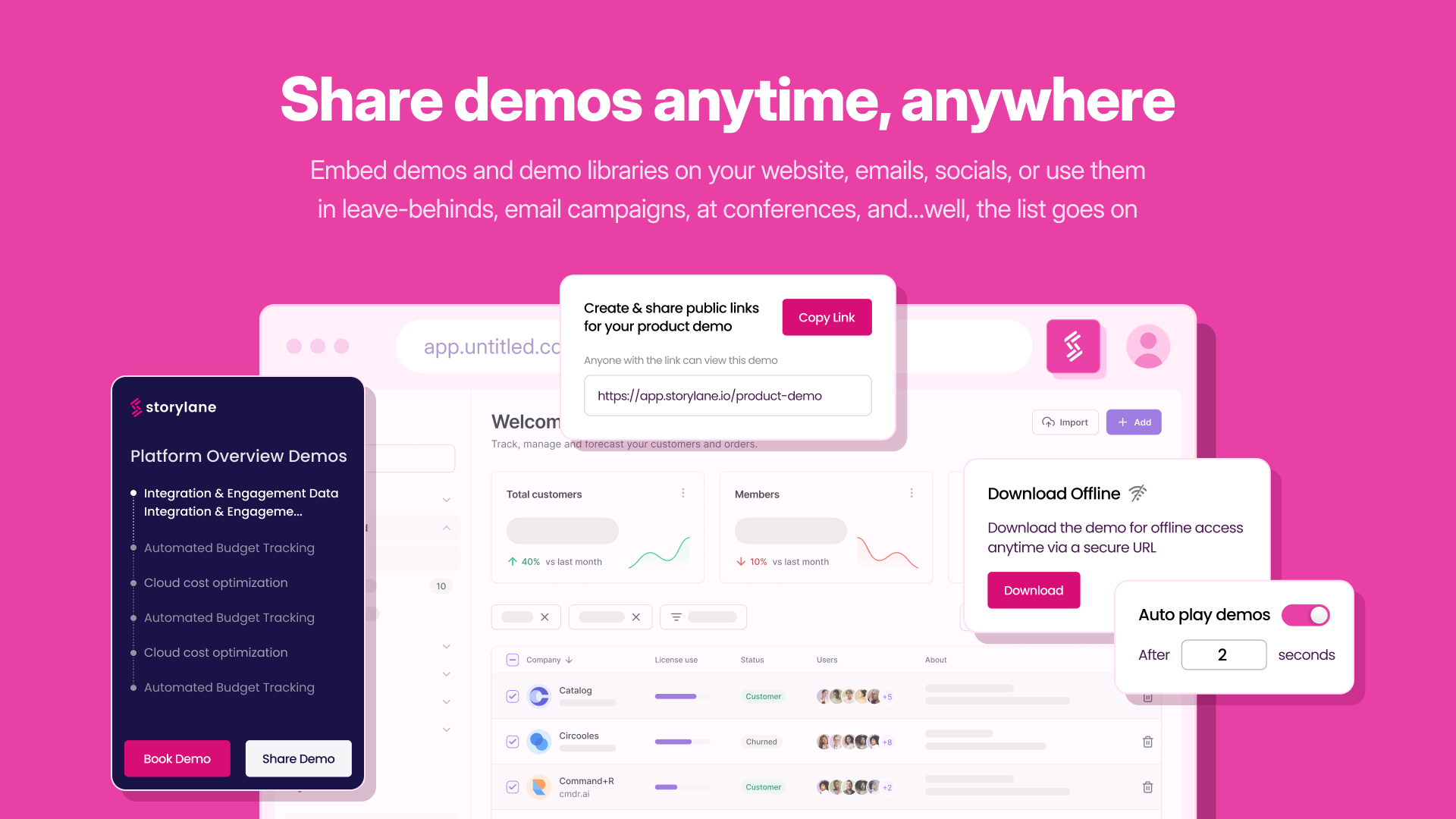
Screenshot of the one click process to share or embed demos anywhere
Screenshot of demo insights, used to drive engagement and growth for for each lead

1 / 6

Screenshot of how Storylane captures screenshots, video and HTML Recordings for demos

Who Buys & Uses Storylane

Pros

  • Simplifies product demo creation from initial screen capture to content organization
  • Offers flexible editing and customization capabilities for demo content
  • Enhances demos with advanced AI-powered voiceovers and avatars

Cons

  • Limited granular control over design elements and bulk editing options
  • Inconsistent performance of AI-generated content and automated demo builder
  • Occasional issues with video capture consistency, leading to re-captures

Best tool to create guided product tours

Use Cases and Deployment Scope

I basically use Storylane to create product demo tours for the Sales team and the website's product pages. Earlier, we used to have videos for showcasing the features, but they had no interactivity and lacked the actual feel of the product. Storylane helped us to create demo tours which made the users feel like the they are actually using the product.

Pros

  • Showcase the real feel of the SaaS product to the viewers
  • Viewers find it easy to relate to their actual use
  • Easy for creators to build demos
  • Add custom messages

Cons

  • There should be more room for creativity
  • Extension can be improved
  • More options for the progress bar

Return on Investment

  • ROI has slightly decreased because it's a paid tool.
  • User engagement has increased
  • Demo request booking has increased.

Usability

Alternatives Considered

Arcade, Navattic, HowdyGo and Walnut

Other Software Used

HeyGen, HubSpot CRM

Great Product

Use Cases and Deployment Scope

We currently use Storylane to build Training material and marketing collaterals. On the training side we have been able to build and roll out product videos that have been used by our clients for product training of the end users.
We have also used it extensively in building product walkthroughs for our GTM emails and documentation.

Pros

  • Ability to add voiceover to explain product in detail
  • Editable screen recording which allows us to hide data while creating shareable links
  • Brand guidelines adherence on all the videos
  • Lead form integration that collects data

Cons

  • Ability to create a dropdown menu for variety of workflows
  • Collaboration on the same setup

Return on Investment

  • Reduced manual training session time by 70%
  • Generated more than 25 leads

Usability

Alternatives Considered

Arcade

Other Software Used

Slack, HubSpot CRM

Great product solving a core pain point

Use Cases and Deployment Scope

Our product has thoughtful well designed UI and we like to give people a chance to see it in action. Storylane is the best way to do this where someone can see it, get context and go at their own pace, for all of our different use cases.

We use it for demos on our website, in ad campaigns, for onboarding and training and to represent integrations.

Pros

  • Usability
  • Solving true pain points
  • Easy to work with

Cons

  • Limitations in gating (eg only ask for email)

Return on Investment

  • More people getting to see our product
  • Less overall meetings booked as a result (but people want to research on their own)

Usability

Storylane makes it quick and easy to build your framework

Use Cases and Deployment Scope

We use Storylane to build thorough end-to-end training videos for new clients, higher-level demos for potential clients, and short training videos of just one feature, for our help center.

Pros

  • The Storylane extension allows you to click through the pages to easily create a demo.
  • It's easy to change the background when you need to update screenshots for your product.
  • It's easy to duplicate a demo or duplicate a chapter and modify it.

Cons

  • For my needs, the AI guesses for the verbiage on my screenshots is never a good fit.
  • I would like to be able to make more bulk changes across all slides. There are a couple that you can do, but it is missing some that I need.
  • I'd like to set a different guide type as my default.

Return on Investment

  • This has made it easy for me to convey new features in a customized way to multiple clients.

Usability

Other Software Used

Zendesk Suite, Google Sheets

The easiest way to create a demo

Use Cases and Deployment Scope

We are an agency and we use Storylane for our clients. They will either know about Storylane and we will just create demos on their account of we will introduce them to the tool. Clients usually use it for their websites, either in the homepage as a general demo or on their use cases pages or products pages if they have several products. Sometimes it's also use to send tailored demo to prospects.

Pros

  • Make it easy to create demos
  • Make it easy to edit those later
  • Easily sharable
  • Integrates well into websites

Cons

  • They added gifs but scrolling on the page would be great
  • More ways to edit the pages

Return on Investment

  • Clients ask us for more once they create one which is more work for us

Usability

Alternatives Considered

Navattic