TrustRadius: an HG Insights company

Tricentis Tosca

Score8.8 out of 10

128 Reviews and Ratings

Request trial

Contact about Tricentis Tosca

Please fill out the form below to get in touch.

Tricentis

Connect with Tricentis

What are you interested in?

Already have an account?

You hereby consent to have TrustRadius share the information supplied on this form with Tricentis so that Tricentis and TrustRadius may contact you in regard to the information requested.

What is Tricentis Tosca?

Read more details.

Media

Screenshot of where no-code, model-based test automation separates the technical information of an application into reusable, no-code modules that can be updated as applications change, which auto-updates test cases.
Screenshot of a test case design for risk optimization - this displays a flexible testing model that enables fast, easy test case creation and maintenance and reduces risk in app releases.
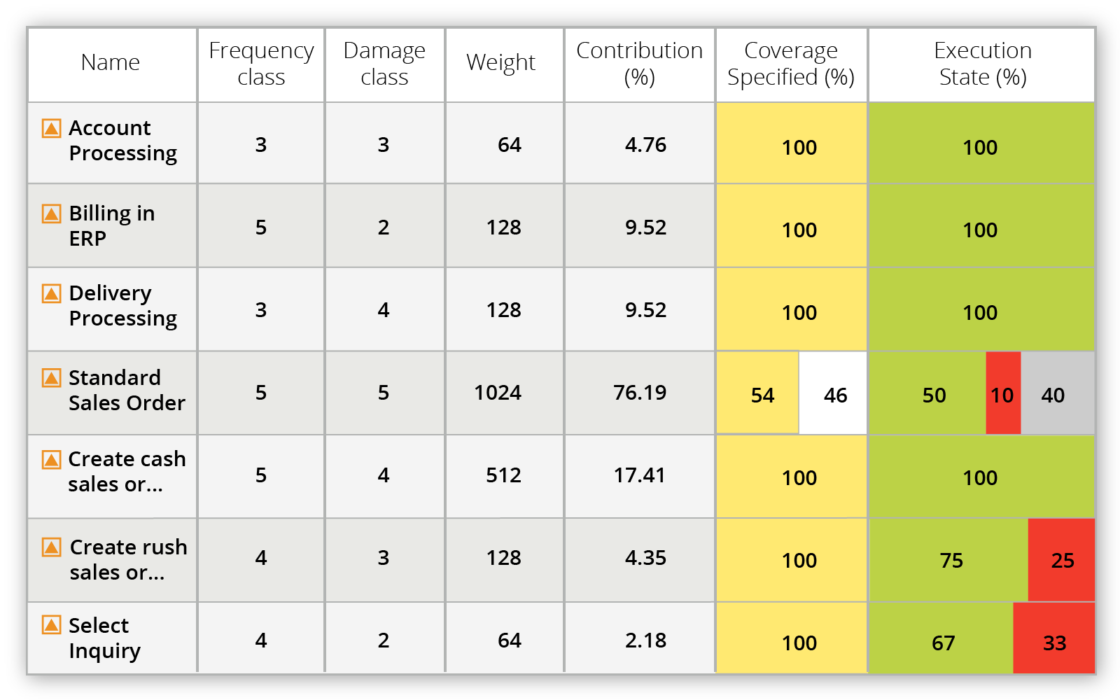
Screenshot of requirements coverage for risk optimization - this enables users to prioritize requirements by business risk/ impact, understand what is needed to test, and gain business insight on defects to ensure smarter and faster release decisions.
Screenshot of Vision AI - AI powered test automation using patented neural network technology to deliver resilient UI automation. Includes self-healing AI capabilities.
Screenshot of service virtualization, which enables users to build realistic, simulated services in minutes to remove bottlenecks and run end-to-end tests faster in the software development lifecycle.
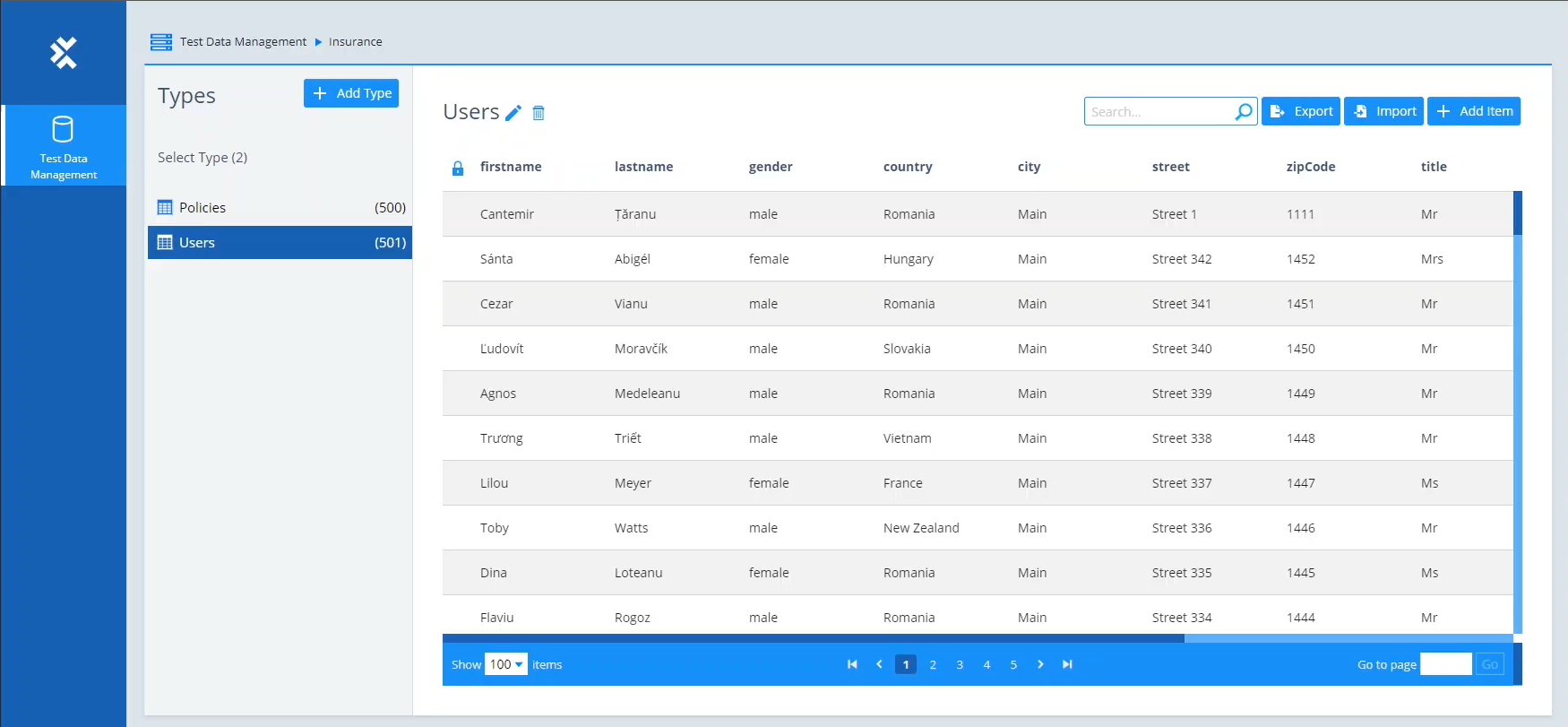
Screenshot of test data management. This offers test data when it is needed and helps keep track of the data as it gets consumed across end-to-end business processes.
Screenshot of an API Scan. This enables users to create codeless API tests without having to wait for the full application to be built.
Screenshot of the Automation Recording Assistant (ARA) that enables business users to record and capture their workflows during normal SAP routines and contribute to test automation.
Screenshot of Mobile testing - Codeless automated testing for any mobile application. Tests native, hybrid, and web applications on iOS and Android devices — including mobile cross-browser testing.
Screenshot of distributed execution, which enables faster testing at scale by running multiple tests in parallel across distributed infrastructures and virtual machines.
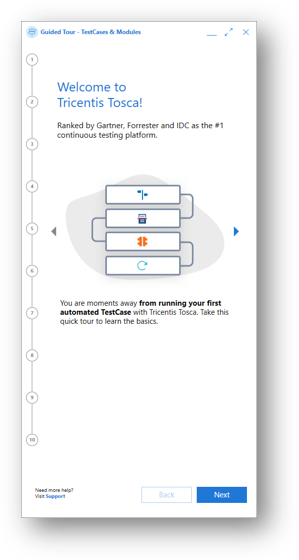
Screenshot of the step-by-step journey on how to navigate the Guided Tour, in 10 steps.
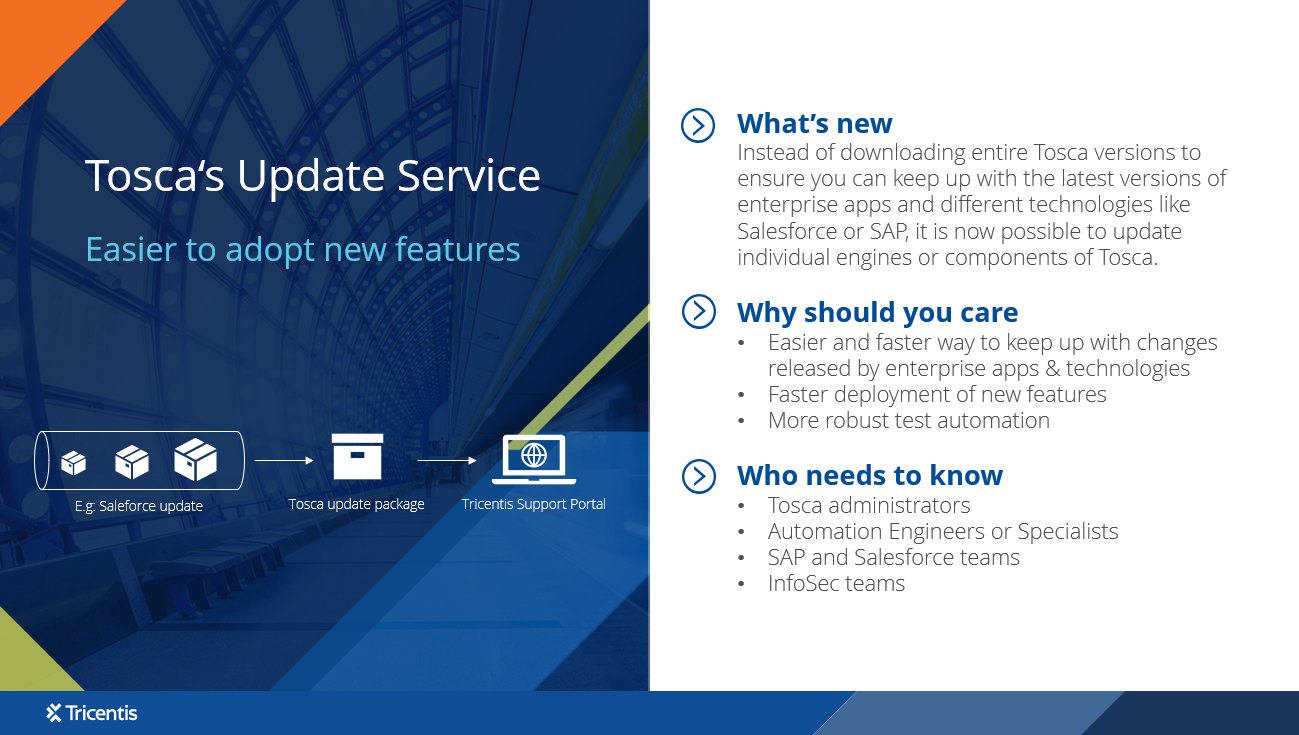
Screenshot of the update service, which enables users to update single technologies of Tosca removing the need to update entire Tosca versions.
Screenshot of Tricentis Tosca's codeless, end-to-end testing.

1 / 13

Screenshot of where no-code, model-based test automation separates the technical information of an application into reusable, no-code modules that can be updated as applications change, which auto-updates test cases.

Top Performing Features

  • CI/CD Tool Integration

    The product allows users to integrate automated testing into their continuous integration and continuous deployment (CI/CD) pipeline for faster feedback and results.

    Category average: 9.1

  • Object Recognition

    The product is able to find and interact with user interface elements on a web page or application, to suggest fixes and/or make it easier to keep test elements in sync with the actual web page or application.

    Category average: 8.8

  • Multi-Browser Testing

    Users can ensure that web applications work seamlessly across different browsers.

    Category average: 8.4

Areas for Improvement

  • Real Device Testing

    The product provides access to real hardware devices for testing on different platforms. Tests are run using your own devices or using provided simulated devices.

    Category average: 7.5

  • Testing Reports & Analytics

    Provides insights into test results and helps users identify trends and/or areas for improvement.

    Category average: 7.3

  • Integrated Version Control

    Tracks changes to test scripts and allows users to rollback to previous versions if needed.

    Category average: 8

Who Buys & Uses Tricentis Tosca

Pros

  • Automated API testing capabilities
  • Comprehensive end-to-end test automation across diverse technologies
  • Model-based testing approach simplifies test creation and reduces maintenance

Cons

  • Slow performance and high resource demands for large datasets/test suites
  • High cost and complex licensing model, particularly for smaller organizations
  • Instability and rework required for new AI features (e.g., Vision AI)

Tricentis Tosca - a versatile flexible tool for all your automation needs

Use Cases and Deployment Scope

We use Tricentis Tosca to automate our full end to end supply chain processes from both a BAU perspective and on our S4Hana transformation programme. We also use it for smaller app automation such as our Maturity Clearance System. It has been instrumental in maturing our automation strategy and enabling us to test faster.

Pros

  • UI Automation
  • API Automation

Cons

  • Reporting and Analytics
  • Self healing
  • Pricing

Return on Investment

  • Reduce costs
  • Reduce risk

Usability

Alternatives Considered

Katalon and Ranorex

Other Software Used

Anthropic Claude, Microsoft 365 Copilot, SAP Cloud ERP (SAP S/4HANA Cloud), Microsoft 365

Best tool for automation without writing code

Use Cases and Deployment Scope

We used Tricentis Tosca to create regression suite for our application for our application based for UI(ReactJS) and API(REST APIs with Swagger) tests. We use for our Report generation application where we are currently migrating to Internal cloud based multi tenant platpform. It helped to reduce turn around time on migration validation with automation. We also integrated out Regression suite using CI CD Pipeline to run them at defined interval as well as on new build changes.

Pros

  • Automate UI regression test cases
  • Automate API regression test cases
  • CI CD for contineous feedback
  • No code Test Automation
  • Ease of use for new and non technical person
  • Dedicated tool support

Cons

  • Extending existing tool functions needs technical expertise
  • Limited Support for linux based environments
  • License cost is high so not affordable for small companies
  • Should provide light/free version for practice

Return on Investment

  • Reduced turn around time with faster test execution
  • Shift left releases with faster QA sign off.
  • Feedback direct to Developes with automated CI CD results.

Usability

Alternatives Considered

Selenium, Playwright and Cypress.io

Other Software Used

Azure Data Factory, Azure Databricks, Playwright, REST Assured, Azure Data Explorer

[...] Tricentis Tosca Review

Use Cases and Deployment Scope

We are using Tricentis Tosca for test automation of our salesforce product. We are using Tricentis Tosca for creating various automation scripts for our functional test cases for reducing the manual efforts of functional testing while regression.
Our latest initiative is we are move migrating our salesforce org to one cloud to another.

Pros

  • Regression Testing by automation
  • Easy test automation as we can repurpose the existing modules
  • Test execution and maintenance is quite easy

Cons

  • Tricentis Tosca should support third party integrations as well
  • Tricentis Tosca can improve debugging options to fix the failed test cases

Return on Investment

  • Tricentis Tosca has significantly reduced the cost of regression testing
  • Most of defects are caught in early stages of development
  • We have significantly reduced the customer incidents after using Tricentis Tosca

Usability

Alternatives Considered

Copado, Playwright and Selenium

Other Software Used

Copado, Tricentis qTest, Atlassian Jira

TOSCA TESTING COMPANION.

Use Cases and Deployment Scope

Instead of writing complicated computer code (like most testing tools require), Tosca uses a "drag and drop" style. We showed the tool what our website looked like, and it remembered the buttons and text boxes. ​Testing Websites: We taught the robot to log in, fill out forms, and navigate the website as a real customer would. ​Checking PDF Documents: This was a big part of our job. Our system creates many PDFs (such as digital receipts or manuals). We used Tosca to automatically "read" these PDFs. It would check if the names, prices, and dates inside the PDF matched what was on the screen. ​Saving Data in the Cloud (Amazon S3): We used a digital storage locker called an Amazon S3 bucket. Every time the robot finished a test, it would save the results and the PDF files there so we could look at them later. ​Why This Helped the Company: ​Companies are always changing their technology, and Tosca helped us keep up with those changes. ​Updating Old Systems: When we moved from old, slow software to new, modern websites, Tosca helped us quickly test the new versions to ensure nothing broke. ​Moving to the Cloud: Since we were moving our data to the internet (the Cloud), having Tosca integrated with Amazon S3 meant our testing was already "living" in the cloud too. ​Accuracy: Humans get tired and might miss a small typo in a 10-page PDF. The robot never gets tired and catches every single mistake. ​Summary for your records: By using Tosca, we didn't just test faster; we made sure that all the paperwork (PDFs) our company sends out is 100% accurate, all while keeping our files organized in the cloud.

Pros

  • Pdf validations.
  • Cross browser support.

Cons

  • Cost
  • Heavy weight needing more RAM AND CPU.
  • AI assist.

Return on Investment

  • Faster testing cycle.
  • Less resource needed to manage pack.
  • Less maintenance needed.

Usability

Alternatives Considered

Selenium and Playwright

Other Software Used

Playwright, Selenium

Great product and service

Use Cases and Deployment Scope

We are using Tricentis Tosca for test case management currently we are working on lightning migration project as part of this we are migrating the classic vf pages into lightning vf pages. This will ensure us to make the product aligned with latest technology changes.

Pros

  • Tricentis Tosca help is automation of test cases with UI
  • A tester can easily automate the test cases from qTest without having deep technical knowledge
  • Tosca is no code tool which makes development quite faster as compared to other tools

Cons

  • Sometimes Tosca gets stuck when we run multiple test cases in single go
  • Tosca should provide better storage utilisation
  • Tosca should provide some AI features for troubleshooting

Return on Investment

  • As per current usage we are getting good ROI in Tosca as we have automated multiple test cases which requires day to day validation
  • Tosca significantly reduces the cost of manual testing while regression
  • This helps us in complete the testing quickly with the help of automation scripts

Usability

Alternatives Considered

Copado and Atlassian Jira

Other Software Used

Copado, Atlassian Jira