TrustRadius: an HG Insights company

ZoomMate

Score8.5 out of 10

36 Reviews and Ratings

What is ZoomMate?

ZoomMate is Zoom’s next-generation "agentic" workspace, launched in June 2026 to transform how teams move from conversation to completion. Positioned as an "AI Teammate" or virtual "Chief of Staff," ZoomMate goes beyond standard chatbots by proactively executing tasks across a company's entire digital ecosystem.

Read more details.

Media

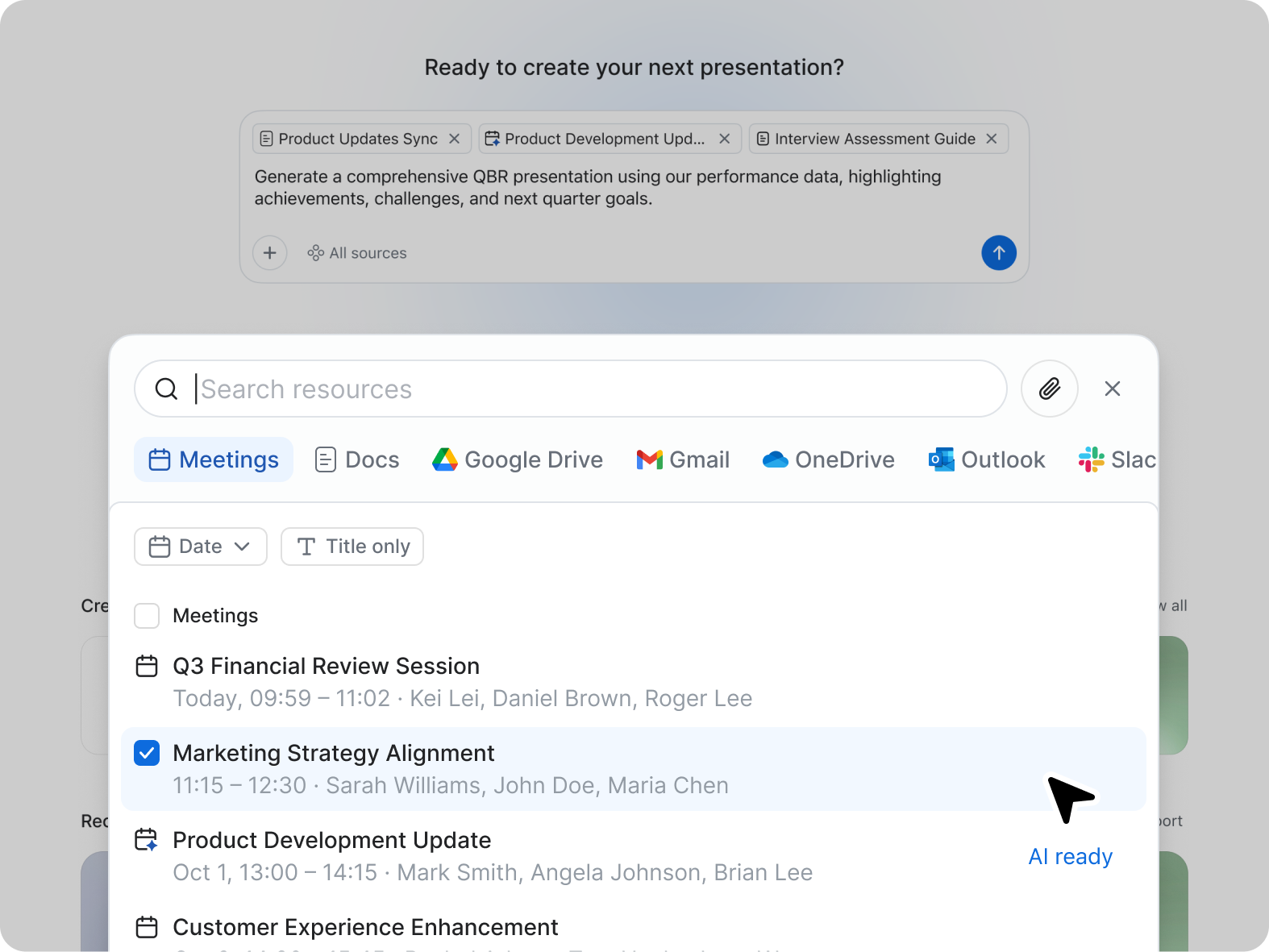
Screenshot of ZoomMate, the AI teammate. ZoomMate analyzes, learns, and acts on conversations to complete work.
Screenshot of Search: agentic search and deep research
Screenshot of Workflows are conversational and visual automations that handle multi-step processes across meetings, apps, and systems. You can describe a workflow in natural language ("when someone files a support ticket about pricing, route it to the sales team and post a notification in the deal channel"), use pre-built templates, or build one visually. They run on triggers — events, schedules, or agentic logic — and can be configured with approval checkpoints to keep you in the loop where approvals are needed.
Screenshot of Create: AI-first productivity tools

1 / 4

Screenshot of ZoomMate, the AI teammate. ZoomMate analyzes, learns, and acts on conversations to complete work.

Pros

  • Automated meeting summarization and note-taking
  • Reliable and stable connection quality for audio/video
  • Streamlined meeting organization and execution

Cons

  • Opportunities for more advanced AI functionality
  • Limited or less seamless integration with competing ecosystems
  • User interface and experience could be more intuitive

Enhancing Team Collaboration and Boosting Productivity With Zoom Workplace.

Use Cases and Deployment Scope

We have Zoom Workplace across all departments and use it for team communication/collaboration. The tool unites chat, phone, and meeting capabilities in one app, boosting productivity by eliminating the need to juggle between apps. In addition, Zoom Workplace makes managing workflow easy, especially since we have a hybrid team - it keeps teams connected, thus making teamwork easy.

Pros

  • AI - Powered productivity. With this feature, drafting messages, automating tasks, and summarizing meetings are easy, which boosts productivity.
  • It is an all-in-one collaboration tool. With Zoom Workplace, we can send messages, make calls, schedule meetings, and share documents. It offers all the collaboration features our team needs.
  • Makes scheduling easy thanks to Zoom Scheduler that is part of Zoom Workplace.
  • The tool ensures teams communicate securely which is a plus.
  • It comes with a mobile app for added convenience, and no one misses important updates.

Cons

  • Limited functionality on the mobile app.
  • Limited third-party integrations.

Return on Investment

  • Zoom Workplace saves us money as it combines different functionalities into one app - Meeting, chat, phone, and scheduling.
  • Zoom Workplace has enabled our business to have a functional hybrid team. Teams keep connected no matter their location.
  • We have realized increased productivity thanks to Zoom's features. Better collaboration/communication has improved teamwork.

Other Software Used

Avast Email Security, AdSigner Email Signature, Adobe Acrobat

The best application for virtual meet.

Use Cases and Deployment Scope

Zoom workplace is really a very good tool after google workspace I have been using zoom since Covid and the features are very easy to understand as well as to use, the zoom meet is tool which I absolutely love the background design are chef's kiss the sound clarity the surroundings noise cancellation are really awesome, to sum it all I really love this tool easy to use.

Pros

  • Zoom calls.
  • Team chats.
  • Calendar
  • Whiteboard

Cons

  • I don't think there is any malfunction in their solution; it's extremely convenient to use, be it creating a meeting invite, adding people, sending any extra stuff to them. It's quick, and this is the only tool that works seamlessly even on Androids.

Return on Investment

  • For any business, a virtual call is the first step where we pitch our solution to our client. So, a Zoom call is the first step, and we have also closed deals solely via Zoom.
  • Cost-wise, it's on the higher end, but when the returns are there, and we know how this tool works, it becomes more of a part of all deals.

Alternatives Considered

Google Meet and Microsoft Teams

Other Software Used

Google Meet, Microsoft Teams

One stop solution for meetings demo and support

Use Cases and Deployment Scope

We are a Saas company. We have to do product demonstrations, client meetings, trainings, doubt sessions, and after sales support. We do not go physical for all these, we operate everything online. And here comes a crucial part of Zoom Workplace. We have integrated Zoom Workplace with our demo booking page and with call.com, from where we lead can book a demo through the link, and we get the meeting link in our email. All the demos and training and meetings, everything is done by connecting with our users/leads via Zoom Workplace. Zoom Workplace AI- note taker also helps a lot in summary of the meeting so that we do not have to take notes while connected with the user/lead. Document sharing, meeting sharing, everything is taken care of with Zoom Workspace.

Pros

  • Zoom meetings are very helpful in connecting virtually, sharing screens, and accessing screens remotely. which helps us in training and technical support remotely.
  • An AI note taker helps a lot by giving a summary of the meeting so that we do not miss any action items or any other minute detail of the customer, and we can pitch our intentions accordingly.
  • Meeting link sharing, sharing documents among our team team chat everything is very helpful and time saving.

Cons

  • Sometime remote access option doesn't appear, that should be taken care of.

Return on Investment

  • User engagement had improved
  • Support quality is improved as we can connect with the users remotely
  • Time saving is a huge benefit because meeting physically takes a lot of time and cost, but with Zoom Workplace we can connect remotely and do whatever is needed

Alternatives Considered

Google Meet and AnyDesk

Zoom Workplace - Meeting Beyond Walls Made Easy

Use Cases and Deployment Scope

We mainly started using Zoom Workplace in 2020 when Covid was declared a global pandemic. We conducted some online classes on Zoom. Post Covid, we have used Zoom to host online meeting with product vendors who are located in other countries. We have also used Zoom Workplace to host our online tailored online classes. Zoom Workplace really solves the problem of waiting to have team members in the same room in order to host a meeting. Team members can be anywhere in the world and meeting are still held.

Pros

  • I like the screen sharing features and options that are available in Zoom Workplace. You can choose to share an entire screen, or just a document, or a whiteboard or just audio or a portion of the screen. This provides good options for dynamic use cases.
  • I like the chat feature where I am able to select who can see my message. Other meeting software do not provide that seemingly simple feature. If you are 10 in a meeting and you just want to address the host via chat you can choose to just send to the host. Good feature.
  • I like the AI features that are now integrated in Zoom Workplace. Tools such as transcription of meeting notes. Also being able to prompt the meeting notes such as "Are there any action points in this meeting?".

Cons

  • I don't really have serious negatives or areas for improvement.
  • The way a separate window opens up whenever a meeting is started. I think if one window can be used for all Zoom interactions even when a meeting has started that would be good.
  • The pricing can be a bit pricy when you start planning to use the enterprise services.

Return on Investment

  • Zoom has had a positive impact on the operations on our business in the sense that we do not have to wait for all members to be onsite to hold a meeting. This has improved efficiency on business operations.
  • Zoom as an online conferencing meeting software has helped to improve team collaboration. Teams are able to meet and discuss tasks that require collaboration.
  • It has also helped a lot to track and follow up on action items.

Other Software Used

Google Drive

Zoom Workplace

Use Cases and Deployment Scope

We’ve been using Zoom Workplace for four years now and have had nothing but positive experiences so far. We primarily use the team chats for various groups and haven't had any problems so far.

Wir nutzen vor allem die TeamChats für diverse Gruppen und hatten bis anhin noch keine Probleme.

Everything is in one place, and the Zoom Workplace team keeps rolling out one great new feature after another.It’s simple, reliable and a pleasure to work with, especially now that the AI extensions are available.

Pros

  • Chat is intuitive and covers all whishes!
  • Adhoc Meeting is just great
  • The meeting summary was something we have waited for!

Cons

  • Settings should not be overwritten by an update!
  • There are other mailsystem that could be integrated!

Return on Investment

  • The integration of Zoom Chat made all other solutions usless
  • The implementation of Zoom Phone was faster than I thought
  • Configuration of Zoom Phone was intuitive and I would say easy

Alternatives Considered

HCL Sametime and Microsoft Teams

Other Software Used

HCL Notes, HCL Domino, HCL Connections
