GIMP is a free, open-source graphics software. GIMP, or General Image Manipulation Program was developed in 1996 and has continued to be updated by volunteers since then.
N/A
Pixlr
Score 8.9 out of 10
N/A
Pixlr is a photo editing tool formerly part of the Autodesk suite of products, now from 123RF from the Inmagine Group (acquired 2017).
$1
per month
VistaCreate
Score 9.3 out of 10
N/A
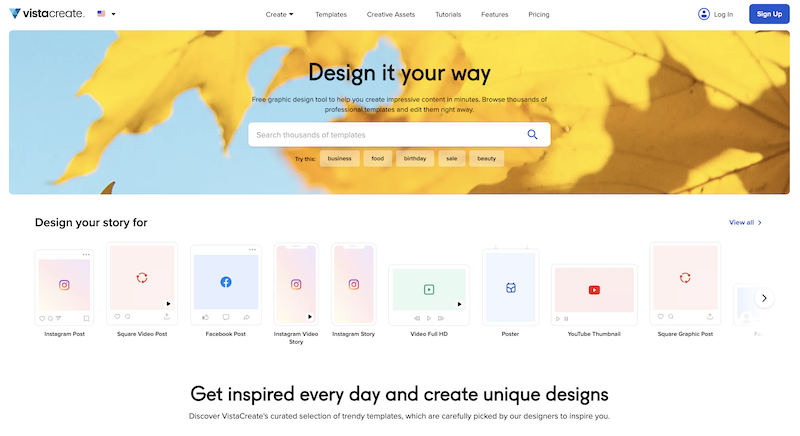
What is VistaCreate (ex-Crello)? VistaCreate is an online visual editing tool for creating videos, animations, graphic designs for social media, print, websites, or virtually any kind of static and animated design for commercial, business, or personal needs. On October 27, 2021 Crello joined the Vista group of companies and changed its brand name to VistaCreate. It includes 50,000 professionally designed templates that are already preformatted and…
Adobe Photoshop is very powerful software, however it is expensive and requires equipment with specific requirements to be able to run it. Canva use them to create basic and fast designs from any of my devices. Instead, I choose GIMP because it is a very light graphic editor …
GIMP is great for anyone ranging from personal use to a small business. But, if you are a large business and have a sufficient budget, I would recommend you to opt for an expensive paid software like Photoshop, that would provide not only great features but also public recognition. Its great for beginners wanting to start editing photos, there is a small learning curve that could be gotten used to in no time.
If you're in a situation where you're regularly creating content for a website, social media page, or even printed materials, Pixlr is a great option! It allows you to create something simple from scratch (with just a solid background and text) or something more complex (with multiple pictures, layers, fonts, shadowing, etc.). It's our go-to method for creating content. If you're someone who isn't very tech savvy, the learning curve for using Pixlr effectively could be discouraging. The interface is intuitive, but there's a lot to it
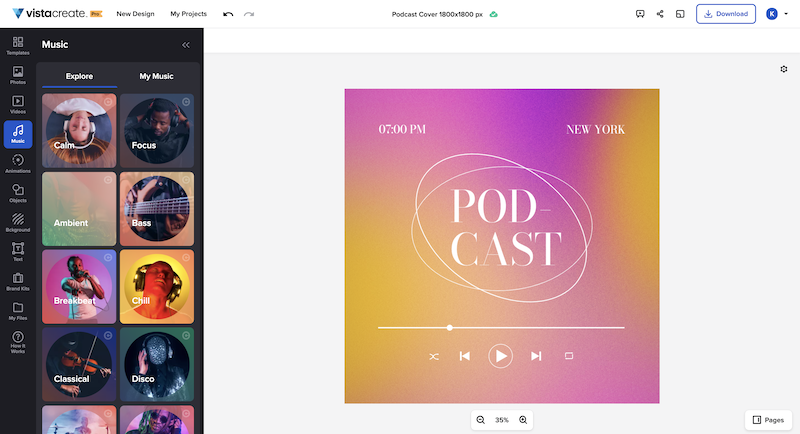
VistaCreate is well suited for creating engaging content for users of all age groups. There are beautiful, modern templates and a variety of shapes and animations to choose from. Most importantly, the cost is inexpensive, and you get that bang for your buck. An attractive feature is the ability to upload music, or choose from the library, to add to your content piece. It's quite clever, as this allows the reader to engage in more than one sense e.g., animated content versus static text. The reader hears music, and the content is animated and visually appealing. This allows keywords to be highlighted. The probability of communicating your message in this manner is increased.
GIMP should make the font tool more intuitive. Make it easier to change fonts during edit process without resetting the typeface selection.
Build in selection/move ability within tools like the typeface tool... I.e. don't require toggle between selection tool and typeface tool when wanting to move a line of type within a layer. Likewise with shapes, etc.
Capability, open architecture, compatibility with Photoshop plugins, wide platform coverage; To me, as an open-source, freely available application, it's the nest-in-class.
I interface GIMP with other software--I need to. I generally use the major calculation, CAD, word processing, and photo editing programs. In my office, my use of this software is not limited to computer-aided design. However, I am sure that if I needed this software for other purposes, it would have no interface problems.
We have never needed to use the support functions for GIMP. Any queries we have or had about whether GIMP could complete a task we have used Google and YouTube. There is a wealth of information, guides, and forums dedicated to GIMP and how to perform certain tasks with the application.
Online services like Canva are fine for quickly designing brochures and marketing materials, videos, etc. They're user friendly and fast if you have a good connection. But if you're in production mode and need to do a lot of photo manipulation at once, without being connected to the web at all times and just want to focus, GIMP is the go-to product for you
Canva is a similar program using for creating content. I've tried out their suite as well but always end up coming back to Pixlr because of ease of use, and my familiarity with the product. They continue to make upgrades to the product and have always had what we feel we need to make top-notch looking graphics for our organization.
In my view, VistaCreate is easier to navigate and design content. The templates are fun and appealing. The availability of Shutterstock photos is endless. The version history is saved so that work is not lost. There is a brand feature that automatically selects color themes to support branding. It is easy to export content to your desired file type.
GIMP is freeware, which allows organizations that are not graphics-centered to use the powerful toolset without spending money on very expensive alternatives
GIMP is fairly easy to learn and does not require extensive user training (especially, if used for basic tasks)