Acronis Cyber Protect Cloud vs. Hornetsecurity 365 Total Protection

Overview
ProductRatingMost Used ByProduct SummaryStarting Price
Acronis Cyber Protect Cloud
Score 8.7 out of 10
N/A
Acronis Cyber Protect integrates backup with AI-driven cybersecurity to deliver comprehensive cyber resilience. It offers rapid, one-click recovery, and simplified management for all IT environments.N/A
Hornetsecurity 365 Total Protection
Score 10.0 out of 10
N/A
With 365 Total Protection, Hornetsecurity offers users enterprise security management in conjunction with Microsoft Office 365. The Enterprise version gives users enhanced functionality and protection, and covers legally compliant email archiving with advanced features such as eDiscovery and 10-year email retention. It also offers protection against advanced persistent threats through the use of AI-based analysis mechanisms.N/A
Pricing
Acronis Cyber Protect CloudHornetsecurity 365 Total Protection
Editions & Modules
No answers on this topic
Offerings
Pricing Offerings
Acronis Cyber Protect CloudHornetsecurity 365 Total Protection
Free Trial
YesNo
Free/Freemium Version
NoNo
Premium Consulting/Integration Services
YesNo
Entry-level Setup FeeNo setup feeOptional
Additional Details
More Pricing Information
Community Pulse
Acronis Cyber Protect CloudHornetsecurity 365 Total Protection
Features
Acronis Cyber Protect CloudHornetsecurity 365 Total Protection
Endpoint Security
Comparison of Endpoint Security features of Product A and Product B
Acronis Cyber Protect Cloud
7.0
2 Ratings
19% below category average
Hornetsecurity 365 Total Protection
-
Ratings
Anti-Exploit Technology6.42 Ratings00 Ratings
Endpoint Detection and Response (EDR)6.42 Ratings00 Ratings
Centralized Management8.22 Ratings00 Ratings
Hybrid Deployment Support7.32 Ratings00 Ratings
Infection Remediation6.82 Ratings00 Ratings
Vulnerability Management7.32 Ratings00 Ratings
Malware Detection6.82 Ratings00 Ratings
Best Alternatives
Acronis Cyber Protect CloudHornetsecurity 365 Total Protection
Small Businesses
ThreatLocker
ThreatLocker
Score 9.4 out of 10
Cove Data Protection
Score 9.7 out of 10
Medium-sized Companies
CrowdStrike Falcon
CrowdStrike Falcon
Score 9.1 out of 10
Druva Security Cloud
Score 9.5 out of 10
Enterprises
BeyondTrust Endpoint Privilege Management
Score 10.0 out of 10
Druva Security Cloud
Score 9.5 out of 10
All AlternativesView all alternativesView all alternatives
User Ratings
Acronis Cyber Protect CloudHornetsecurity 365 Total Protection
Likelihood to Recommend
9.1
(33 ratings)
-
(0 ratings)
Likelihood to Renew
9.2
(3 ratings)
-
(0 ratings)
Usability
9.1
(7 ratings)
-
(0 ratings)
Support Rating
9.2
(7 ratings)
-
(0 ratings)
Implementation Rating
10.0
(1 ratings)
-
(0 ratings)
User Testimonials
Acronis Cyber Protect CloudHornetsecurity 365 Total Protection
Likelihood to Recommend
Acronis
The services are easy to learn and manage. The support team is very competent and resolves my issues that come s up easily. As a business partner, they are proactive in offering solutions and help to improve what we are doing. They are always there for engineering solutions that we are not sure how to do.
Read full review
Hornetsecurity Inc.
No answers on this topic
Pros
Acronis
  • Local backup to local encrypted and protected hard drives
  • Cloud backups of files, folders, or entire machines
  • Vulnerability assessment of systems
  • Antivirus and content filtering
  • Remote control of systems
  • Integration with Connectwise and other RMM and MSP tools
  • Replacement that's better than Dropbox or Google drive
Read full review
Hornetsecurity Inc.
No answers on this topic
Cons
Acronis
  • The website is pretty slow and will kick you off sometimes. I know they are working on this. For now, this is the biggest problem we have with Acronis.
  • Their support team isn't great. It can take a while to get an issue resolved, although issues do not happen frequently.
Read full review
Hornetsecurity Inc.
No answers on this topic
Likelihood to Renew
Acronis
They recently raised the pricing for backup usage and our price has nearly doubled. It is still lower than some other vendors, but we might review other options before renewing next year.
Read full review
Hornetsecurity Inc.
No answers on this topic
Usability
Acronis
Overall, Acronis Cyber Protect Cloud is powerful and effective. The platform has user-friendly features and a centralized dashboard that simplifies management across multiple clients. This platform integrates backup, recovery, and security features effectively, all in one. It makes our lives easier.
Read full review
Hornetsecurity Inc.
No answers on this topic
Support Rating
Acronis
Support has been helpful when we have had to reach out. We have not had to contact support that much so I do not have much feedback on them. I met the support team at the Cyber Summit and they are all very nice, smart individuals.
Read full review
Hornetsecurity Inc.
No answers on this topic
Alternatives Considered
Acronis
Price! All the services have low entry points and then hit you with big fees. Acronis Advanced Backup provides better management and control of your cost then the other services we evaluated. We have tested a number of solutions not on the list that have are price competitive, but the support was lacking.
Read full review
Hornetsecurity Inc.
No answers on this topic
Return on Investment
Acronis
  • We have been able to further develop our customerbase and and more MSP as our partners
  • Overall the recurring revenue coming from Acronis, will help us to increase revenue and margin, without investing in new hardware and save on energy-cost.
  • It is time consuming to implement Acronis into our system and train our employees. With this there is also cost involved, but we believe in the long-term investements we make here.
Read full review
Hornetsecurity Inc.
No answers on this topic
ScreenShots

Hornetsecurity 365 Total Protection Screenshots
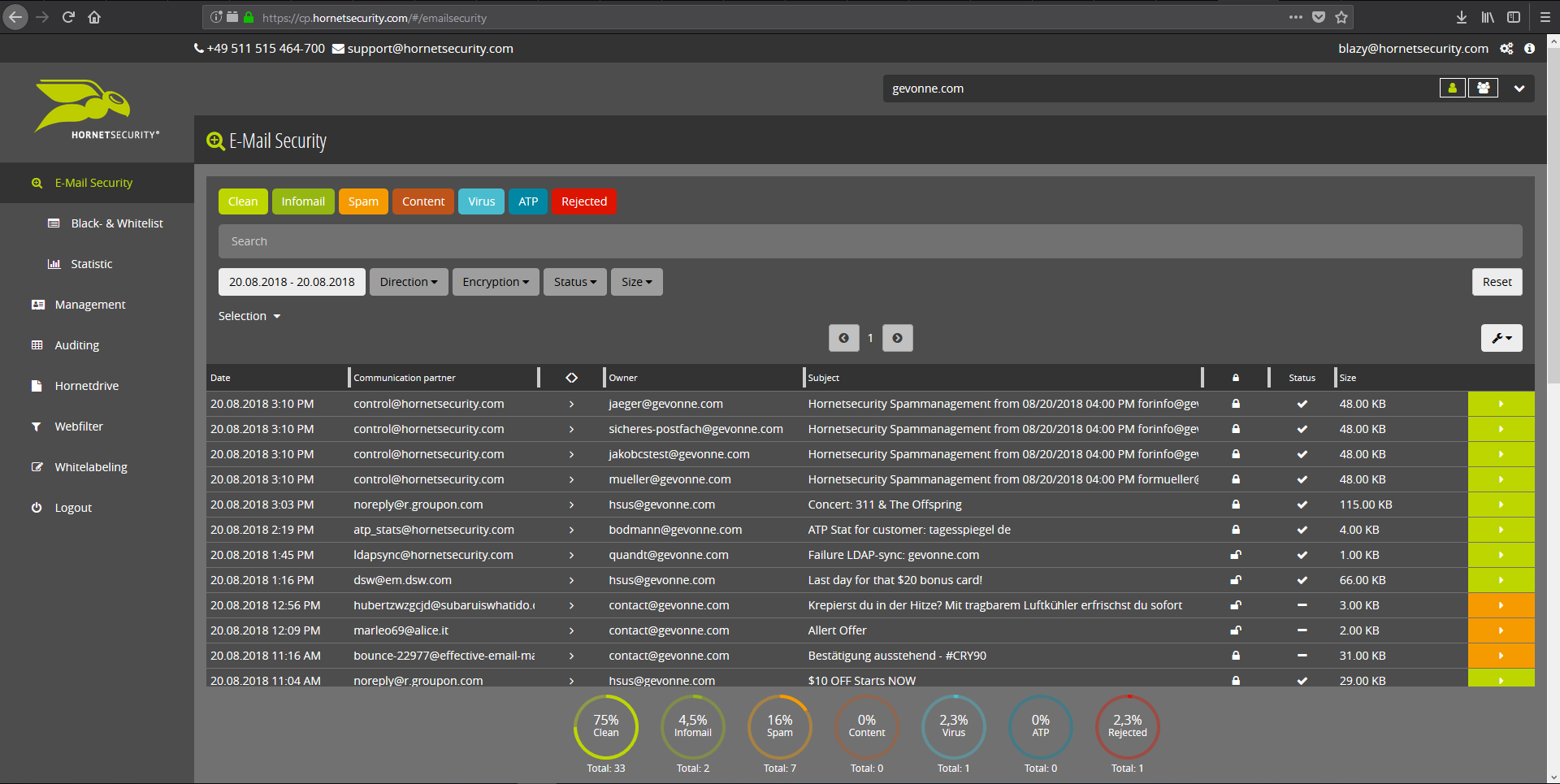
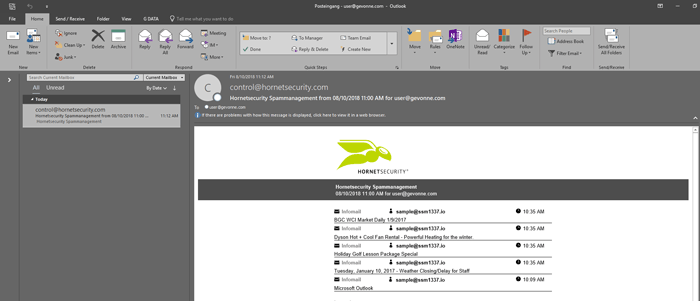
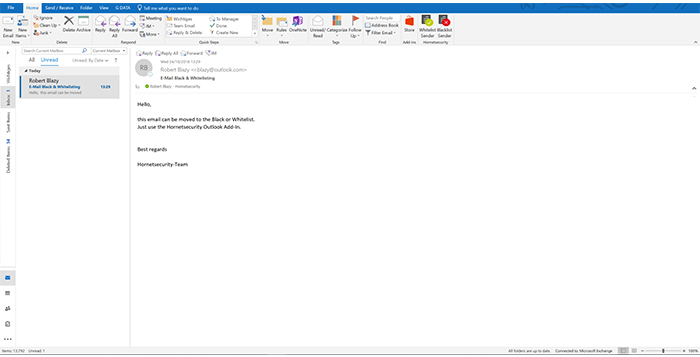
Screenshot of Email Live Tracking with user-defined settings offers users a complete overview of all Emails addressed to them. If an incoming Email has, for example, been classified as spam, you will receive comprehensive information and can individually determine any further interaction. This means that you can always quickly find any email you are searching for and delivery options can be defined for the future.Screenshot of With the help of Infomail Handlings, the inboxes or smartphones of your users will no longer be flooded with newsletters and ad mails. Users are no longer distracted by the constant arrival of unimportant emails, thus making it easier for them to keep track of relevant business matters.Screenshot of Content Control protects your email communication from receiving or sending unwanted or unauthorized file attachments in keeping with your company policy. When running Content Control, umbrella terms and categories (e.g., .docmacro or .executable) may be blocked, for example in the default group (mailboxes that are not allocated to any particular group). For a department such as Marketing, however, the receipt of media files and macros can, on the other hand, be necessary for daily business: In this respect, one can create, for example, a group for the Marketing department and adjust the settings in Content Control so that only potentially dangerous, e.g. executable, file formats are blocked for this group.Screenshot of If an incoming email (e.g. phishing or spam mail) constitutes a threat, the attack is immediately detected by the multi-stage filter systems of 365 Total Protection. Unwanted emails are directly rejected by the Threat Blocking function or detected in later analyses by Threat Intelligence and sent straight to Quarantine. In both cases, these emails will not be delivered to your mailbox.Screenshot of If you do not want to receive emails from one or several specific senders, you can put these on your personal Blacklist. With just one click directly in your in-box the selected senders can be added to the Blacklist to prevent emails from the same sender from being delivered to you in future. If an email from a generally unobjectionable sender lands in Quarantine by mistake, thus appearing in the spam report, the “Whitelist” function can be used. Emails from senders on your Whitelist will always be delivered to your in-box in future.Screenshot of Every email sent out by a company is not only relevant to the business, but is also your company’s business card. In terms of content, a company-wide standardized structure and the completeness of signature datasets are essential. In this context, all email signatures also have the same visual design and layout. This task can also be allocated to the Marketing department or office management via the “What You See is What You Get” editor.